Antigravity (Gemini) — Seller Assist
Seller Assist was built using Antigravity, a Gemini-powered coding tool. The MMT design foundation and flow context were loaded as structured documentation so implementation followed the prepared spec.
AI-Assisted Design Practice
A collection of solo AI-assisted workflows, working prototypes, internal tools, and interactive experiments that turned design intent into usable systems faster.
I use AI as a structured execution layer, not as a replacement for product judgment. Across recent work, the stronger pattern is not just making screens faster. It is preparing context, choosing the right agent or model for the job, iterating through trial and error, testing outputs, and turning messy product material into dependable working artifacts. Every project here was built and iterated locally, with each meaningful state committed to Git — so the version history is the actual record of how each build evolved.
Through line
Across every project, the pattern stays the same: prepare context, choose the right AI setup, test the result, and keep human judgment in control.
Workflow layer
How AI was used
Seller Assist
Open prototype
Documented the MMT design foundation in structured MD files, then used Antigravity (Gemini) to turn that flow context into a working prototype — no Figma reference needed.
TnA Auditor
View case study
Reused the same MD documentation approach to define token rules and review boundaries, then built a review-first audit-and-repair workflow inside Figma.
Secret Santa
Open siteUsed AI for puzzle generation inside an operator-led festive setup and reveal flow.
3D Table Tennis
Play nowUsed AI as an iteration partner for mechanics, controls, and style experiments before publishing a playable result.
Portfolio workflow
Used documentation, screenshots, and reusable page systems to turn source material into live case studies faster.
Working model
Across these projects, the pattern is consistent: prepare the context, choose the right AI setup, test the result, and keep product judgment with myself.
Seller Assist was built using Antigravity, a Gemini-powered coding tool. The MMT design foundation and flow context were loaded as structured documentation so implementation followed the prepared spec.

The TnA plugin was built with Claude Code and Codex — chosen for structured code generation at a controlled 8–15 minute per-cycle tempo rather than open-ended multi-turn sessions.

Secret Santa used both Gemini Pro and Gemini 2.5 Flash — Pro for reasoning through puzzle structure, Flash called directly via API for fast, repeatable generation output at scale.

The portfolio is built with Codex and Claude Code — suited for long-context, documentation-first workflows where session continuity and architectural reasoning across many pages matter.
The important part is not whether AI produced a screen or a code block. It is whether I framed the problem clearly enough for AI to become useful, and whether I kept enough review structure in place to trust the output.
Working principle
The stronger story is not that AI made assets for me. The stronger story is that I prepared structure, rules, and flow context well enough for AI to become useful.
Hero case
Seller Assist was strongest as a workflow exercise: document the MMT design foundation in MD files, define the expert journey and flow logic, then use AI-assisted development to turn that structured context into a working prototype — no Figma reference required.
Status
Product design at MMT + solo AI-assisted working prototype
Ownership
Solo AI prototype / product design flow owned by me
Focus
Flow framing, requirement capture, itinerary recommendations, comparison logic, destination intelligence, and quote modification.
Workflow note
The real value was the MD-documented MMT design foundation — detailed enough that AI implementation could follow it directly without needing Figma as a reference.
The project began with workflow thinking before screens. The MMT design foundation had already been documented in structured MD files — covering components, patterns, and interaction rules in enough detail that Figma reference was not needed at implementation time. That documentation became the context loaded into the AI workflow, alongside flow maps and requirement logic, so the prototype could follow the system rather than guess at it.

Mapped the Holiday Expert journey, requirement capture logic, and recommendation states into documentation before asking AI to implement anything.
Used Antigravity — a Gemini-powered coding tool — with agent handoff rules and design-system constraints loaded so code generation stayed aligned with the prepared flow instead of inventing it.

Prepared agent handoff files, output folders, and continuity notes so the prototype could be resumed or extended without re-explaining the full context.

Kept the prototype honest: guided questions, comparable options, and state transitions that made the recommendation logic visible rather than hiding it behind a polished UI.
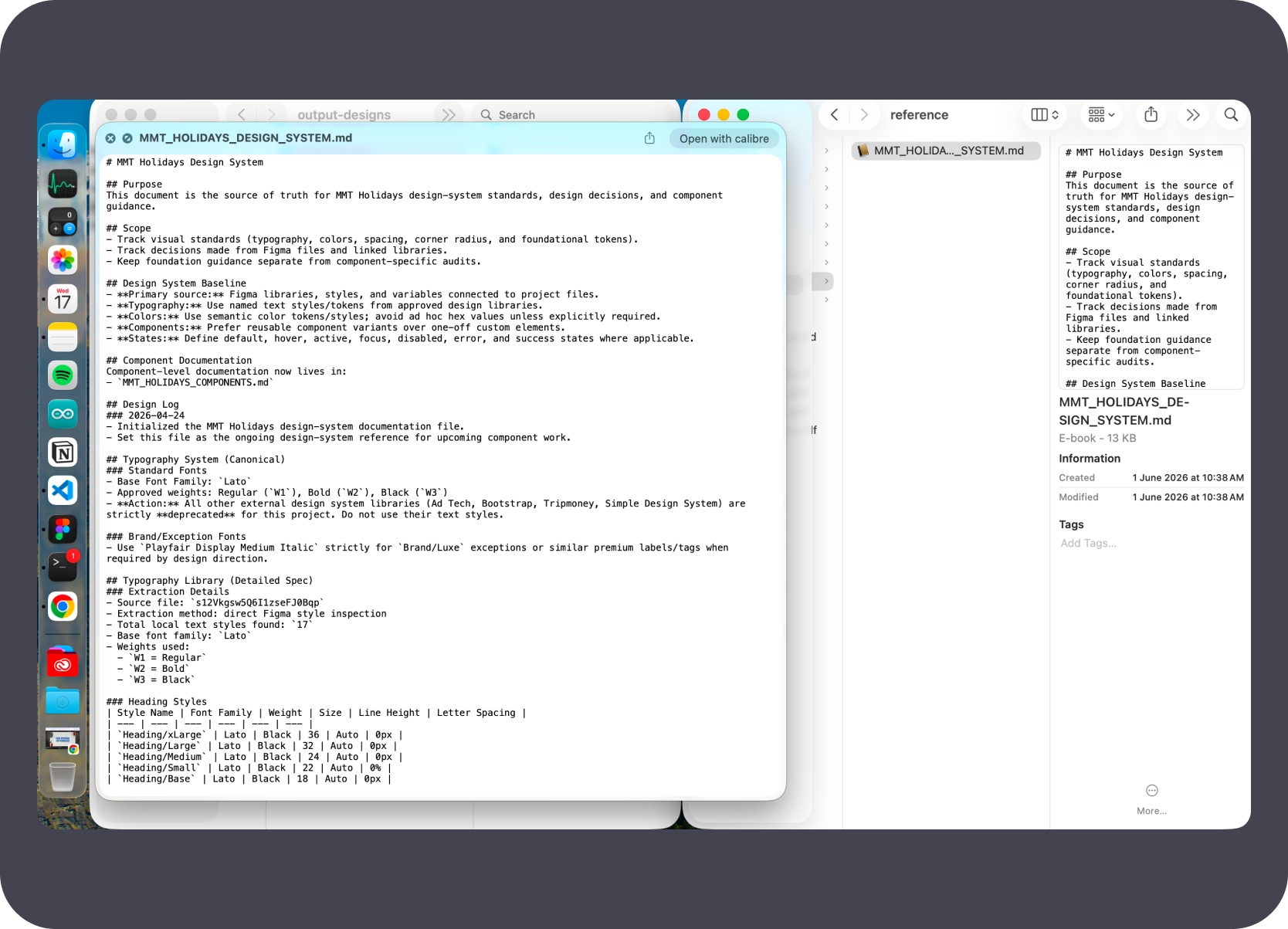
The MMT Holidays design system was documented in structured MD files — component rules, spacing, typography, and interaction patterns in enough detail that Figma was not needed at runtime. The agent handoff document and codebase structure were prepared alongside it so the AI workflow had a complete, loadable context from the start.
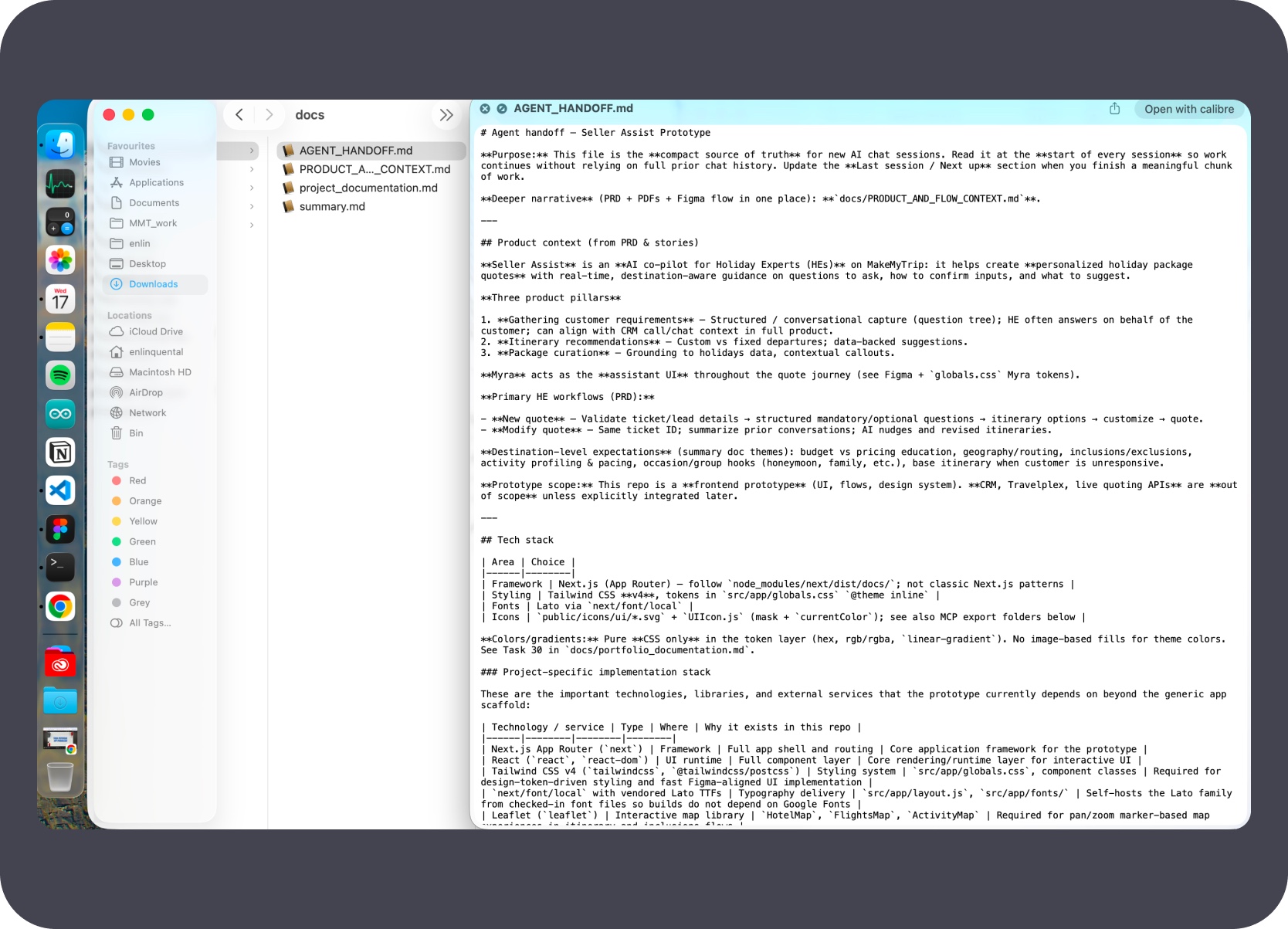
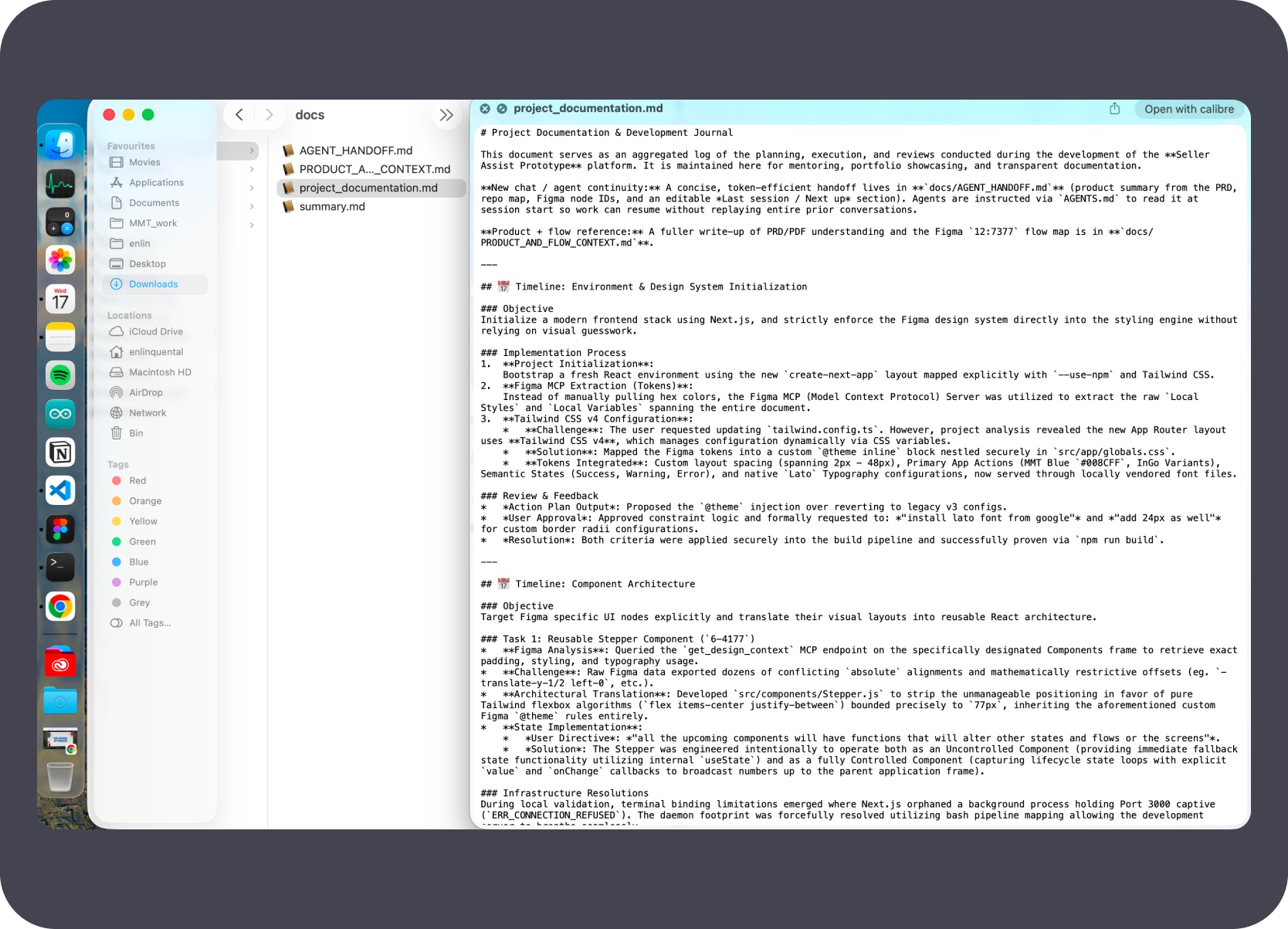
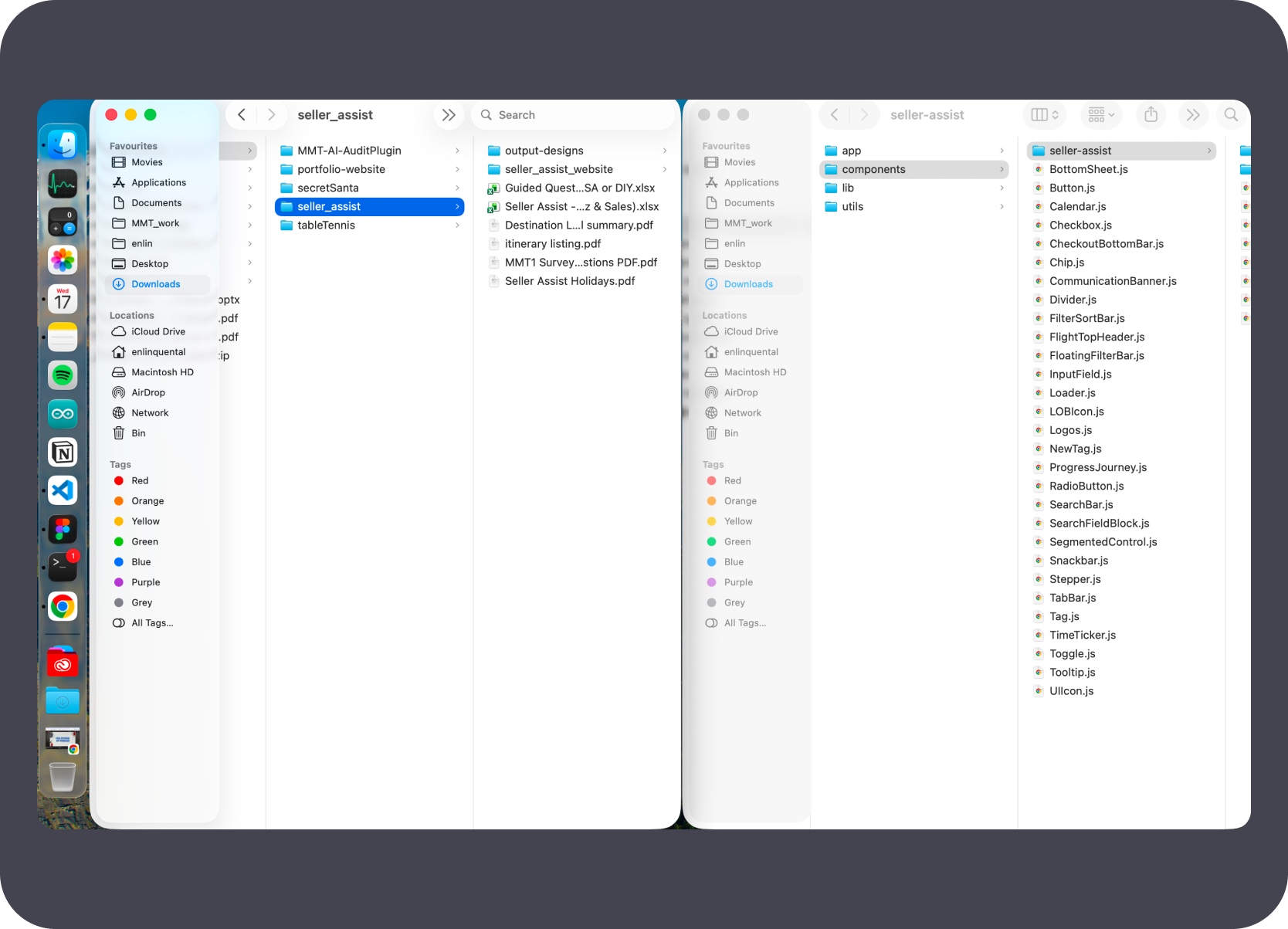
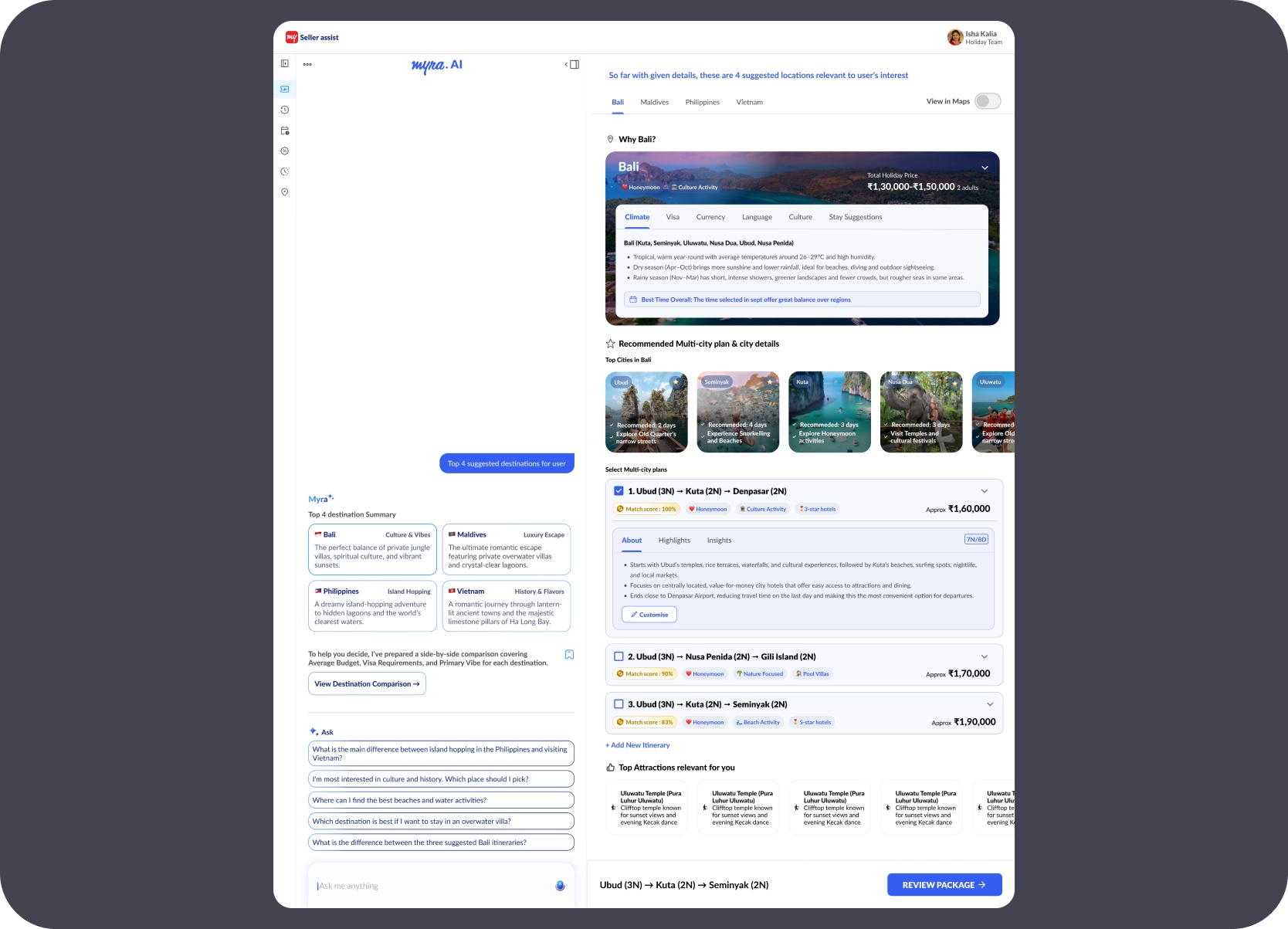
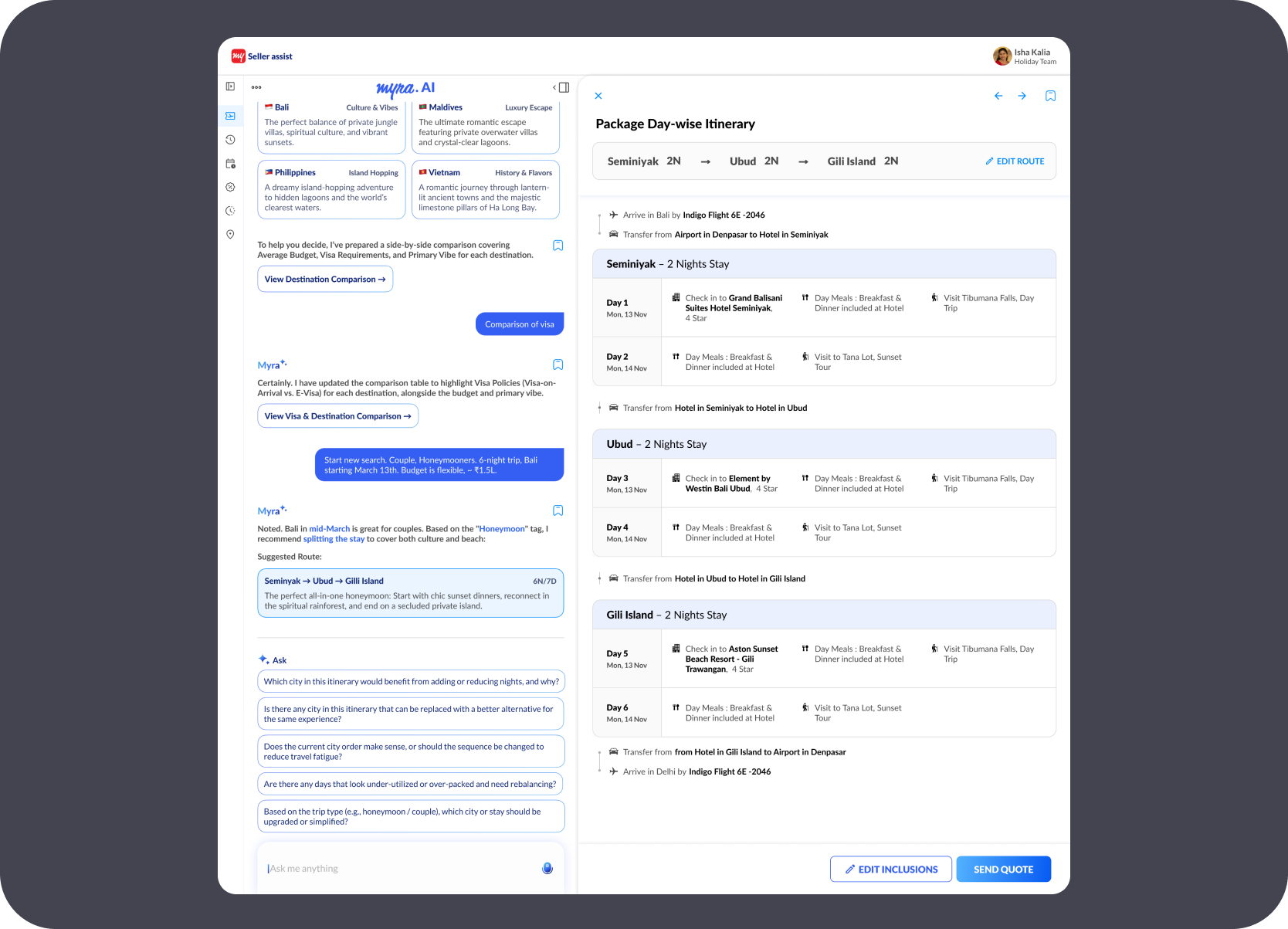
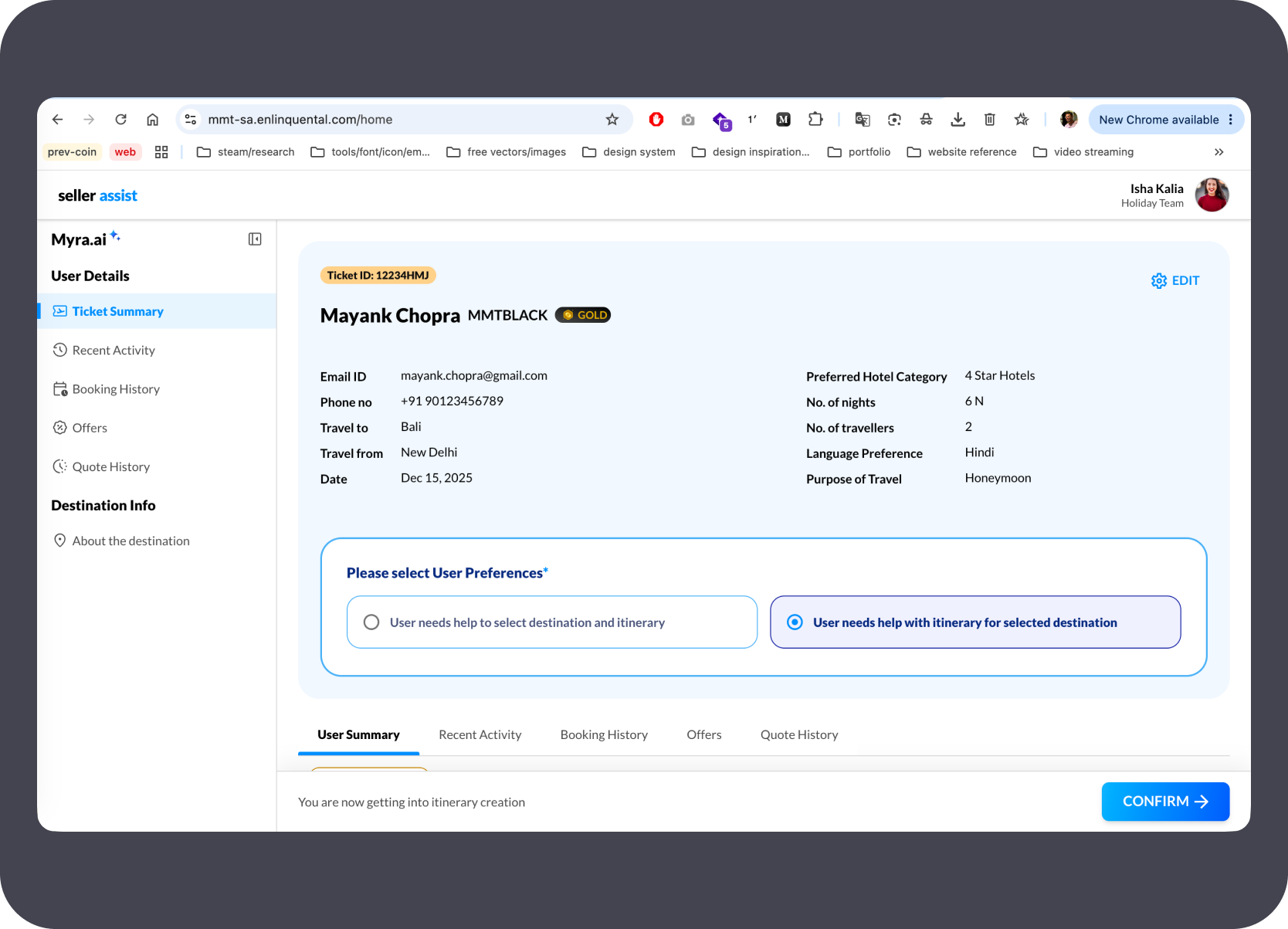
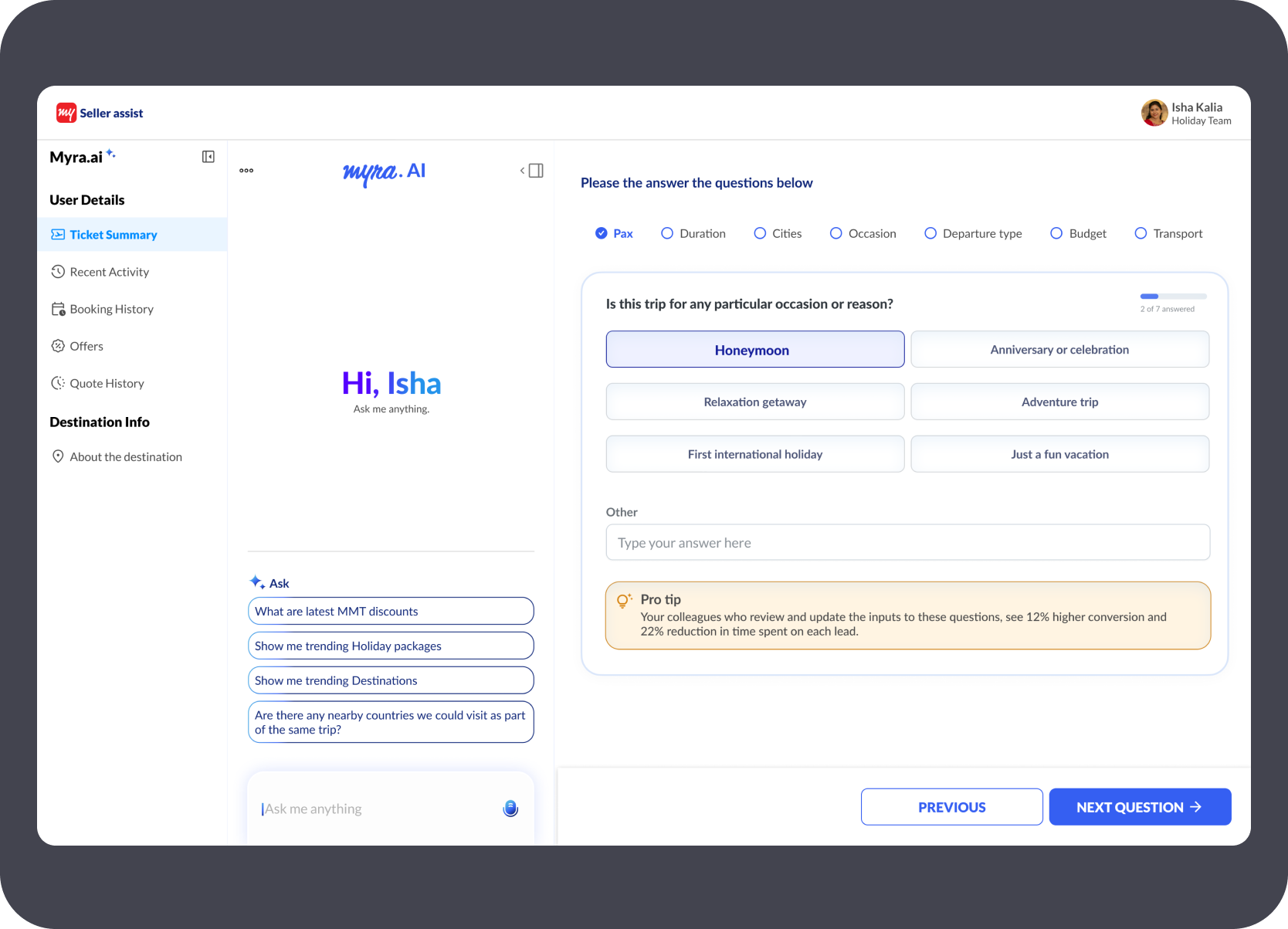
These screens were designed in Figma to establish the product language and key flow moments — customer entry, destination view, day-wise itinerary, and the review surface. They acted as visual reference context for the AI agent rather than as the shipped output.
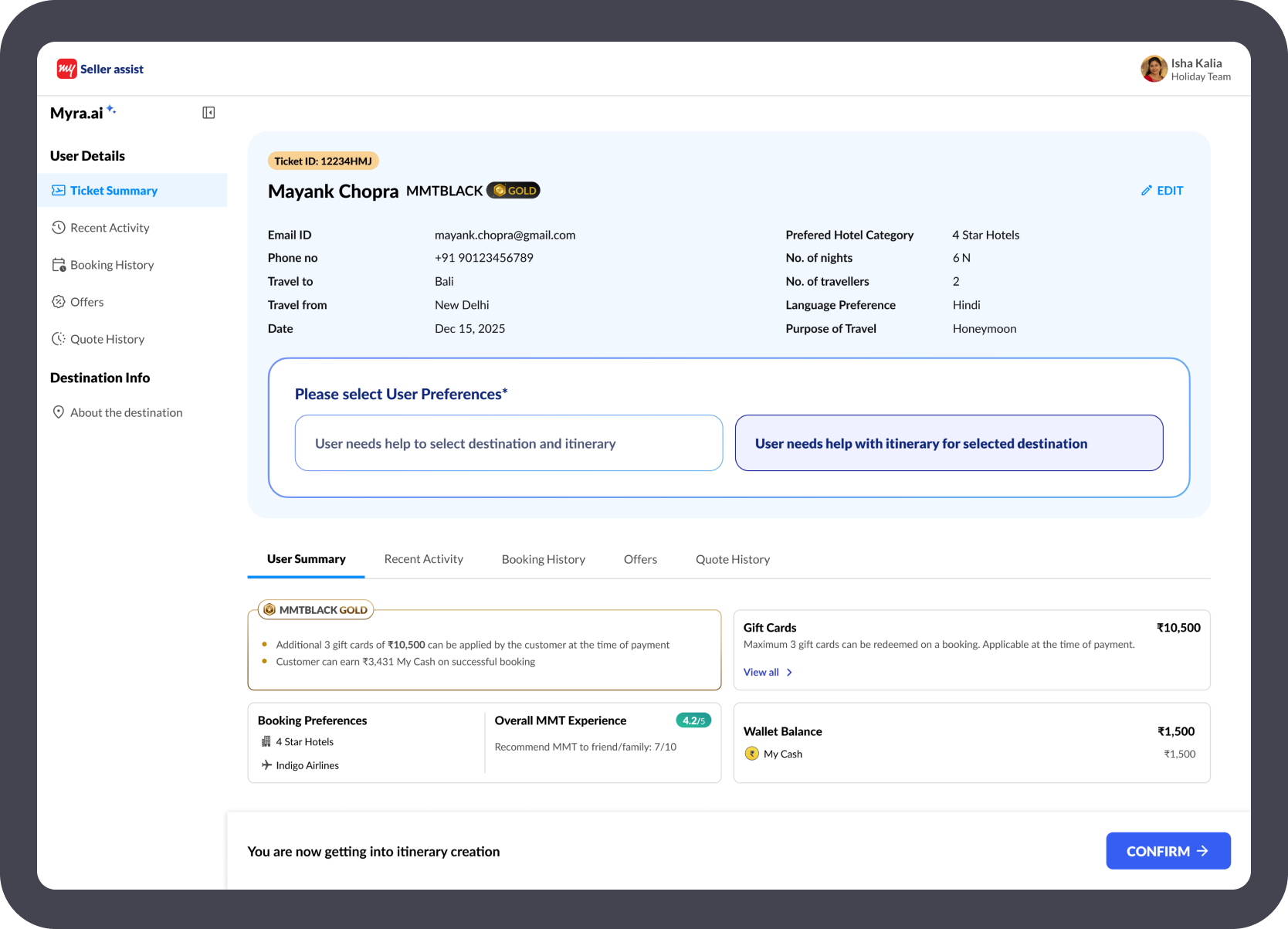
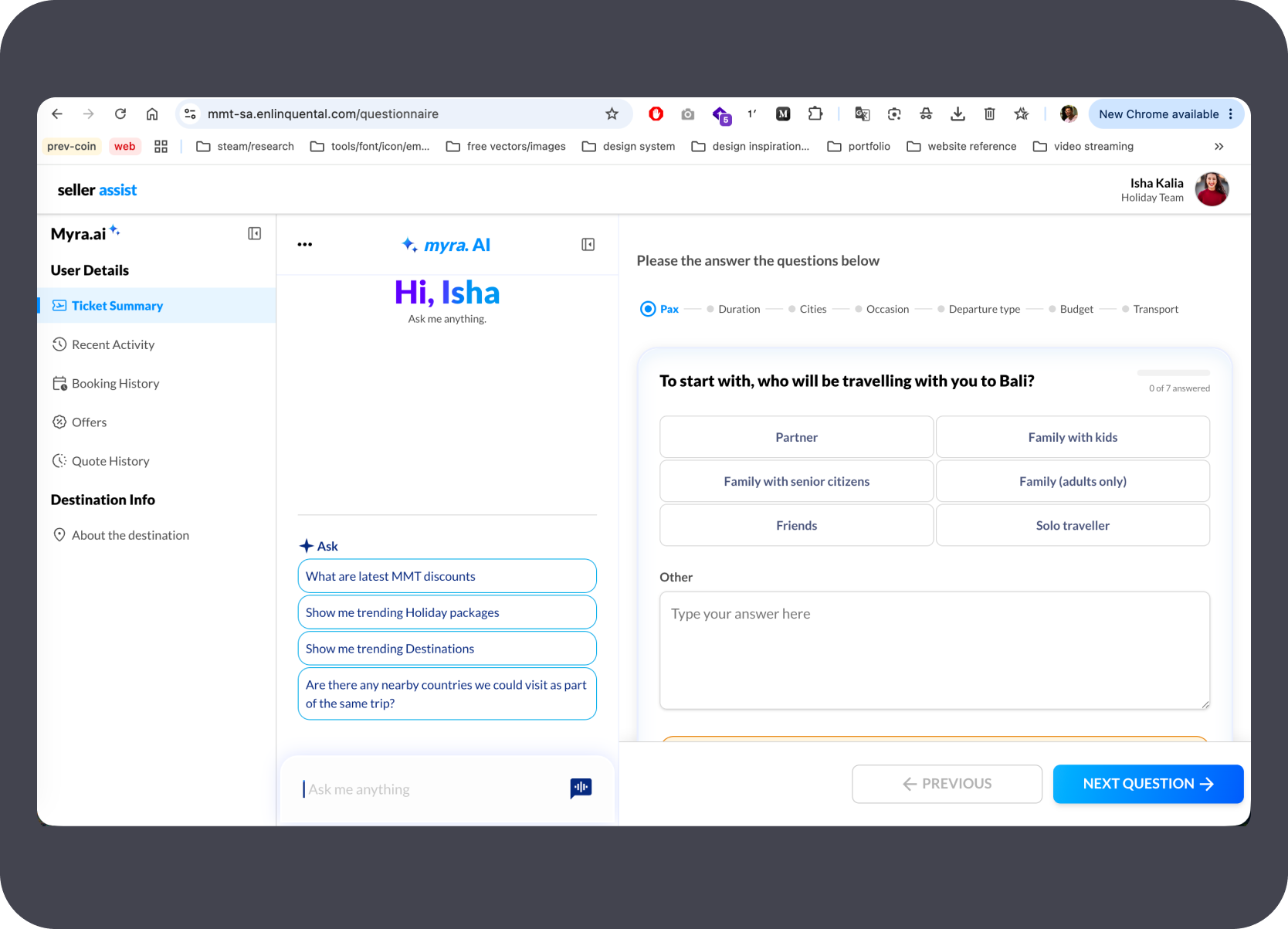
The live prototype opens at the agent dashboard, reads the customer ticket, and guides the Holiday Expert through a Myra.AI-assisted questionnaire — occasion, travel group, budget, and departure type — before surfacing destination recommendations.
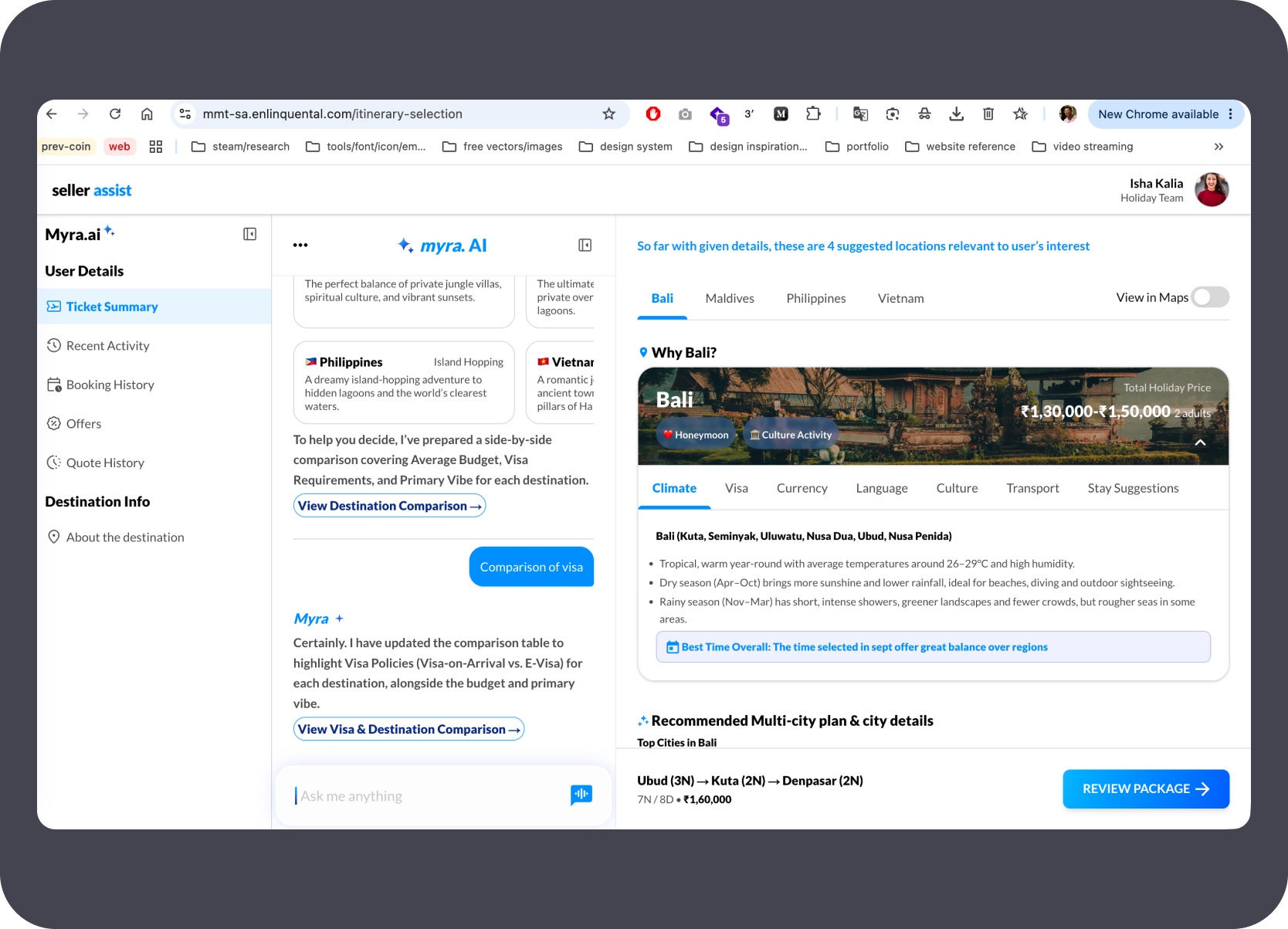
After the questionnaire, the prototype surfaces ranked destination options with side-by-side comparison, AI-generated destination context, and package recommendations built from the captured preferences.
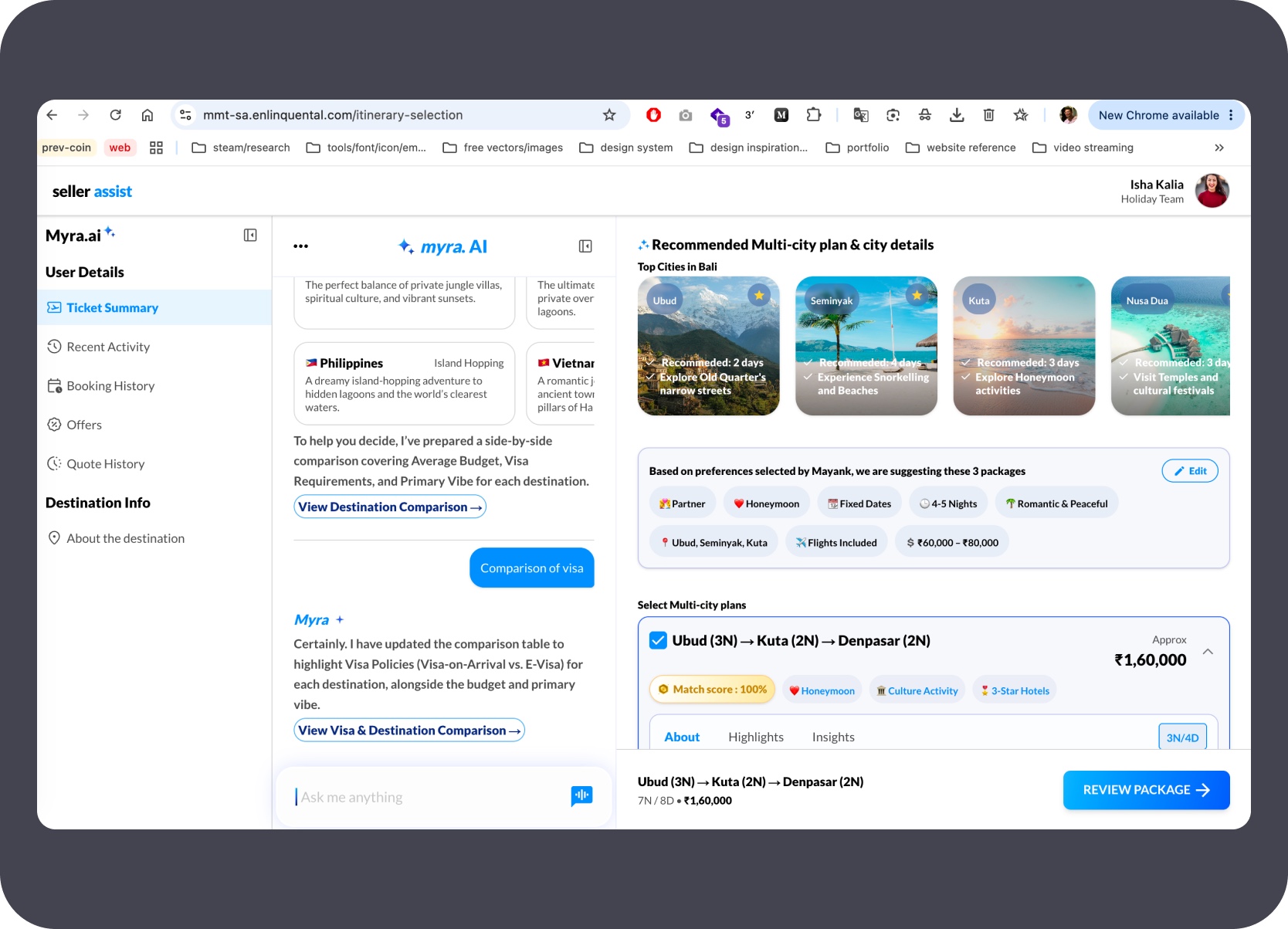
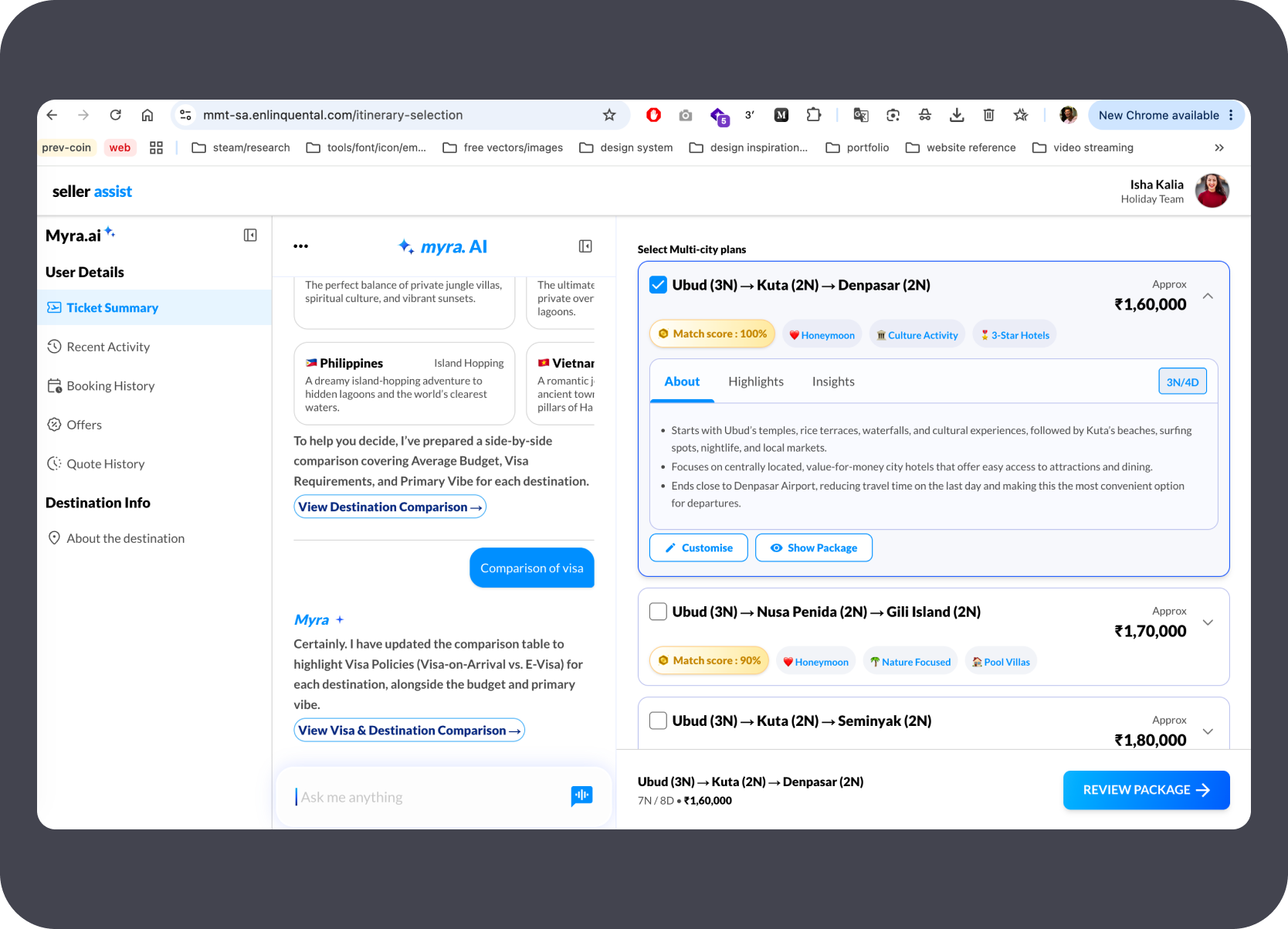
Selecting a package opens an inline day-wise itinerary panel — city-by-city breakdown, nights, transfers, and route summary — without leaving the main recommendation view.
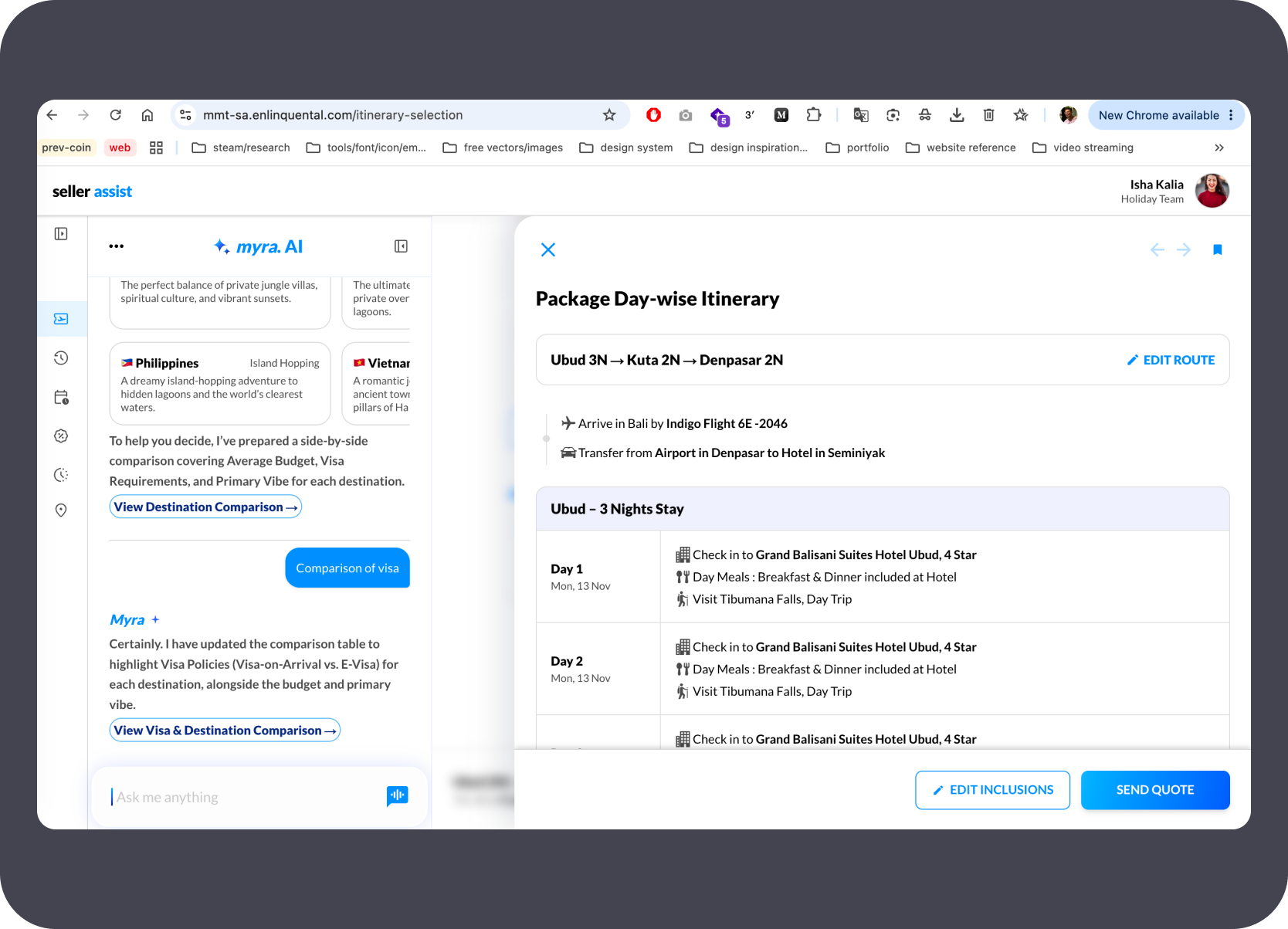
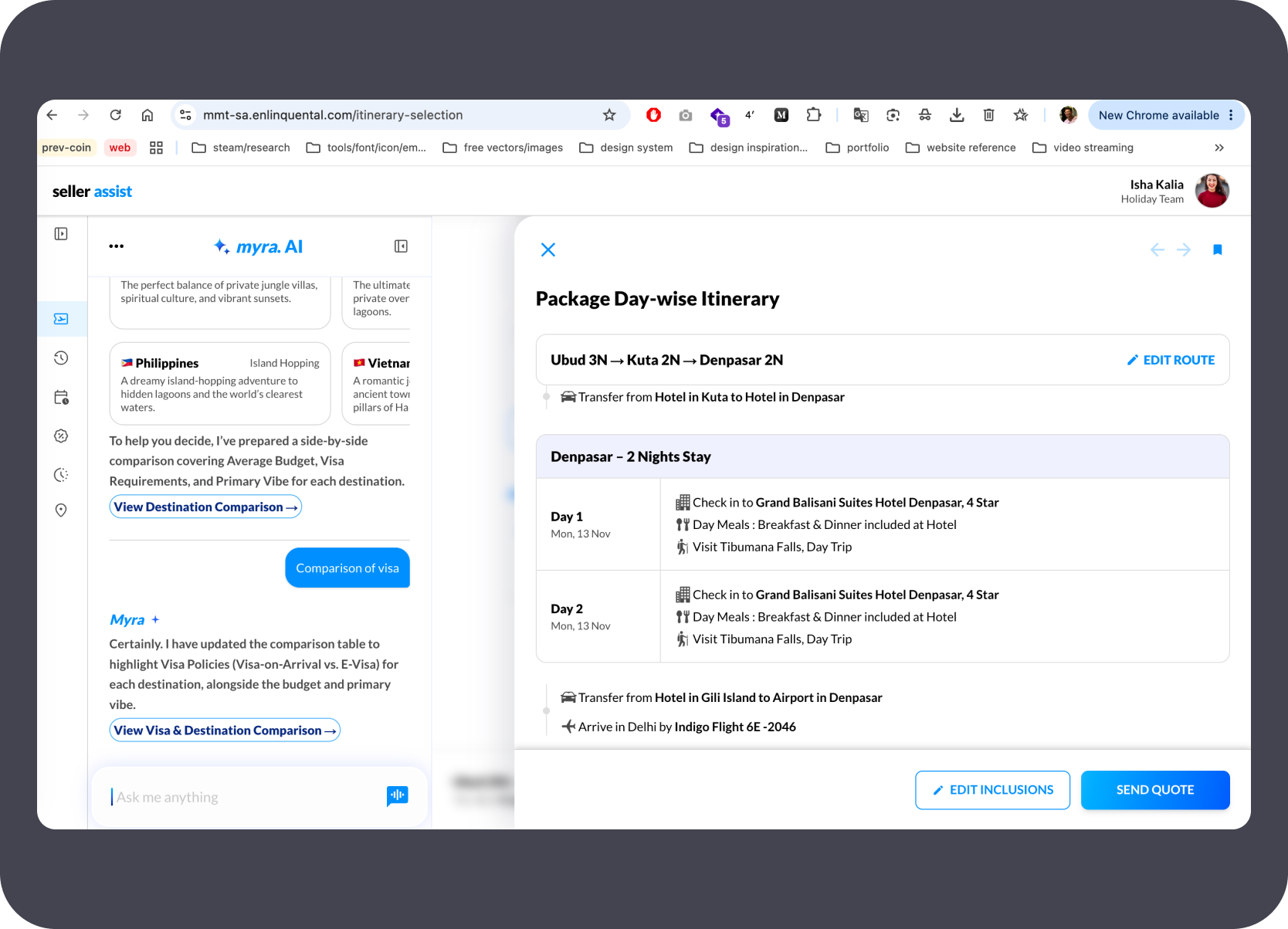
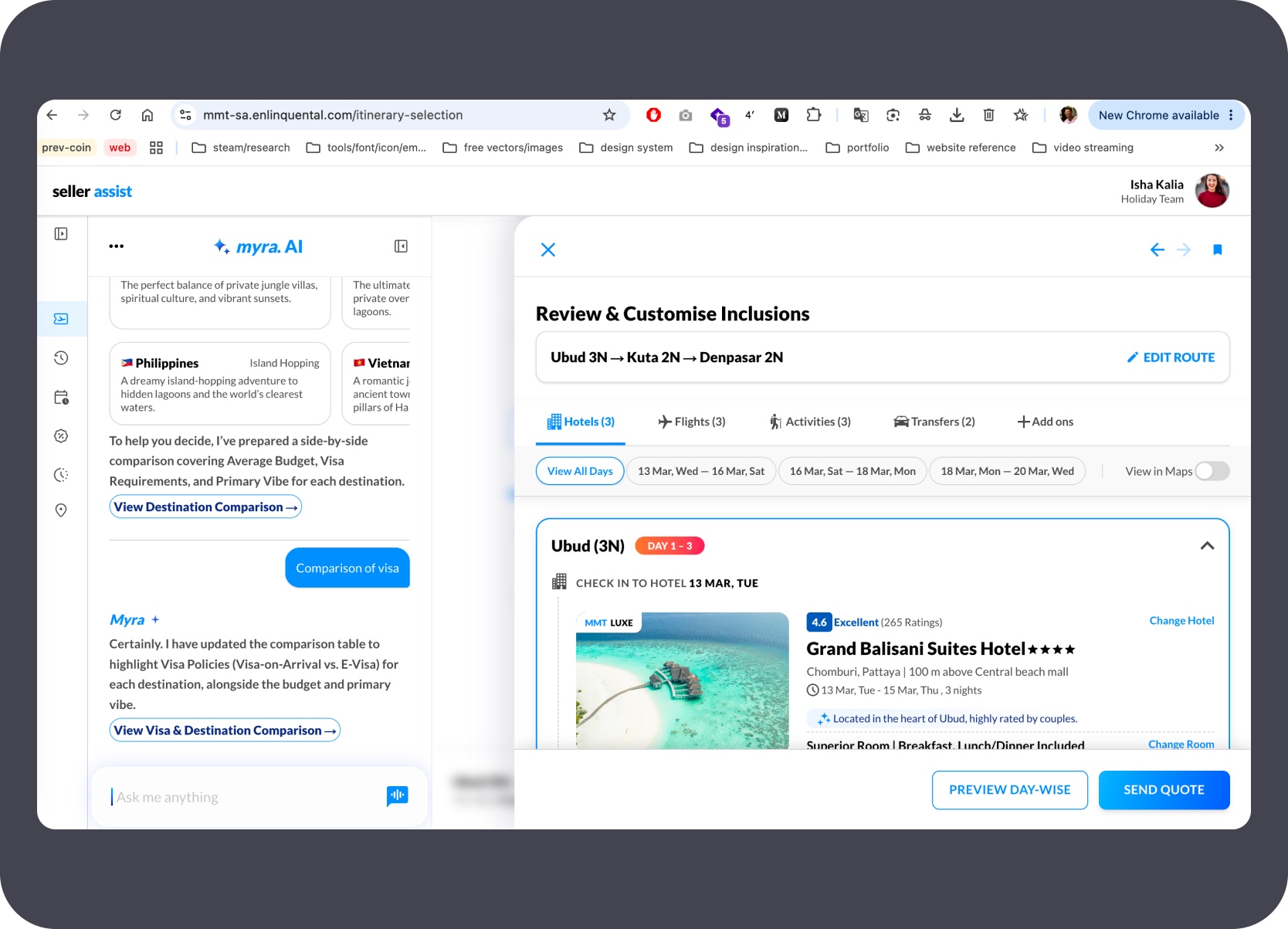
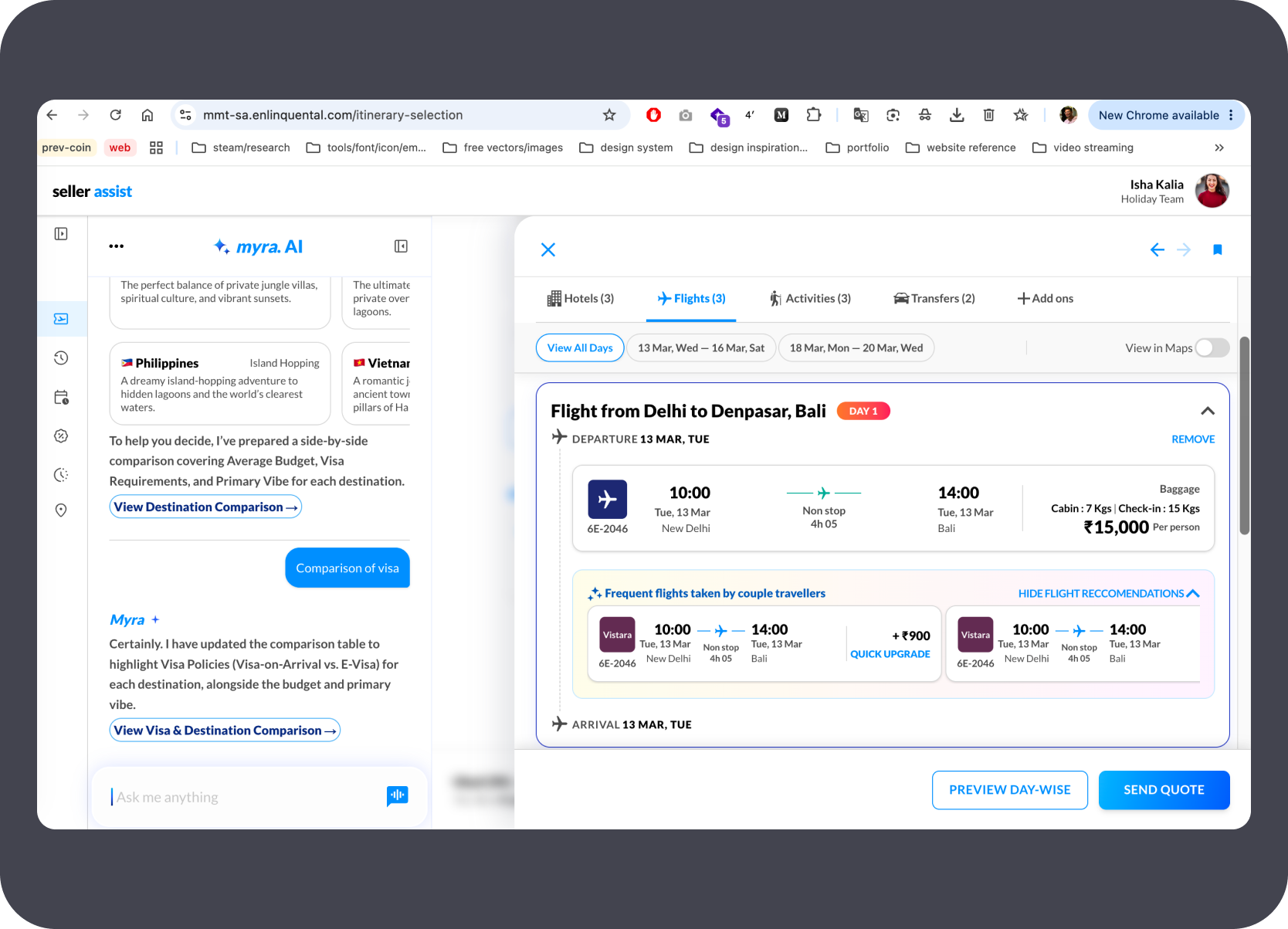
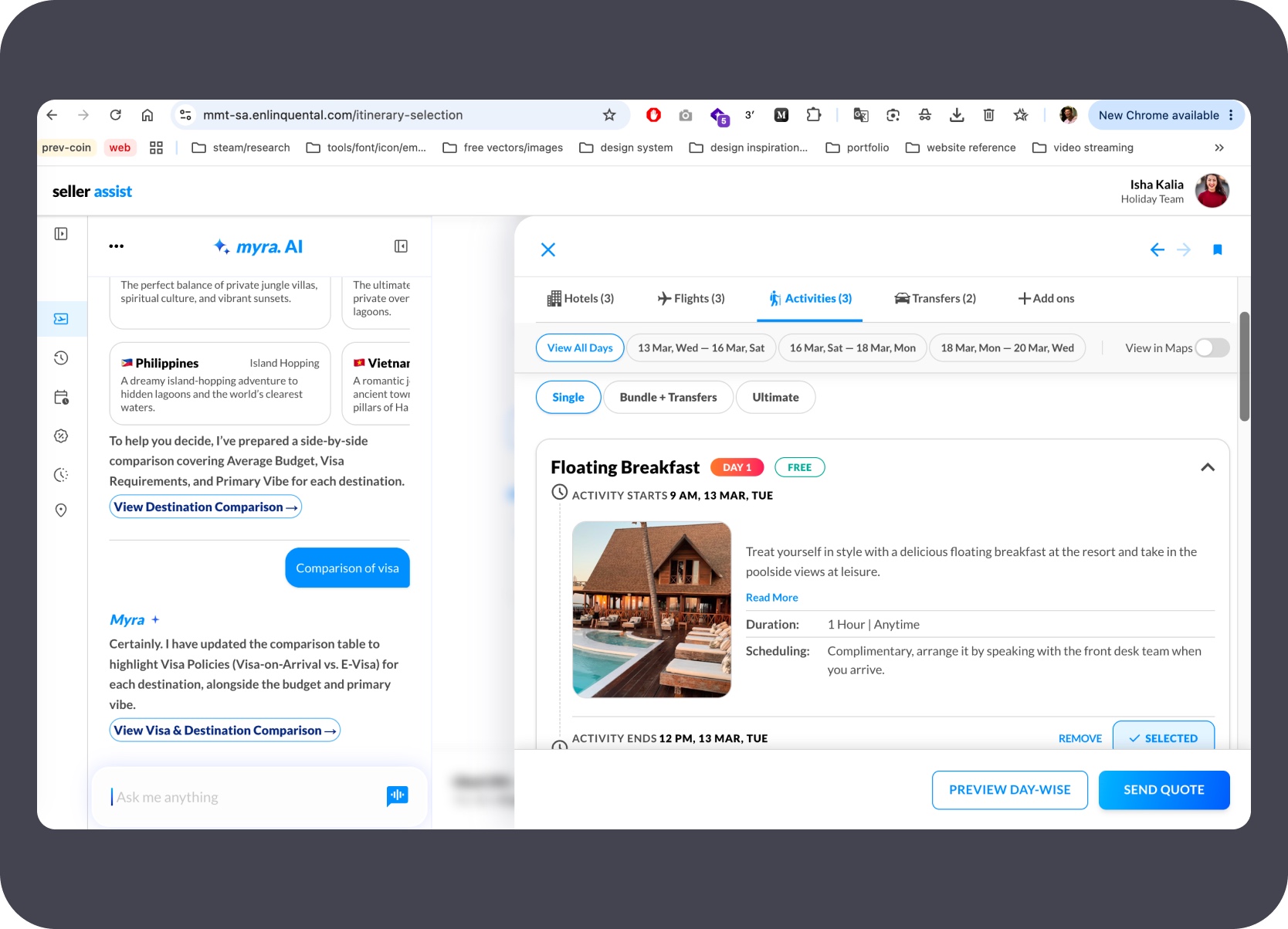
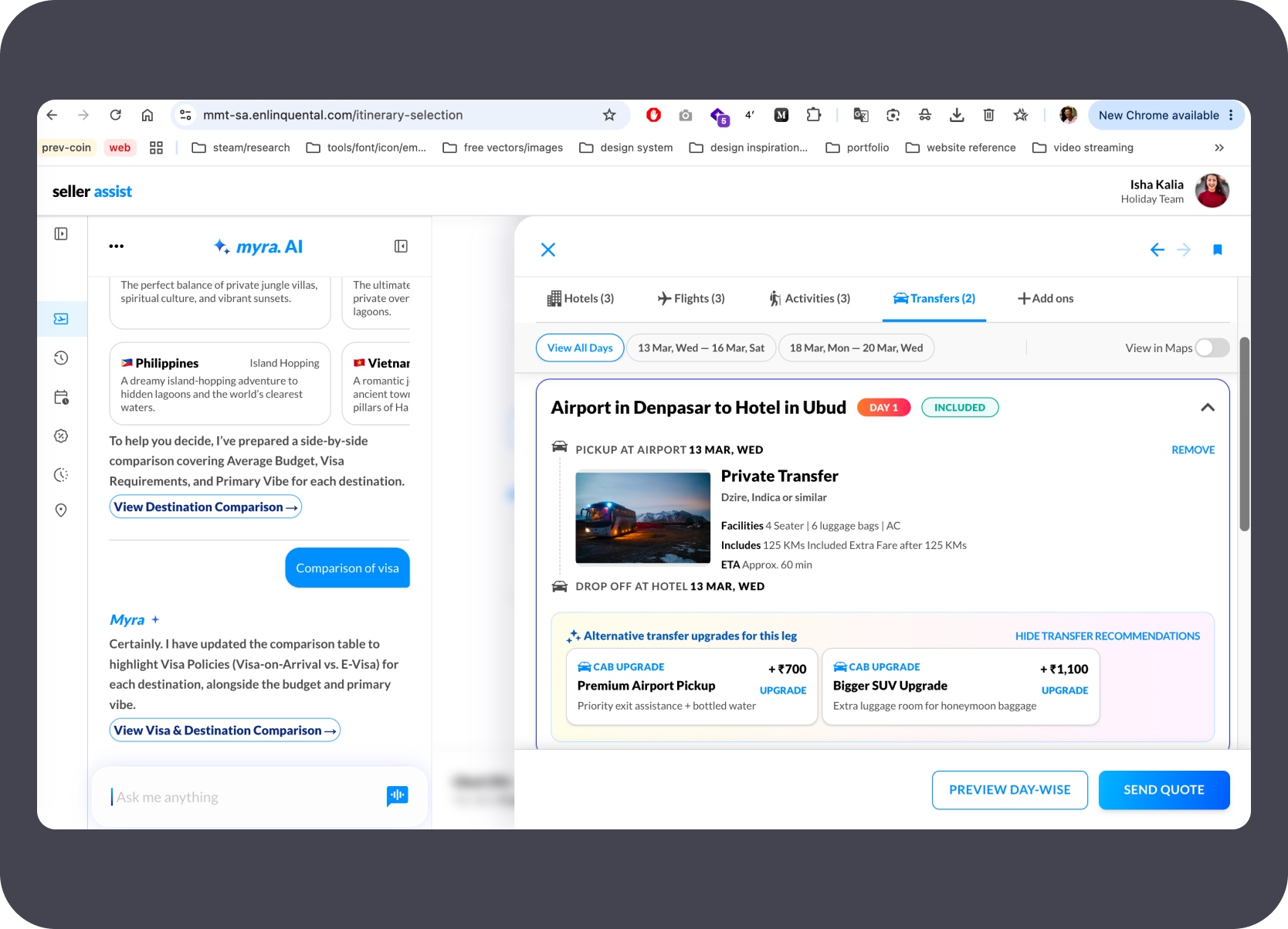
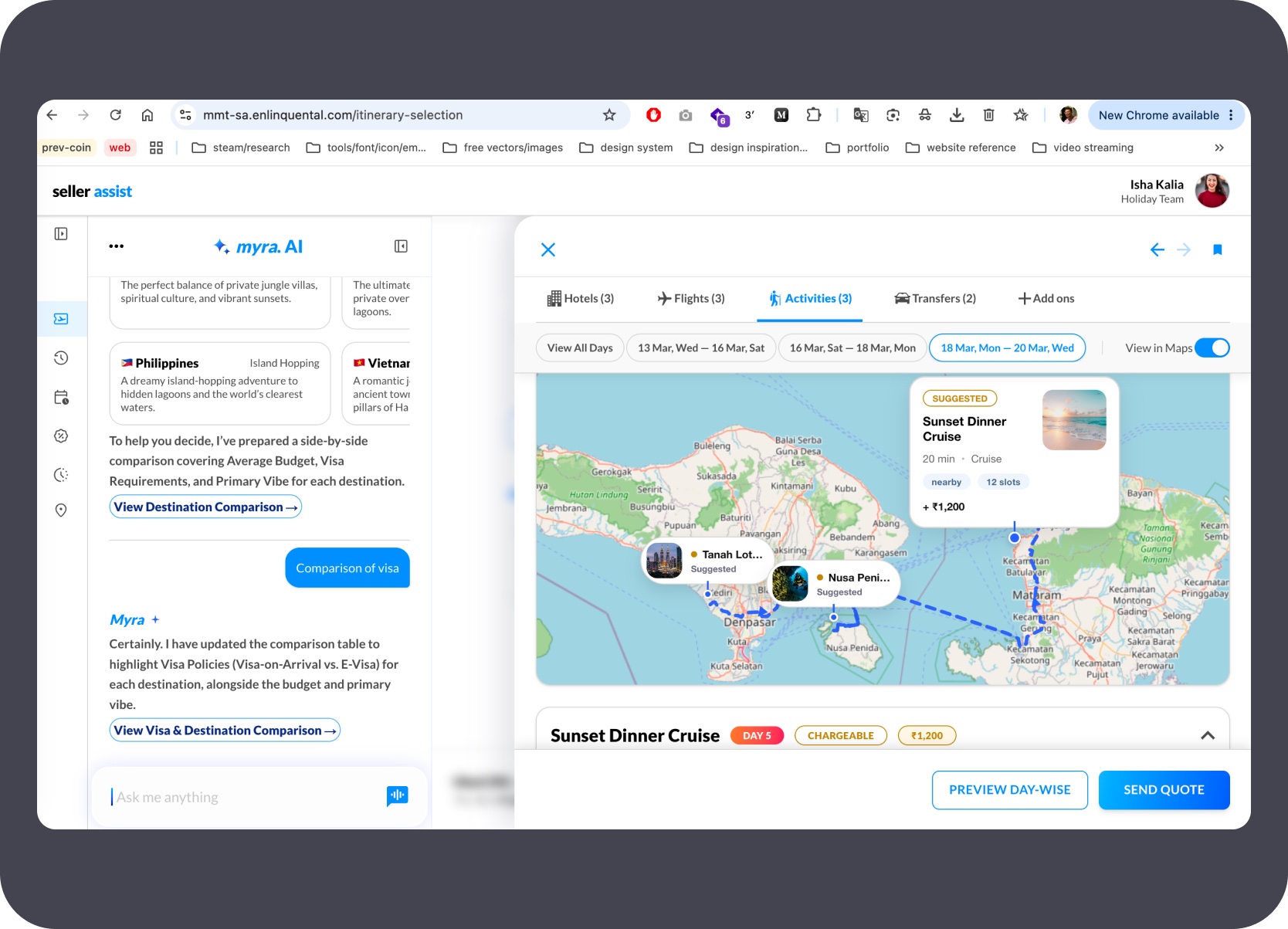
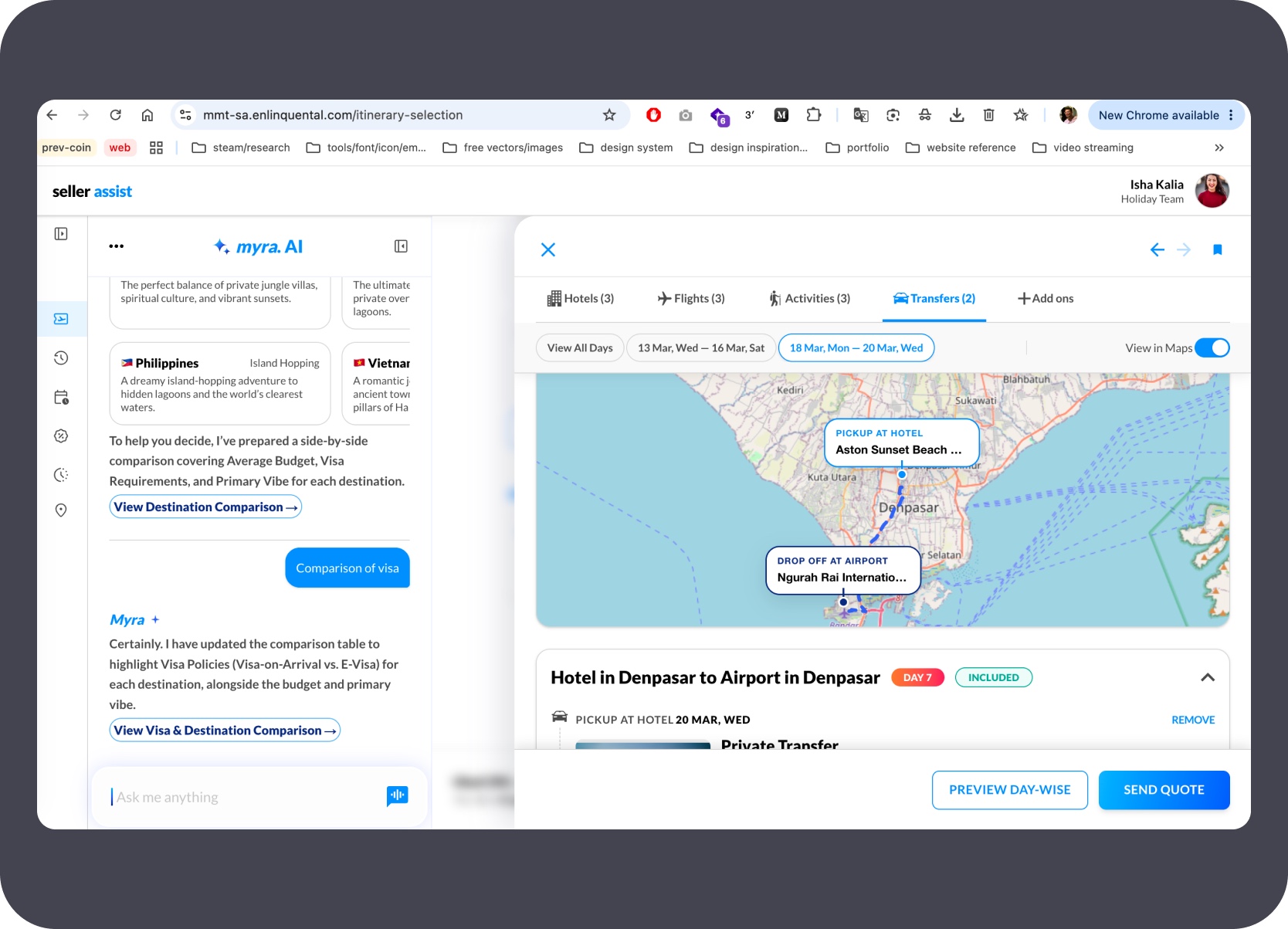
The customise layer lets the expert swap hotels, pick flights, add activities, and configure transfers tab by tab — with map overlay available throughout the selection.
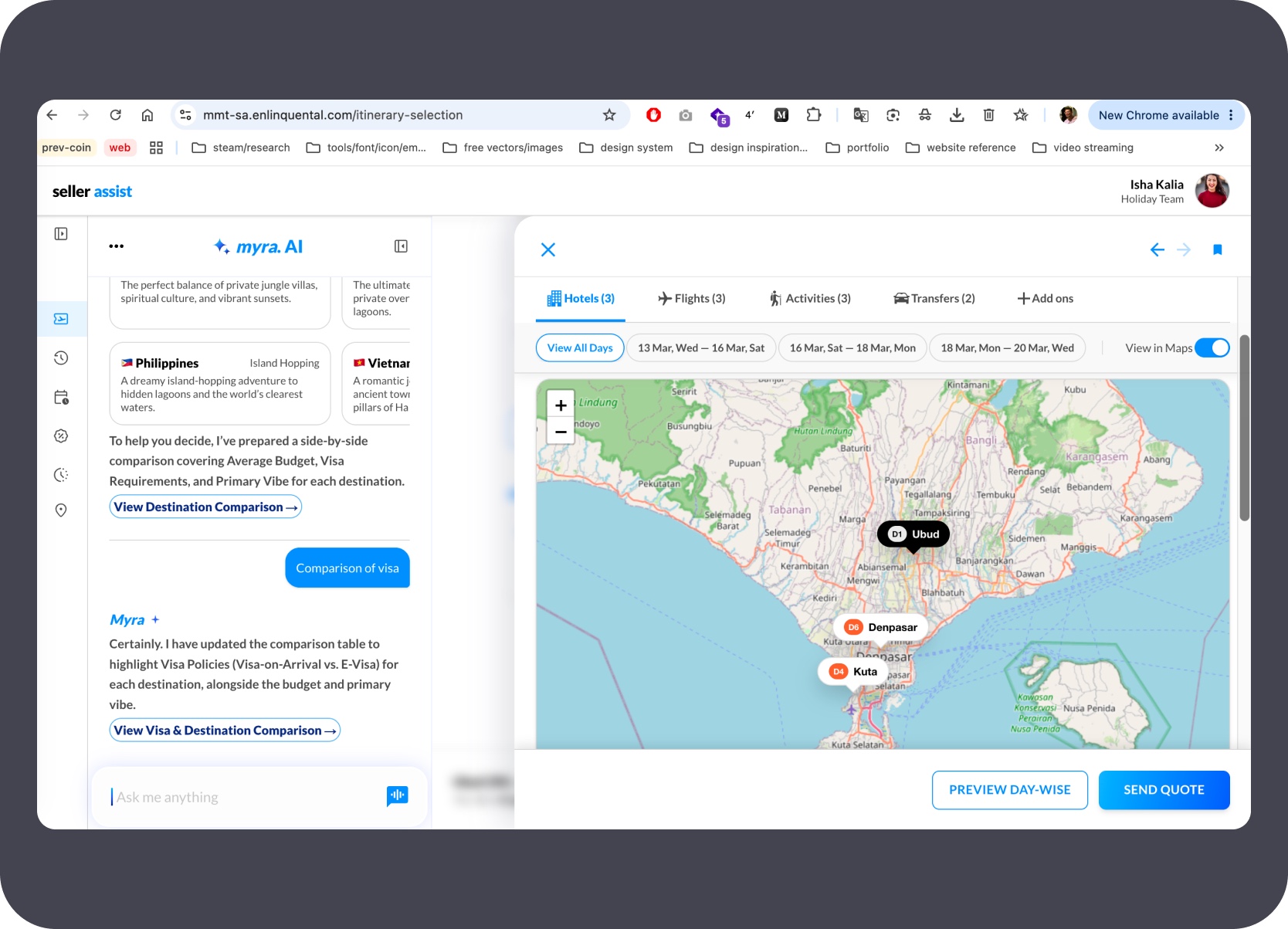
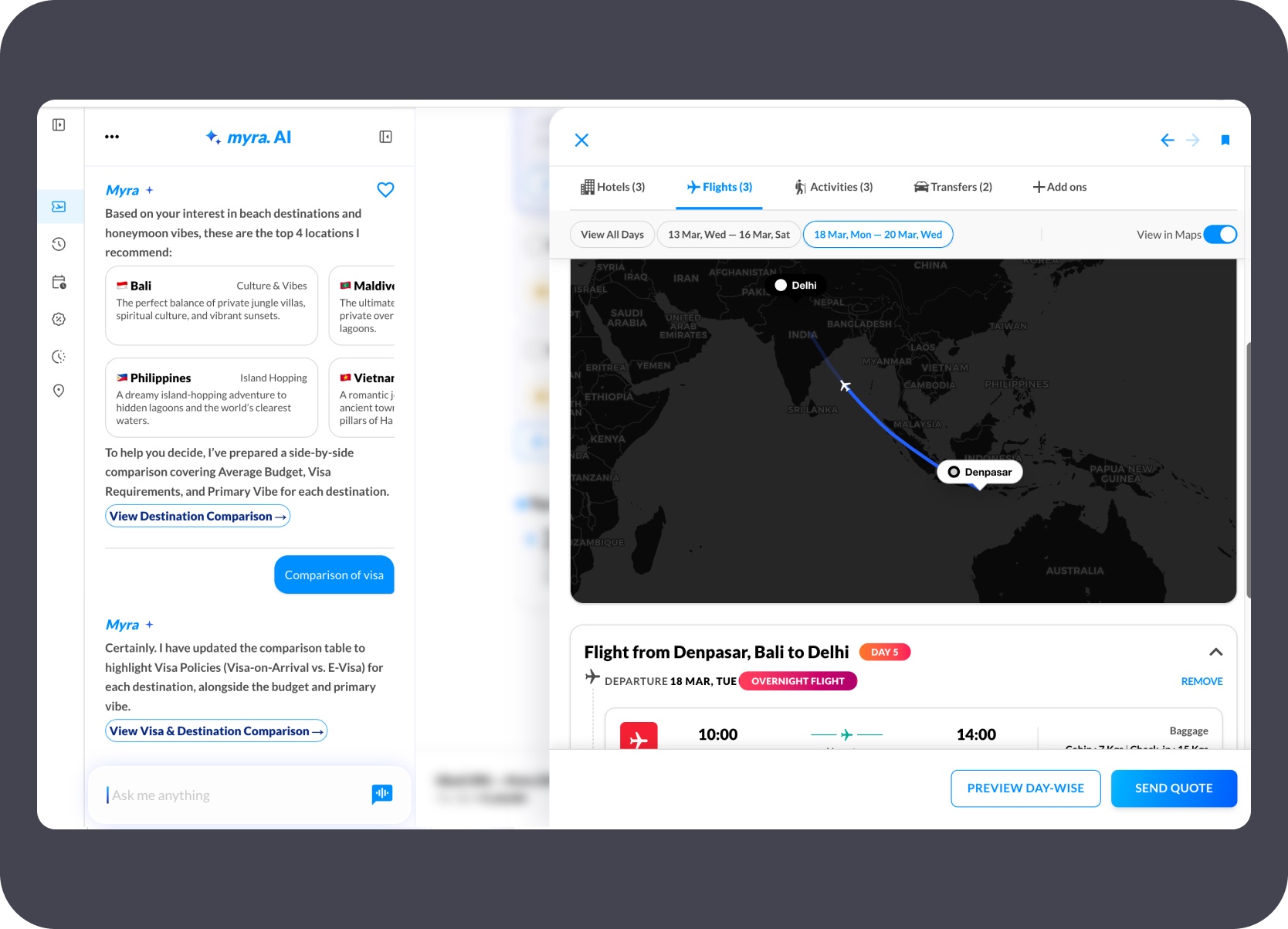
The map view stitches the itinerary geographically — hotel pins, activity locations, flight routes, and transfer paths visible as a single connected journey.
Design automation
The TnA Text Color Auditor shows the pattern clearly: define the rules, document the edge cases, build the workflow, test for trust, and leave behind a system others can extend.
Status
Solo Figma plugin / design automation tool
Ownership
Solo designed and built using AI-assisted coding
Scope
Rule definition, selection and page scanning, token mapping, issue review, rescans, CSV export, and extension docs.
Constraint
Outputs needed to be reviewable, testable, and trustworthy rather than blindly auto-fixed.
The visible plugin UI is only part of the story. The same MD documentation approach used in Seller Assist carried forward here — token surface rules, edge cases, and review boundaries were all documented in explicit form first. That written structure became the input to AI-assisted coding, turning a defined rule system into a working review-and-repair loop inside Figma rather than a black-box automation.

Documented token surface rules, manual-review boundaries, and edge cases in explicit form before writing any plugin code.
The TnA plugin moved from Cursor to Claude Code and Codex, cutting iteration cycles from 8–15 minutes to under 3 minutes.

Every repair pass was followed by a rescan to confirm the fix held — trust came from repeatable review, not one-time automation.

Documented the codebase and extension logic so another developer or AI agent could continue the system without reverse-engineering the plugin.
These screens show the visible review workflow: scan setup, issue grouping, repair context, and the row-level states that turned token drift into something inspectable and fixable.
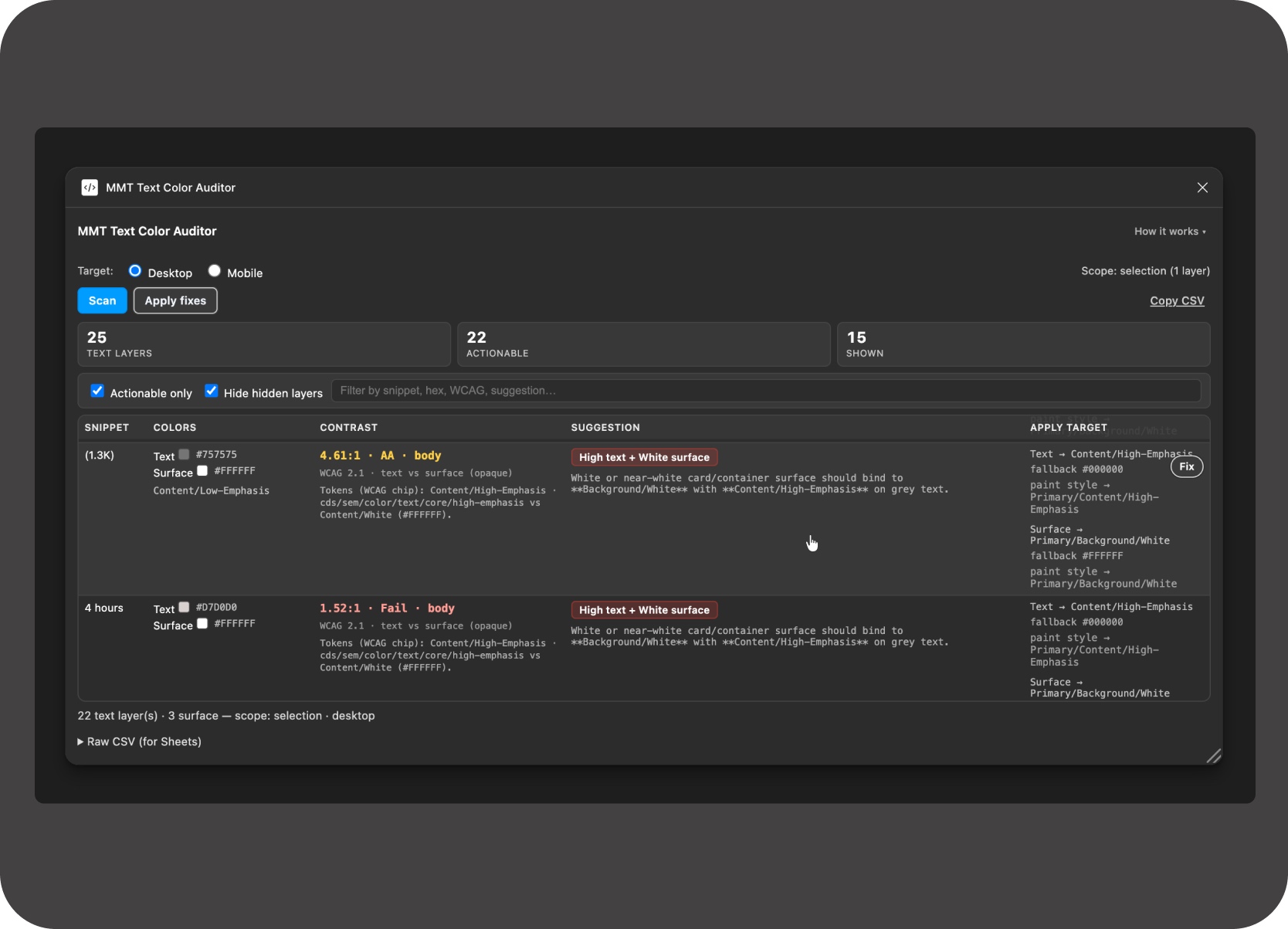
Plugin scan table showing audit rows, issue details, surface classification, and reviewable column output.
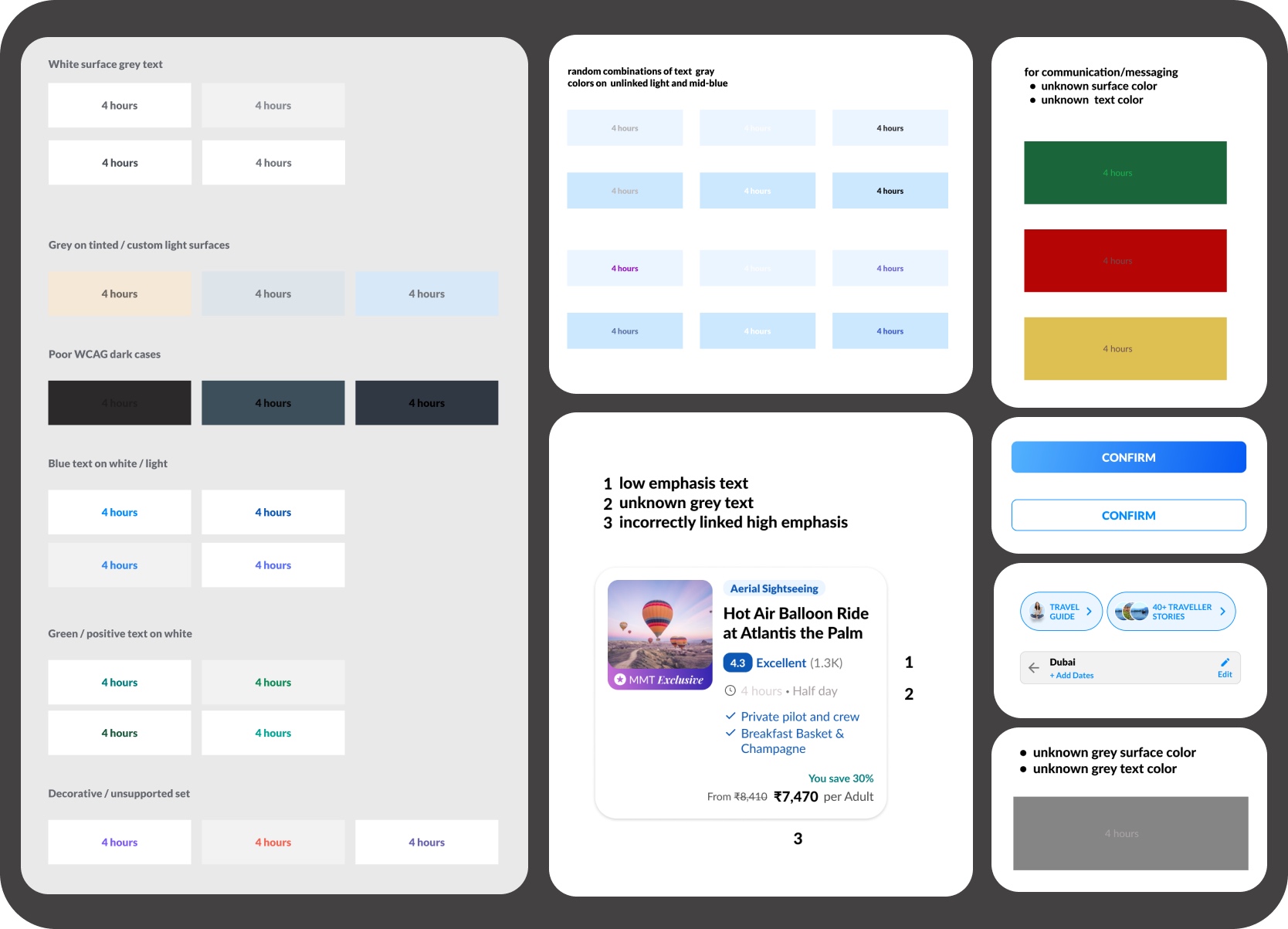
Surface-aware rule engine: inferred surface decisions and their review context.
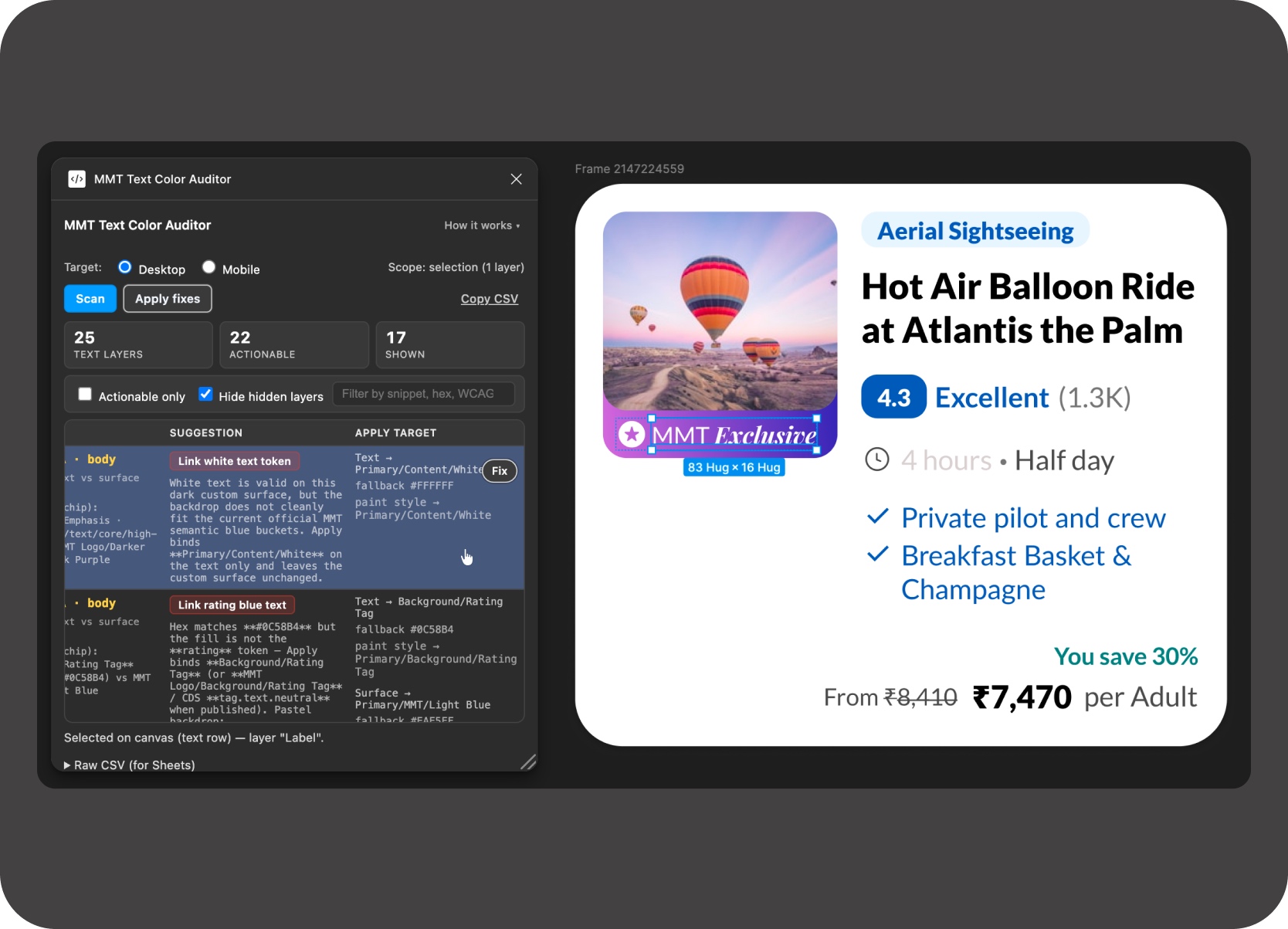
Token binding with safe fallbacks — variable first, then paint style, then canonical hex only when necessary.
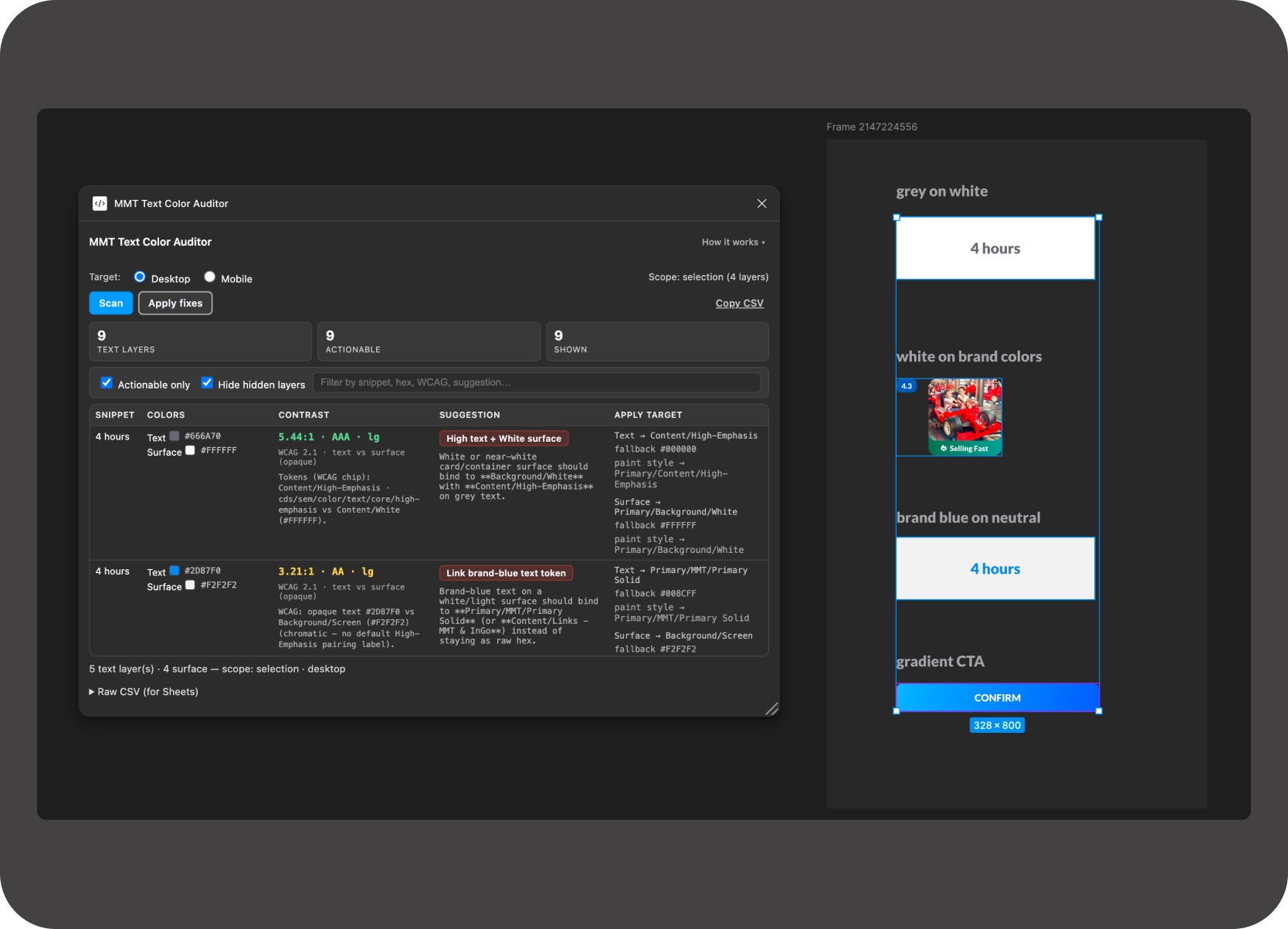
Surface-aware rule examples: grey on white, white on chips, link tokens, gradients, and manual-review boundaries.
The plugin was shared with the team directly — no Figma plugin store, just a ZIP with install instructions. The chat threads show real use: a team member reporting an edge case, the fix shipped the same day, and colleagues asking how to add it to their files. That mattered more than a polished launch story because it showed the workflow was already useful in real team conditions.
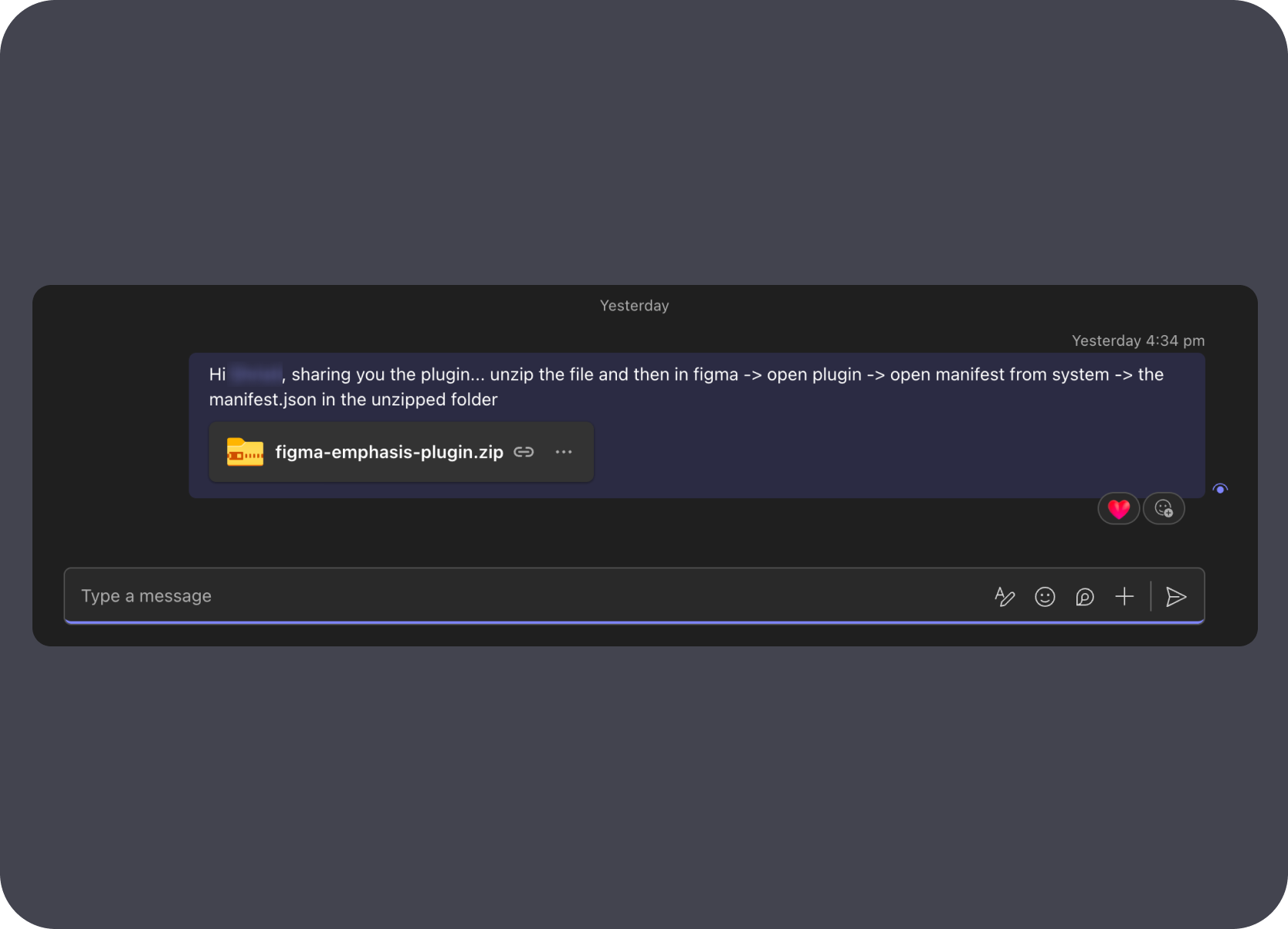
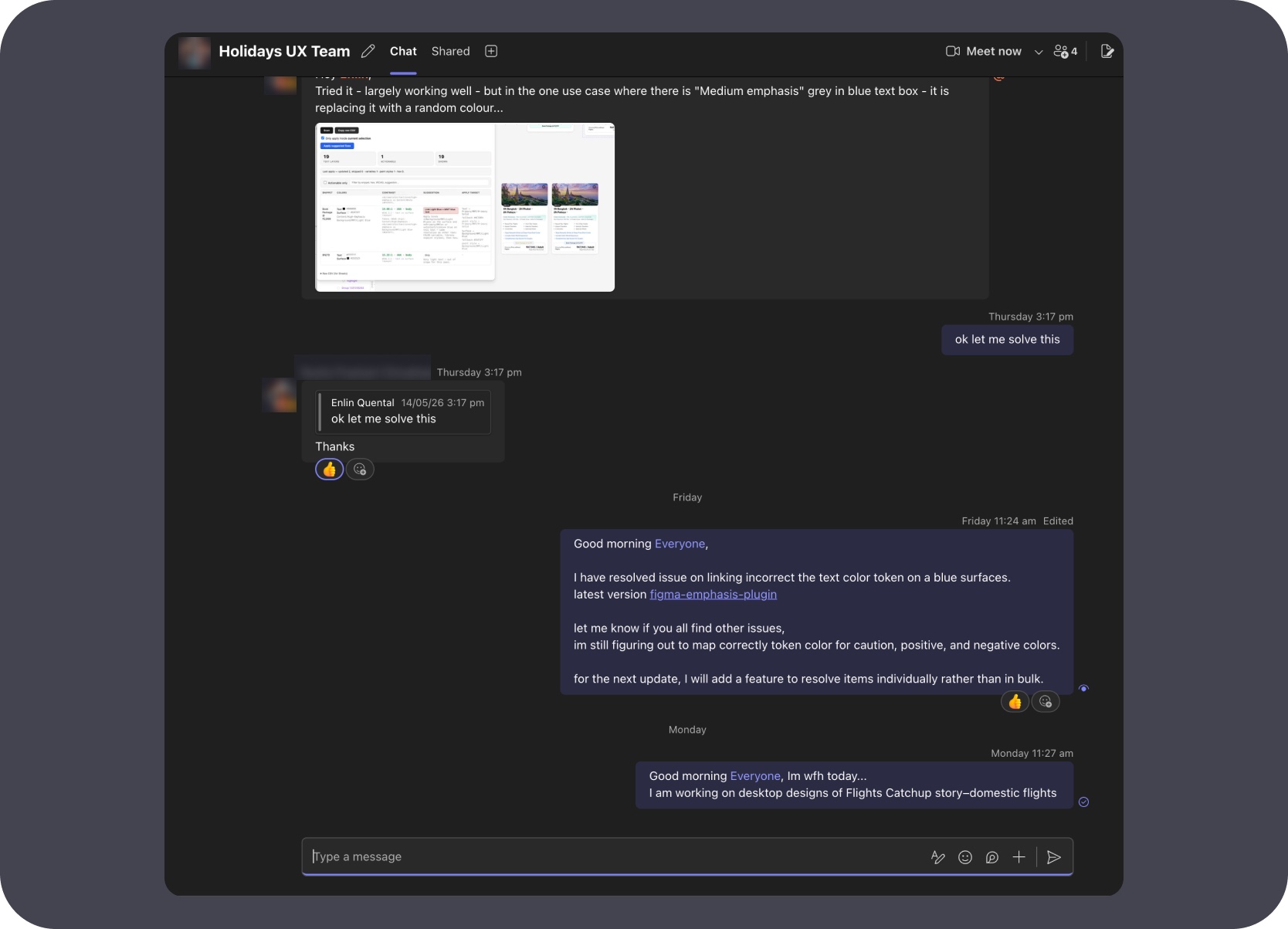
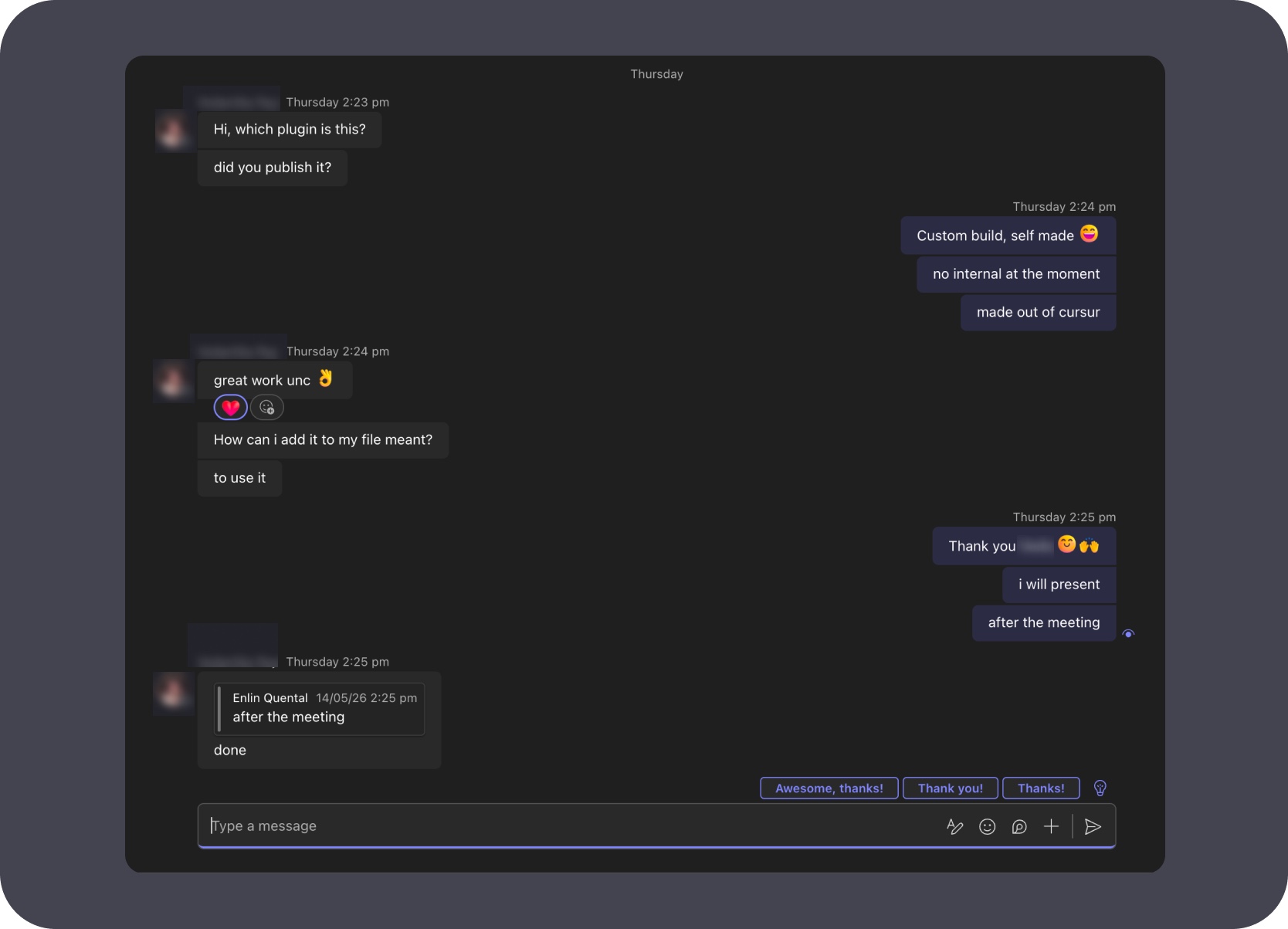
Full plugin workflow — from scan setup through issue grouping, repair, and rescan confirmation.
Decision-support flow — row focus, manual review, and rescan-result trust checks after a fix.
Creative tooling
Secret Santa ran on real Gemini API calls — 220 requests on Dec 11, ₹151 billed, with usage across both Flash and Flash-Lite. The workflow behind it — operator setup, generation, review, and reveal — is what made those API calls produce something the team actually engaged with.
Status
Solo Gemini-powered internal tool
Ownership
Solo designed and built
Focus
Festive puzzle generation, operator setup, personalized reveal journeys, and celebration UX.
Tone
Playful by design, but still built as a real workflow: setup, generation, review, sharing, and reveal.
This project is not meant to compete with the systems-heavy work above it. What it shows is that even a playful internal experience benefits from structure: someone has to define the setup flow, the generation logic, the delivery mechanics, and the reveal quality bar before AI output becomes usable.
Full flow — puzzle setup, Gemini generation, operator review, share, and team reveal.
Puzzle generation ran on Gemini 2.5 Flash called directly through the generative language API — chosen for fast, repeatable output rather than multi-turn reasoning.
Built a dedicated operator-facing setup flow so the puzzle experience could be configured, reviewed, and confirmed before it went live for the team.

Generated output went through an explicit review and share step — the workflow was the important design layer, not just the AI-produced content.

The festive structure and reveal experience were designed deliberately: digital output, shared physical moment, and team context all resolved in the same flow.
The API dashboard shows what happened on Dec 11: a sharp request spike reaching 220 calls on gemini-2.5-flash in a single day, ₹151 in billing, and token usage across both Flash and Flash-Lite models. This was a real paid API call under load, not a simulation or mock.
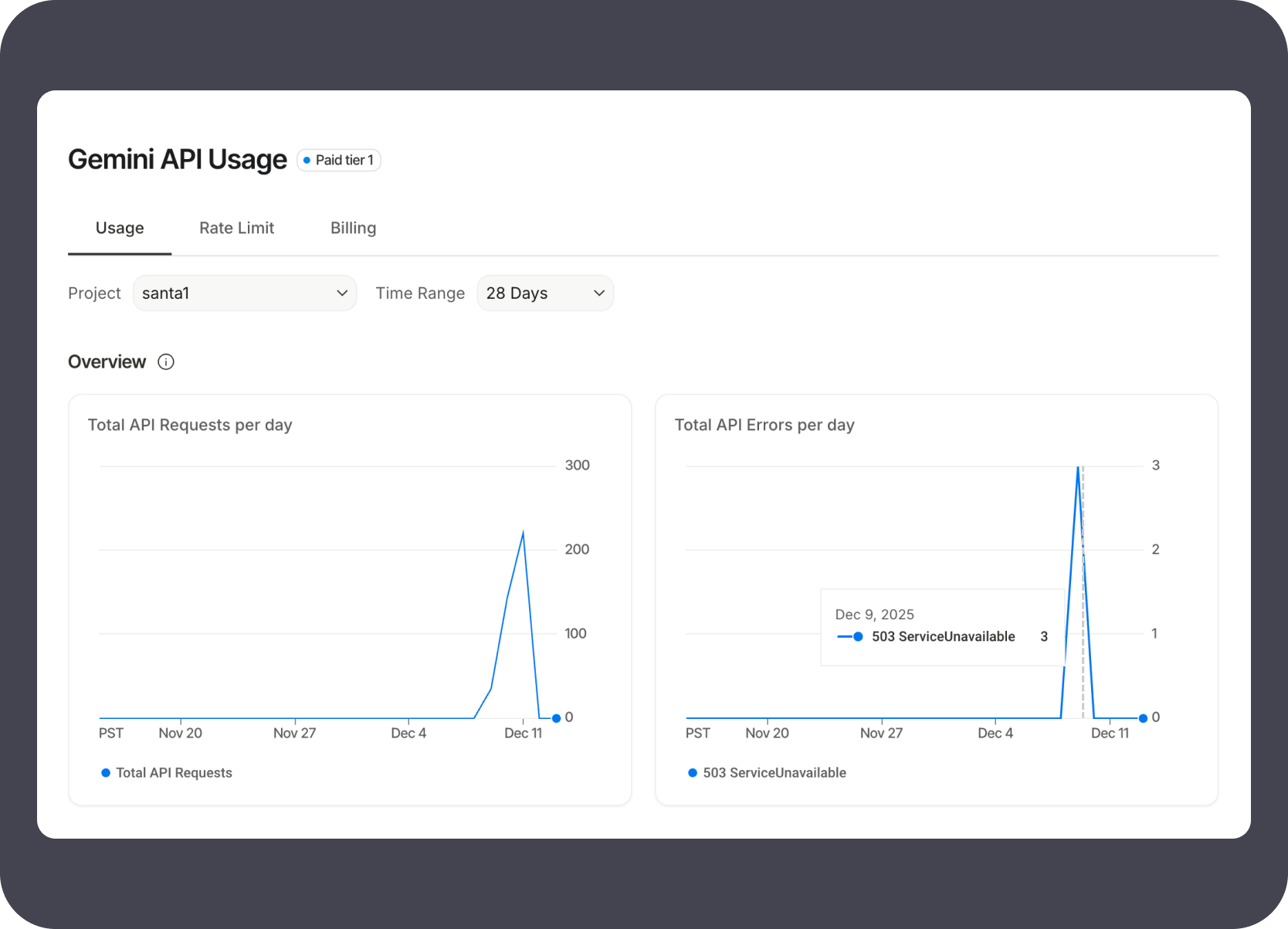
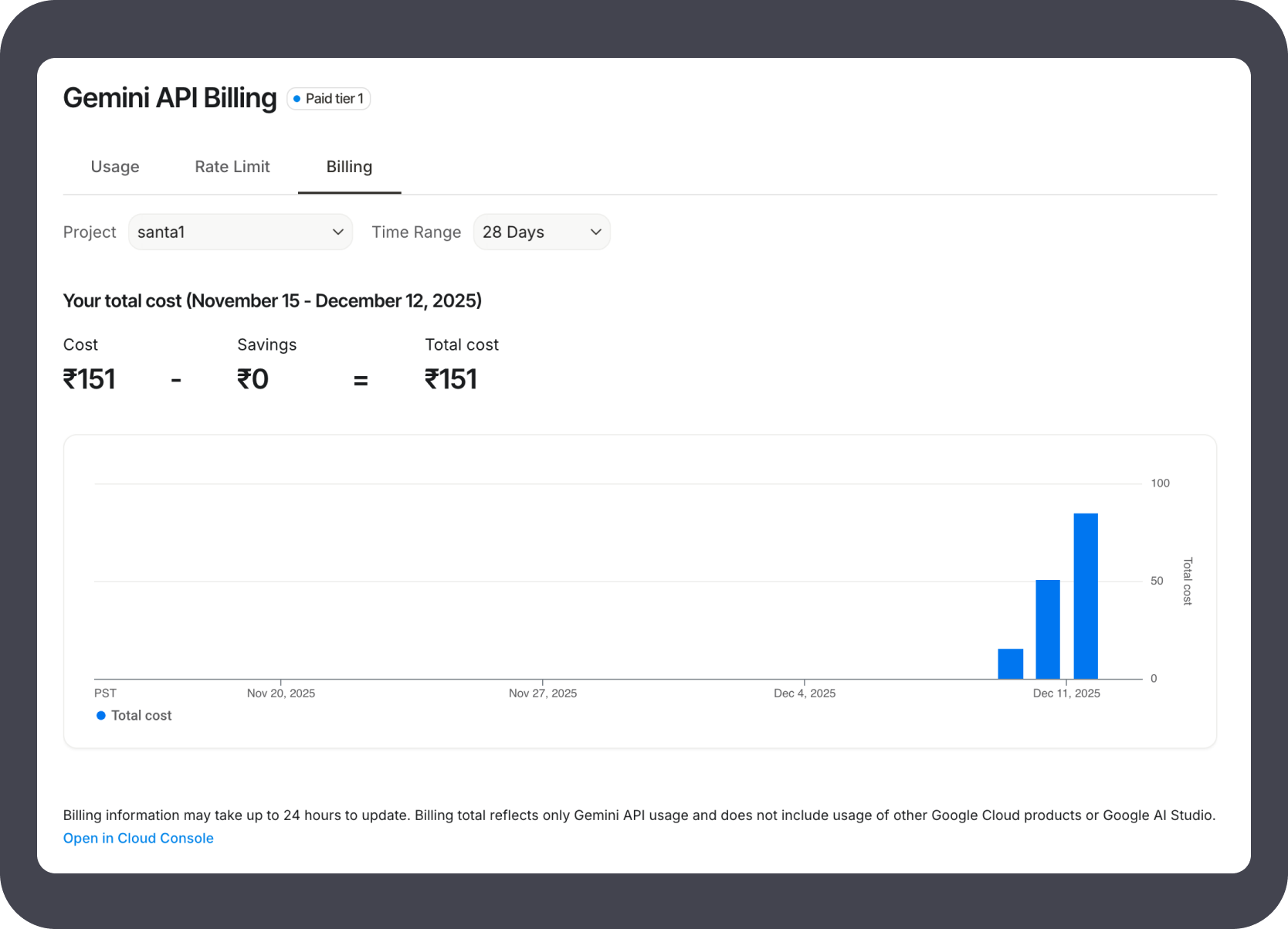
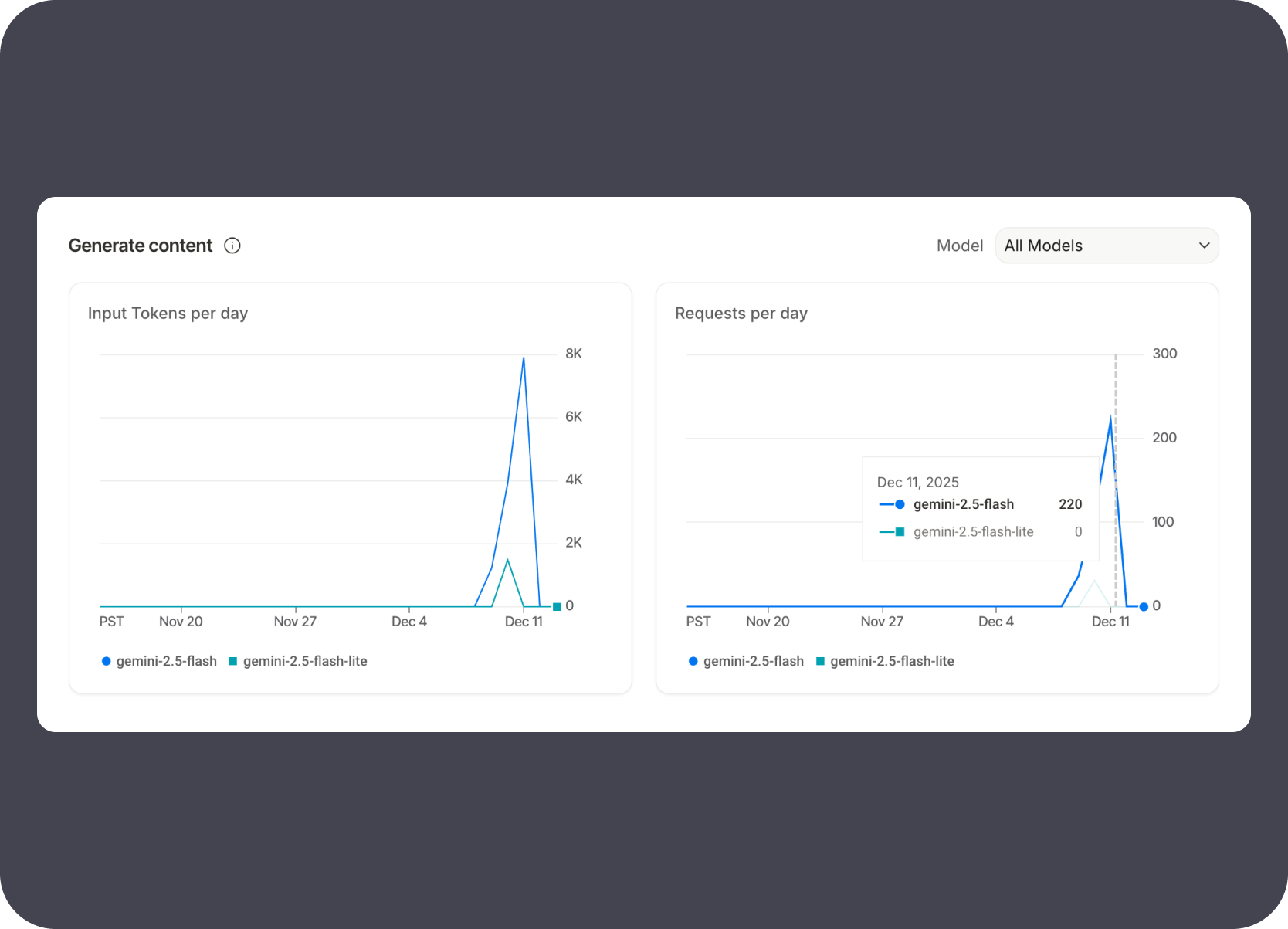
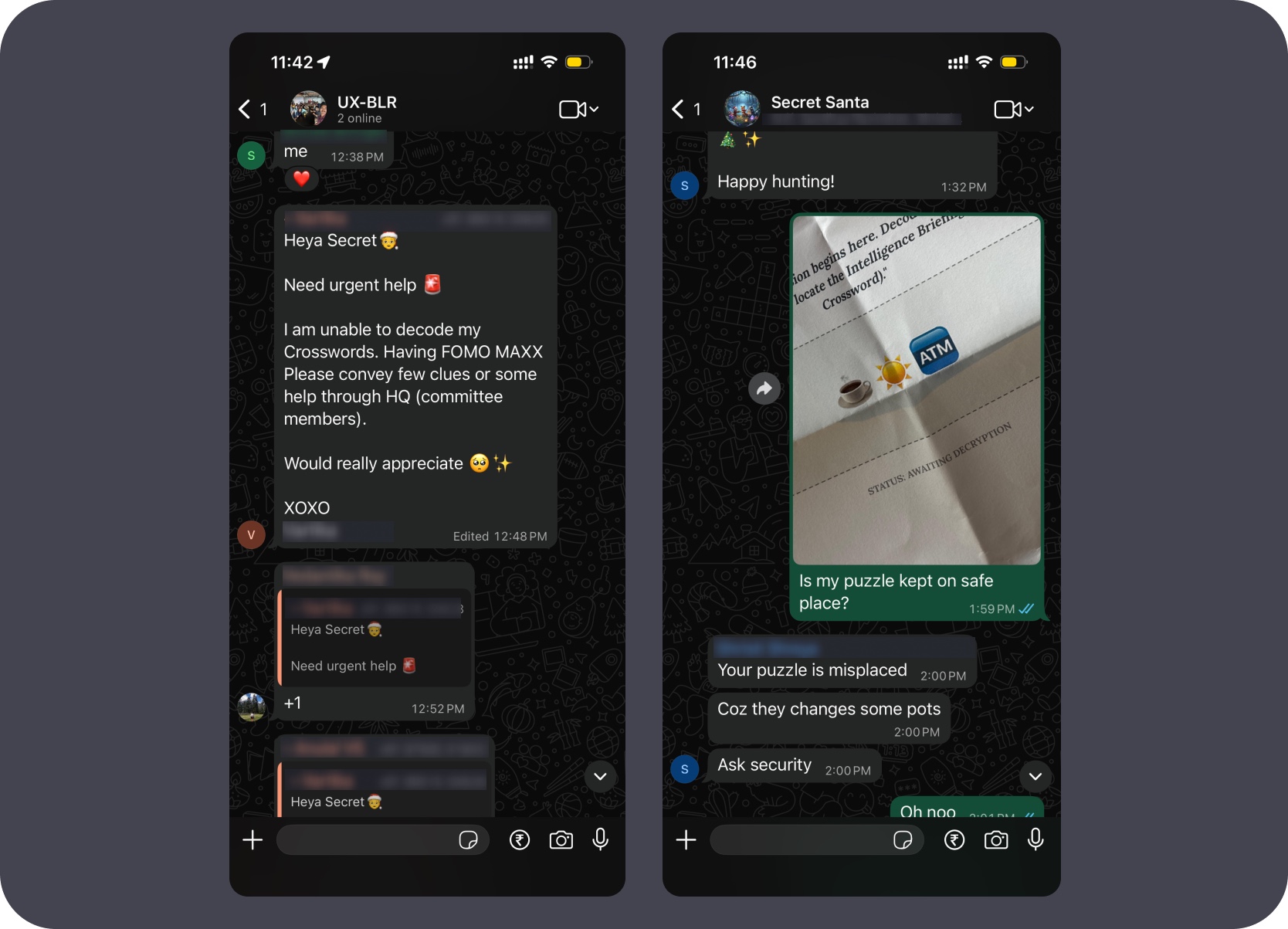
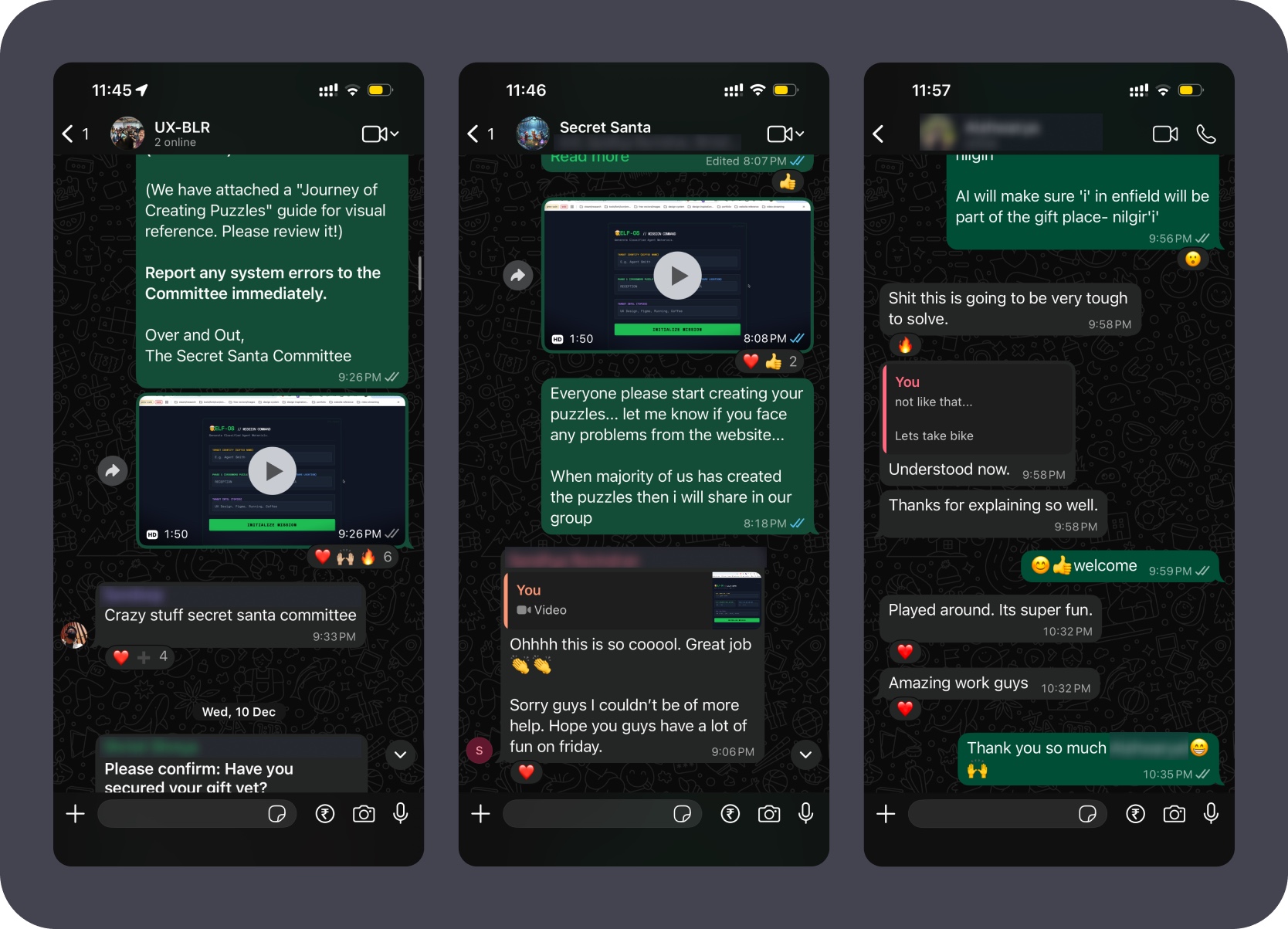
Within minutes of the puzzles going live, colleagues were huddled around screens decoding together. The chat threads filled with "Need urgent help 🆘", "Shit this is going to be very tough to solve", and eventually "Ohhhh this is so cooool. Great job 🔥" and "Amazing work guys" — the experience landed exactly as designed.
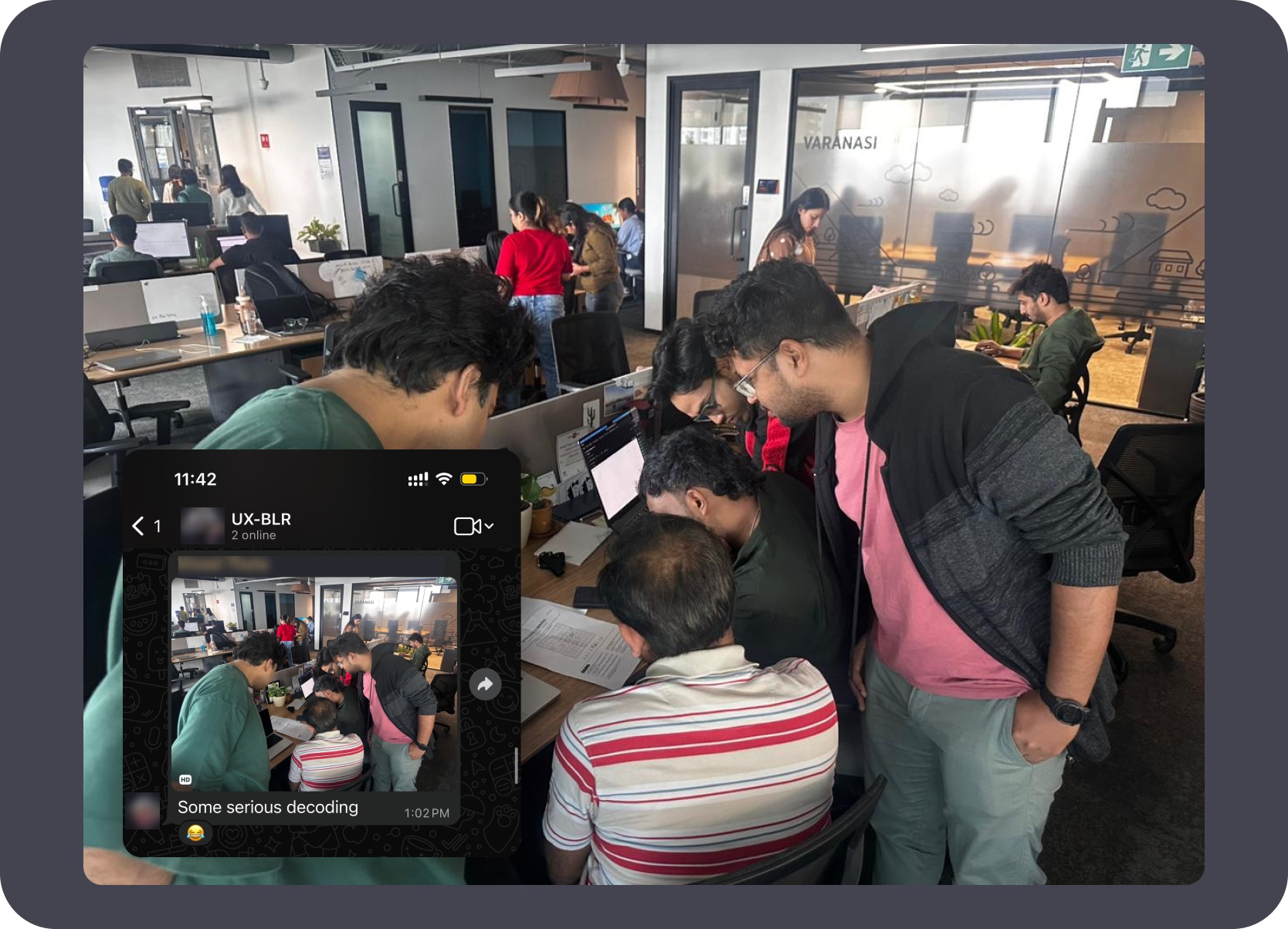
That's me in pink on the right — the team huddled around a screen within minutes of the puzzles going live. "Some serious decoding 😂" per the UX-BLR group chat.
Interactive experiment
3D Table Tennis is useful here not because it is a game, but because it shows an honest AI-assisted build loop: repeated iterations, mechanic testing, visual references, style experiments, and a final playable output.
Status
Solo live playground project
Ownership
Solo designed and built using AI-assisted coding
Focus
Mechanic trials, opponent behavior, live tuning controls, style references, theme experiments, and browser interaction.
Live link
Published as a live web experience.
The strongest signal here is the workflow. Rather than jumping directly to a polished result, I used AI-assisted coding across many short iterations to test control models, racket behavior, ball physics, UI tuning, and art direction until the experience felt coherent enough to publish.
Built and tested across more than 20 iteration files — mechanic variants, control models, and UI states all cycled through before the final version took shape.
Used AI-assisted coding not as a one-shot generator but as a fast loop partner, running short implementation cycles to test and discard options quickly.
Kept adjustable parameters accessible during development so ball physics, opponent behavior, and control feel could be tested without restarting each iteration.
Style references and generated theme studies ran alongside the mechanics work — the final aesthetic emerged from iteration, not a separate design pass.
These frames show the practical build loop: Physics Tuner exposed for real-time adjustment, sustained rally tests, a structured flaw-tracking panel introduced mid-build, and the same panel still active in the final repeatable test loop.
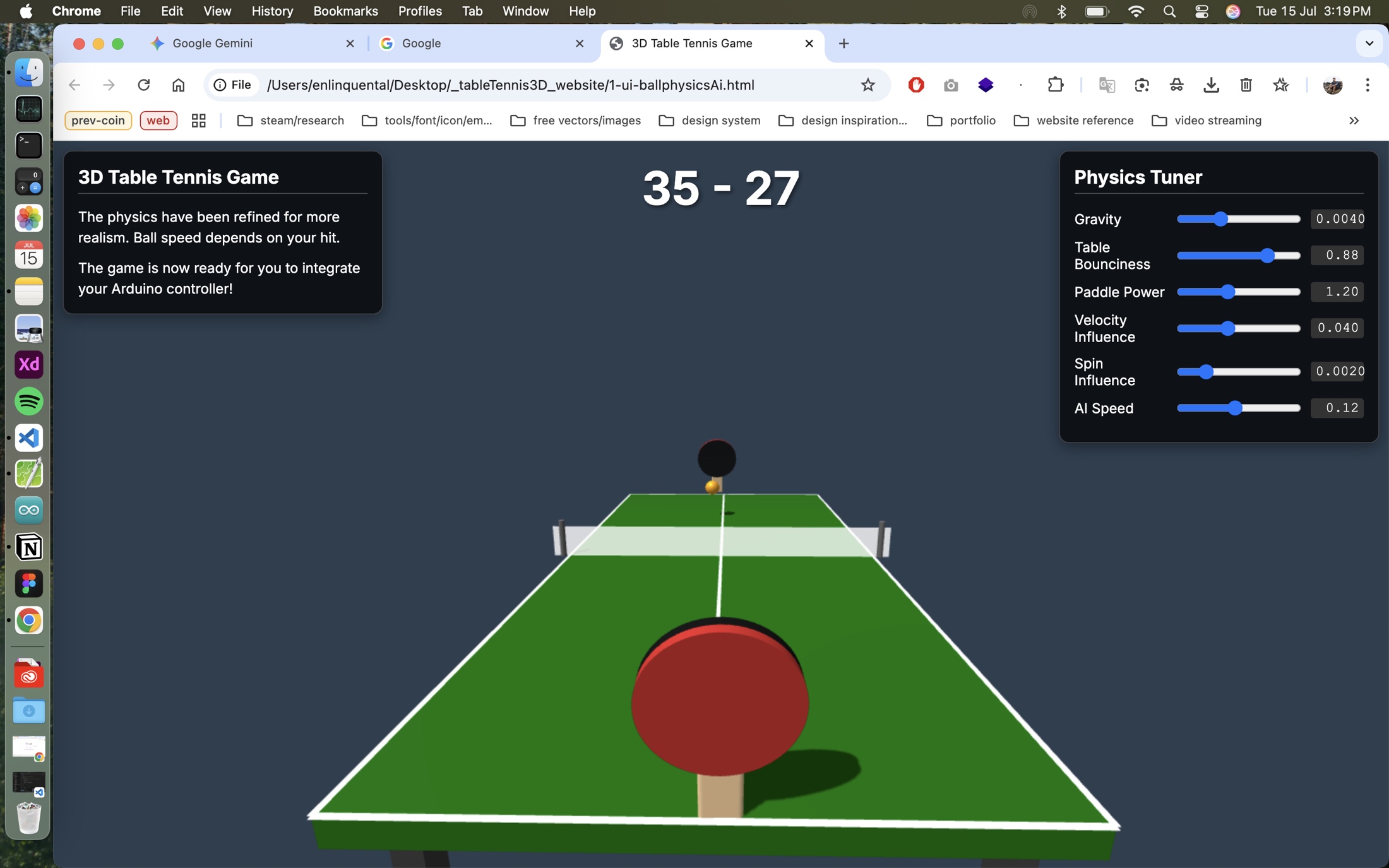
Physics Tuner live from the first playable state — gravity, bounciness, paddle power, and AI speed all exposed so values could be adjusted without touching code.
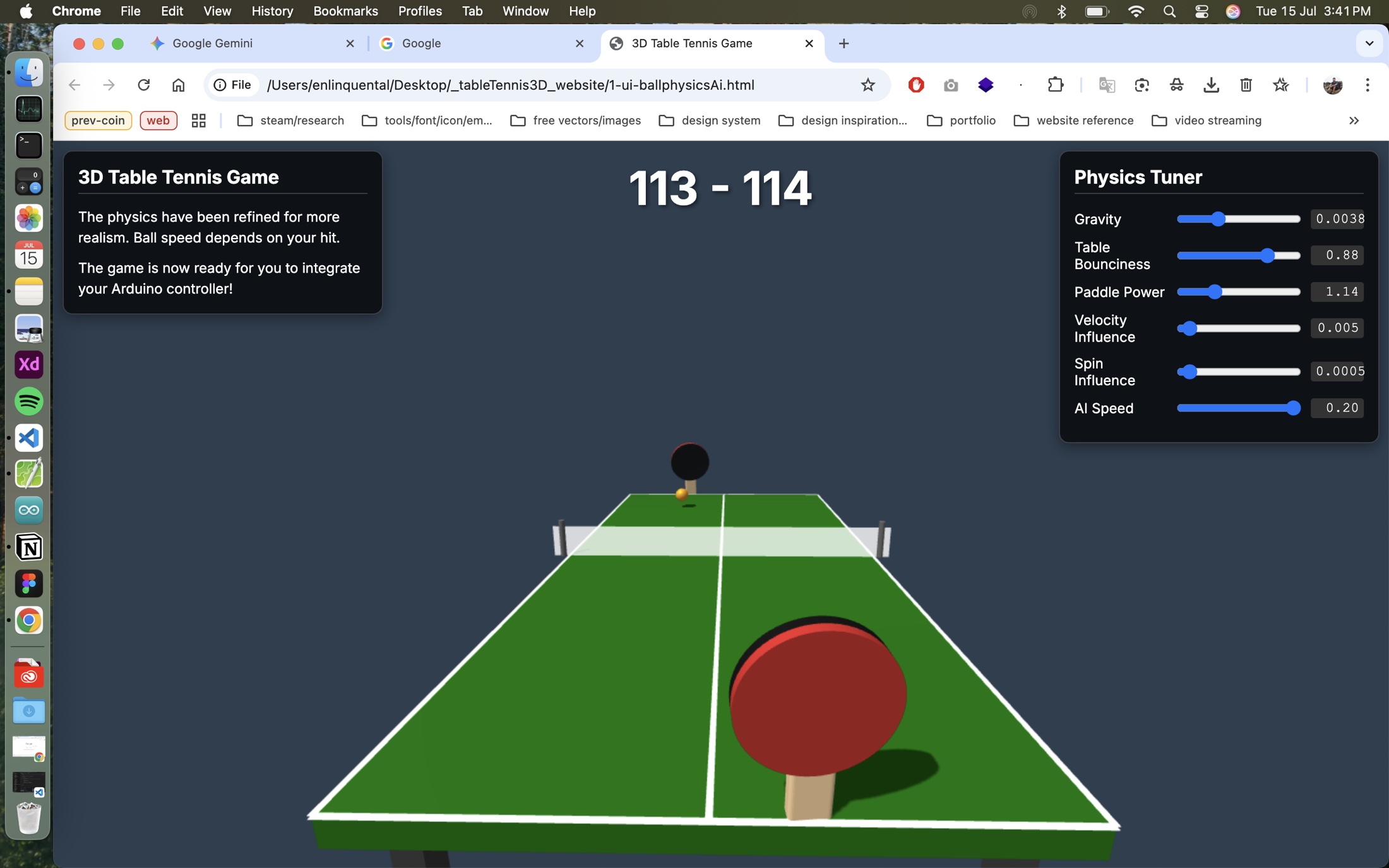
A session reaching 113–114 proved the mechanic could sustain extended play, but the tuner stayed open because the feel still needed per-session calibration.
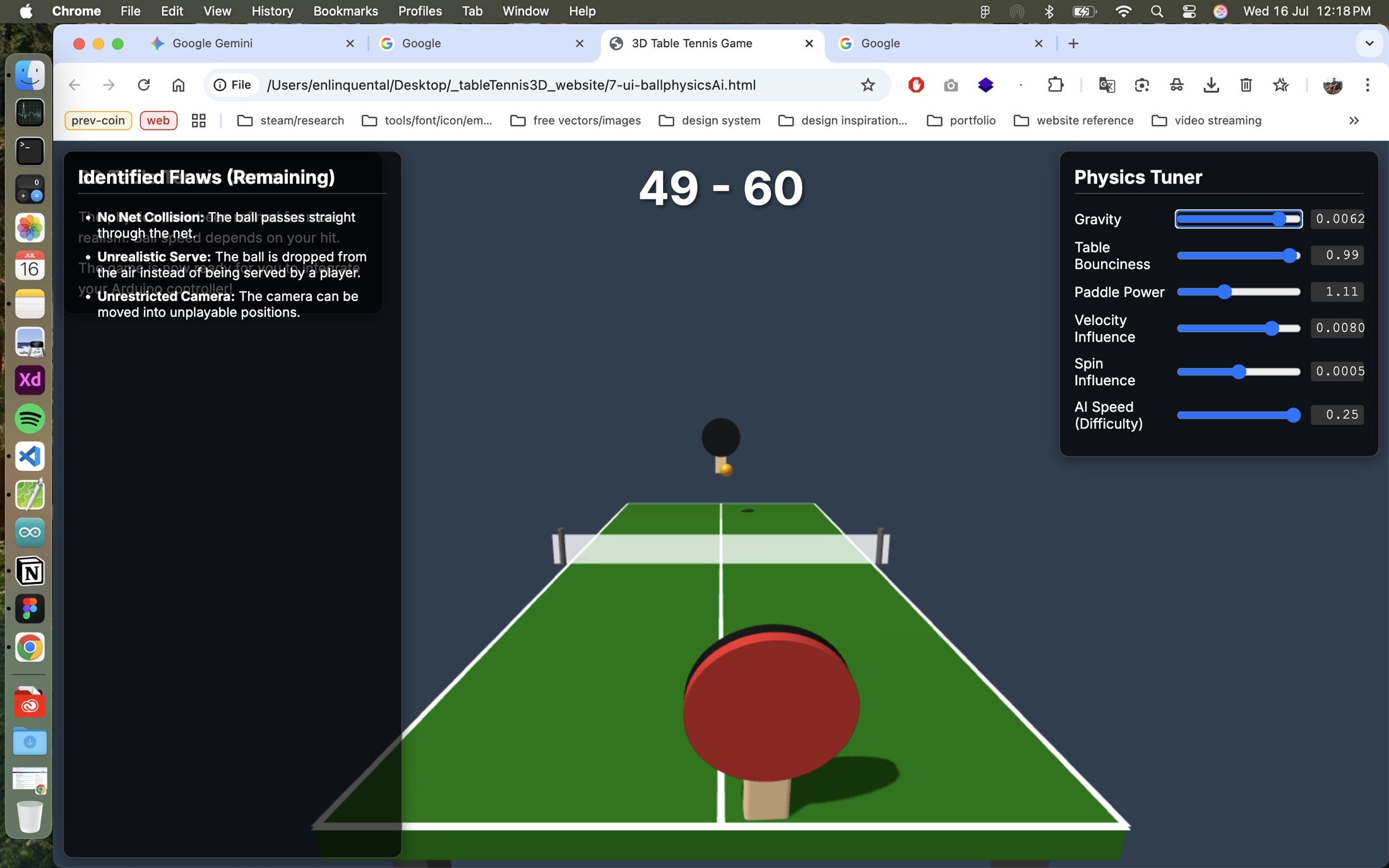
The "Identified Flaws (Remaining)" panel was added mid-build to track net collision, serve realism, and camera constraints as a reviewable list rather than memory.
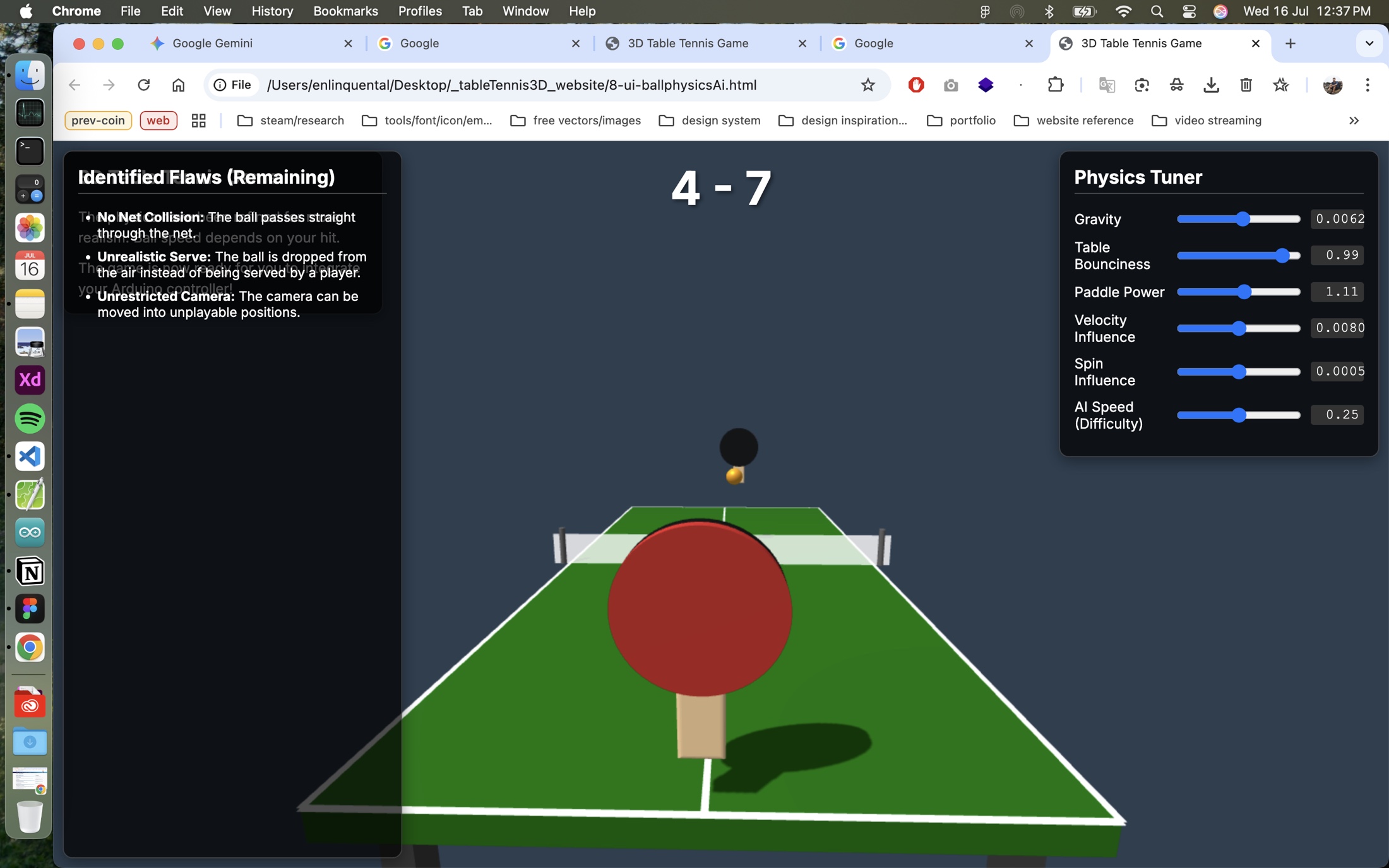
Fresh session with the flaw list still active — the loop became repeatable: load, play, review the panel, adjust the tuner, repeat until each issue was closed.
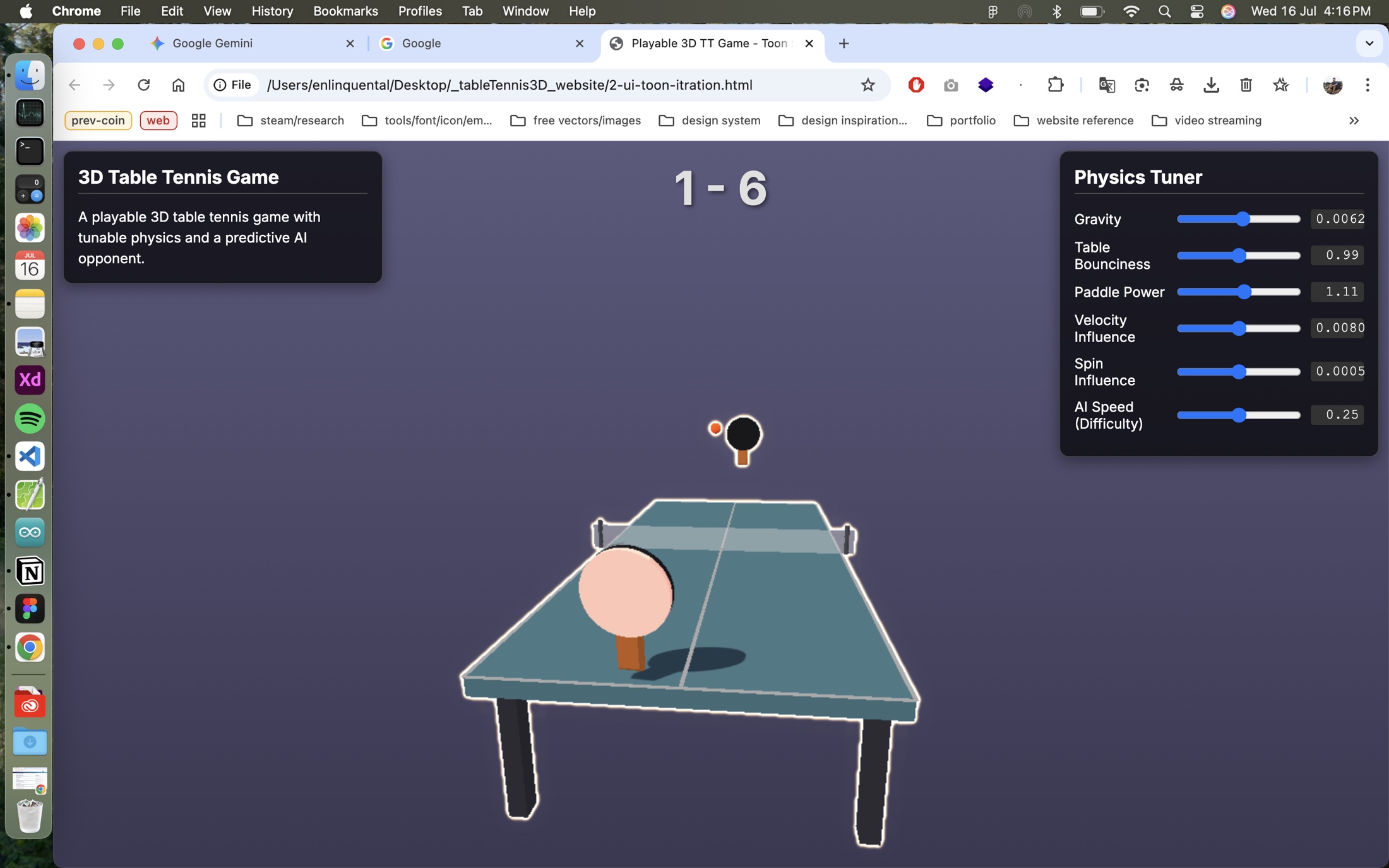
The visual direction also went through trial and error. These assets show how external references and generated style studies helped shape the final look without skipping the experimentation stage.
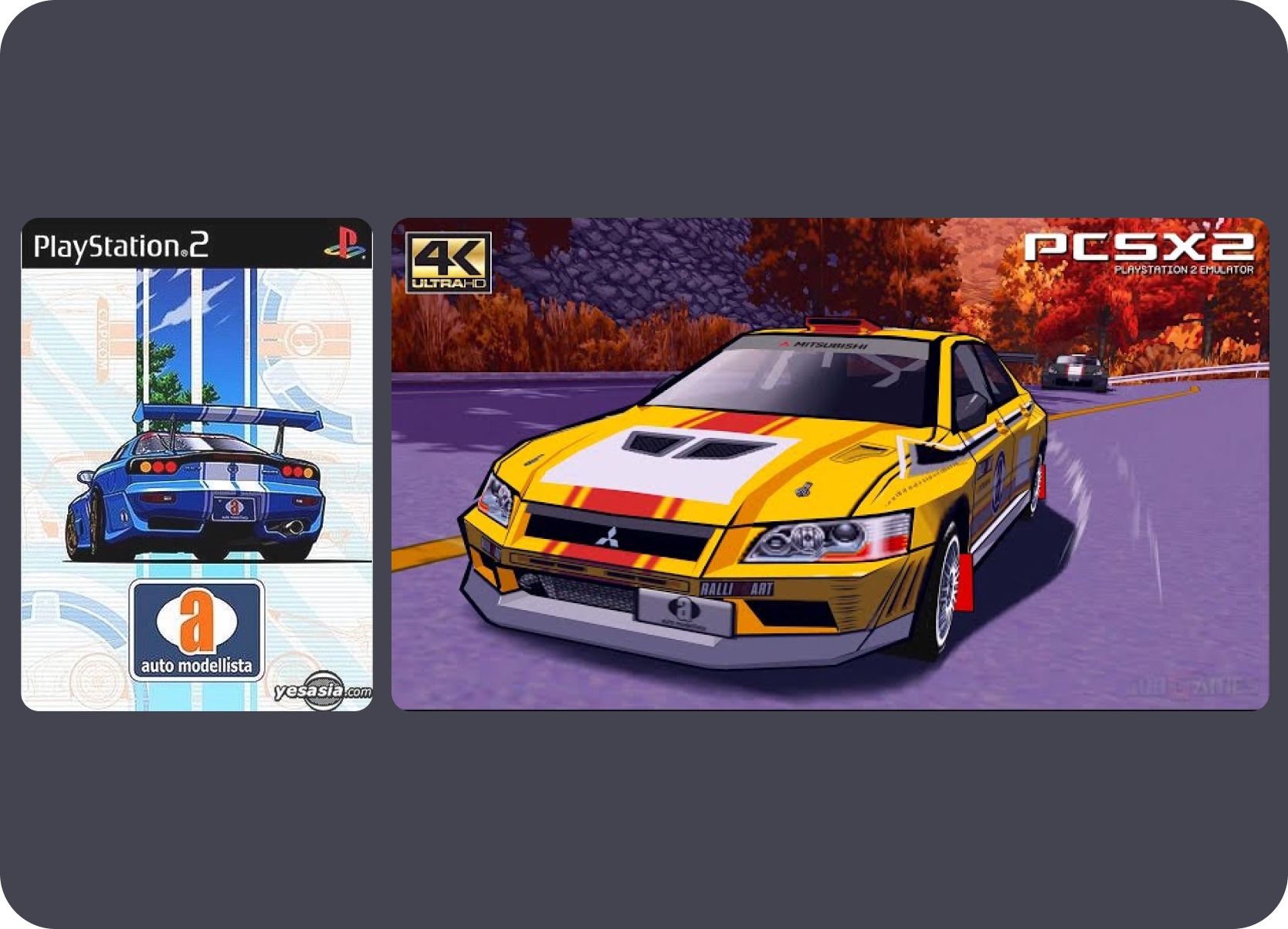
Cell-shader rendering inspiration — Auto Modellista's PS2-era aesthetic guided the visual direction for the table tennis experience.
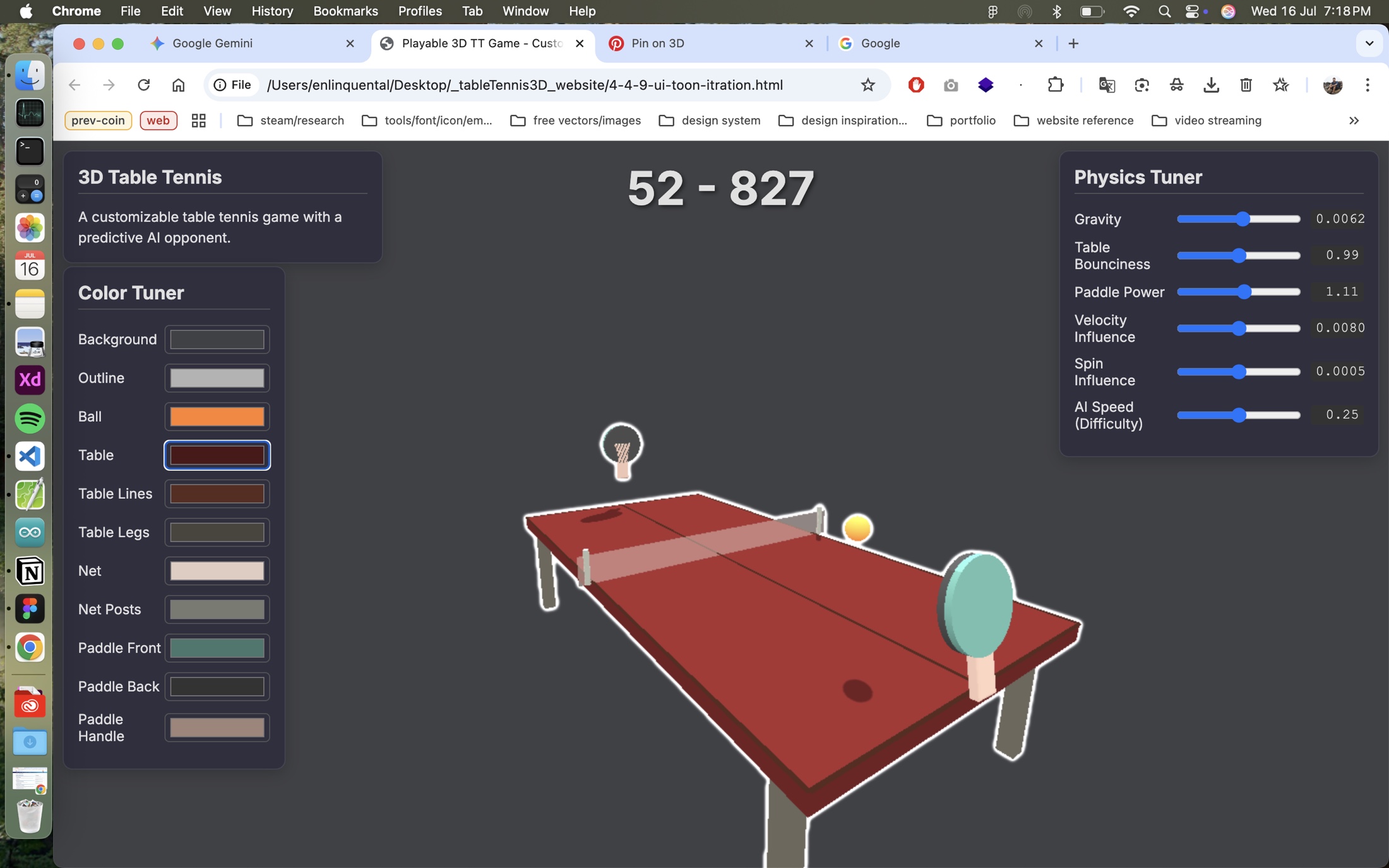
Color Tuner and Physics Tuner running together — the first iteration where both visual identity and mechanic feel could be tested in the same session.
Generated style studies were used as inputs to decision-making, not final answers on their own.
Publishing workflow
The portfolio workflow shows the same pattern as the other projects: establish visual direction first, document the design system and content rules in MD files, then use Claude Code to build and revise with continuity across sessions.
Status
Solo website workflow
Ownership
Solo built and maintained
Focus
Content-to-page conversion, reusable component systems, screenshots, context packs, and faster publishing of polished case-study narratives.
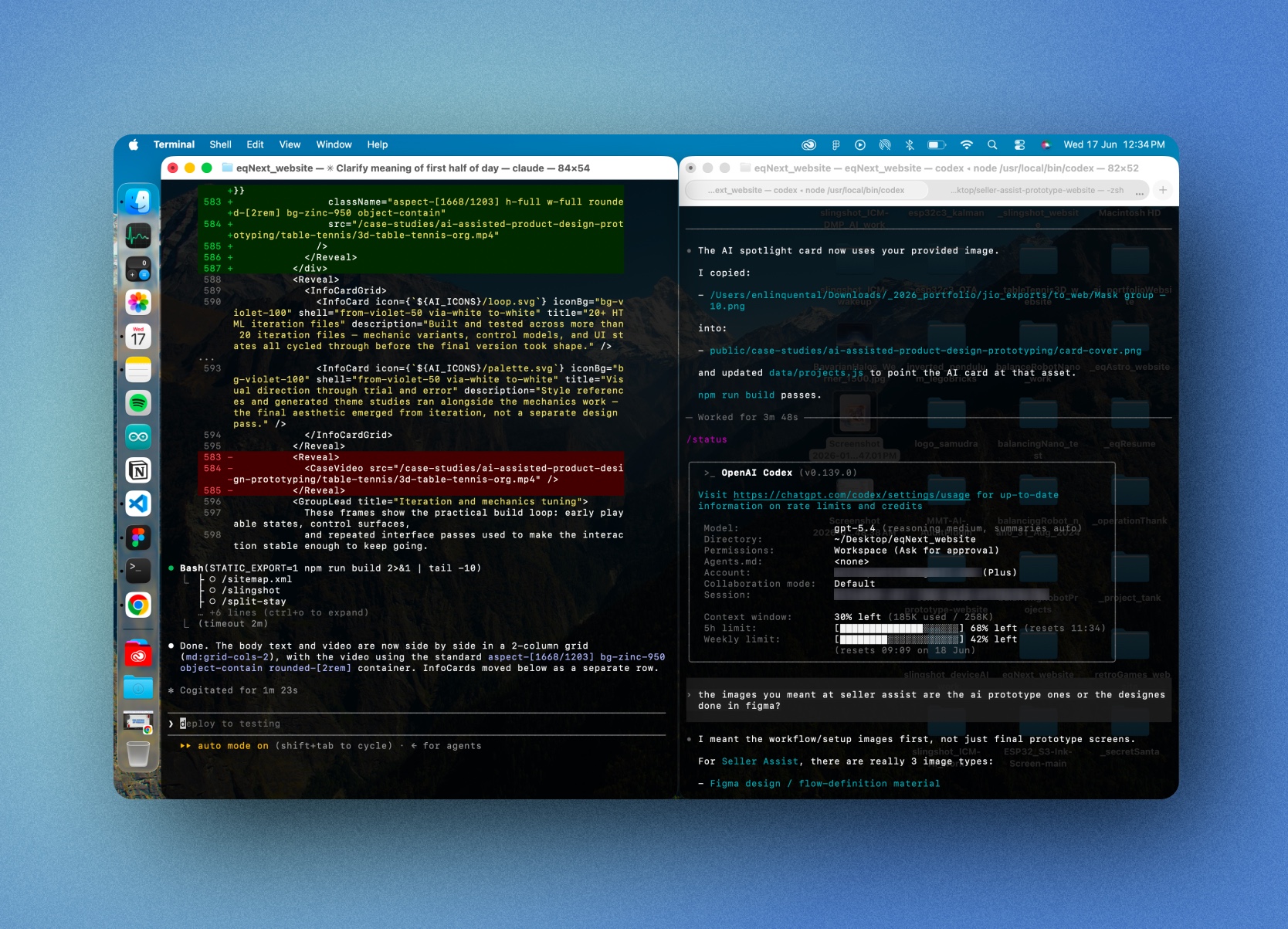
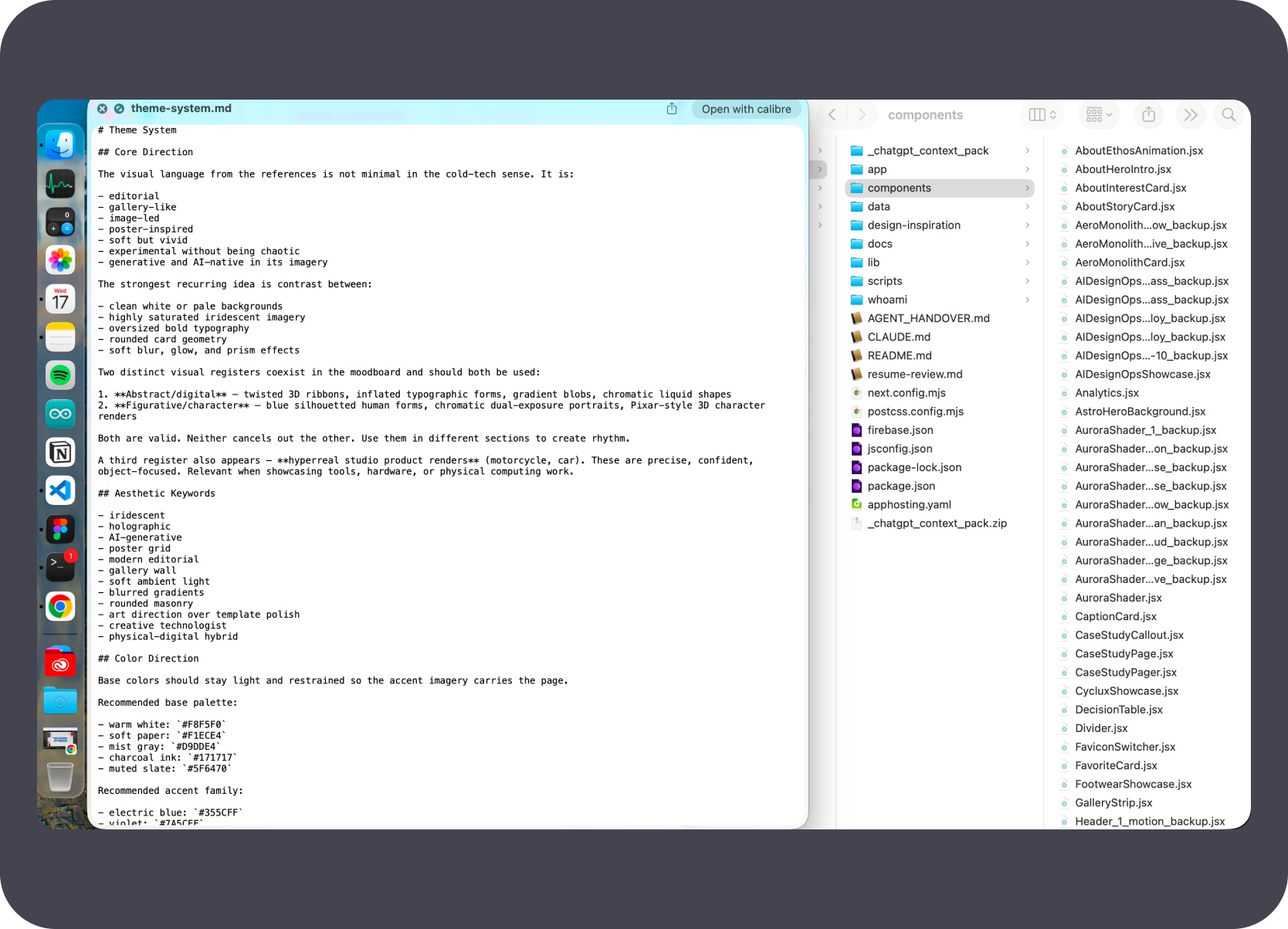
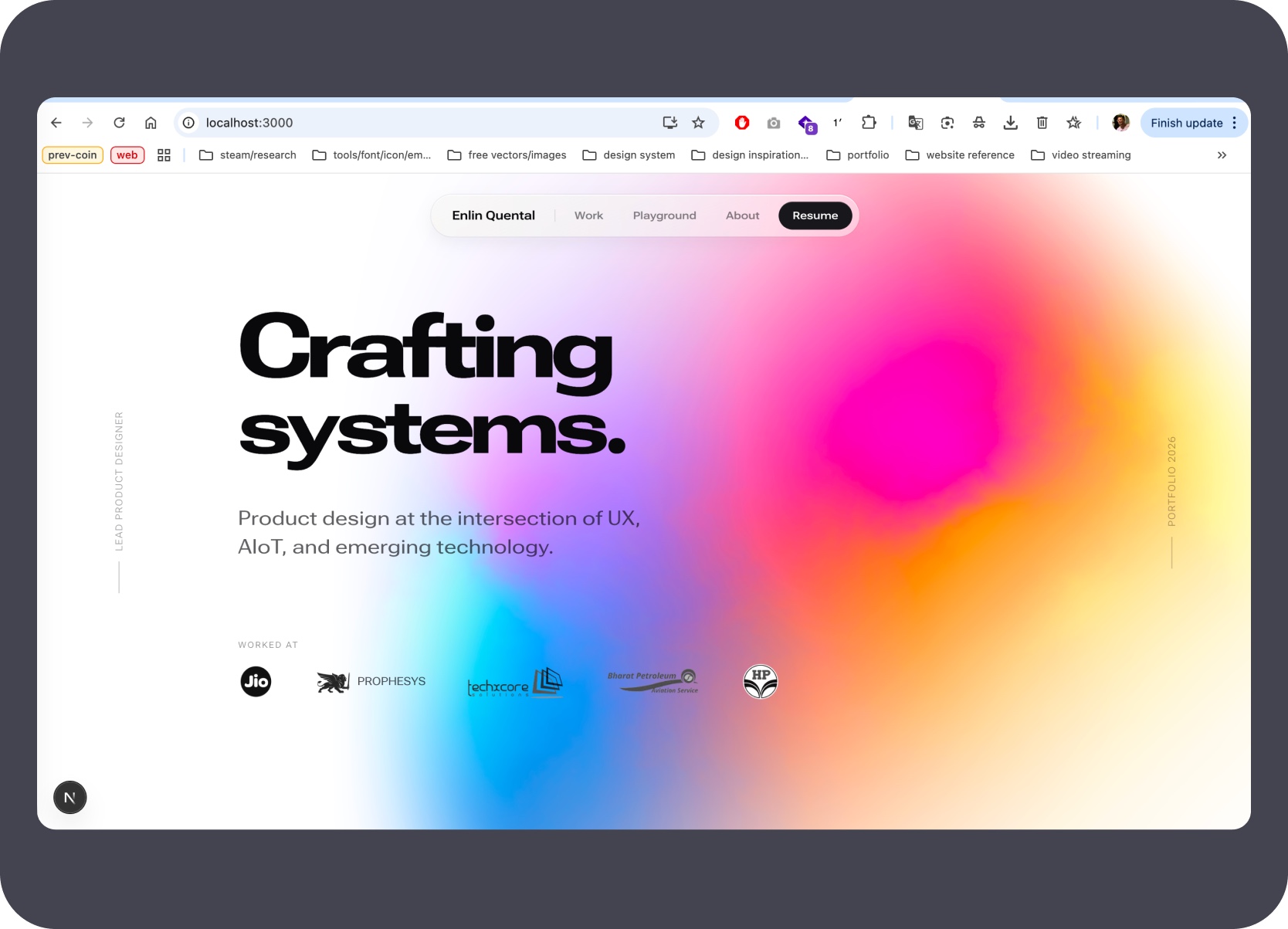
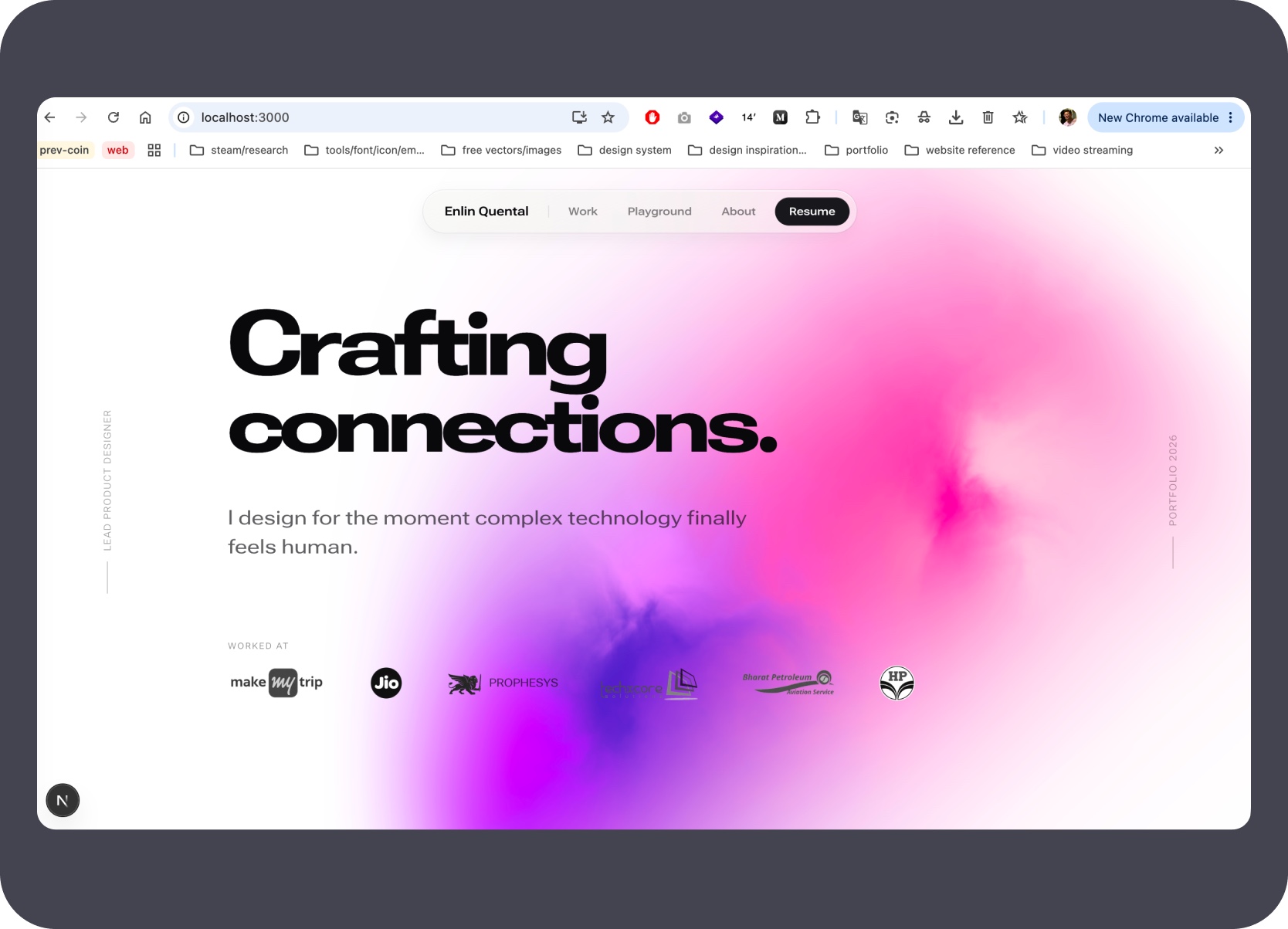
The visual direction came first — a reference collection that set the aesthetic before any code was written. The aurora gradient, variable-font headline, and component language were then iterated through Claude Code sessions where decisions were documented inline. Three MD files — the content playbook, design system, and style directives — act as the persistent context that keeps every new session aligned.
Prepared docs, progress logs, and context packs so the site could be revised without re-explaining the full system at the start of each new session.
This workflow held up because Claude Code and Codex could work from the same docs, progress logs, and shared page systems across many revisions.
Built shared components and page patterns so new case studies follow the same structure, keeping AI-assisted edits aligned with the existing site design.

Turned raw source documents, Figma exports, and media folders into live routes using a documented conversion system that made the build reliable and repeatable.
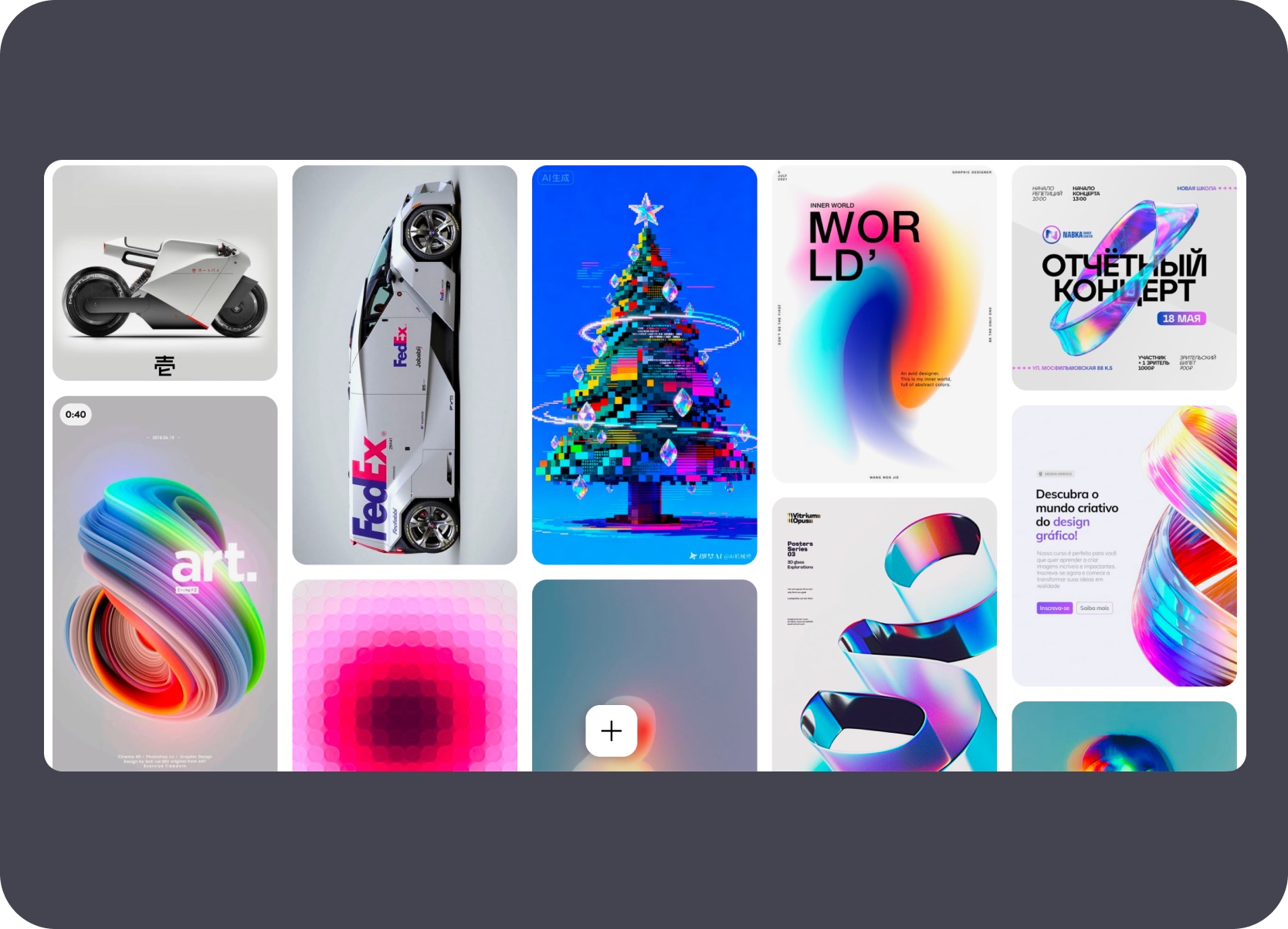
Before writing a line of code, the visual direction was established through a reference collection — 3D motion, gradient blobs, editorial typography, and bold colour contrast. These inputs shaped the aurora system and typographic language rather than leaving it to AI to guess a direction.
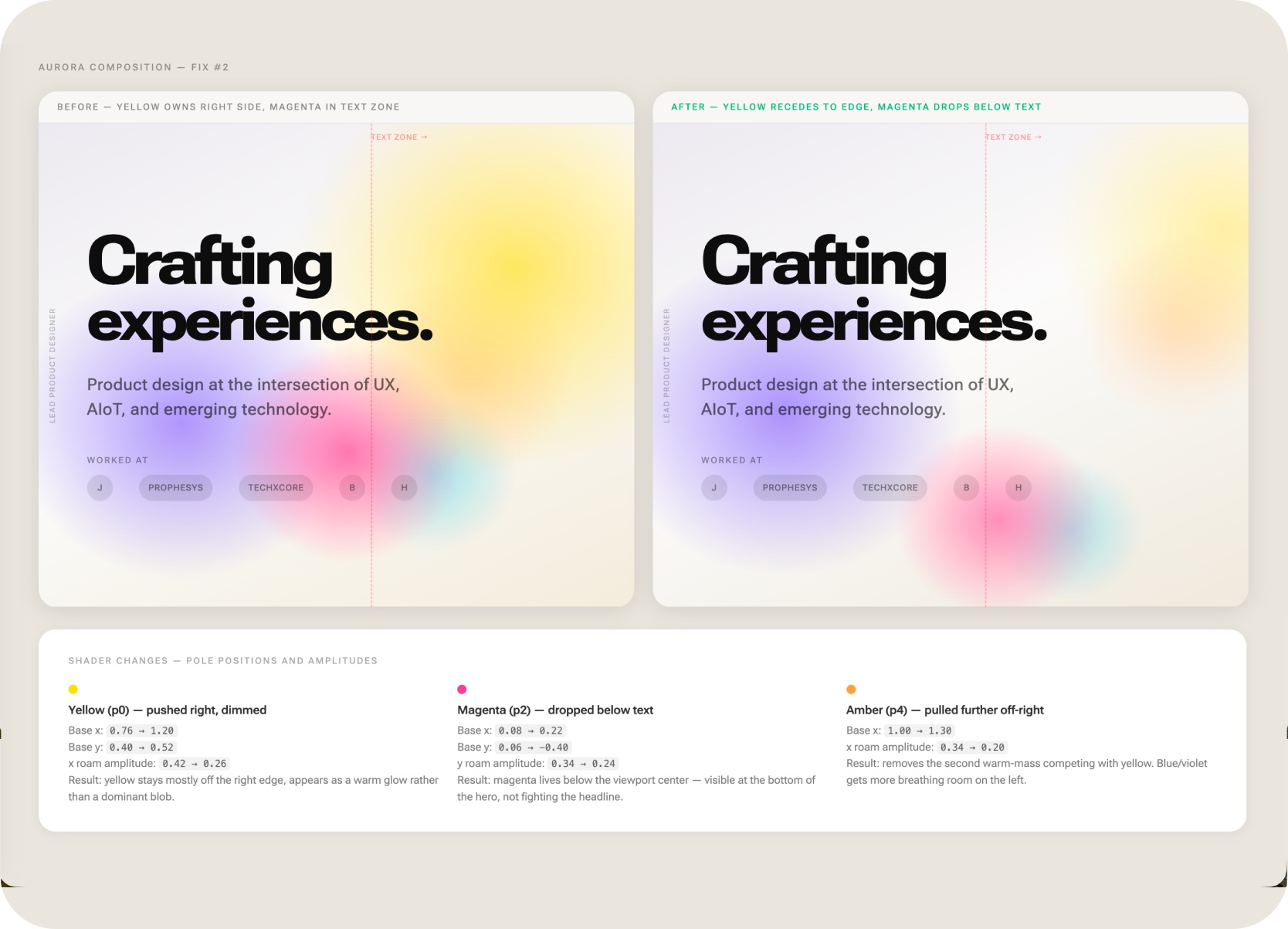
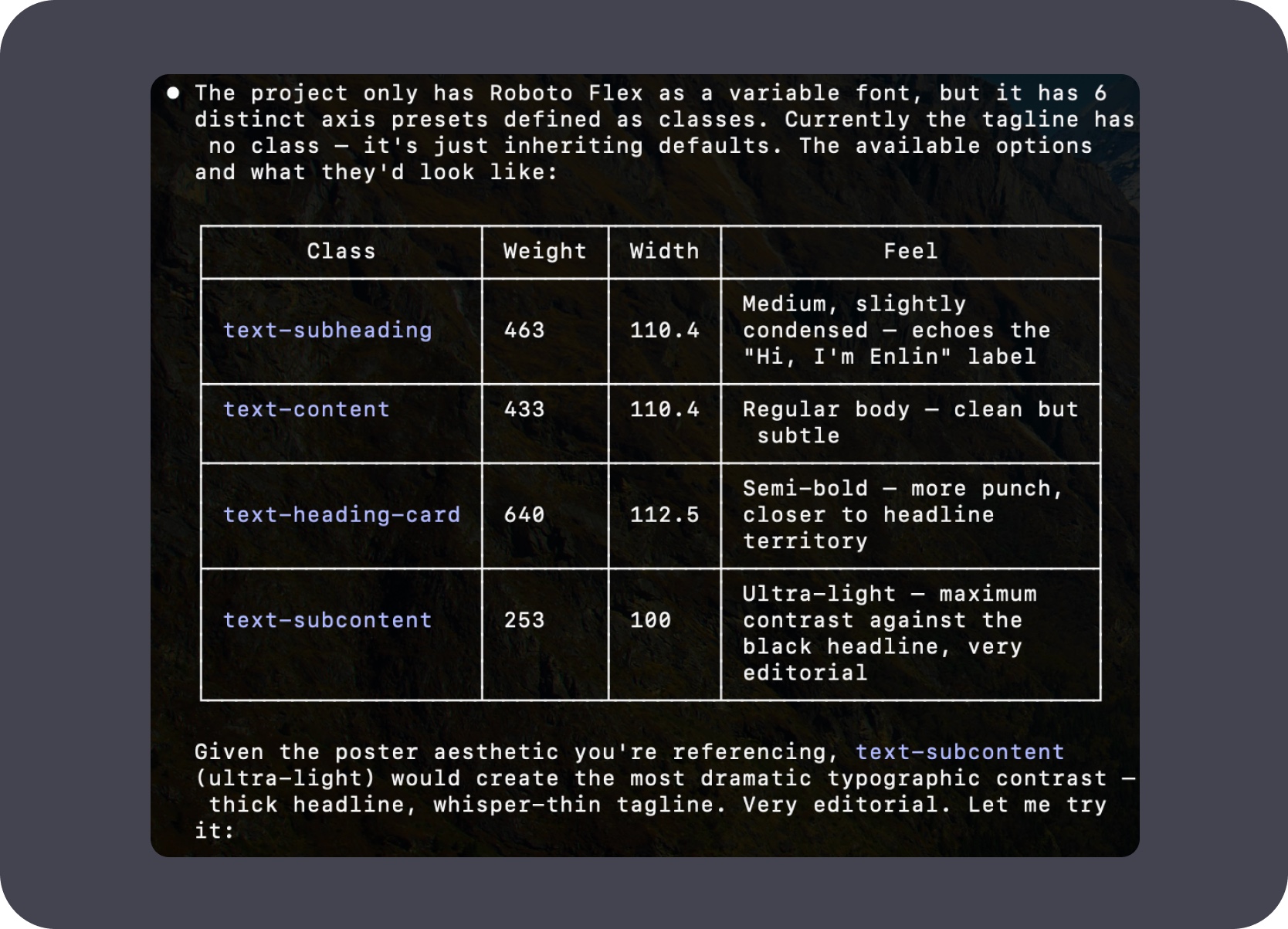
The aurora gradient and hero typography went through deliberate tuning sessions in Claude Code — colour positions, gradient amplifiers, font weight axis values, and before/after comparisons documented inline so each decision could be revisited rather than re-derived.
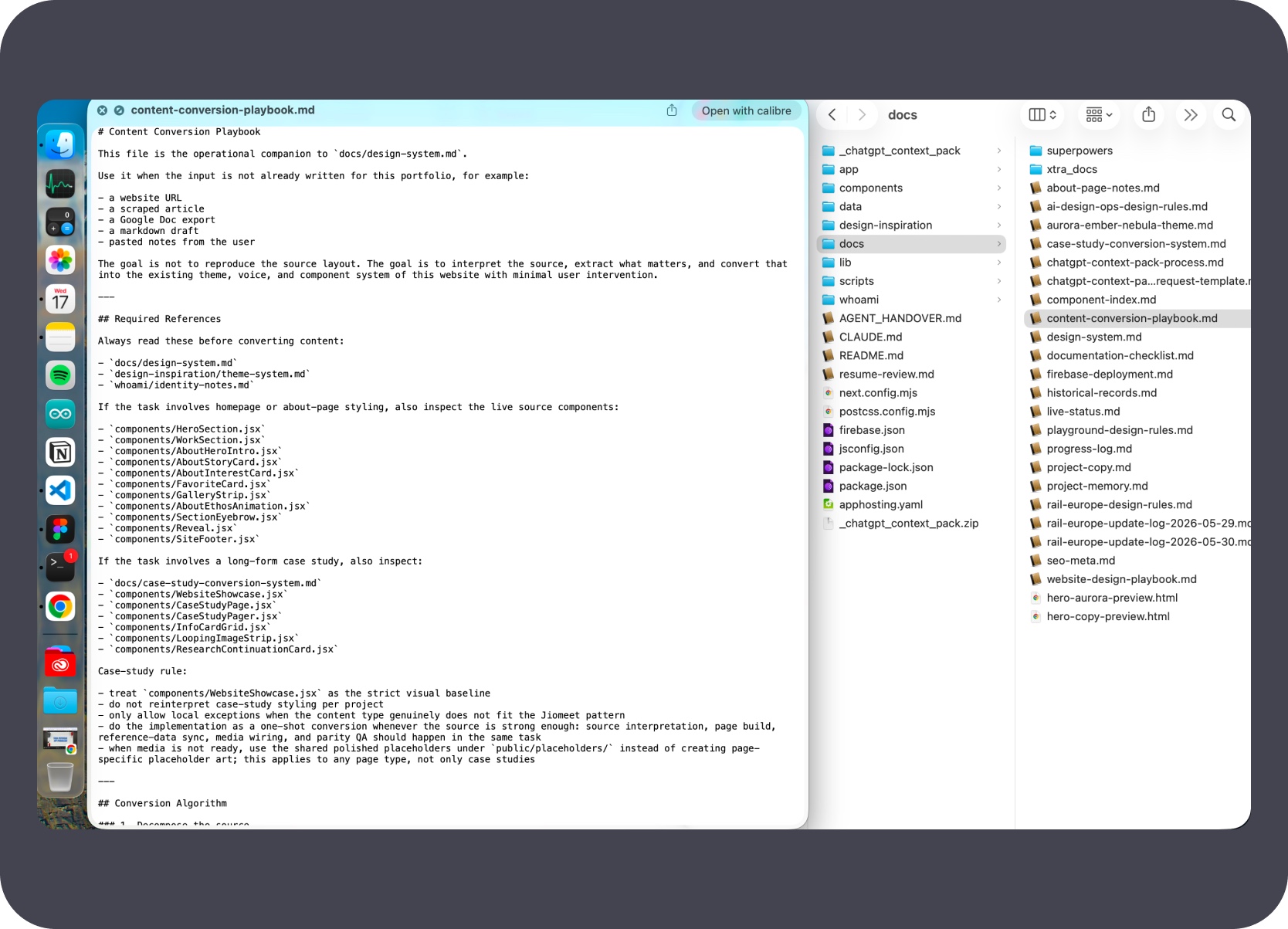
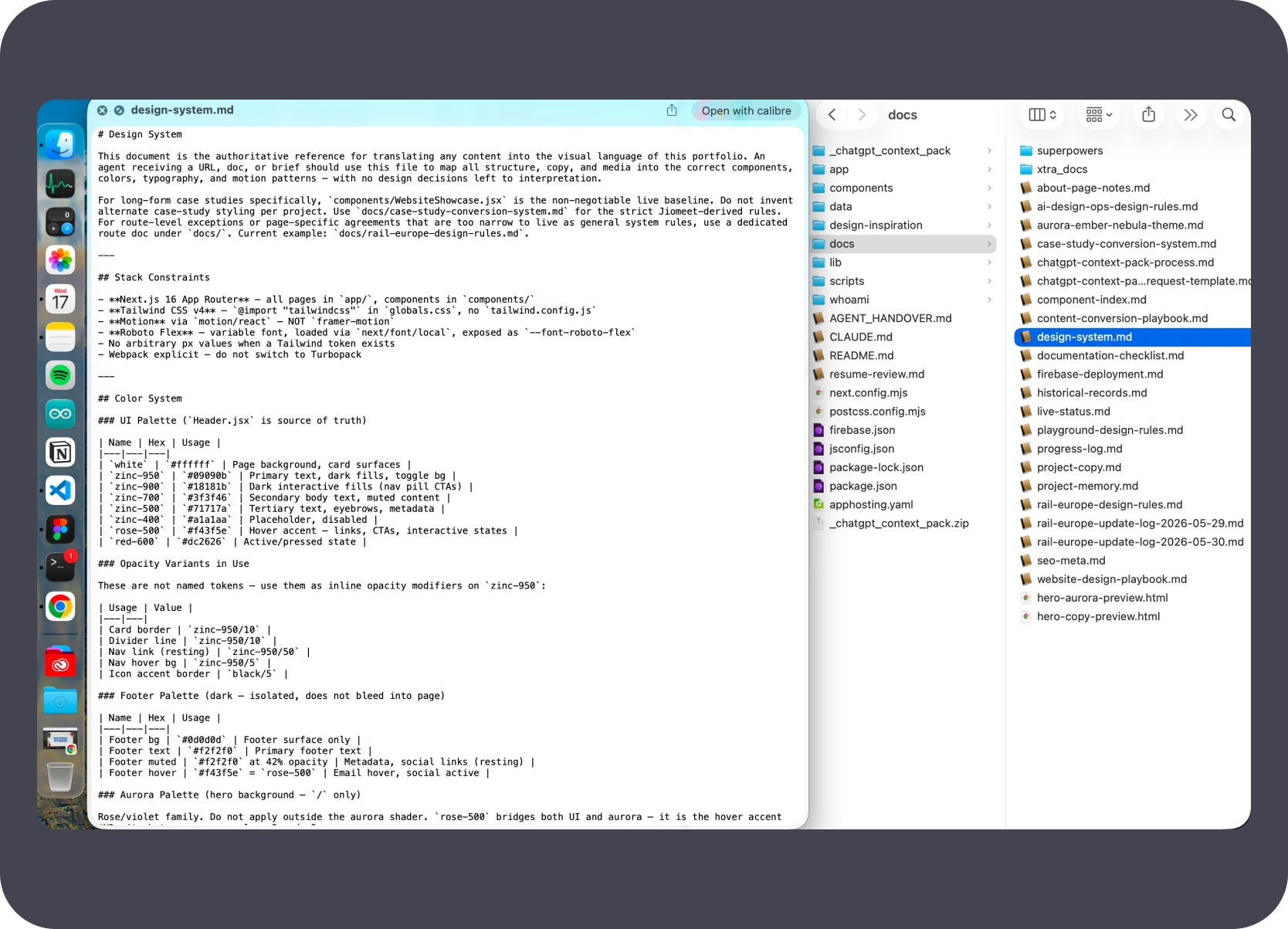
Three MD files form the backbone of the AI workflow for this site: the content conversion playbook (how source material becomes a page), the design system (colours, typography, spacing, component rules), and the style directives (tone, imagery, font presets). These load as context so every session starts from a consistent, defined base.
The pink-violet aurora became the visual anchor for the site. It created identity and mood without adding heavy UI, while keeping the typography and work grid clear enough to do the real work.
Synthesis
These projects are less about AI outputs in isolation and more about how I prepare, direct, test, and use AI inside real design and product workflows.
I do not see AI as a shortcut around design thinking. I use it best when the flow, rules, documentation, and review structure are already clear. Across these projects, the consistent role I played was to frame the problem, prepare the context, decide the workflow, choose the right AI setup, review the outputs, and raise the quality bar until the result was worth sharing.

The consistent approach was choosing the right AI setup for each job — Cursor, Claude Code, Codex, and Gemini 2.5 Flash each served a different execution context.
The stronger pattern was structured iteration — short cycles, explicit checks, and rescan passes that produced results that held up after the loop finished.
AI outputs across these projects were reviewed, rescanned, or tested before use. The workflow included quality gates, not just generation steps.
The consistent role was framing problems, preparing context, choosing the right tools, and raising the quality bar — AI accelerated execution, product direction stayed human.
Continue Browsing