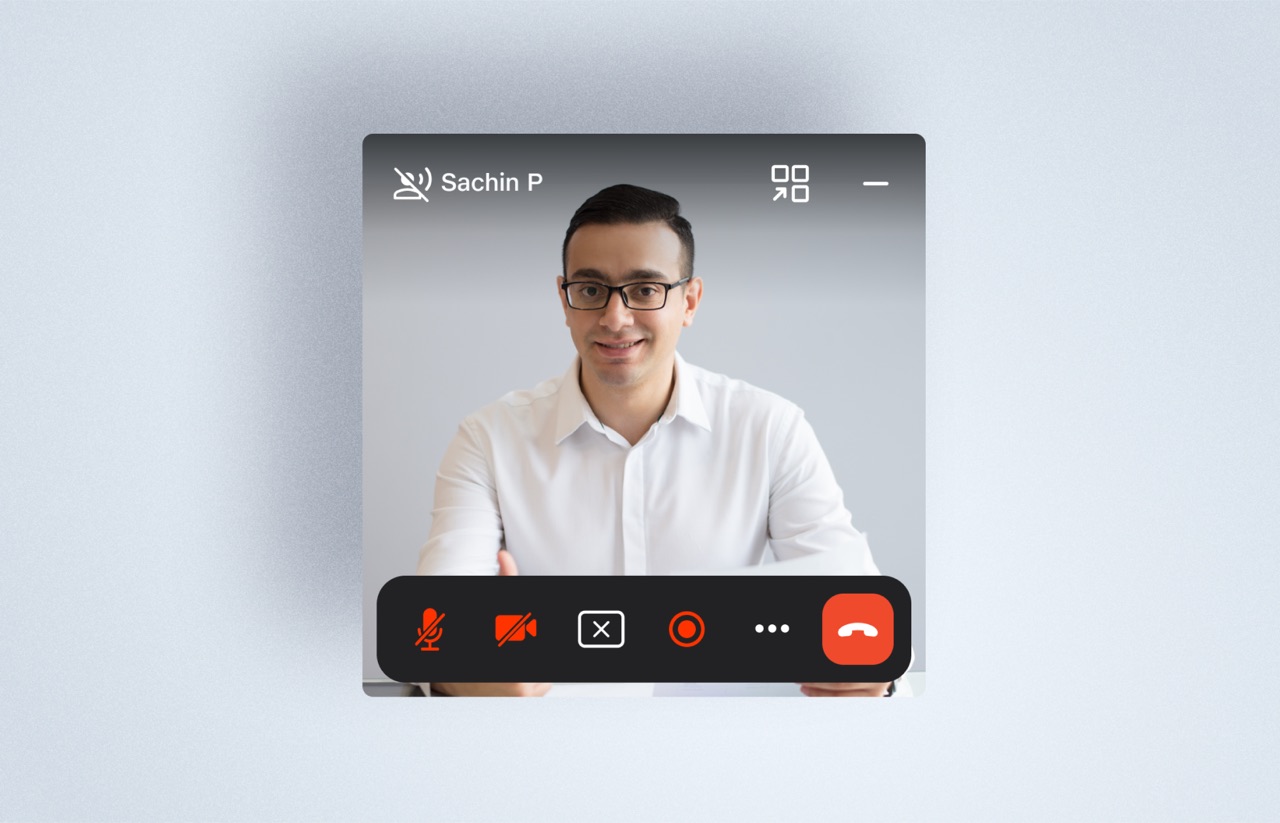
10-foot experience
Treated the TV as a 10-foot interface rather than a resized desktop app — every element designed for distance viewing and remote navigation.
Jio Consumer Platforms
A curated slice of Jio work across TV, STB, classroom screens, and cross-device systems for entertainment, communication, and live participation.
Scope
Smart TV / STB interfaces, classroom screens, host surfaces, and supporting cross-device flows.
Platforms
TV, STB, shared screen, PC participant flows, mobile invite/support flows, and dashboard support.
Status Mix
Shipped design work, built-but-not-publicly-shipped work, and strategic explorations.
Through-line
Adapting interaction models to screen distance, input constraints, and shared-screen behavior across connected surfaces.
TV / STB / Large Screen
This work adapted a communication product to a 10-foot environment, where navigation, visibility, and action density had to be redesigned for a remote-driven surface instead of inherited from desktop or mobile patterns.
Status
Built by developers, not publicly shipped
Ownership
Fully owned single-handedly
Platform
Smart TV / STB communication experience
Focus
Navigation clarity, preview-before-join, and lower in-call complexity.
The core challenge was not simply fitting an existing video-calling product onto a TV. The interface had to support distance viewing, fewer but clearer actions, stable focus behavior, and enough confidence that a user could navigate key meeting tasks without the precision or density of desktop interaction.
Treated the TV as a 10-foot interface rather than a resized desktop app — every element designed for distance viewing and remote navigation.

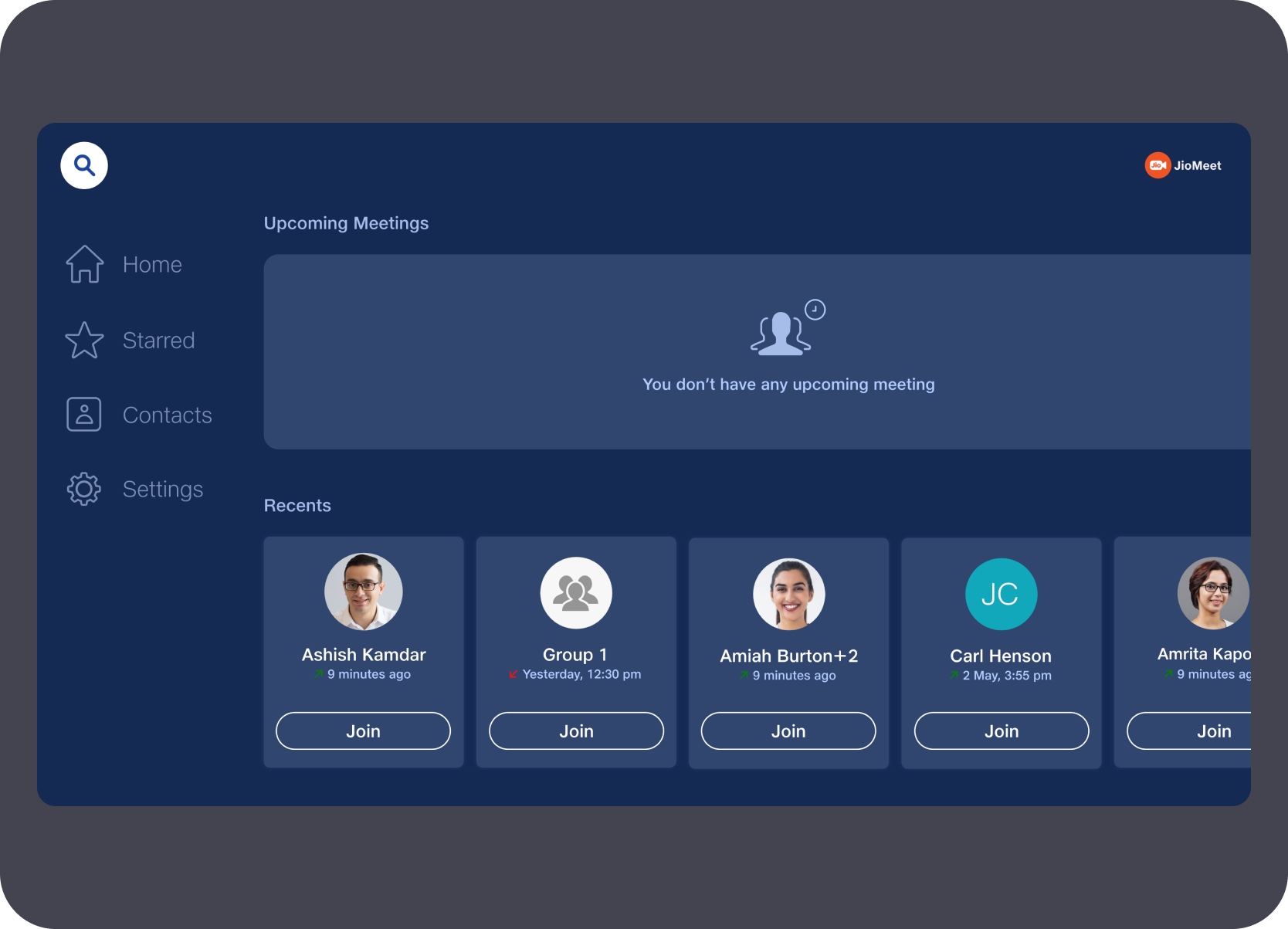
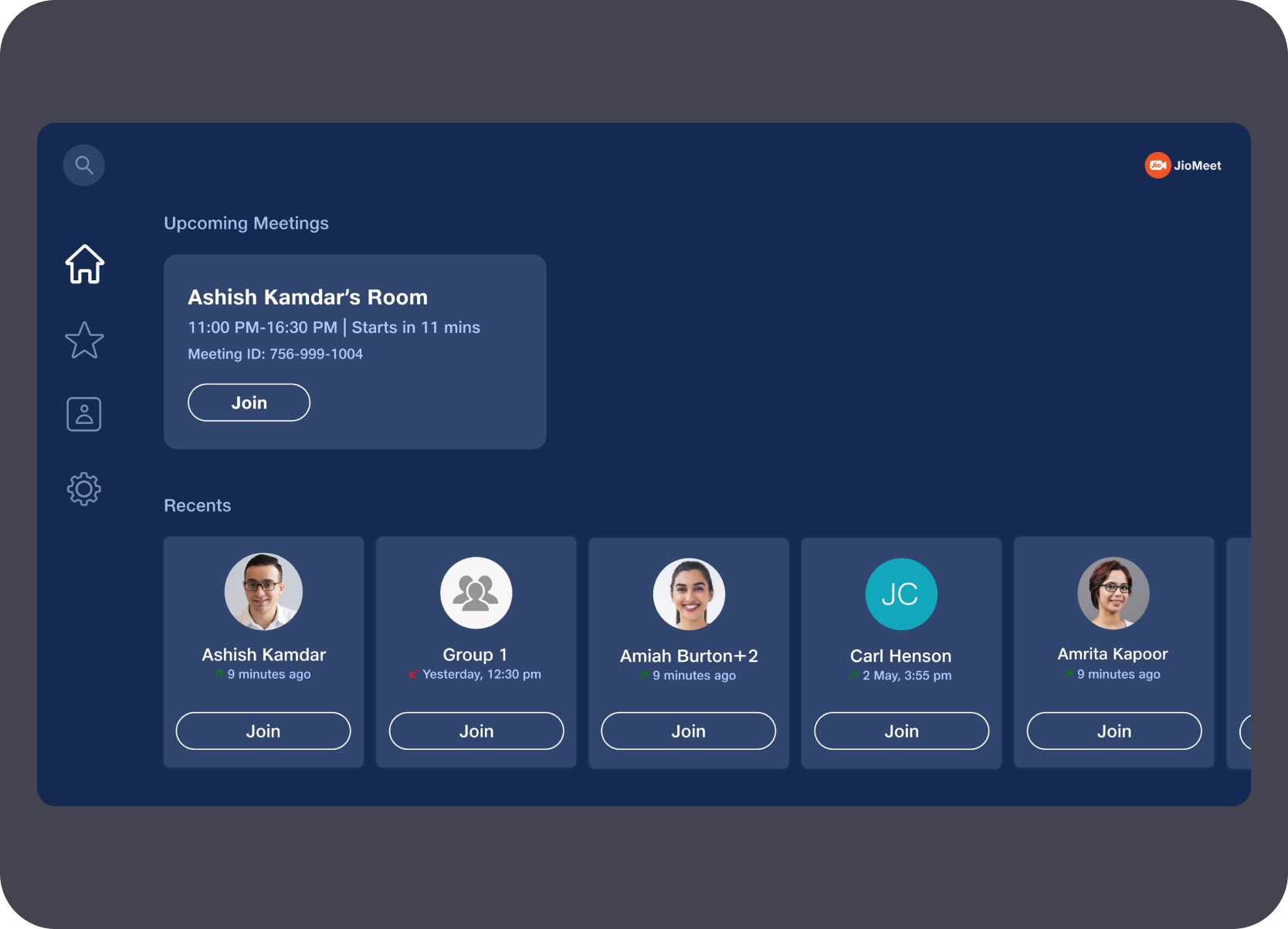
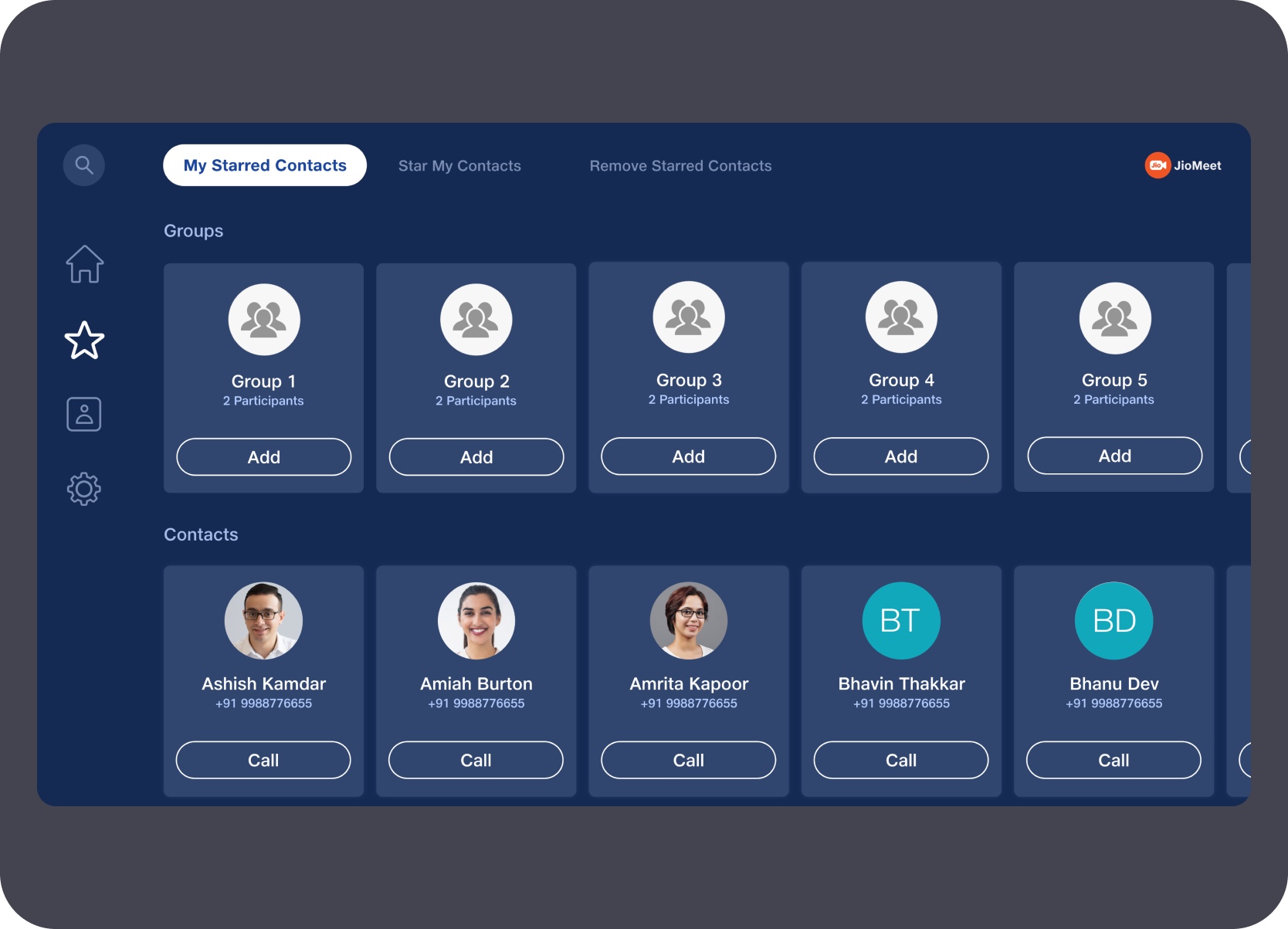
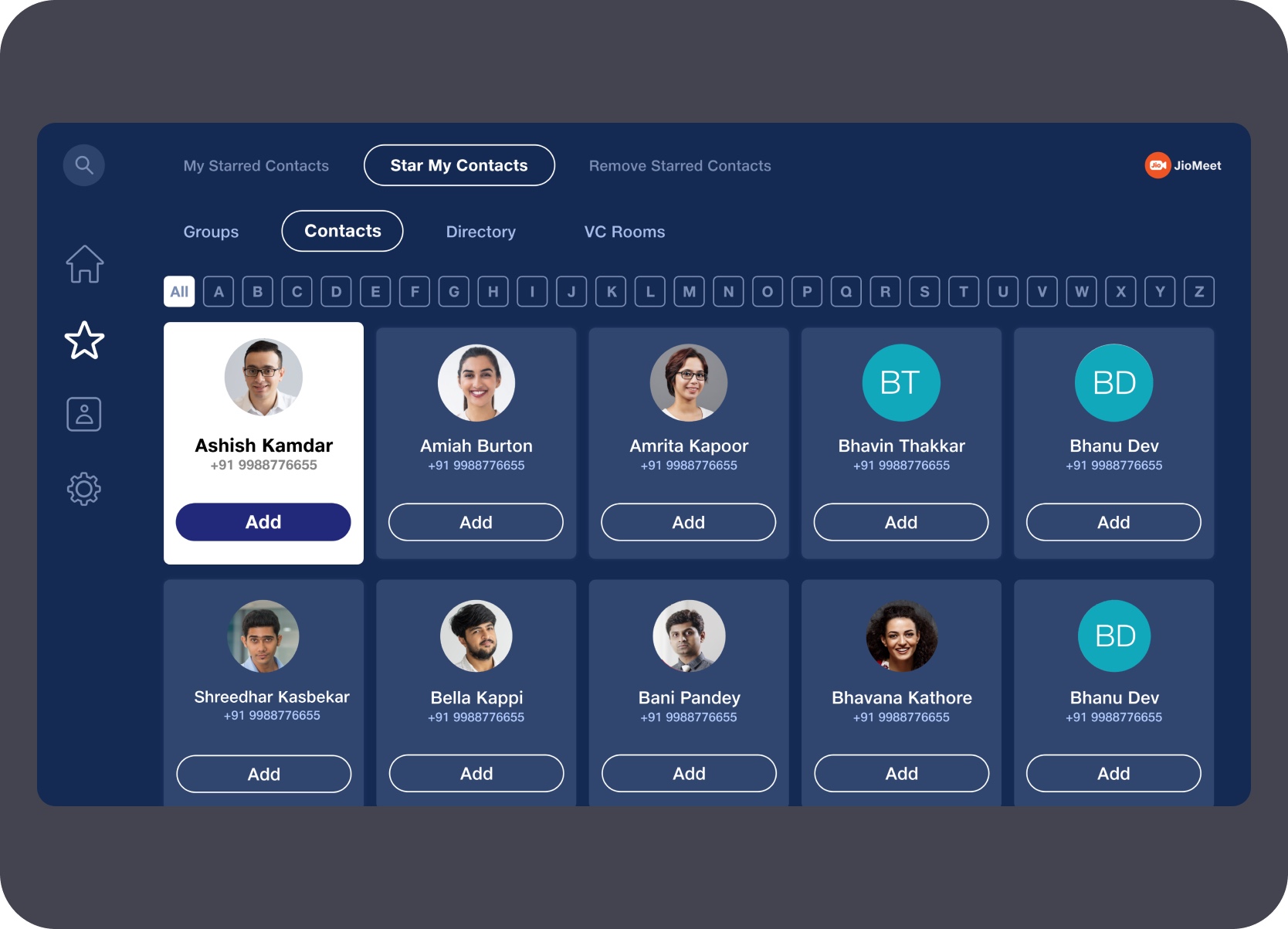
Kept home, starred contacts, search, and key actions simple enough to operate with a TV remote without precision or dense interaction.

Added a preview-before-join step so users could confirm their audio-video readiness and join intent before entering a meeting.

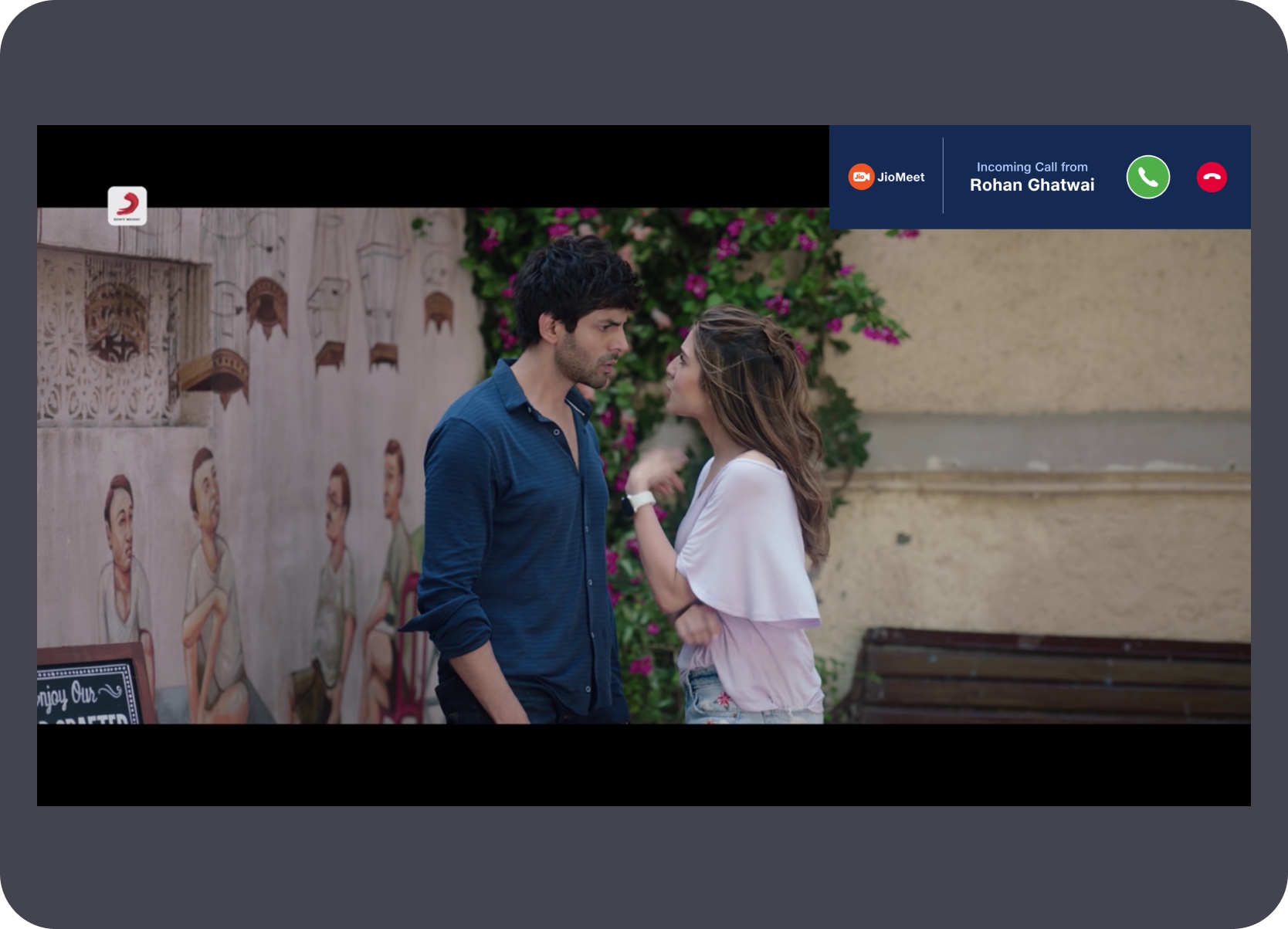
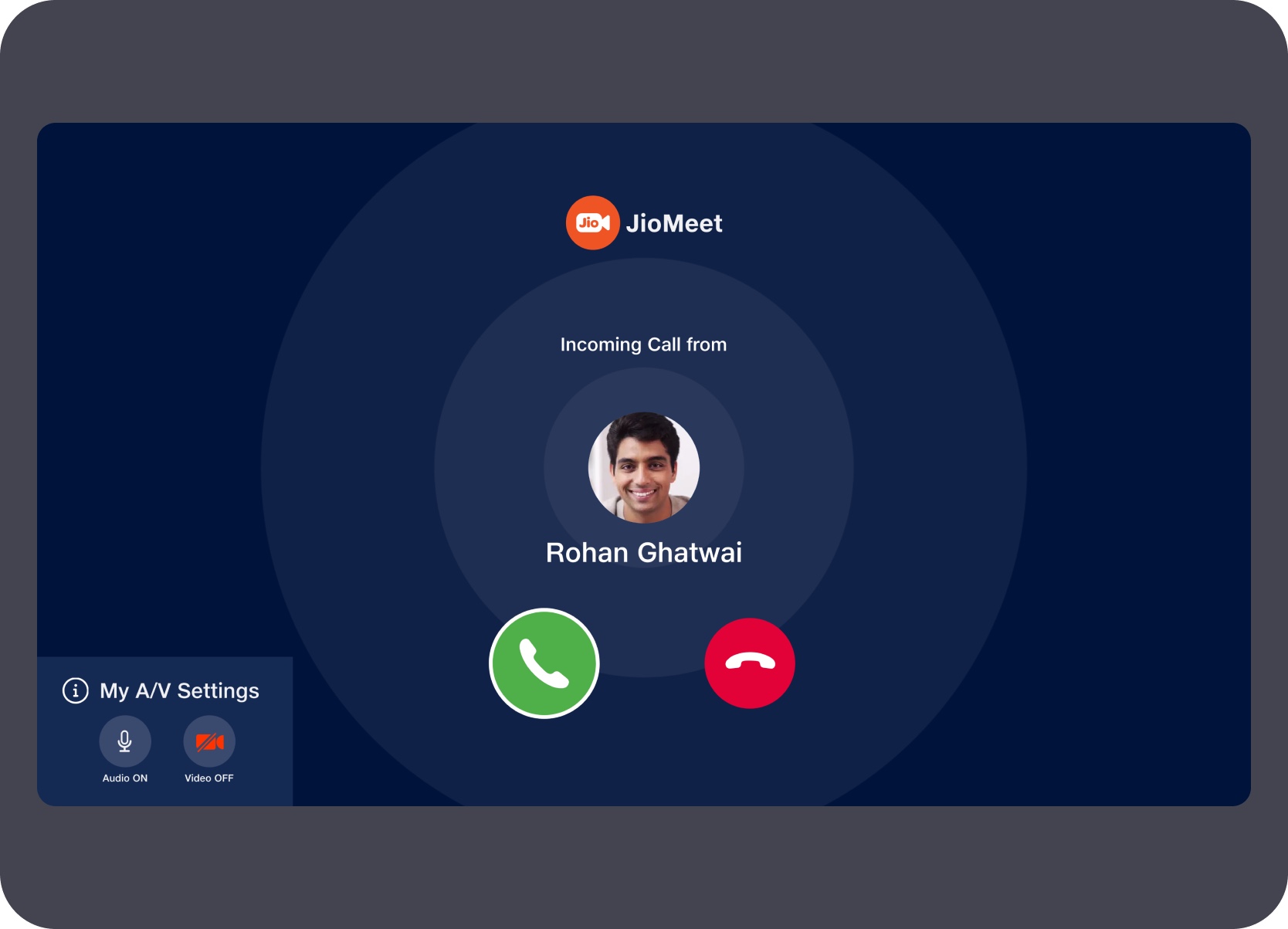
Incoming-call and in-call states were designed for visibility, quick action, and low cognitive load at a living-room distance.

Host and participant controls were planned without overloading the TV surface — focused actions surfaced in-panel without leaving the call.
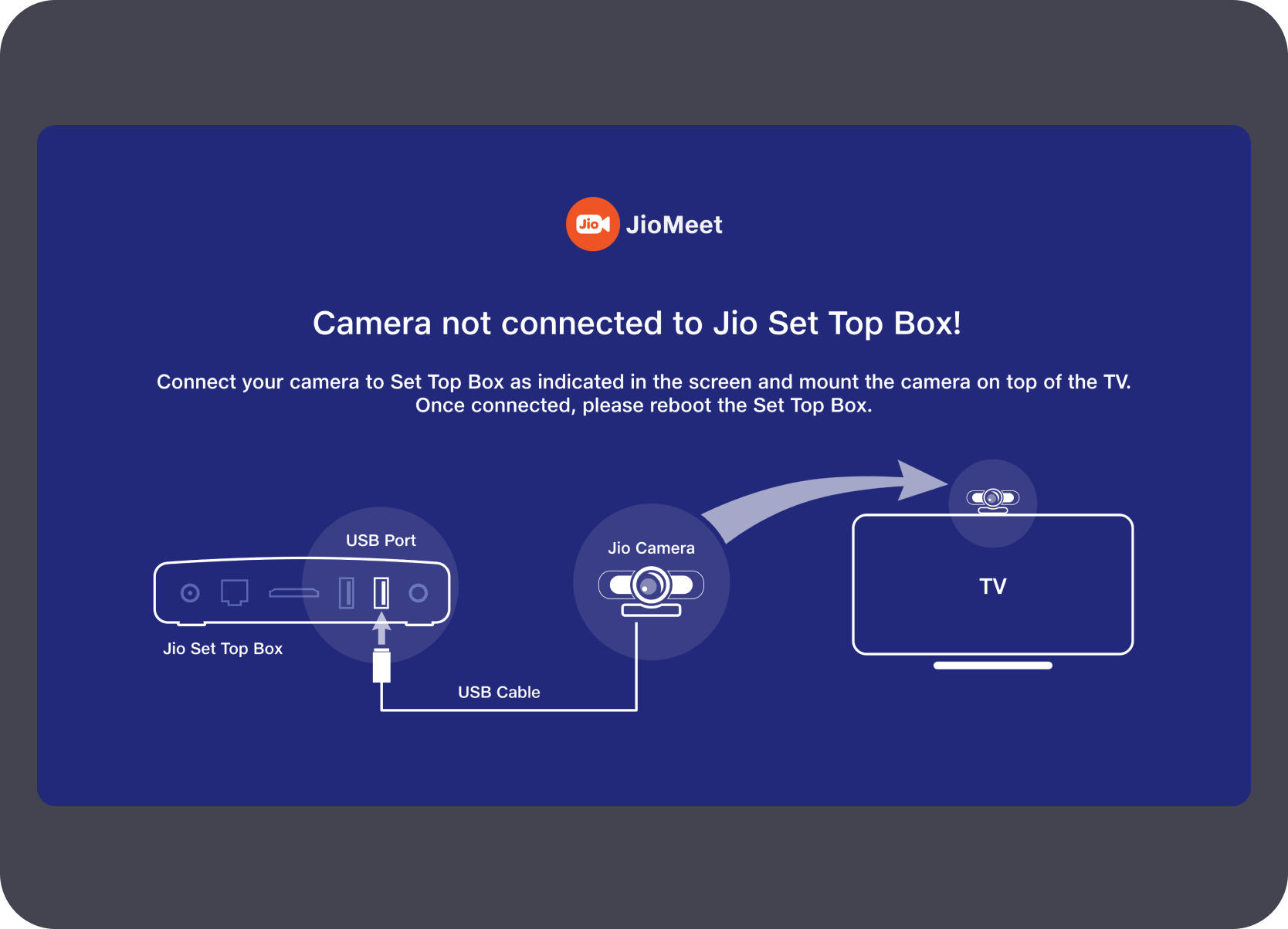
The flow started by making TV constraints explicit. Instead of assuming a laptop-style setup, the first screens handled camera dependency, cable guidance, and a stripped-down entry point before any meeting action was shown.
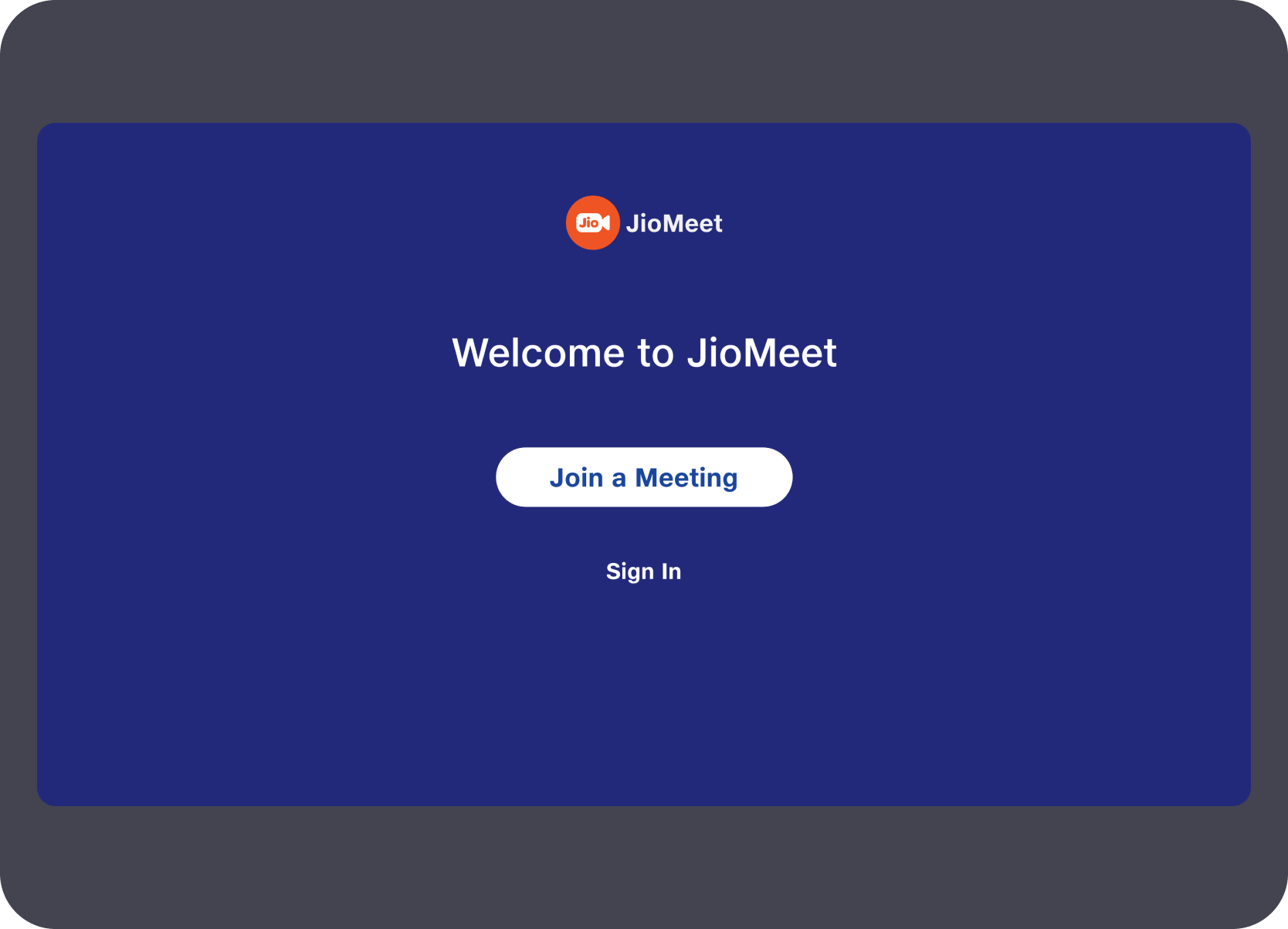
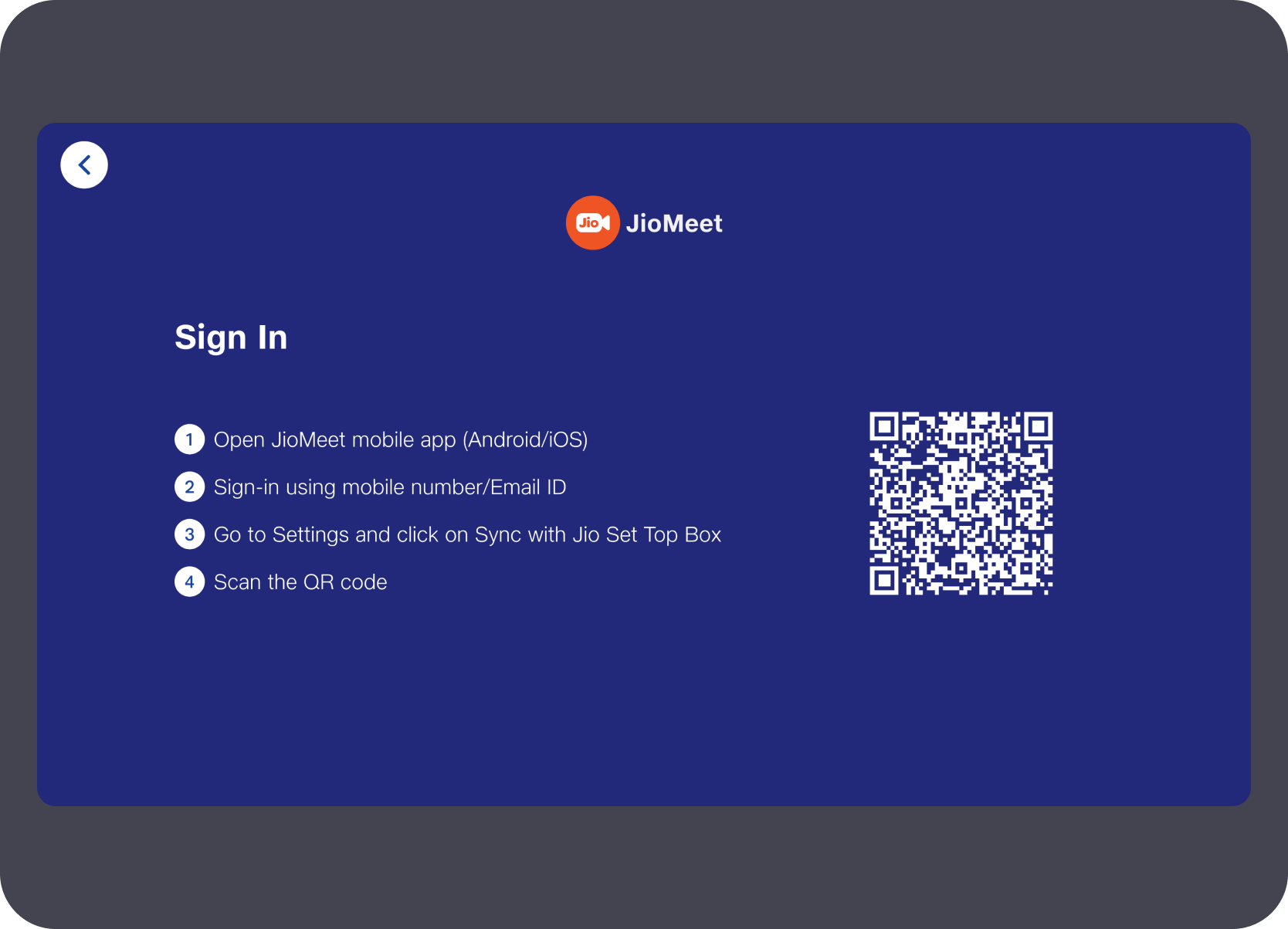
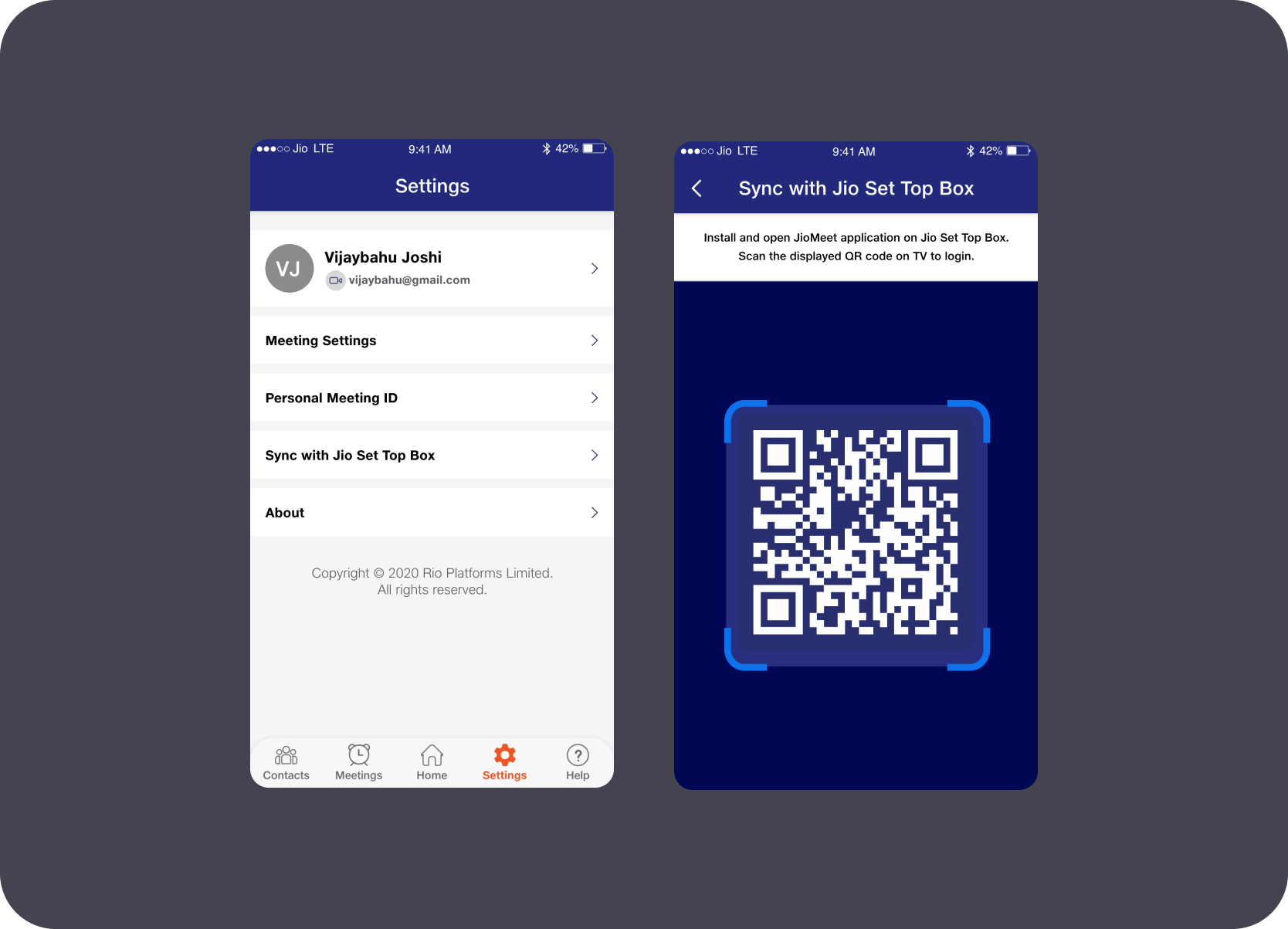
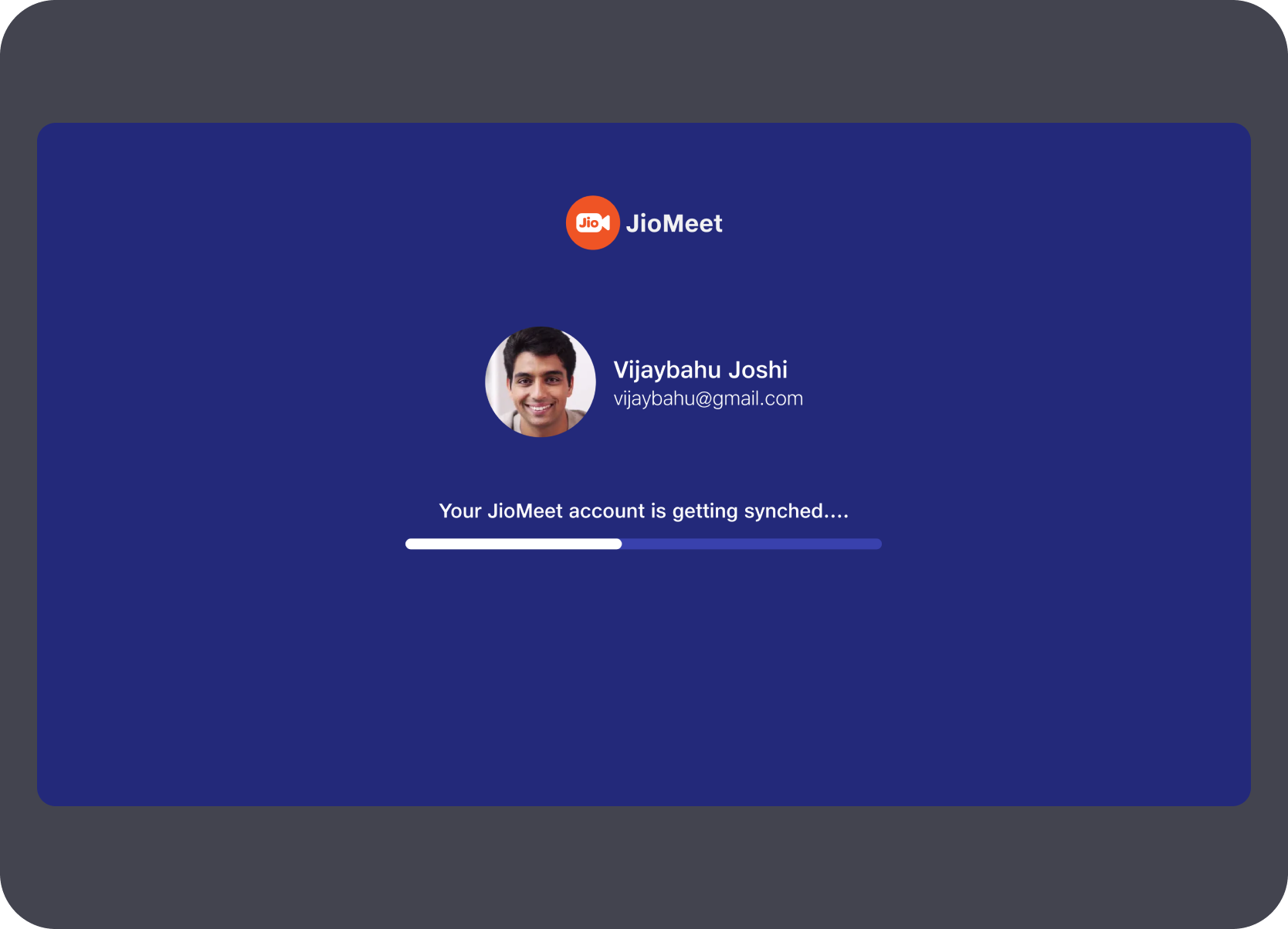
Account setup was shifted away from TV typing. The STB used QR-based pairing with the mobile app so identity sync and authentication stayed fast while the television remained the large shared display surface.
Once inside, the home layer surfaced upcoming meetings and recents first. The empty upcoming state kept the layout stable and recents accessible even when nothing was scheduled — avoiding a dead end as the landing experience.
Repeat communication mattered more than generic directory depth, so contacts and group surfaces were pushed into large-card patterns with clear add, remove, and call actions. This made the product usable for quick living-room access rather than long desktop-like contact management sessions.
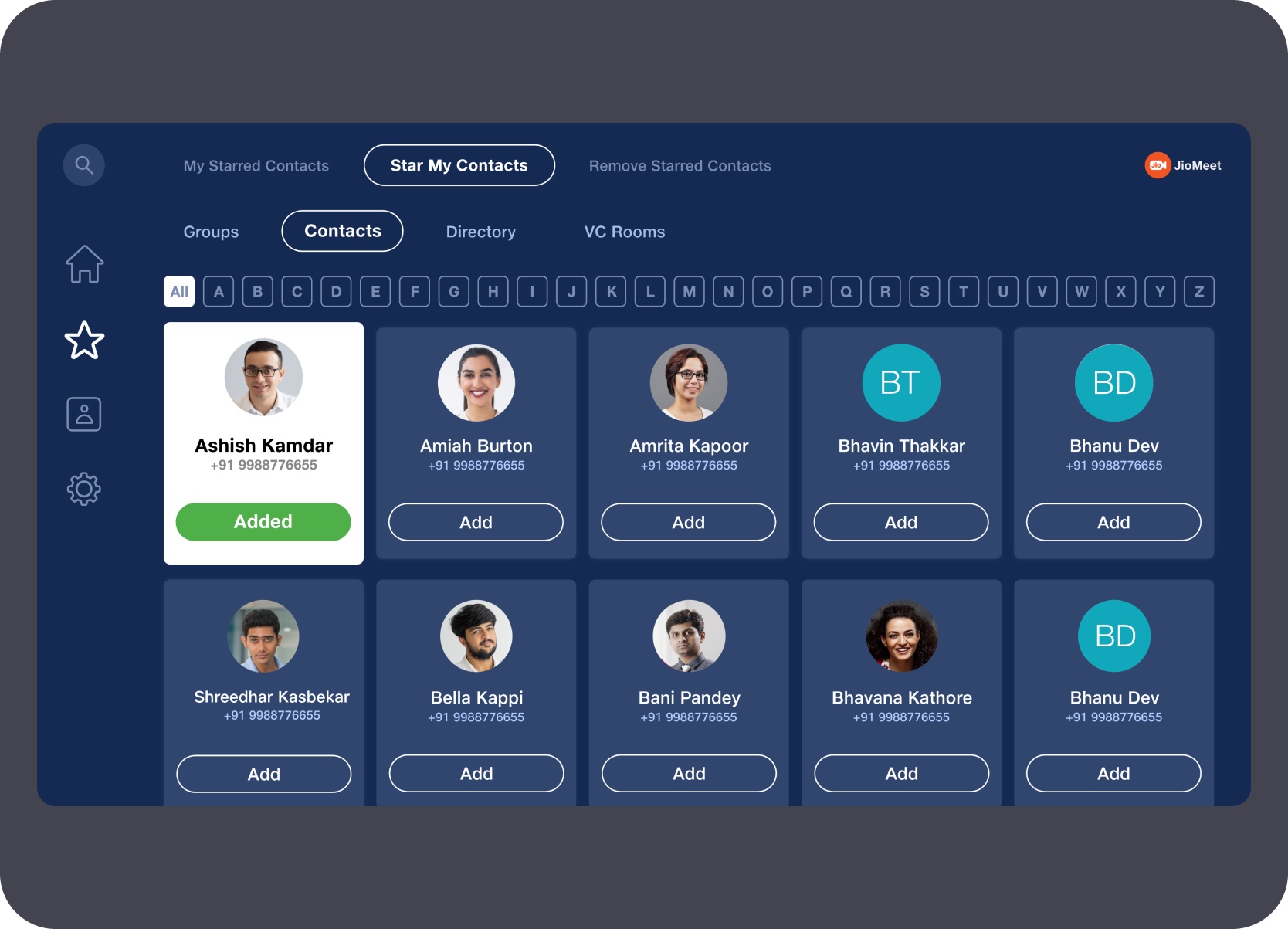
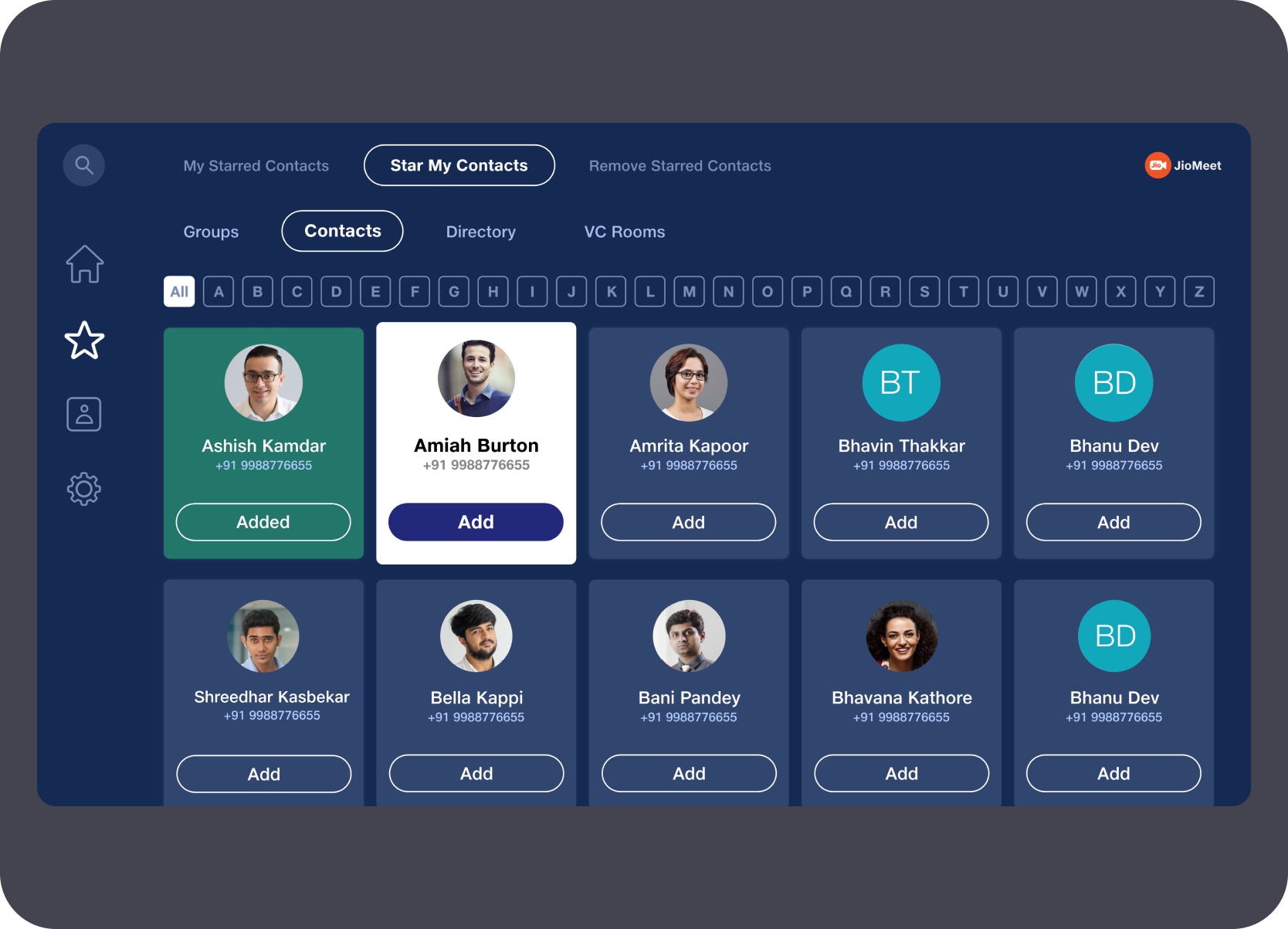
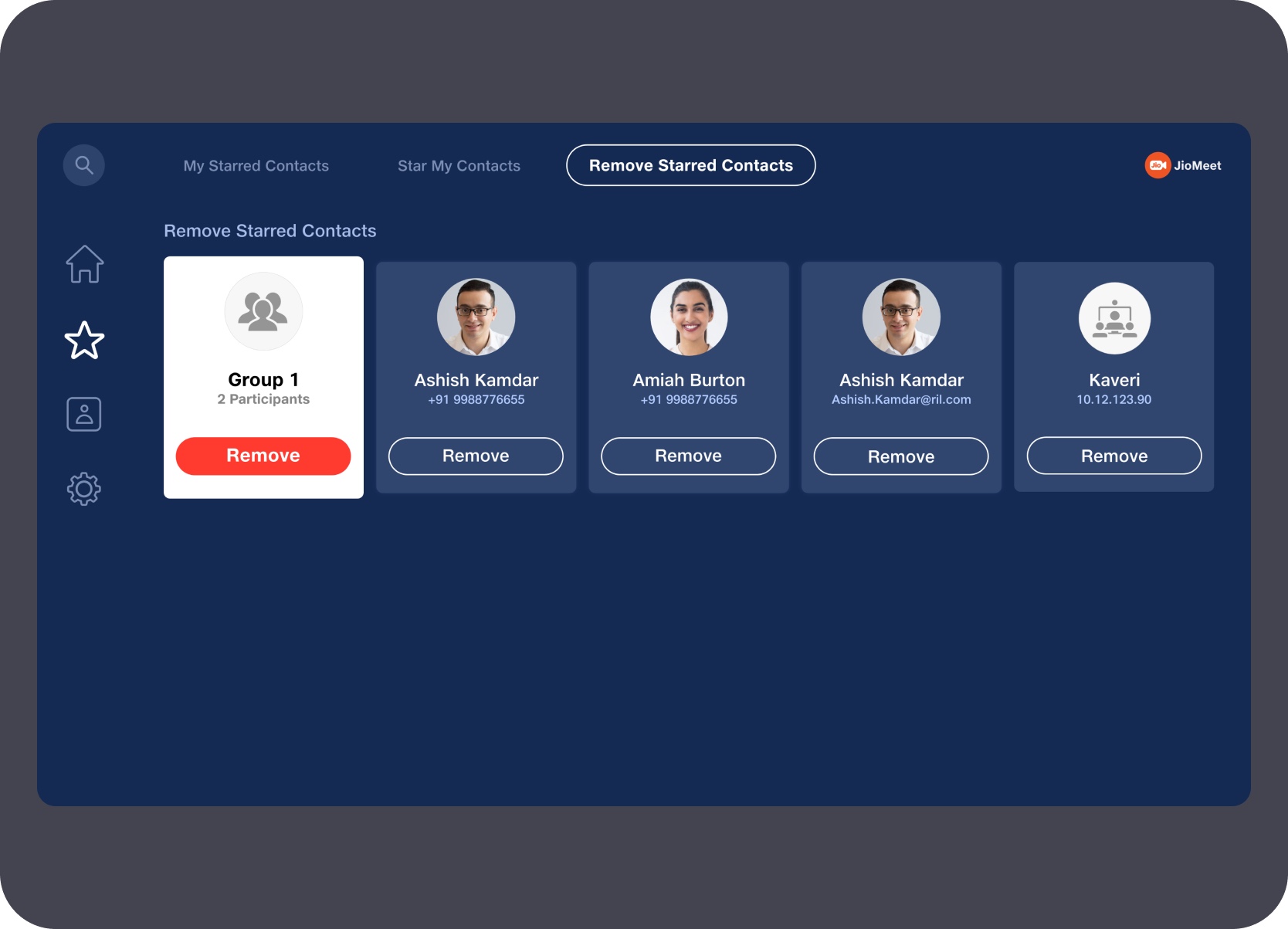
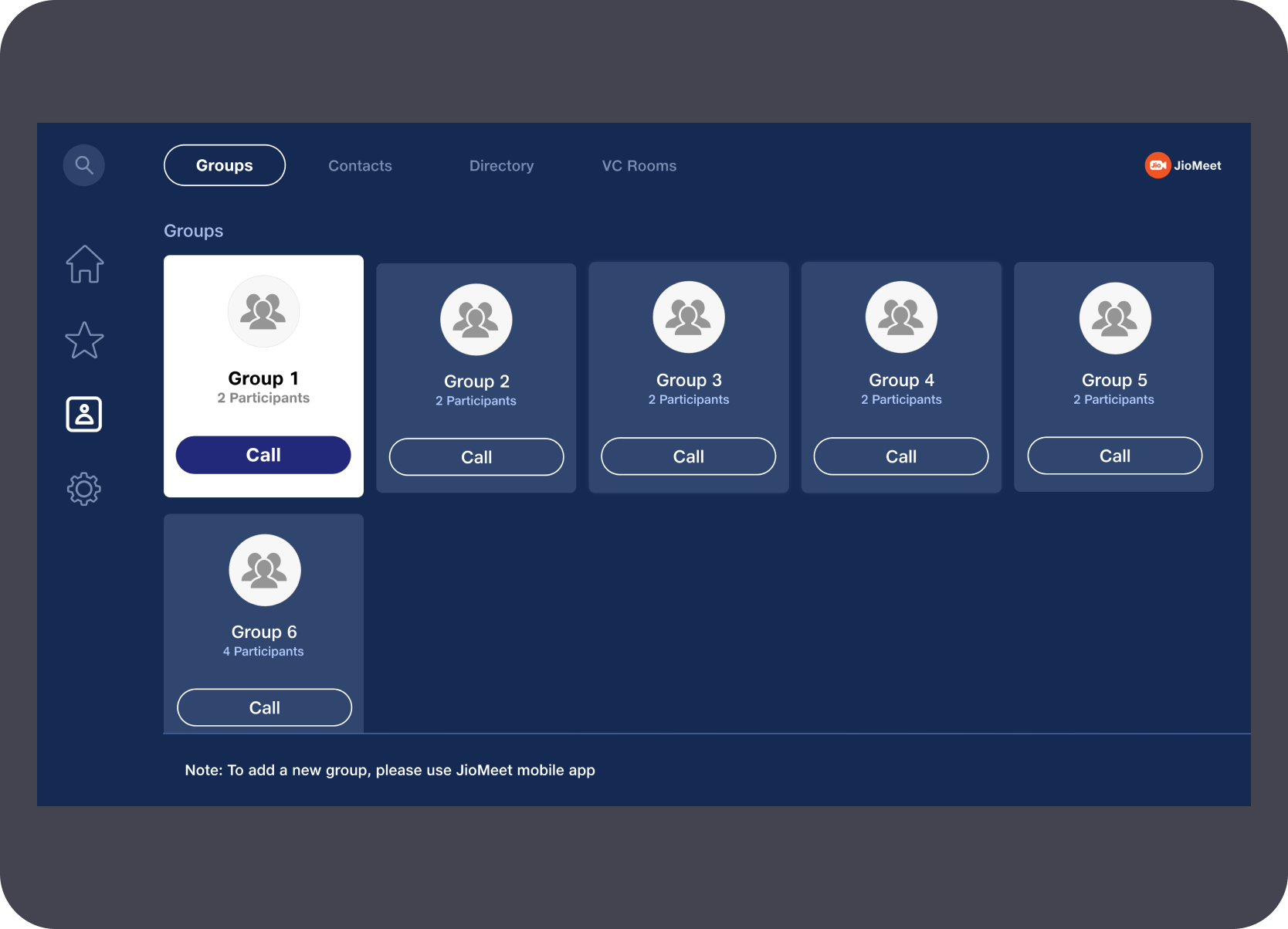
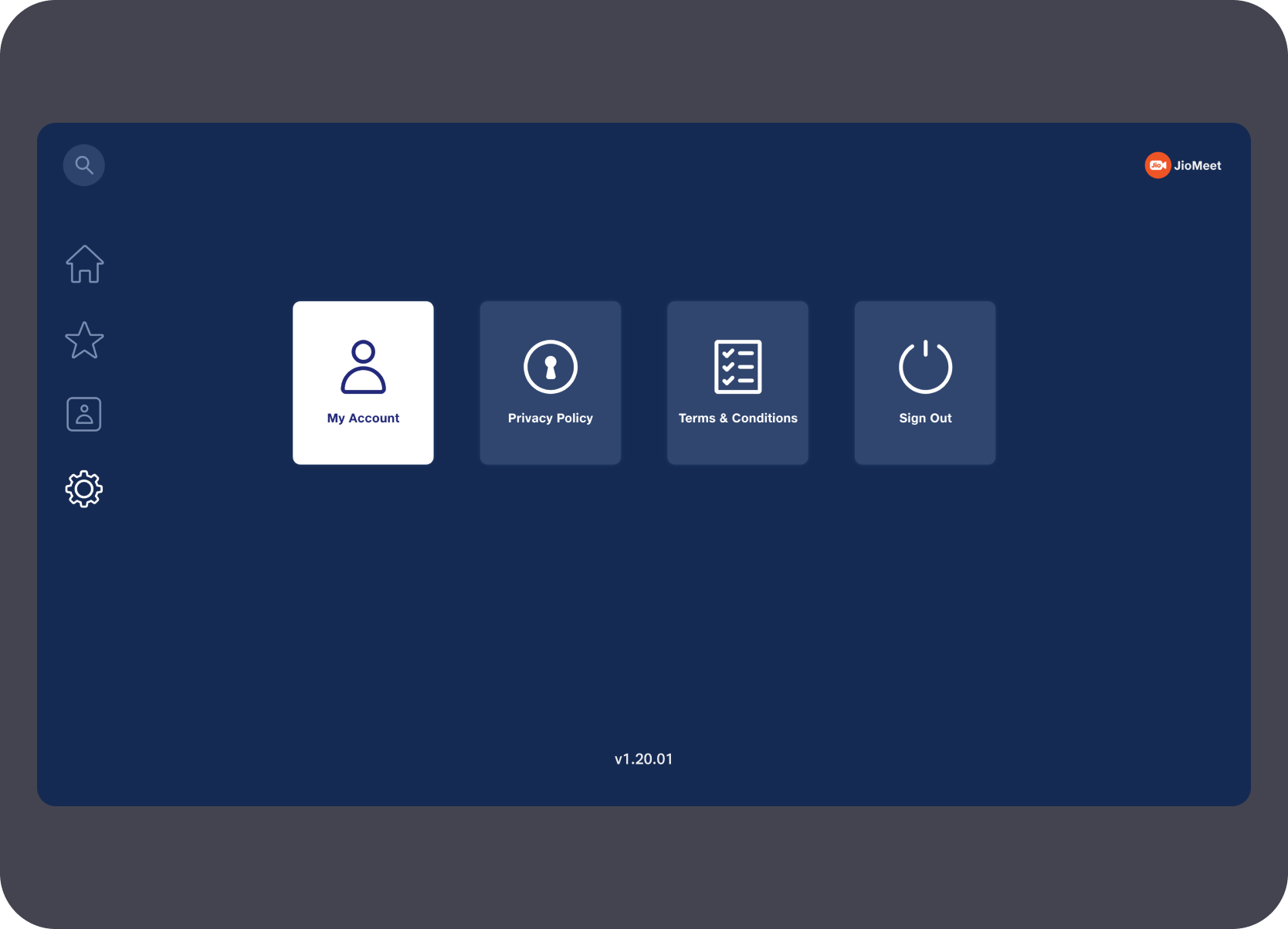
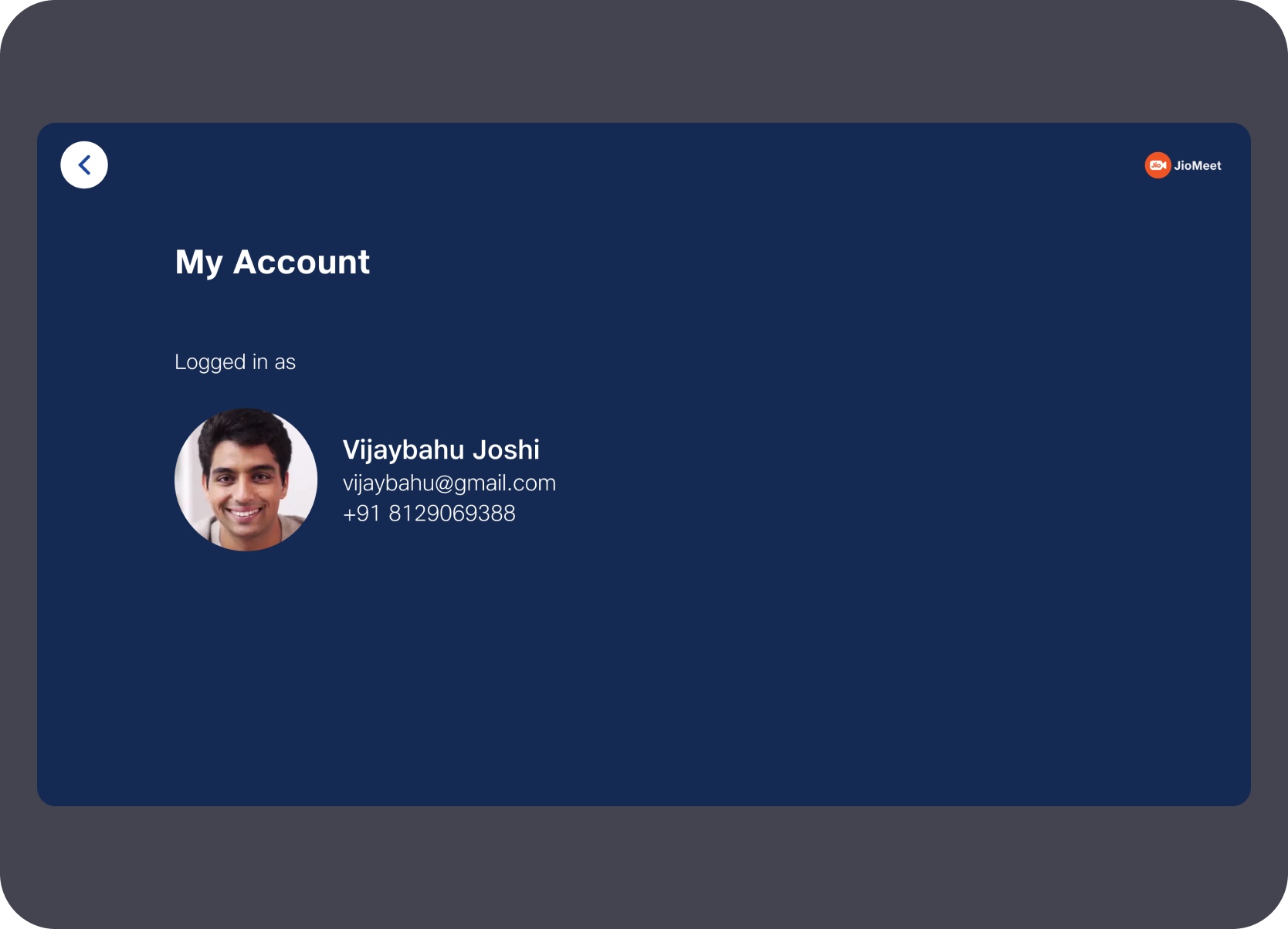
Secondary areas like settings and account details were still designed for the same 10-foot environment, with only the essential items exposed and enough space to keep the content legible from a distance.
Incoming calls, switch-device prompts, and preview-before-join states were treated as high-risk moments. The UI needed to help users understand where they were joining from, confirm audio-video readiness, wait for host admission when needed, and enter the meeting without accidental action.
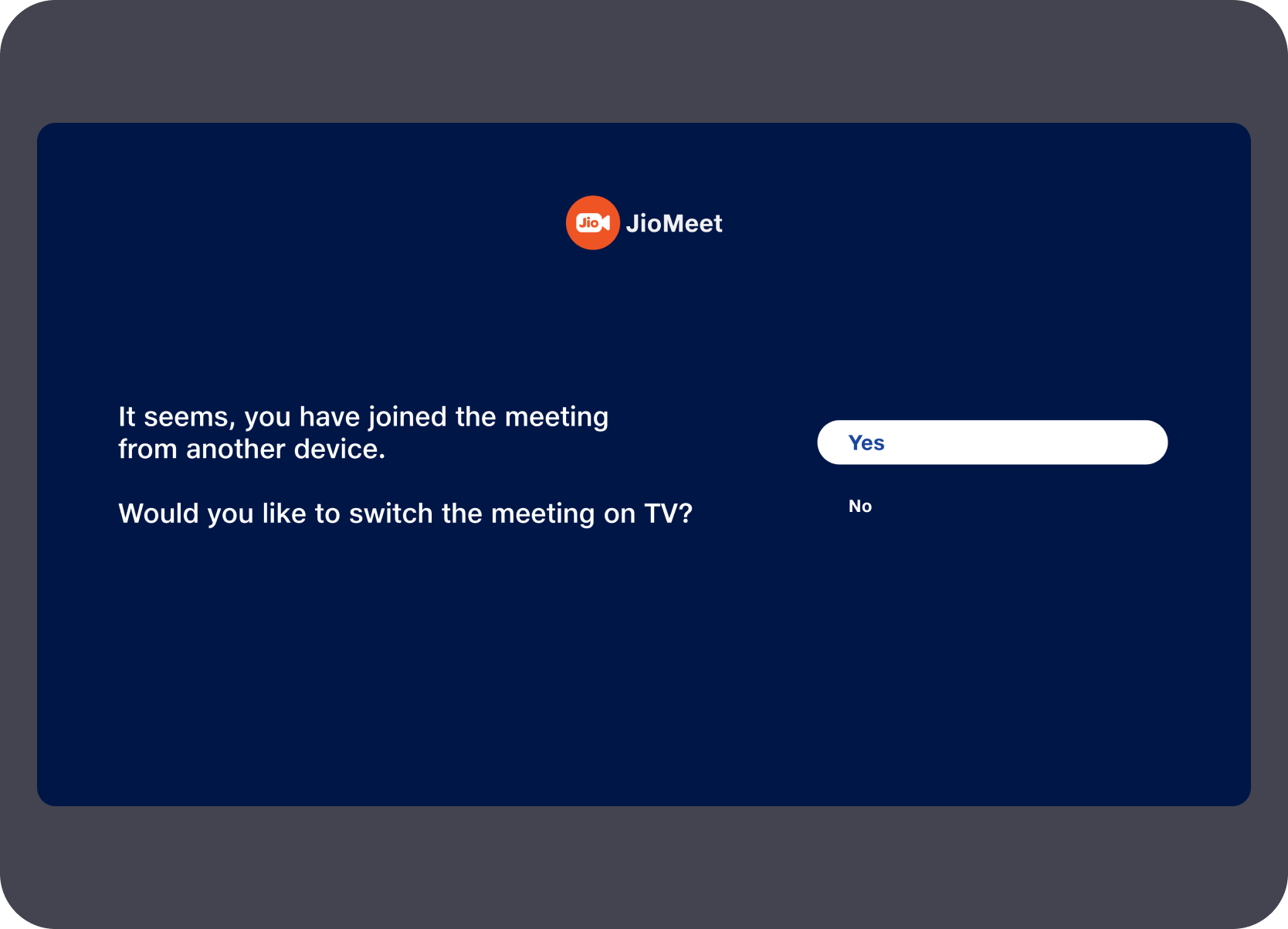
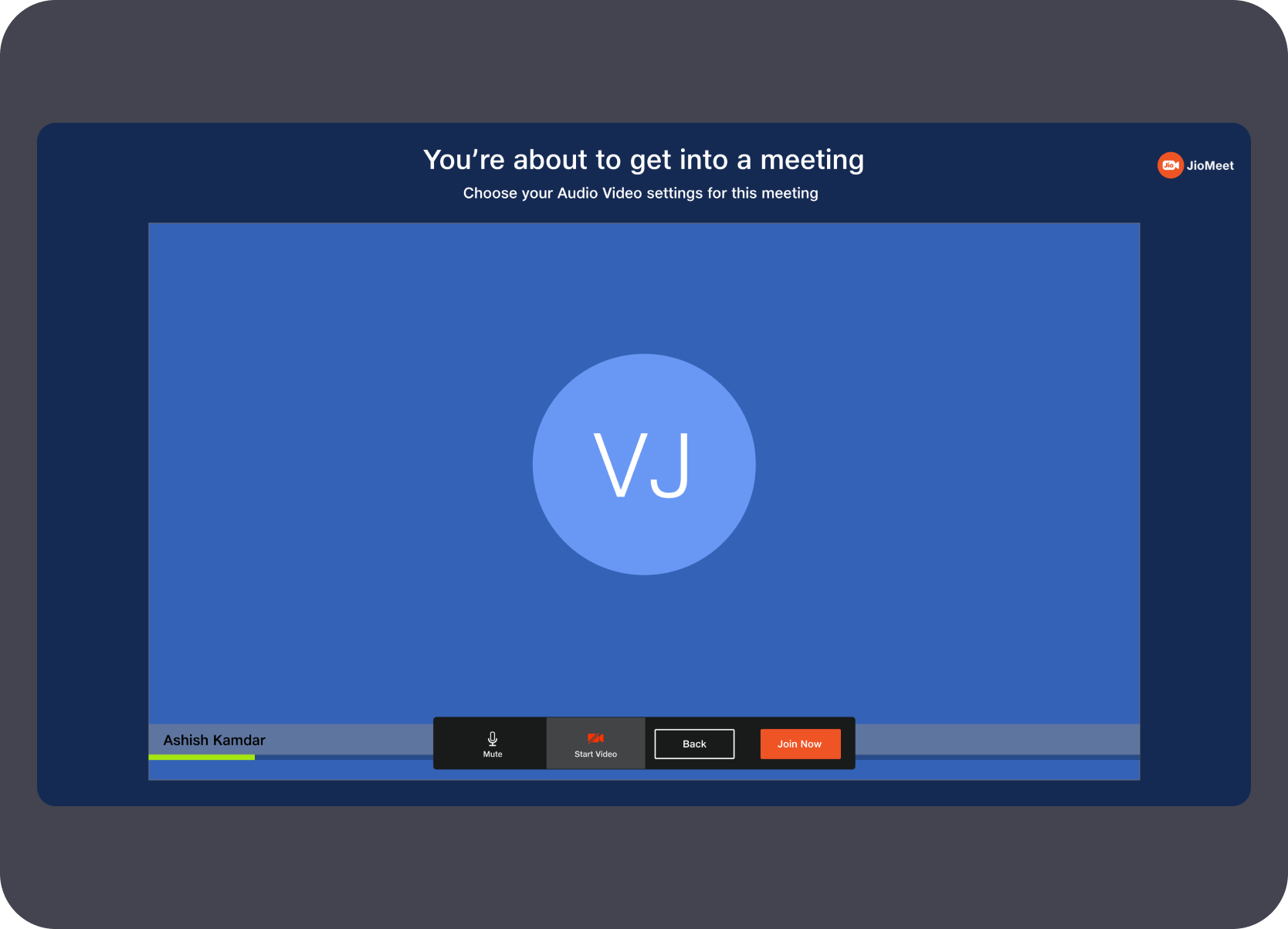
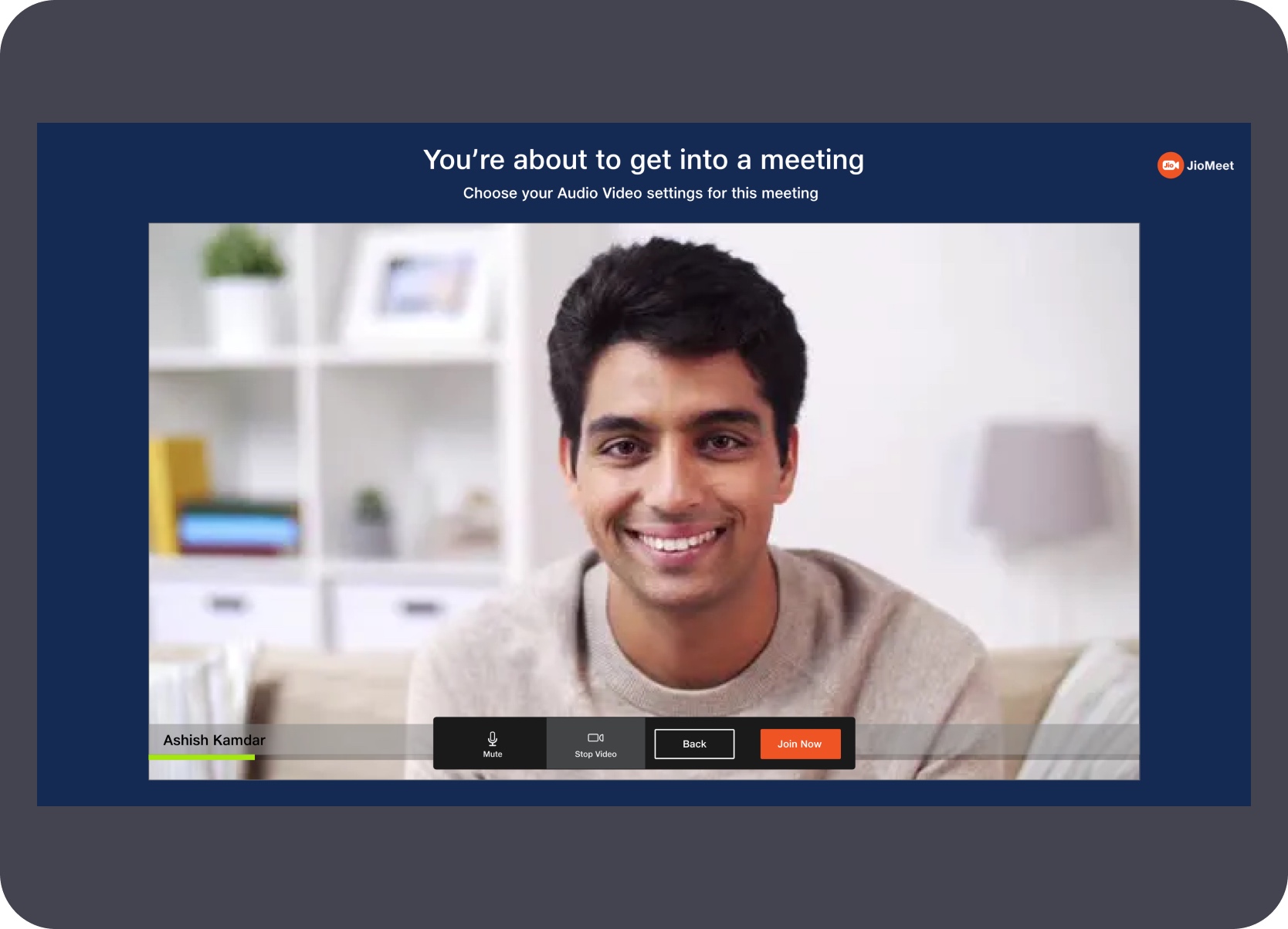
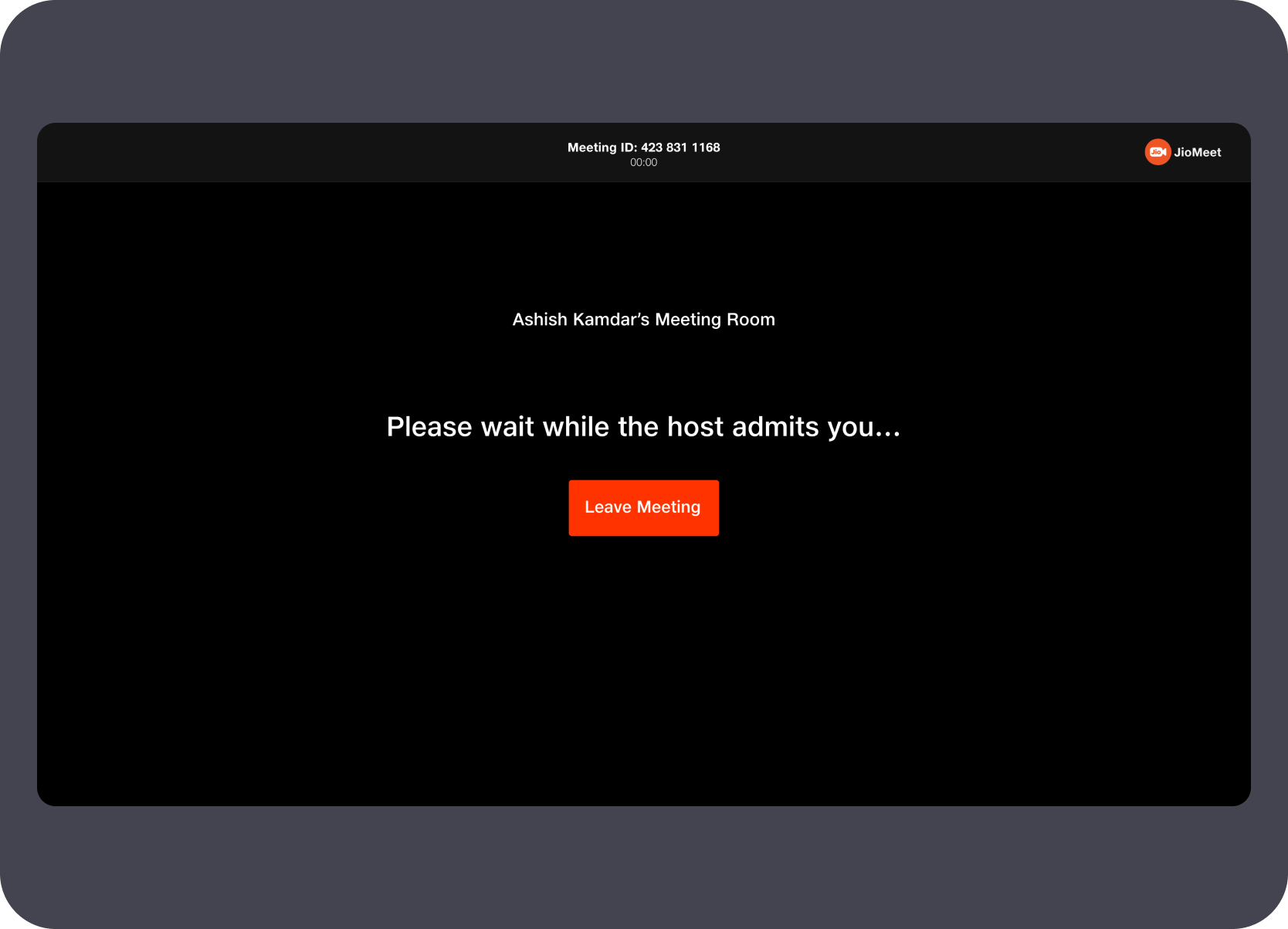
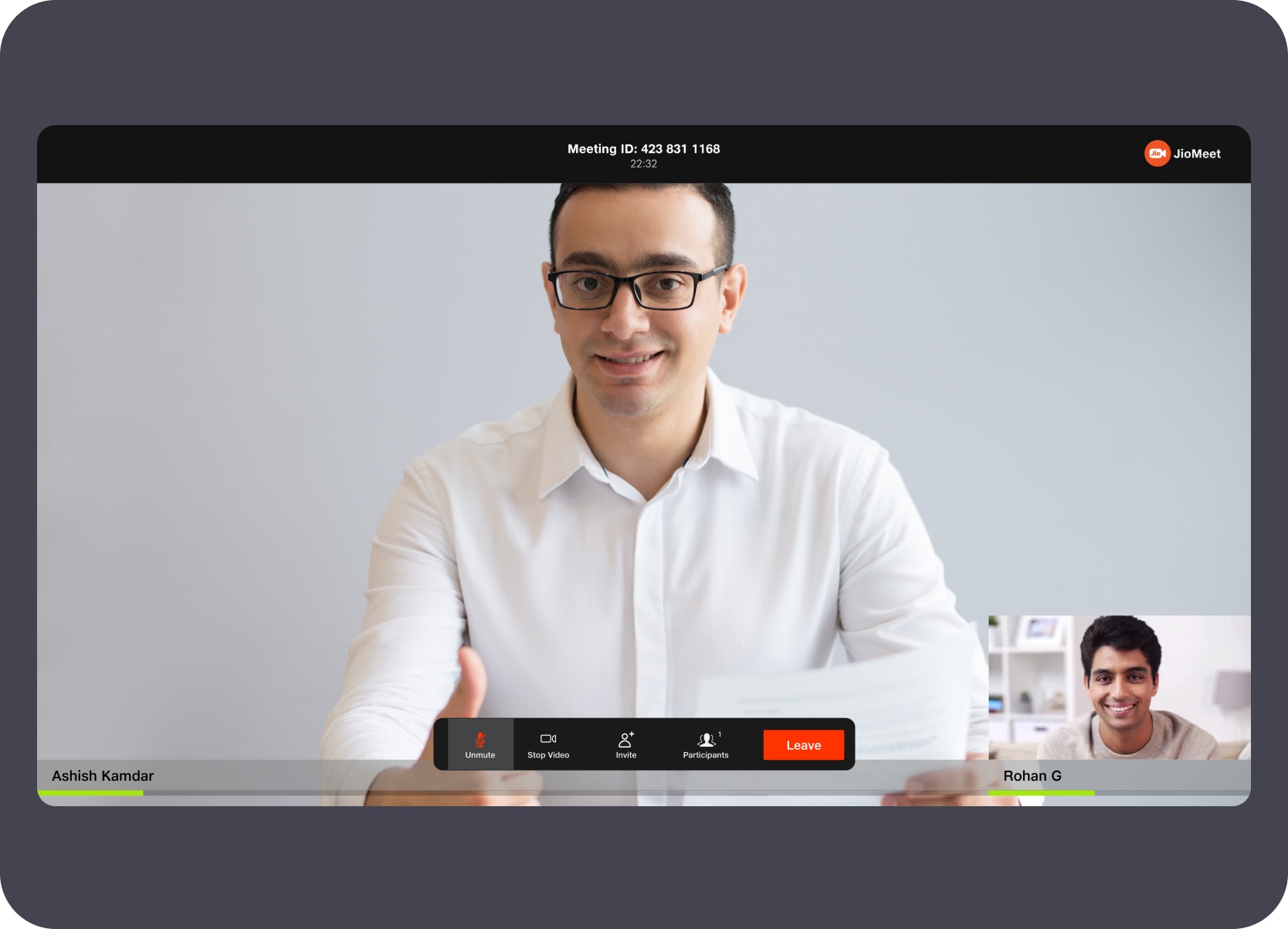
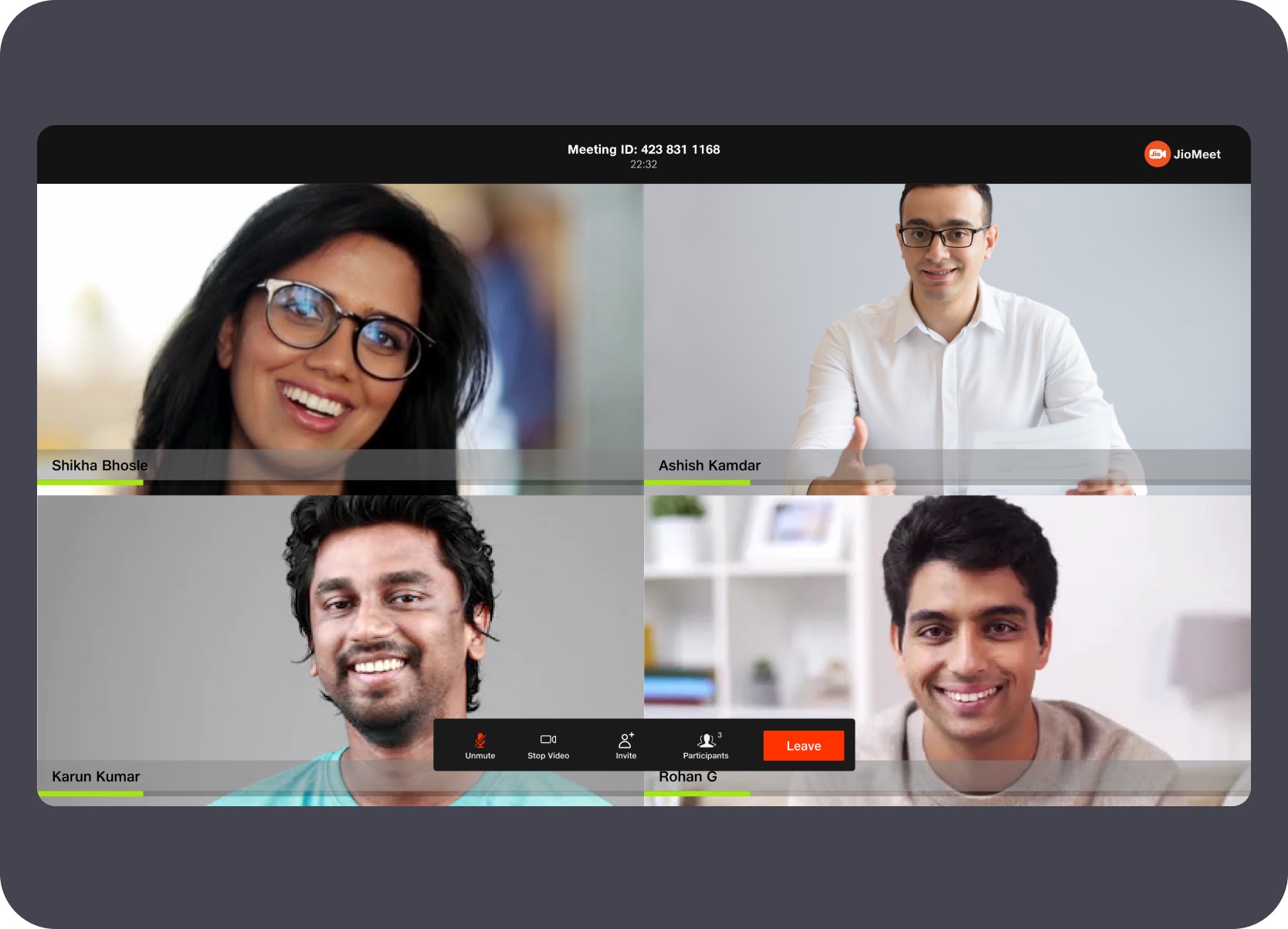
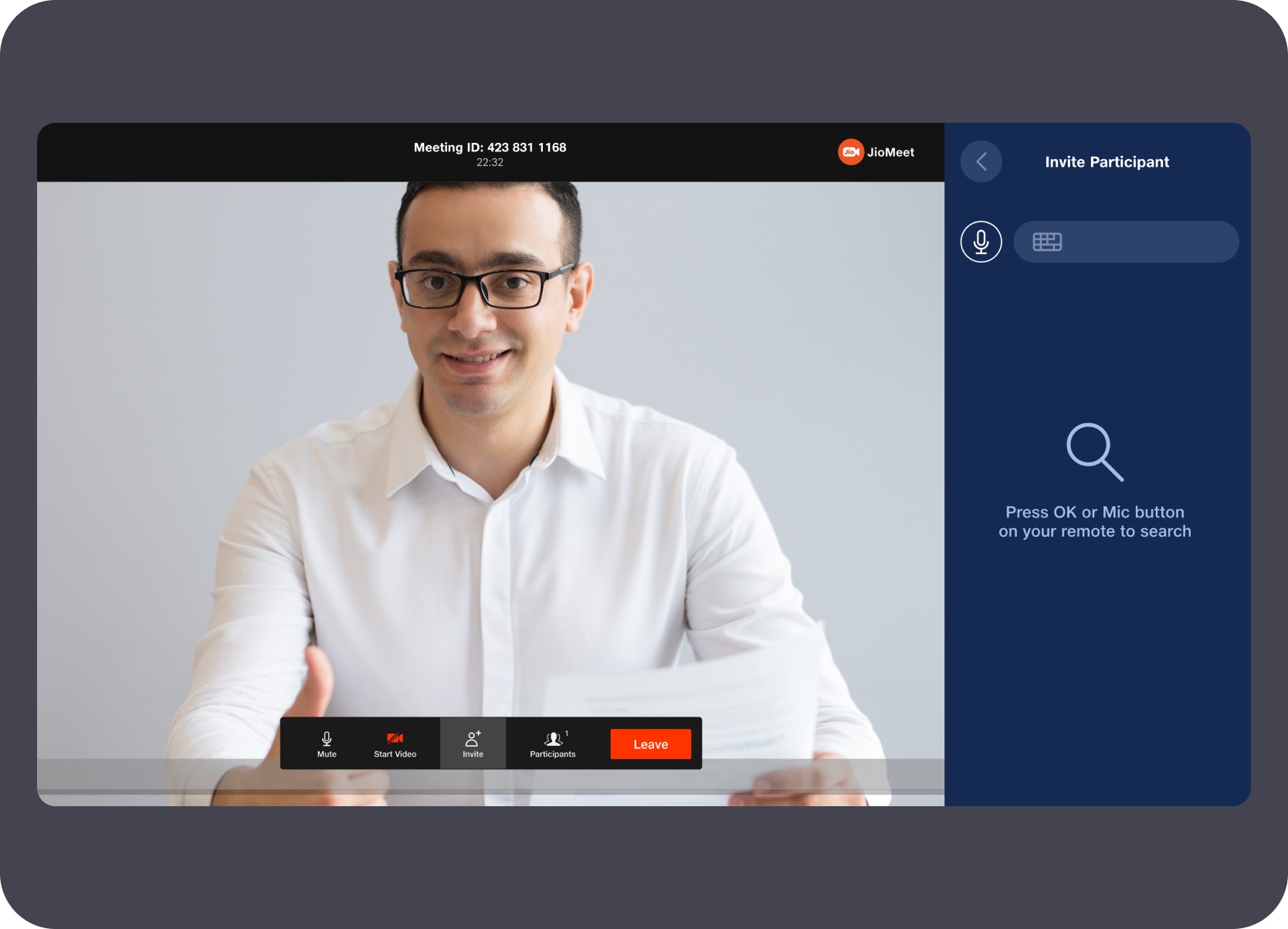
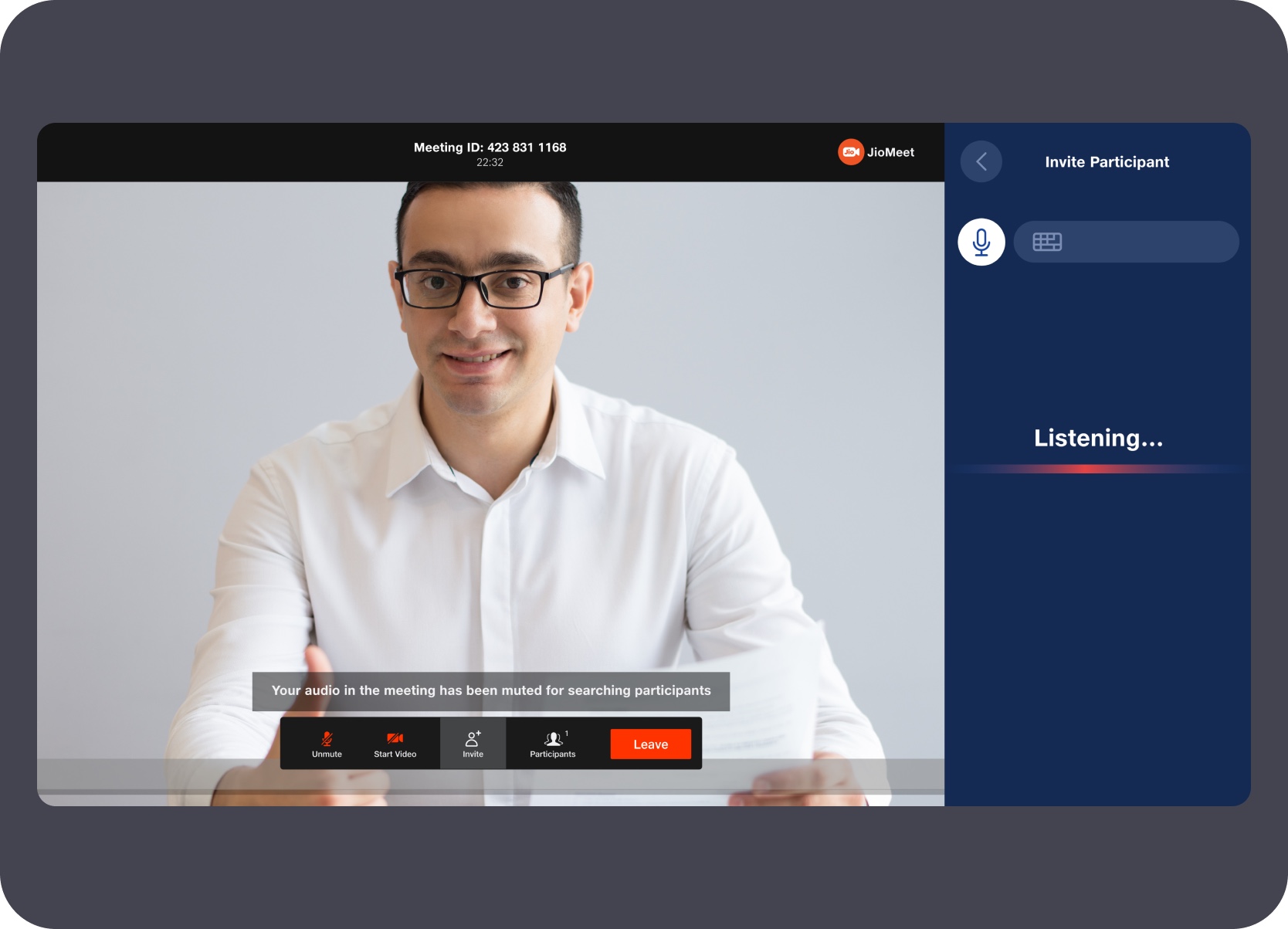
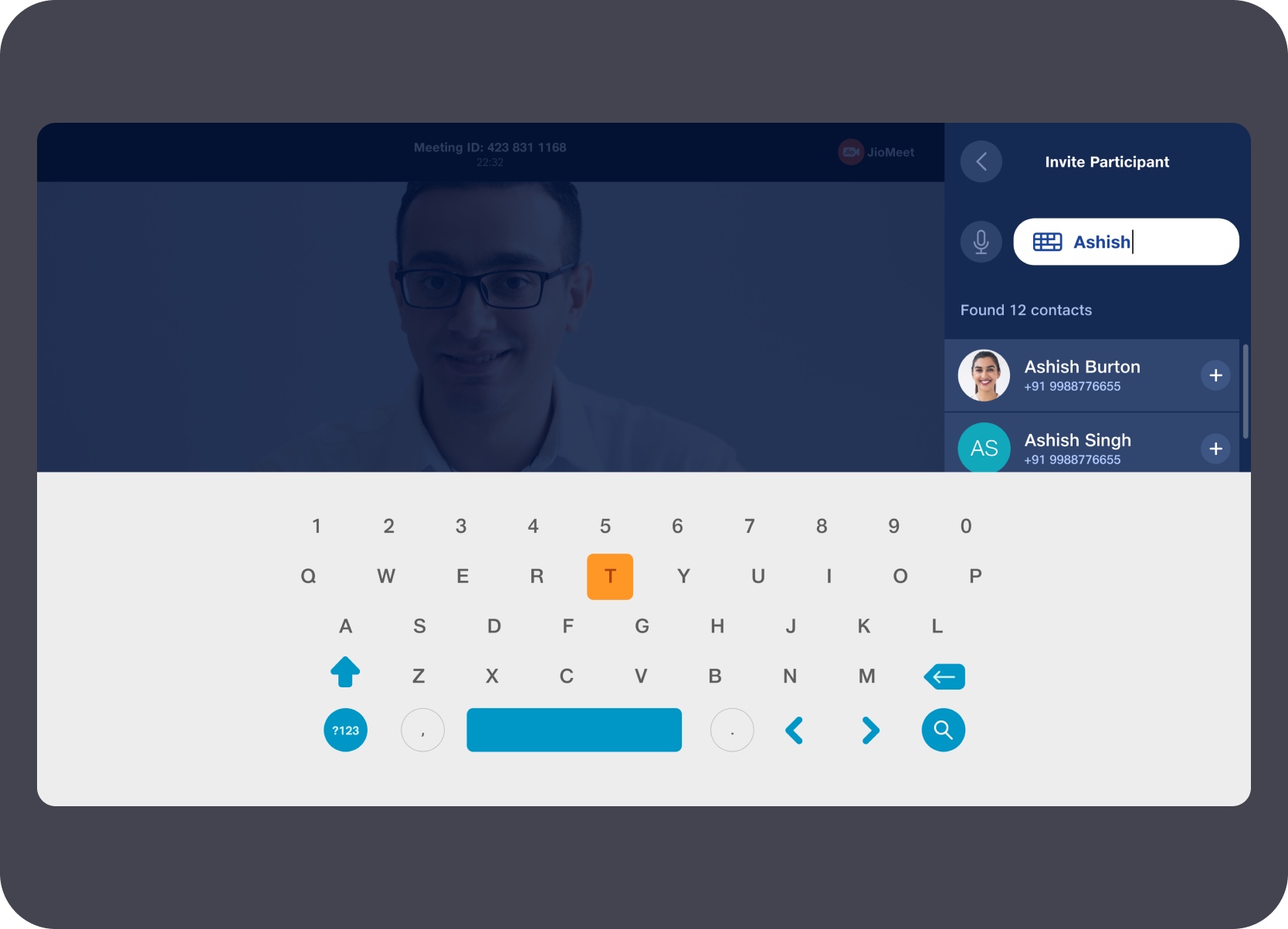
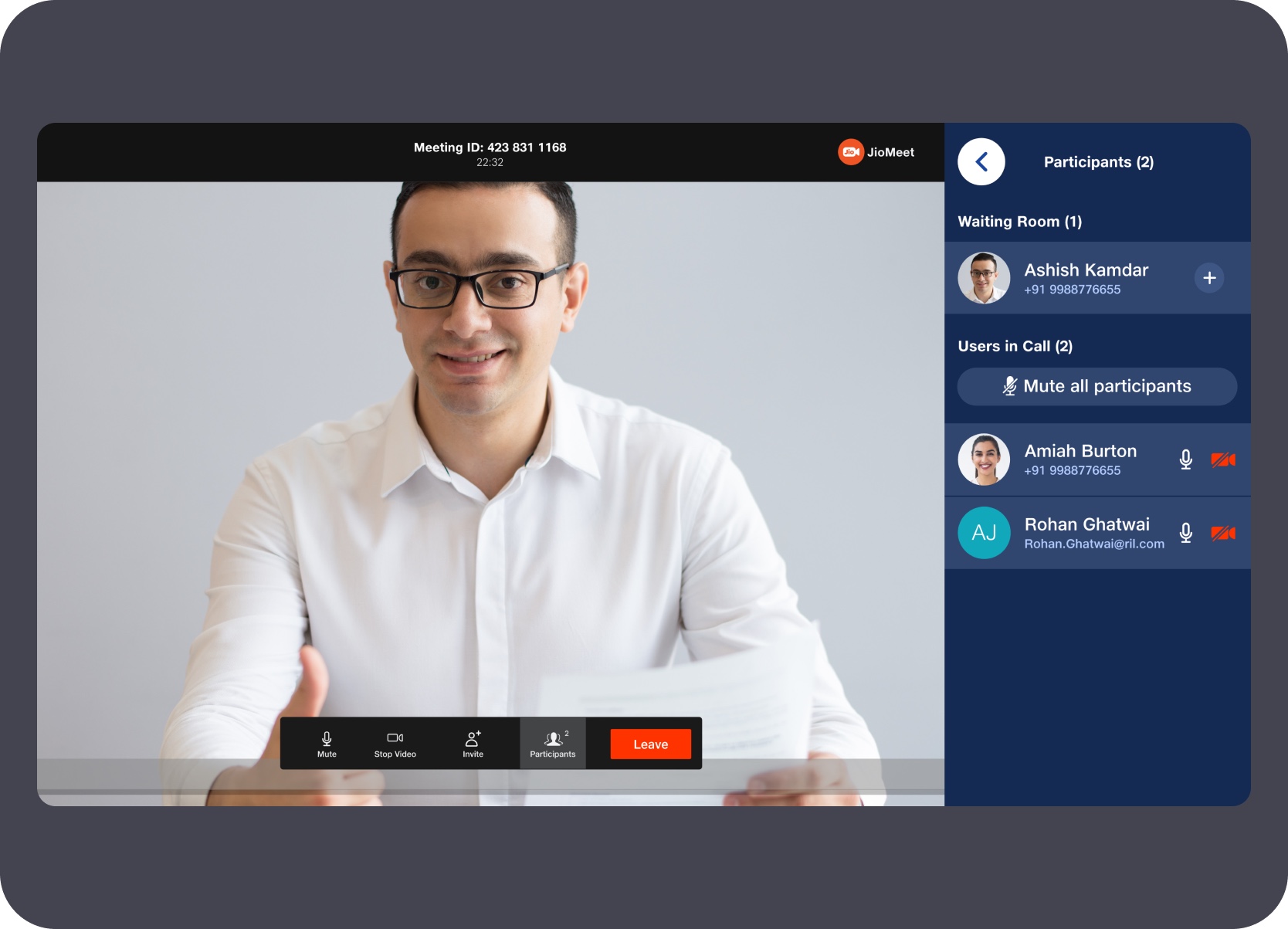
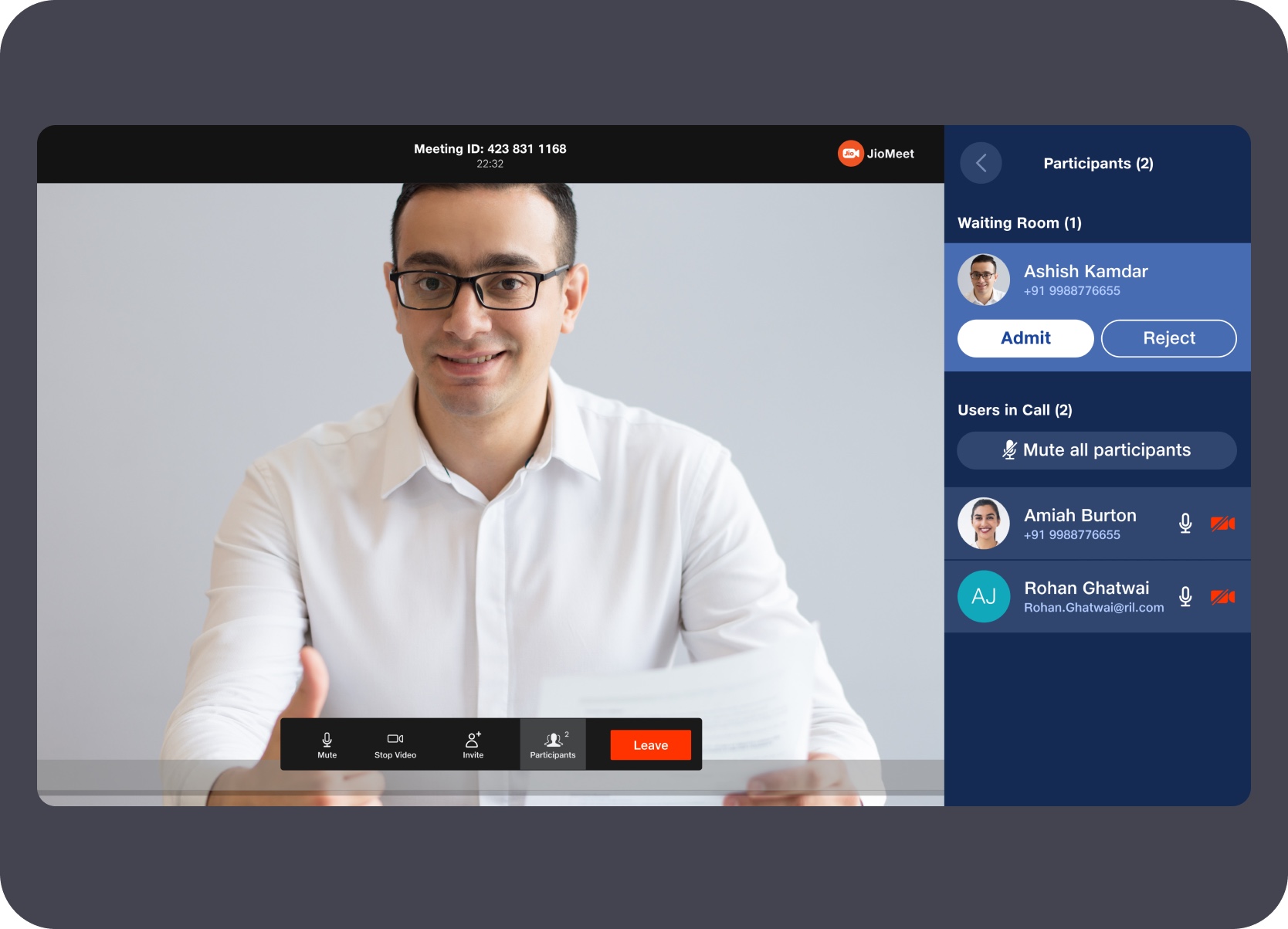
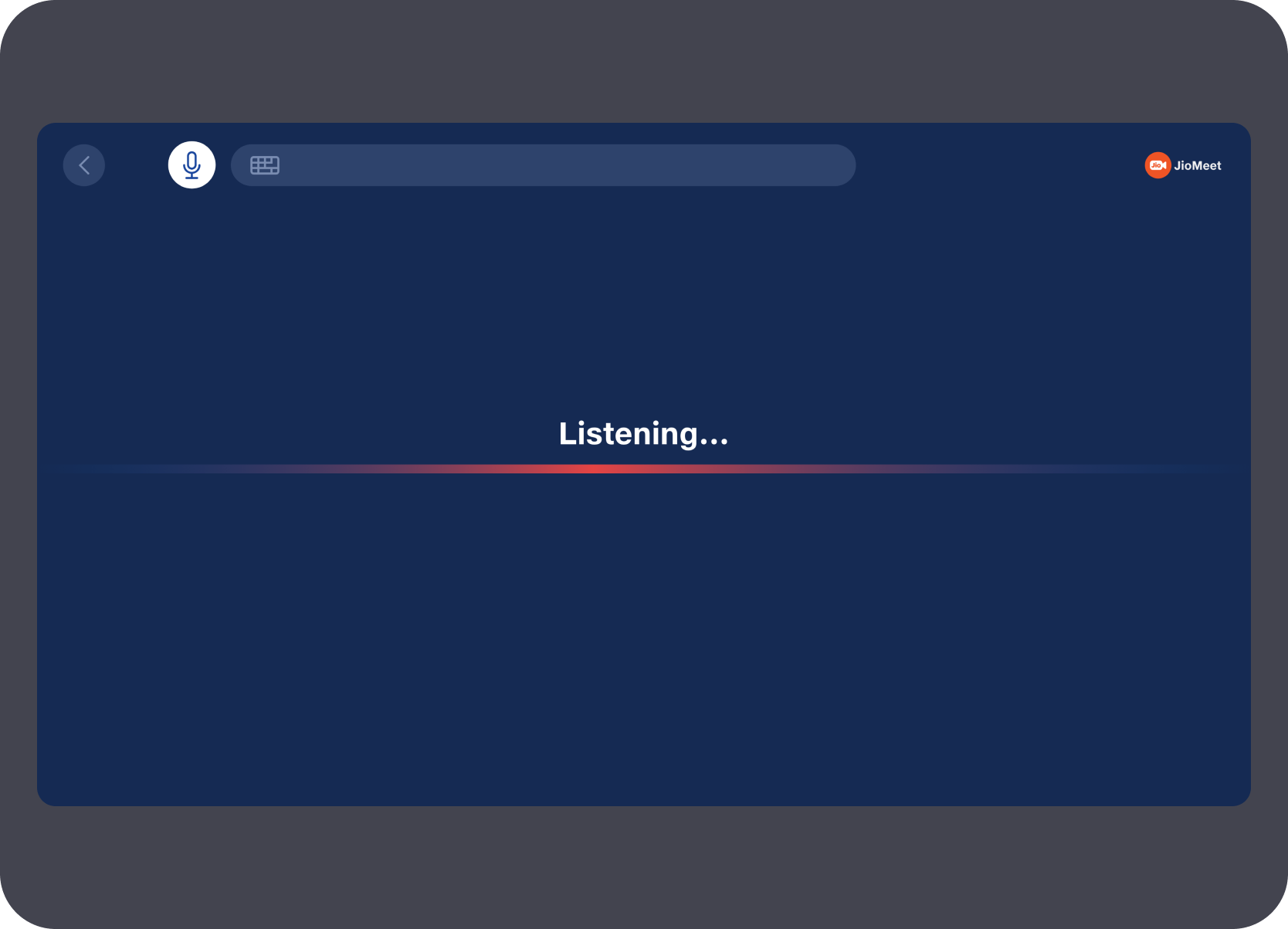
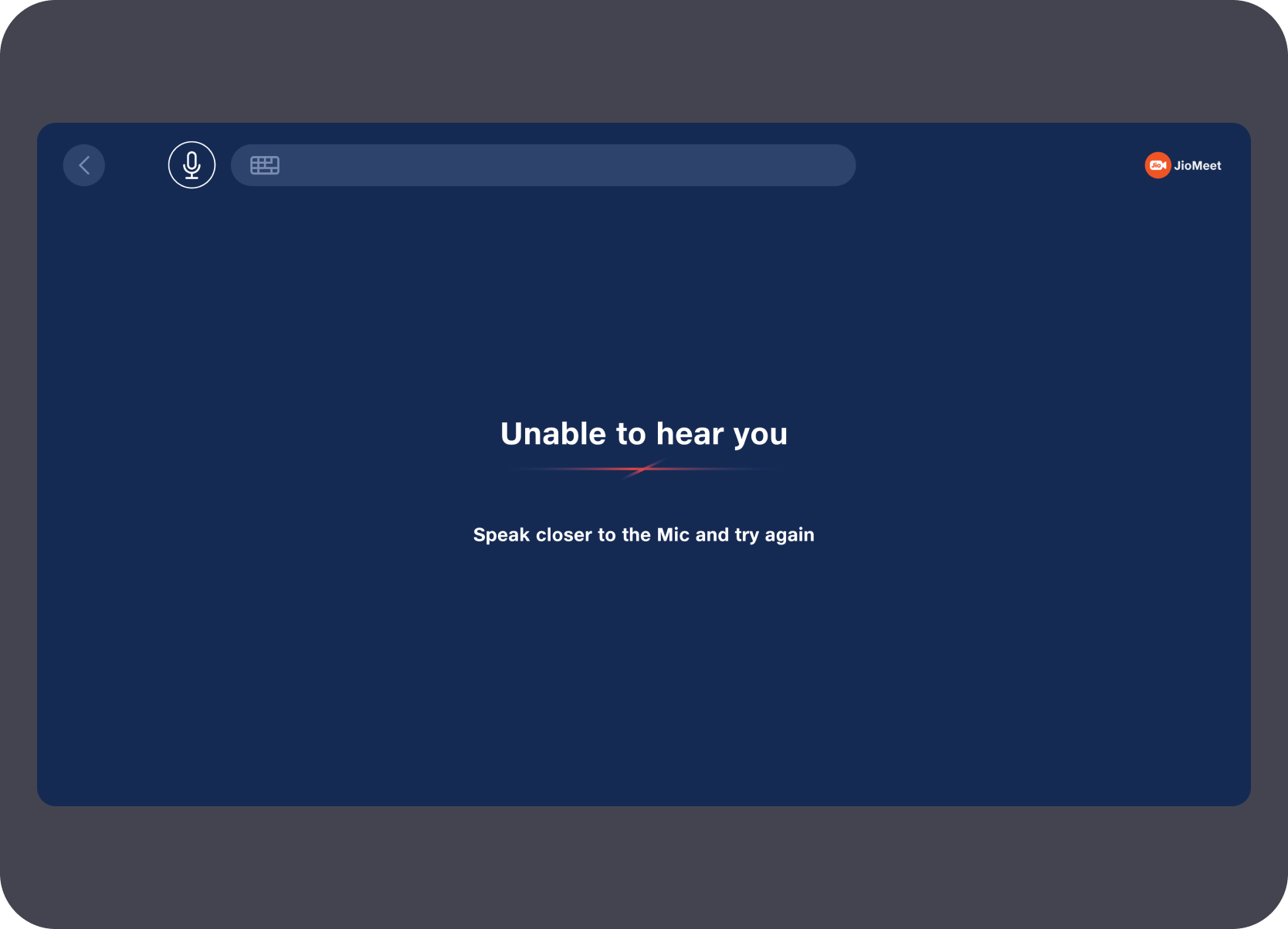
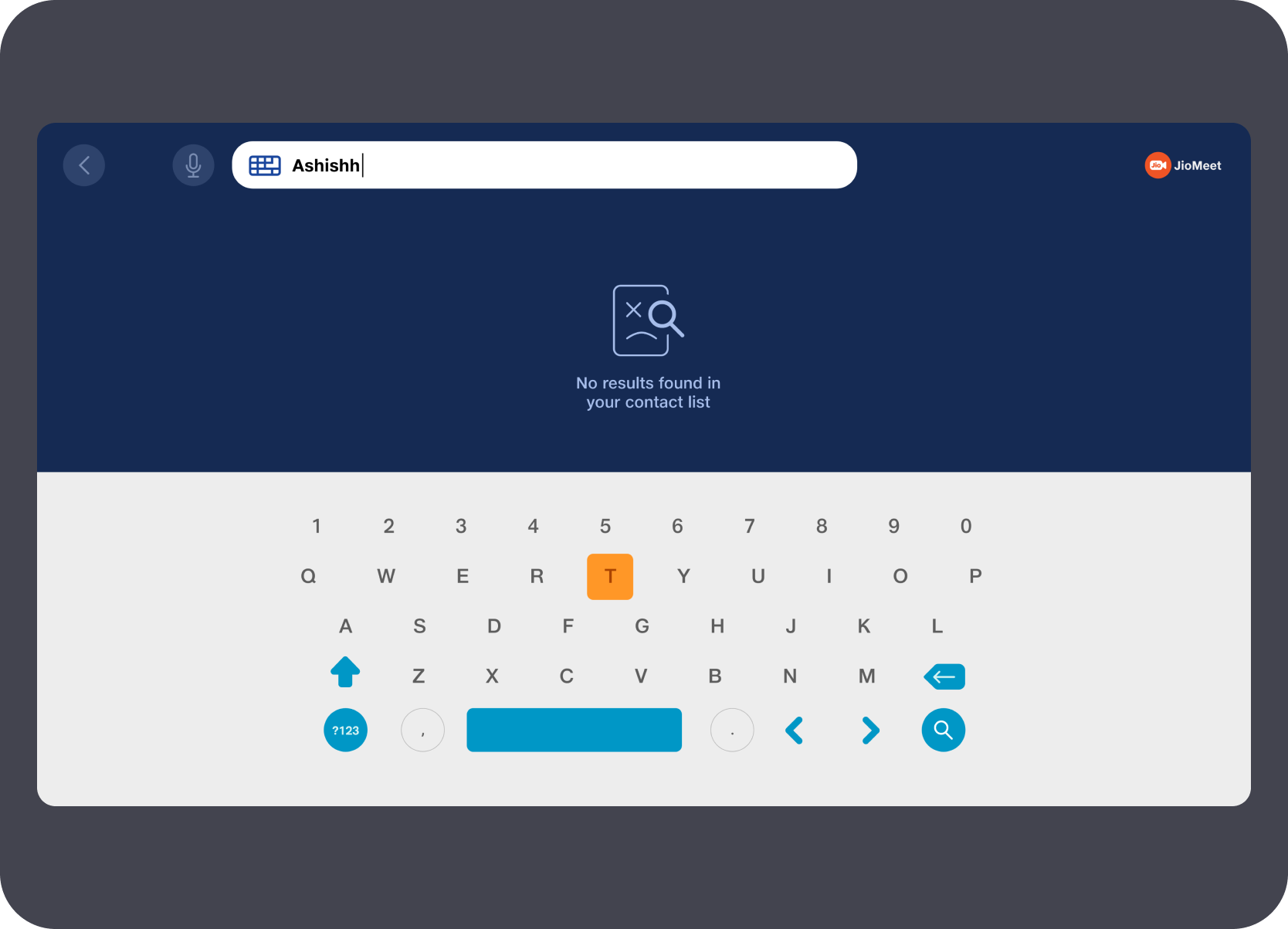
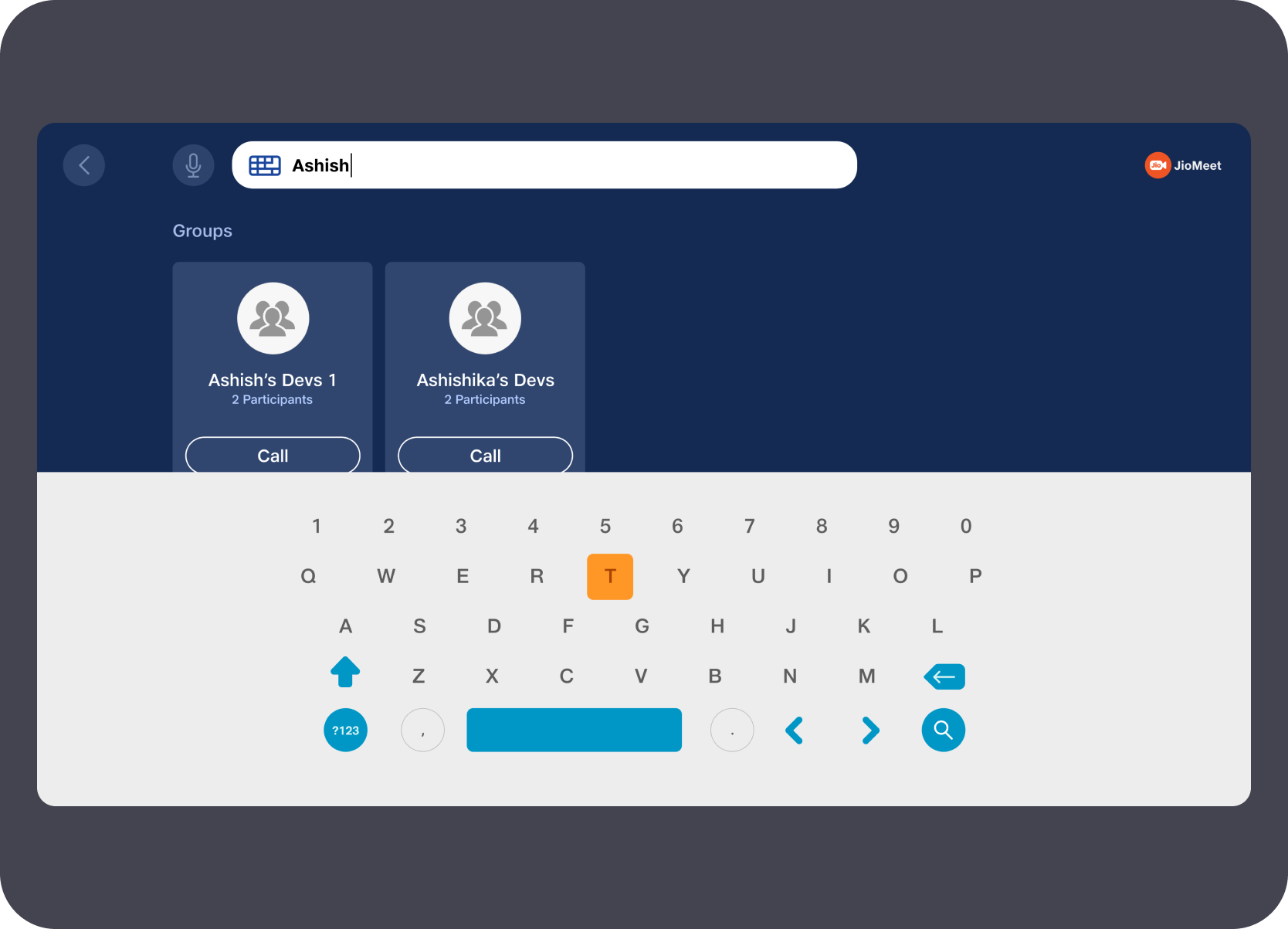
The active call view stayed dominant. Call layouts cover a 1-on-1 view and a four-person grid. Invite participant ran as an in-panel sequence — idle voice prompt, active listening, then keyboard fallback with contact results — without pulling the user out of the call. A separate participants panel showed the waiting room list and let the host admit or reject individuals in a single focused side-panel view.
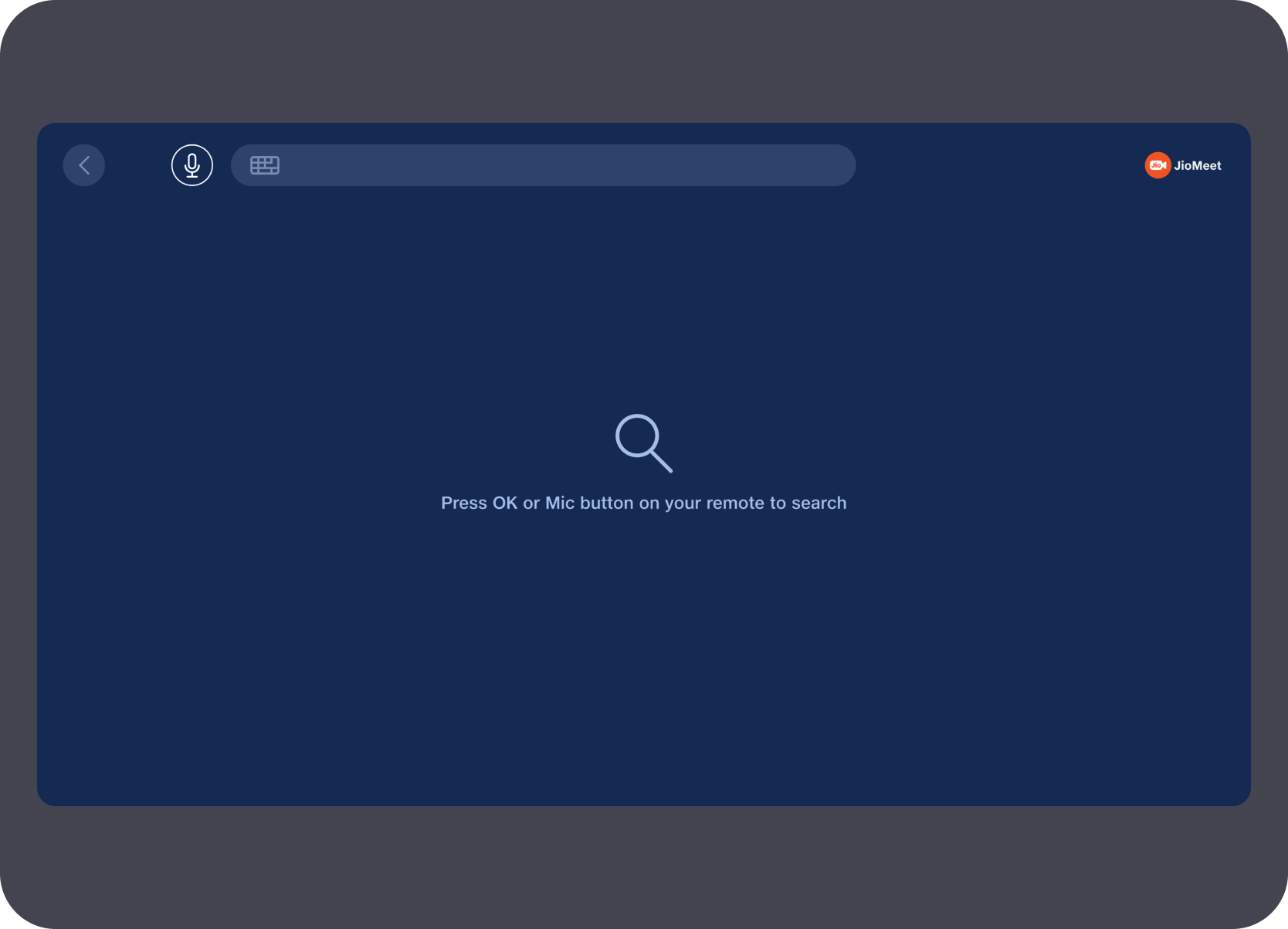
The global search screen — accessible from the home nav — was not treated as an afterthought. The full sequence covers the idle ready state, active voice listening, failed voice capture with on-screen recovery guidance, keyboard entry returning no results, and keyboard entry returning group and contact matches. Every failure state had a clear path forward rather than a dead end.
The experience was built and had moved close to QA and polish, but the public path shifted as COVID-era usage patterns changed, STB priorities evolved, and later focus returned more strongly to PC and mobile surfaces.
TV / Shared Learning Surface
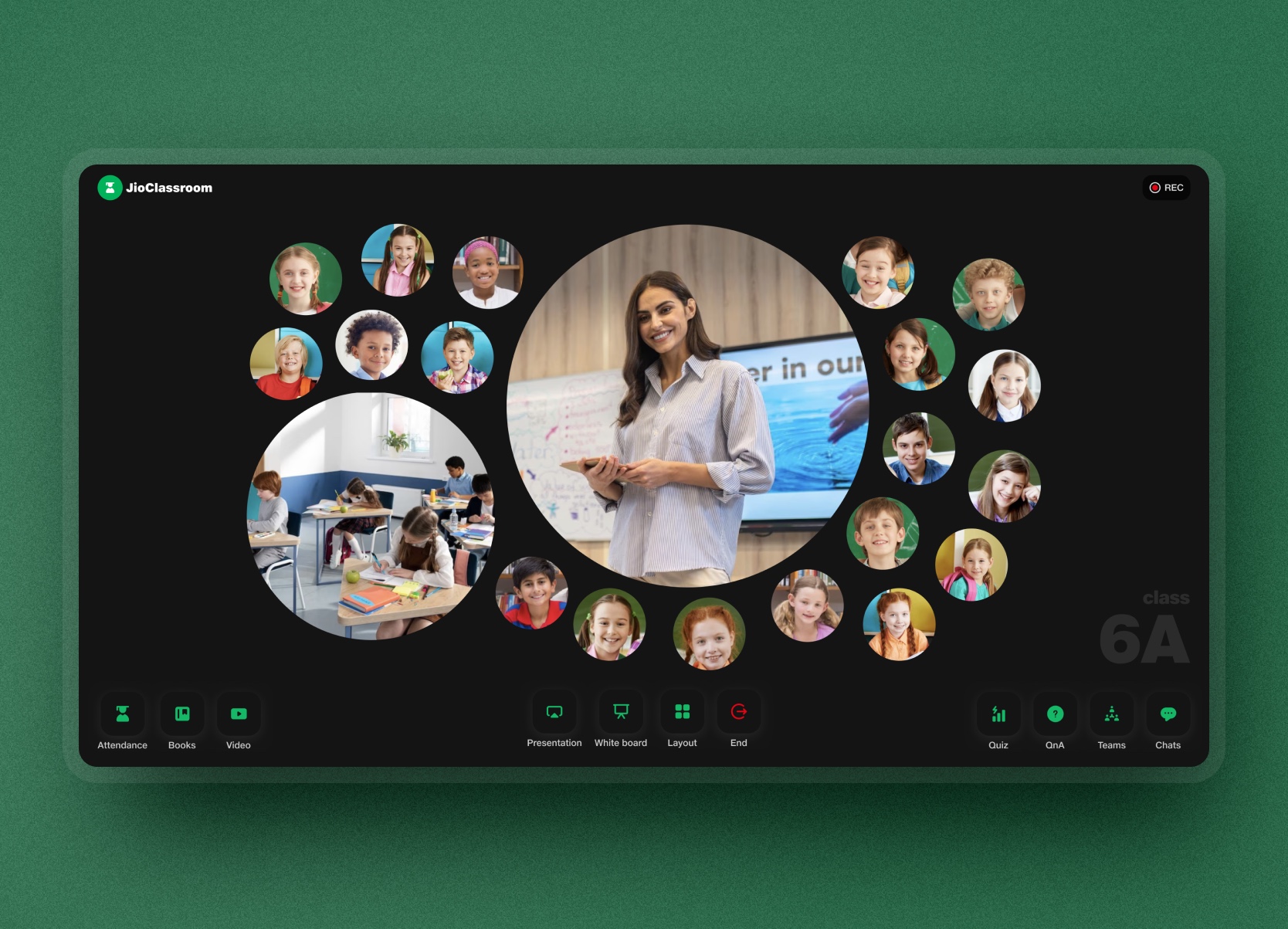
JioClassroom treated the classroom TV as an active learning surface, covering entry, participation, quiz, whiteboard collaboration, and teacher controls as one coherent system.
Status
Design shipped; later phase-scoped
Ownership
Led and owned the foundation single-handedly
Platform
55-inch classroom screen plus supporting teacher and admin flows
Approach
Future-state interactive classroom paired with a buildable phase-one path.
The challenge was treating the classroom TV as an active learning surface, not just a mirroring device. Every part of the experience — from how a teacher joined and started class to how students participated in quizzes, raised hands, and collaborated on a whiteboard — had to stay legible and operable within a shared room environment.

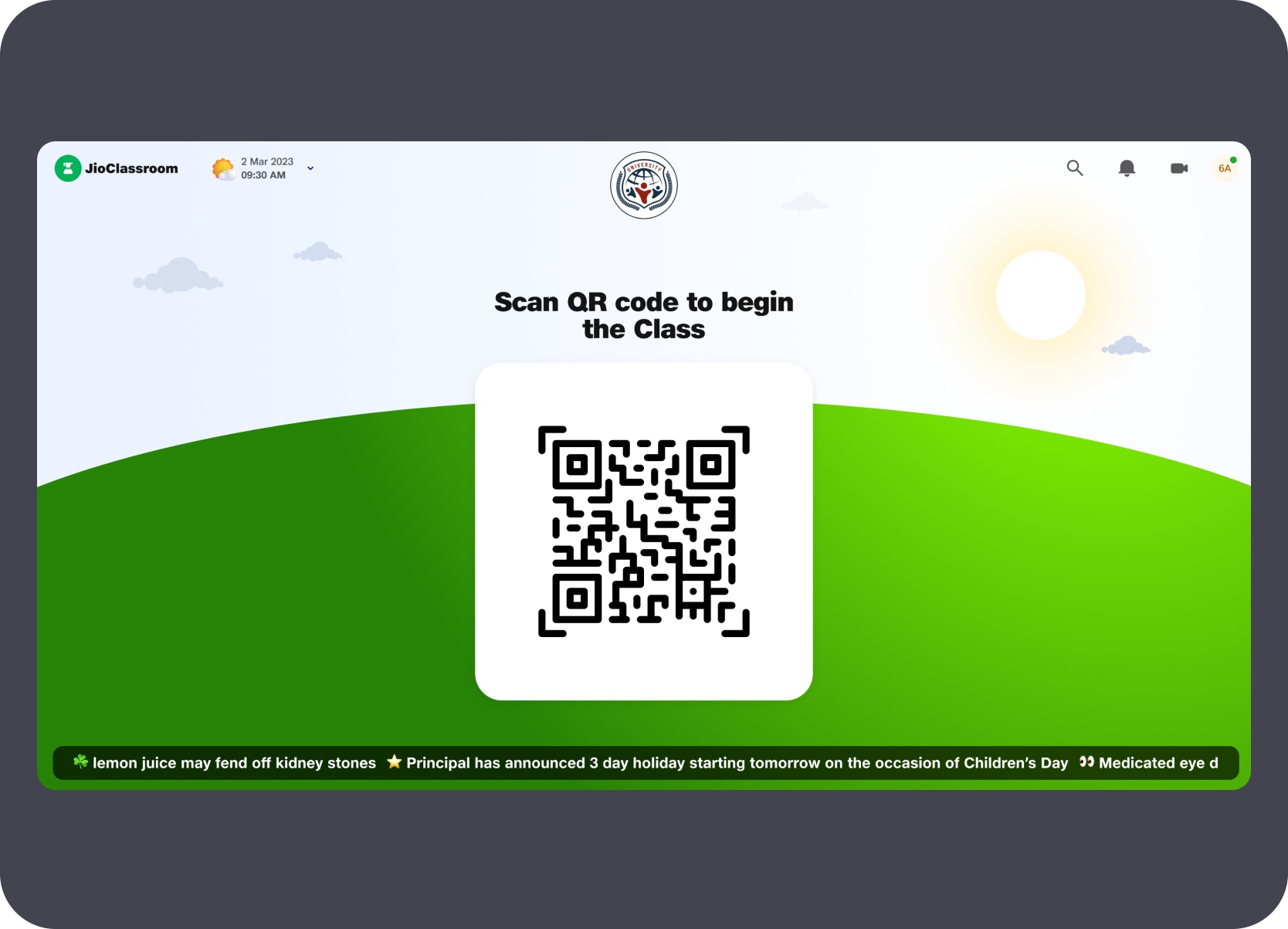
Designed a QR entry system that paired the classroom TV with the teacher's mobile — keeping the shared screen clean while credential entry stayed on the personal device.

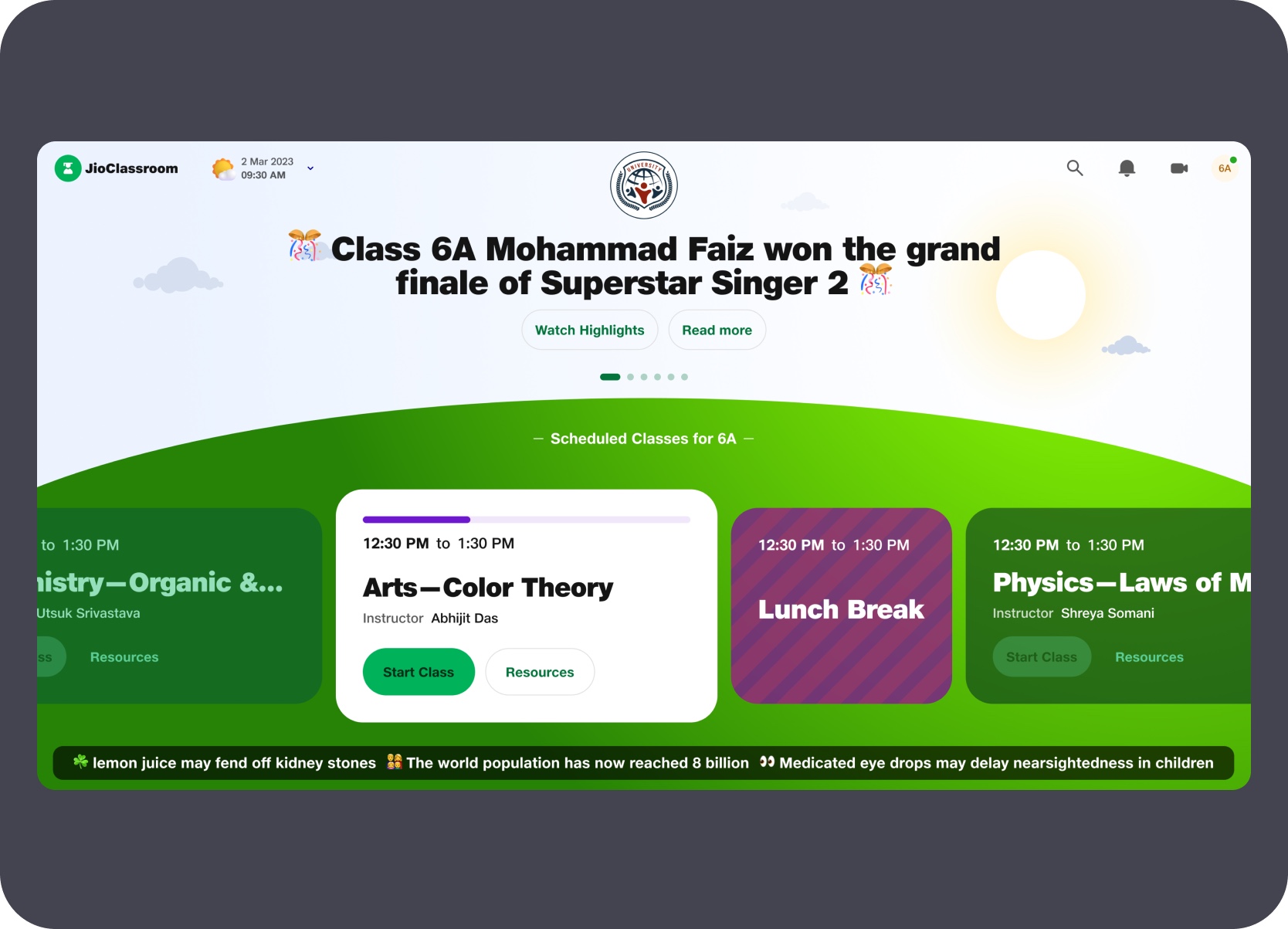
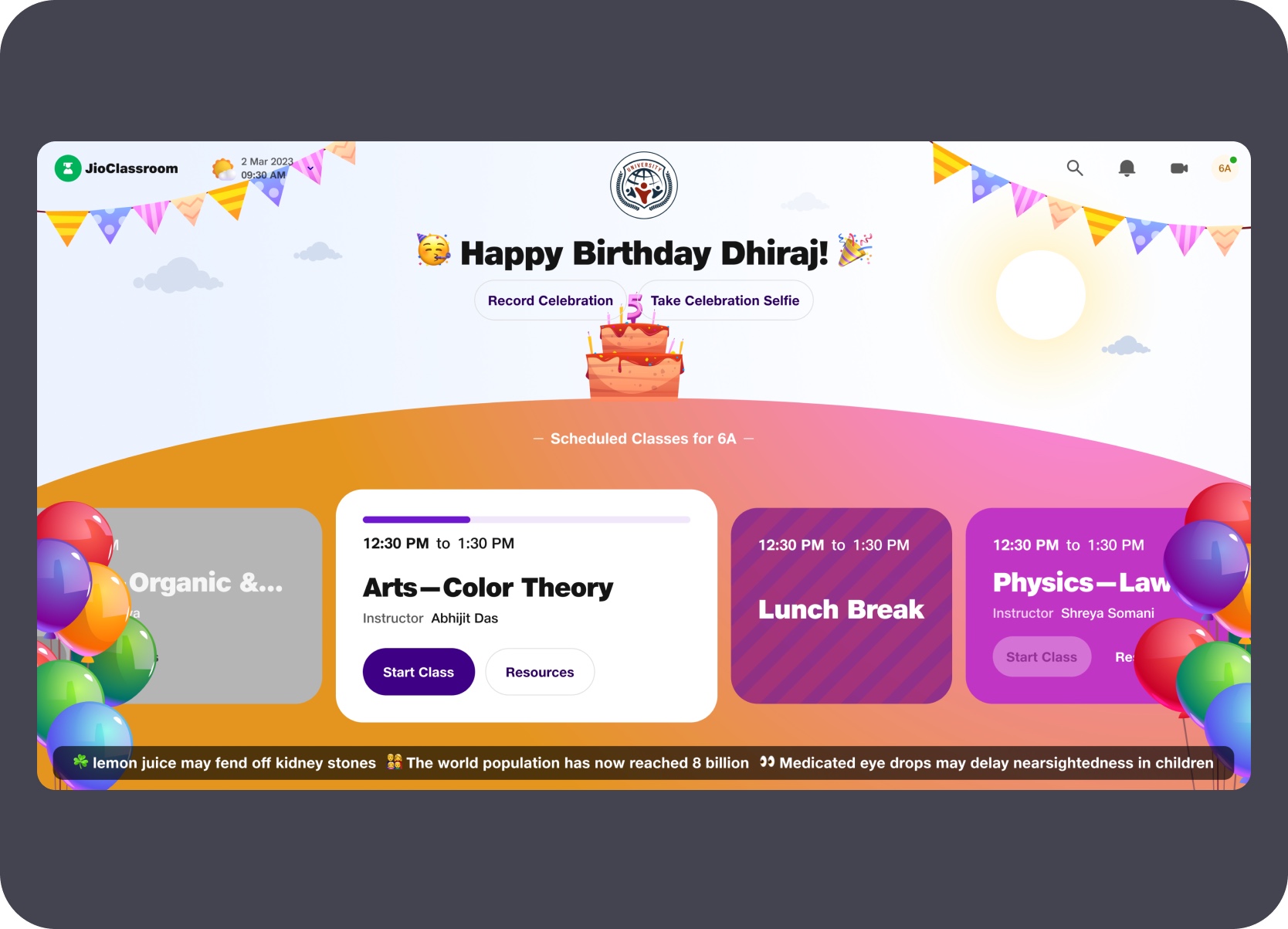
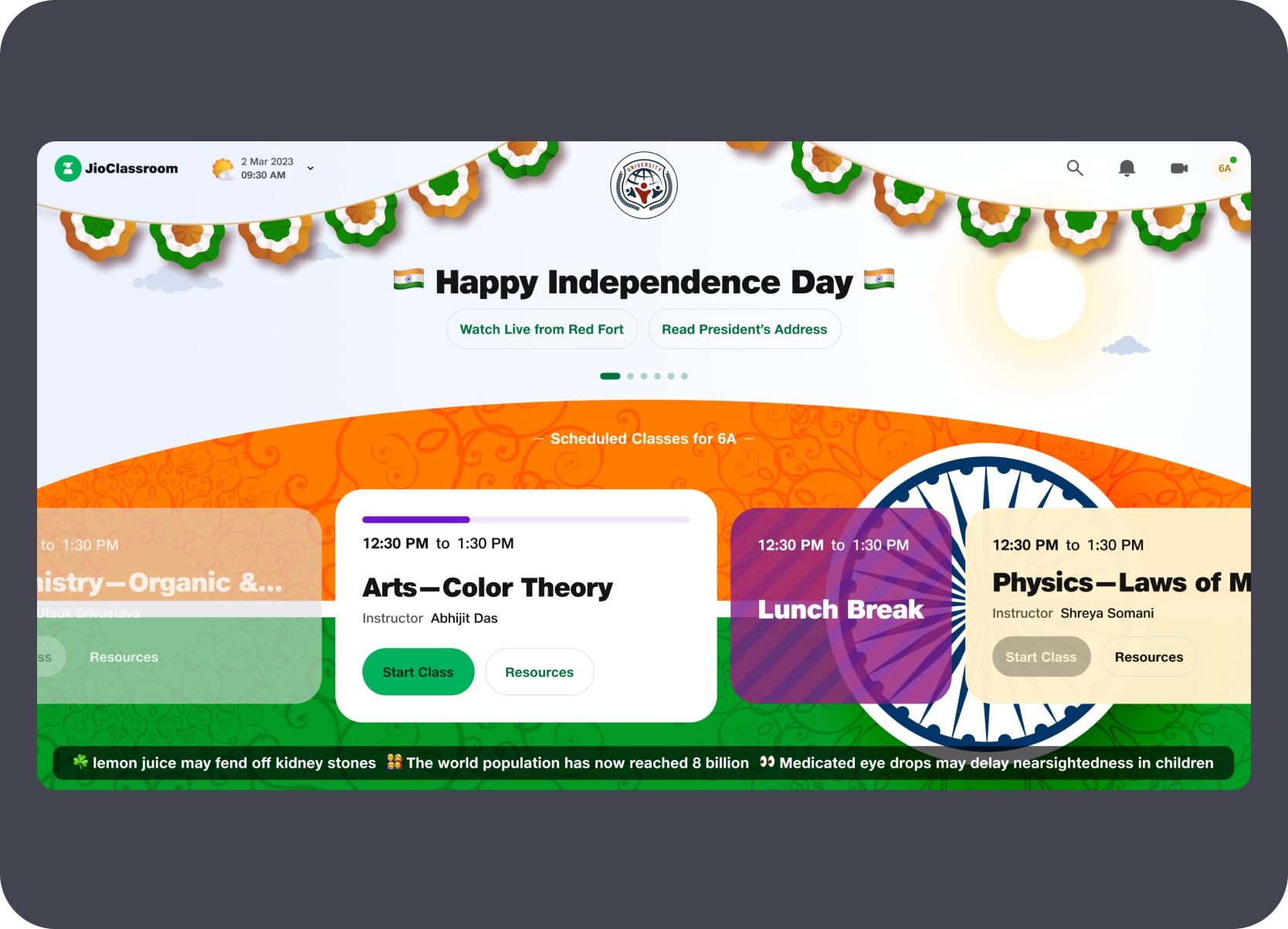
Built a home layer that surfaced the day's scheduled classes alongside school-wide announcements, student achievements, birthdays, and national events.

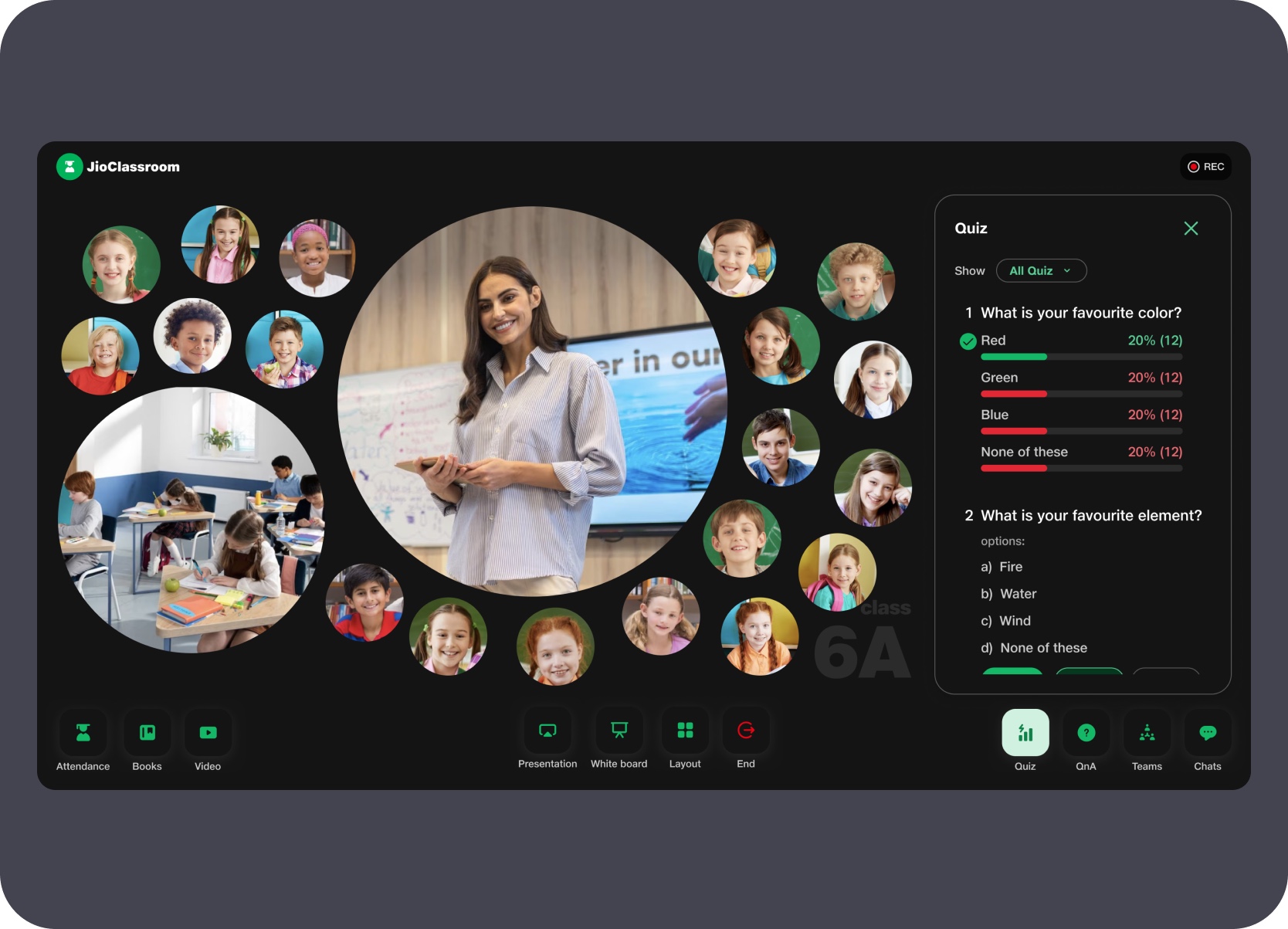
Designed multiple live class view modes — student grid, teacher feed, and bubble layout — all switchable by the teacher during the class.

Added in-class quiz and live participation tracking that rendered real-time results without interrupting the class flow or switching screens.

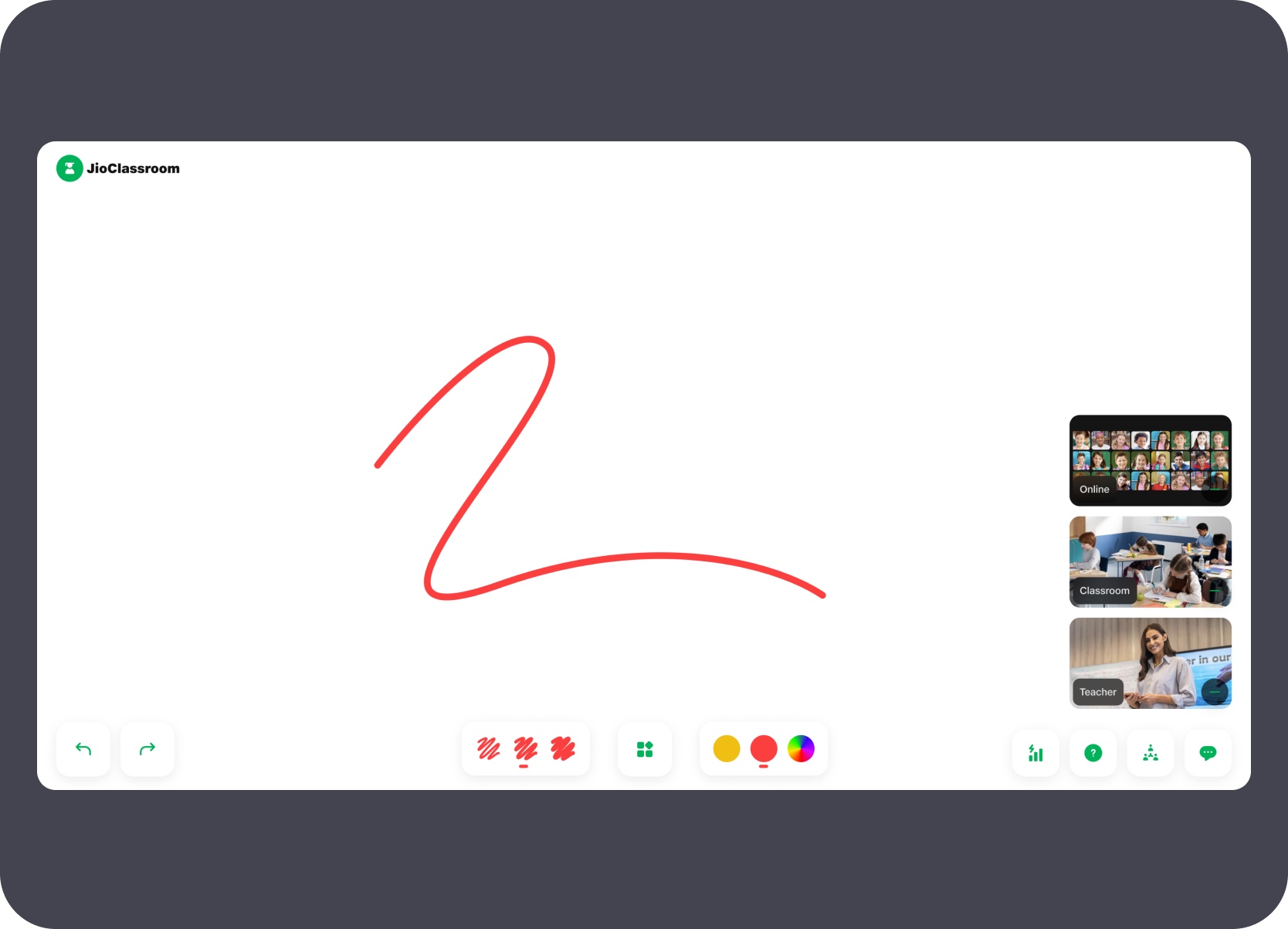
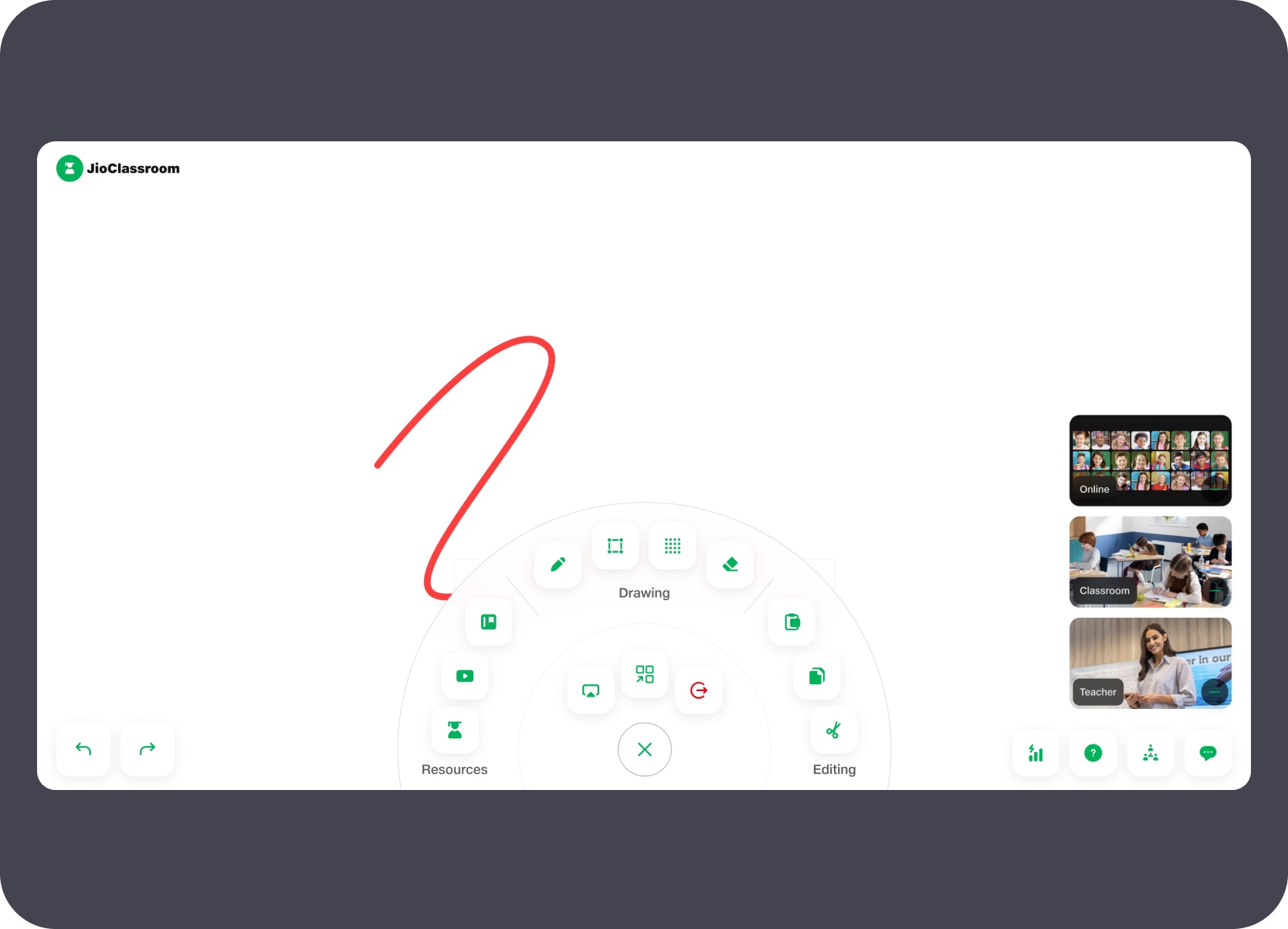
Designed a whiteboard surface with drawing tools, a radial tool picker, embedded video, student chat, raise-hand, and team activity panels.
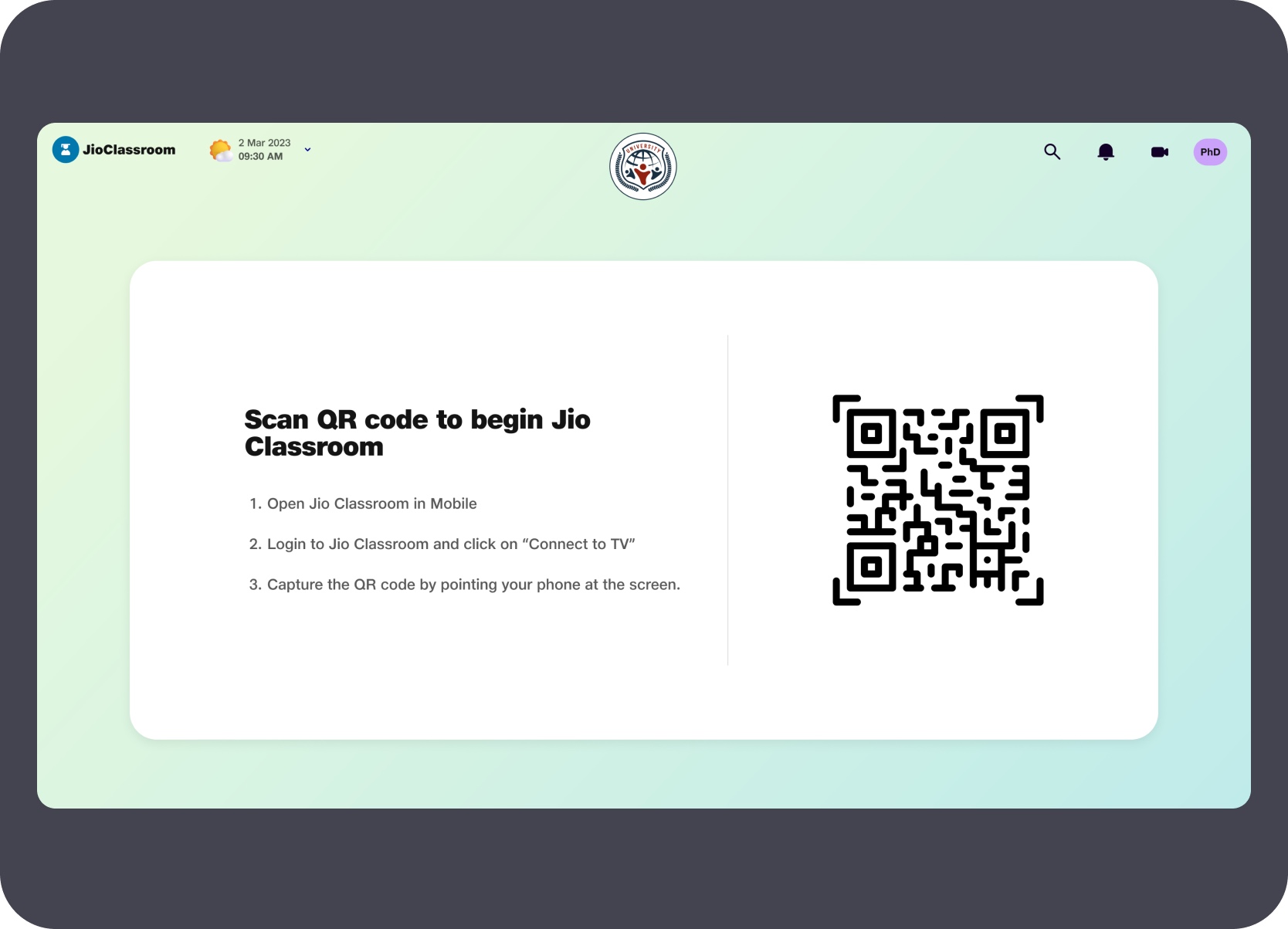
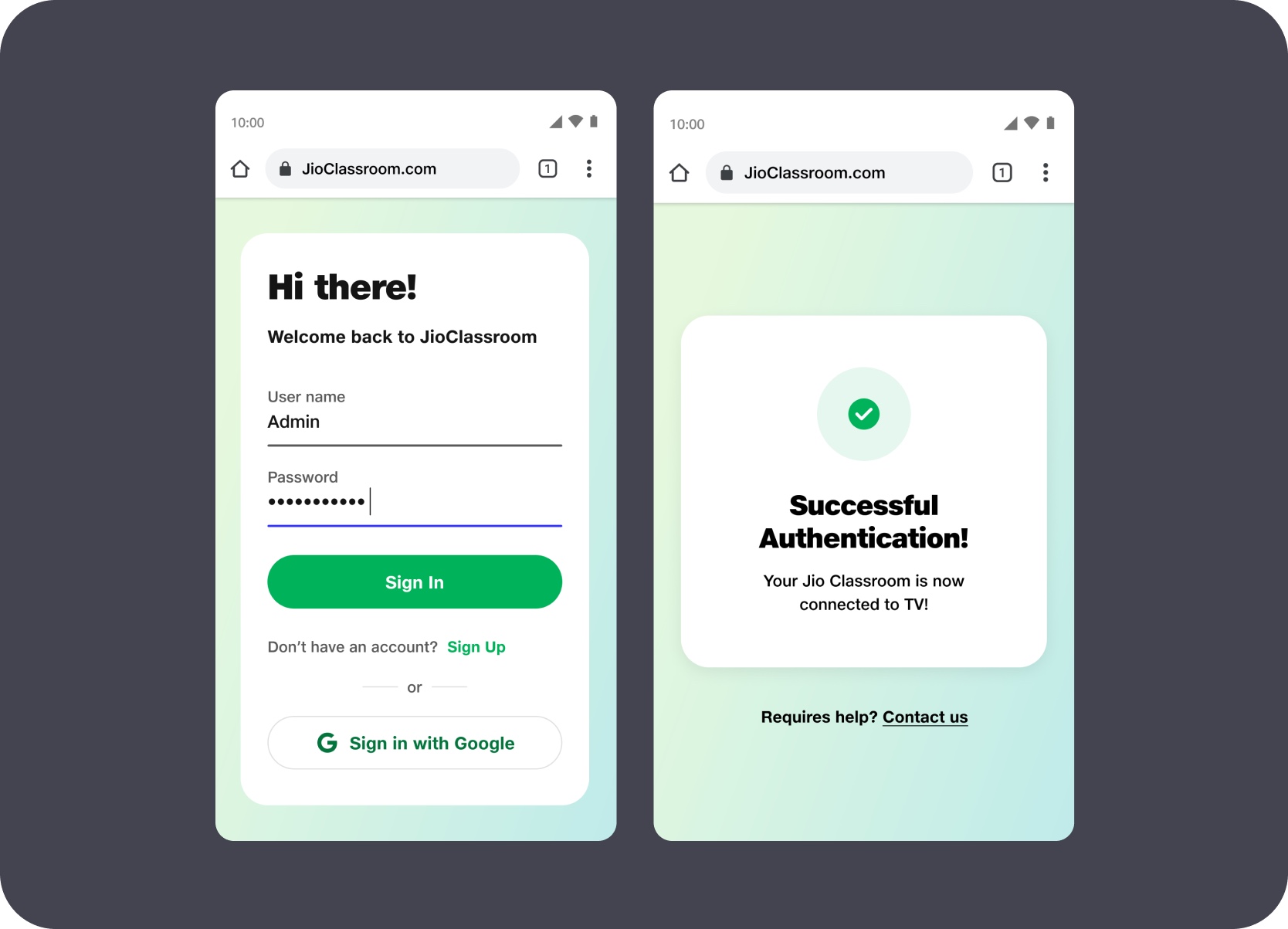
The entry flow moved authentication off the TV keyboard. The classroom screen displayed a QR code that teachers scanned in the Jio Classroom mobile app to begin sign-in. The mobile handled credential entry and confirmed a successful connection back to the TV — keeping the shared screen clean and removing any per-key interaction at the start of class.
The home layer showed the day's scheduled classes for the section alongside a dynamic announcement banner. The banner surfaced school-wide context — news highlights, student achievements, birthdays, and national events — as rotating cards above the timetable. This made the TV useful outside active class time rather than just a session launcher.
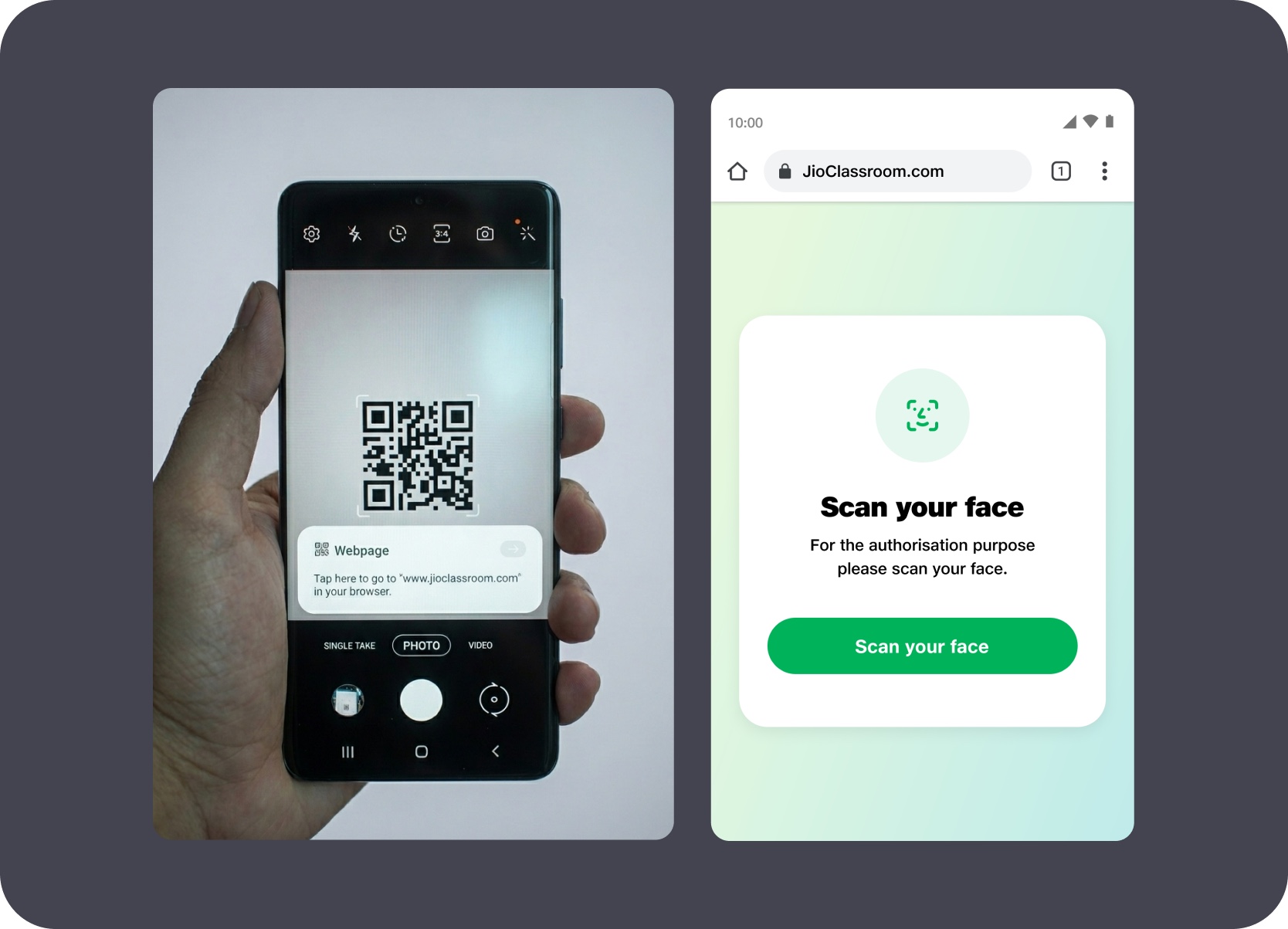
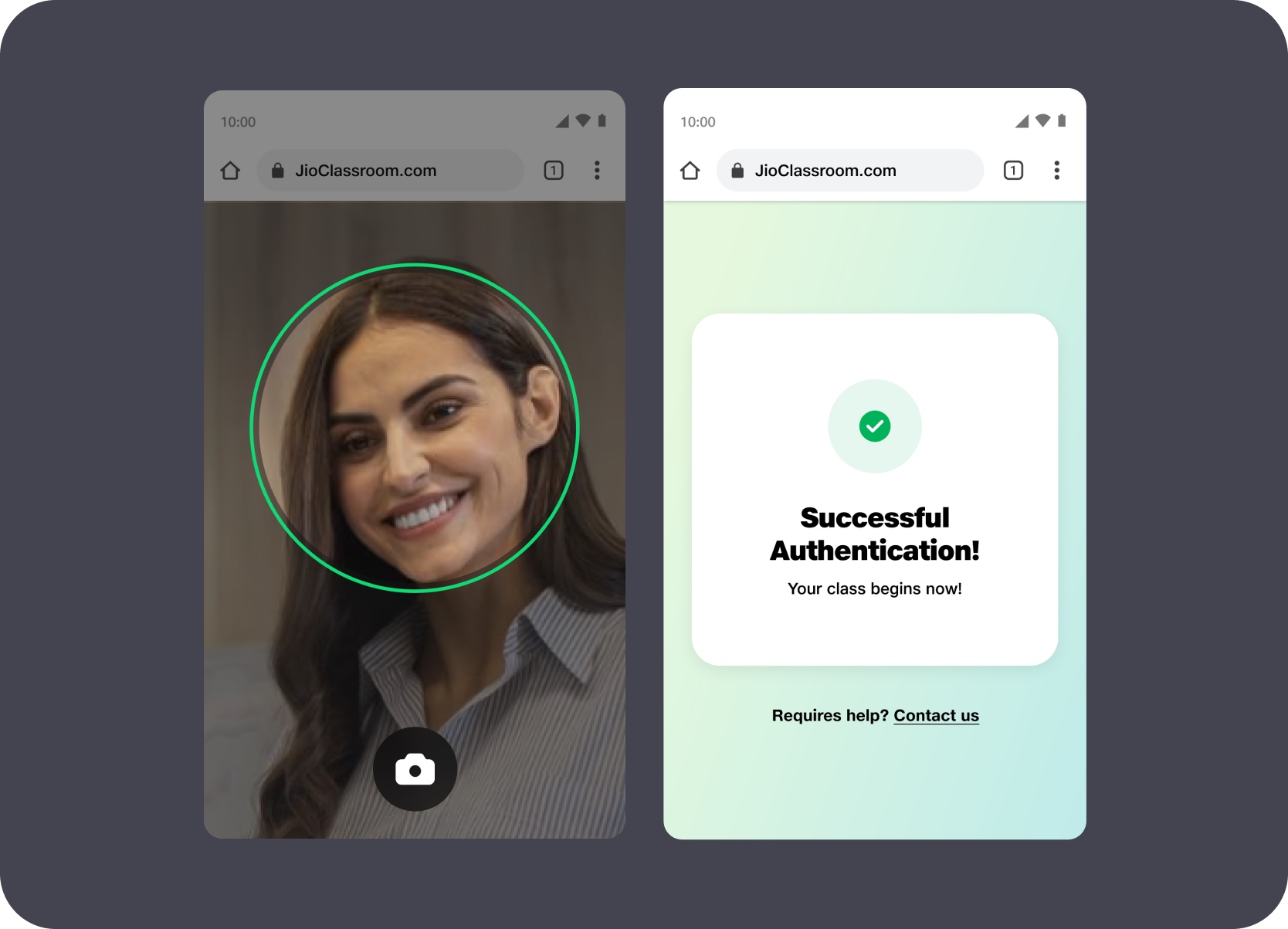
The TV displayed a QR code that the teacher scanned with their mobile to begin the authentication sequence. The mobile then prompted a face scan for biometric verification — capturing the teacher's face and confirming identity before the session could start. The class begins only after successful authentication, keeping the verification entirely on the teacher's personal device rather than the shared screen.
Not every class follows the day's timetable. If a subject teacher is absent and a substitute steps in, they can create a new session on the spot — selecting the subject and confirming their identity as instructor. An OTP sent to their registered mobile number verifies the substitution before the class starts, keeping an accurate record of who taught without requiring a timetable update in advance.
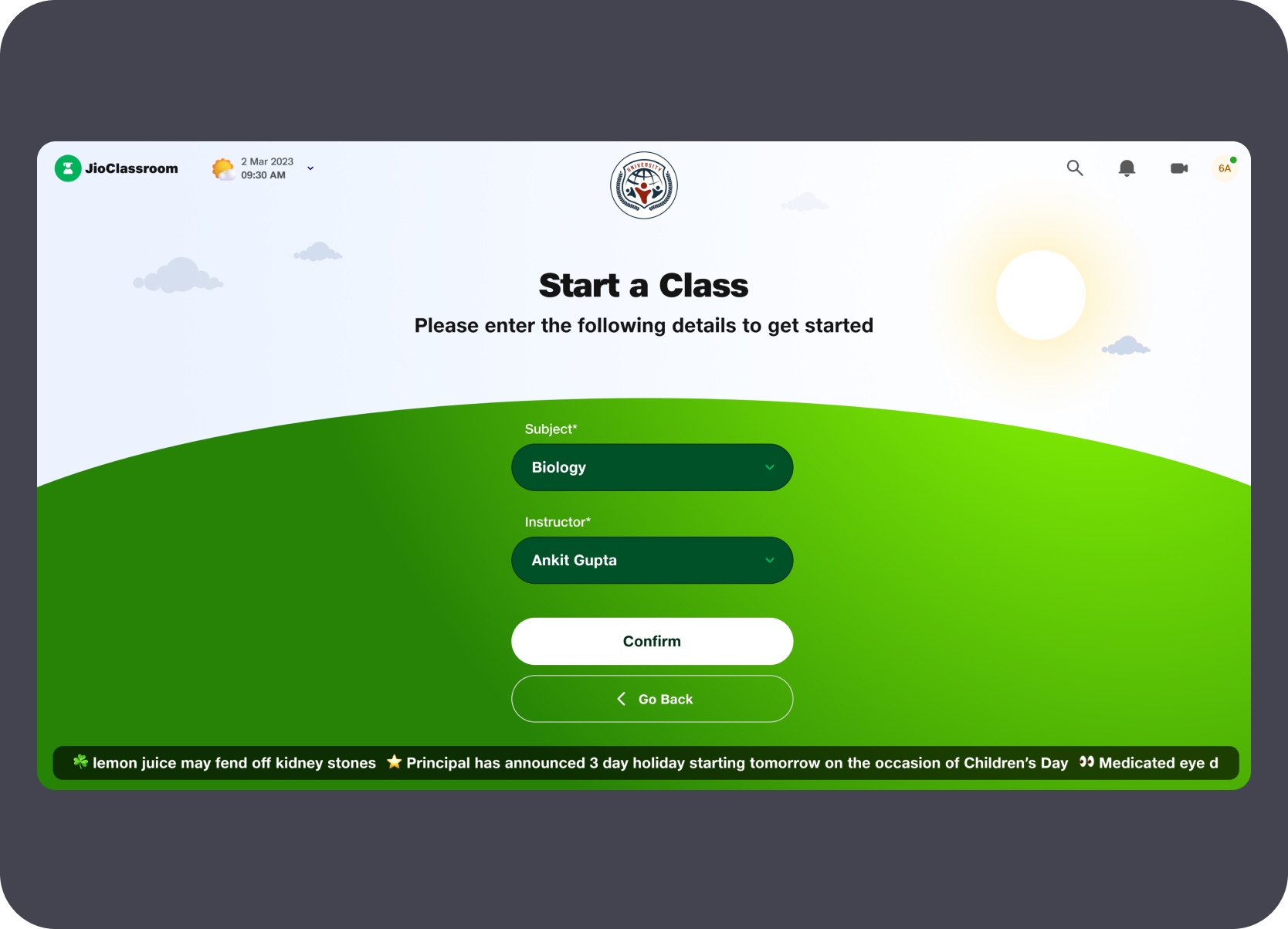
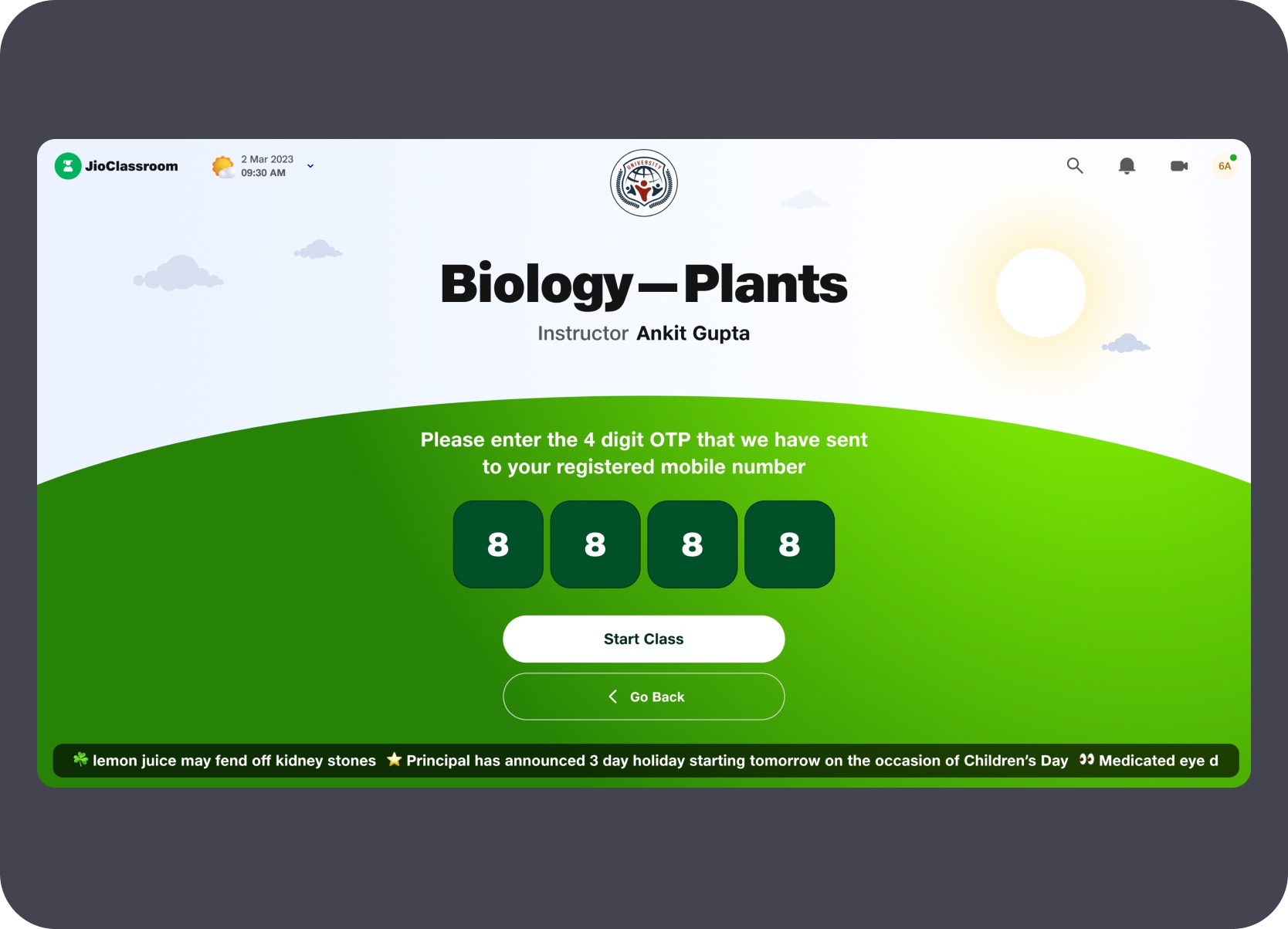
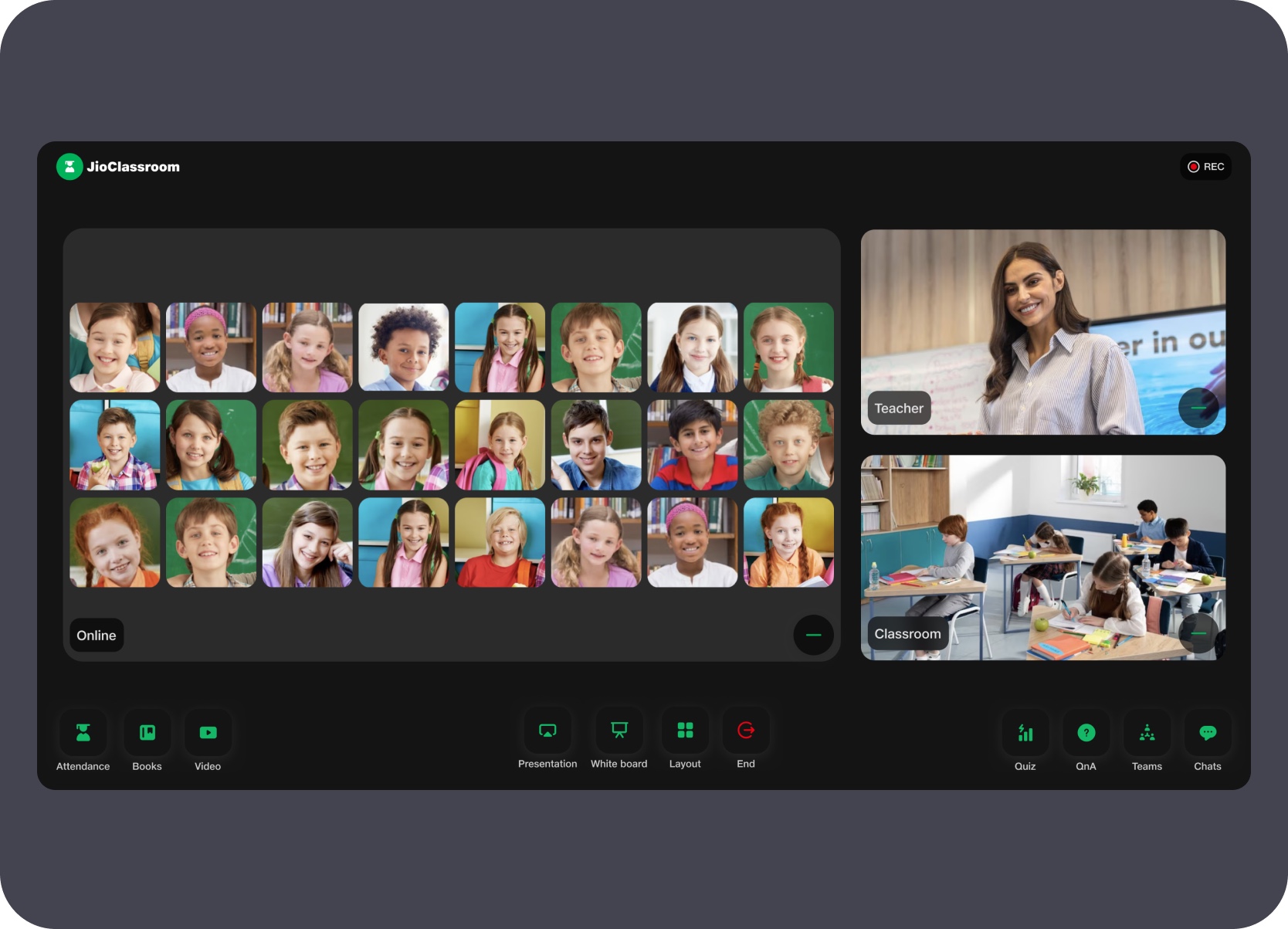
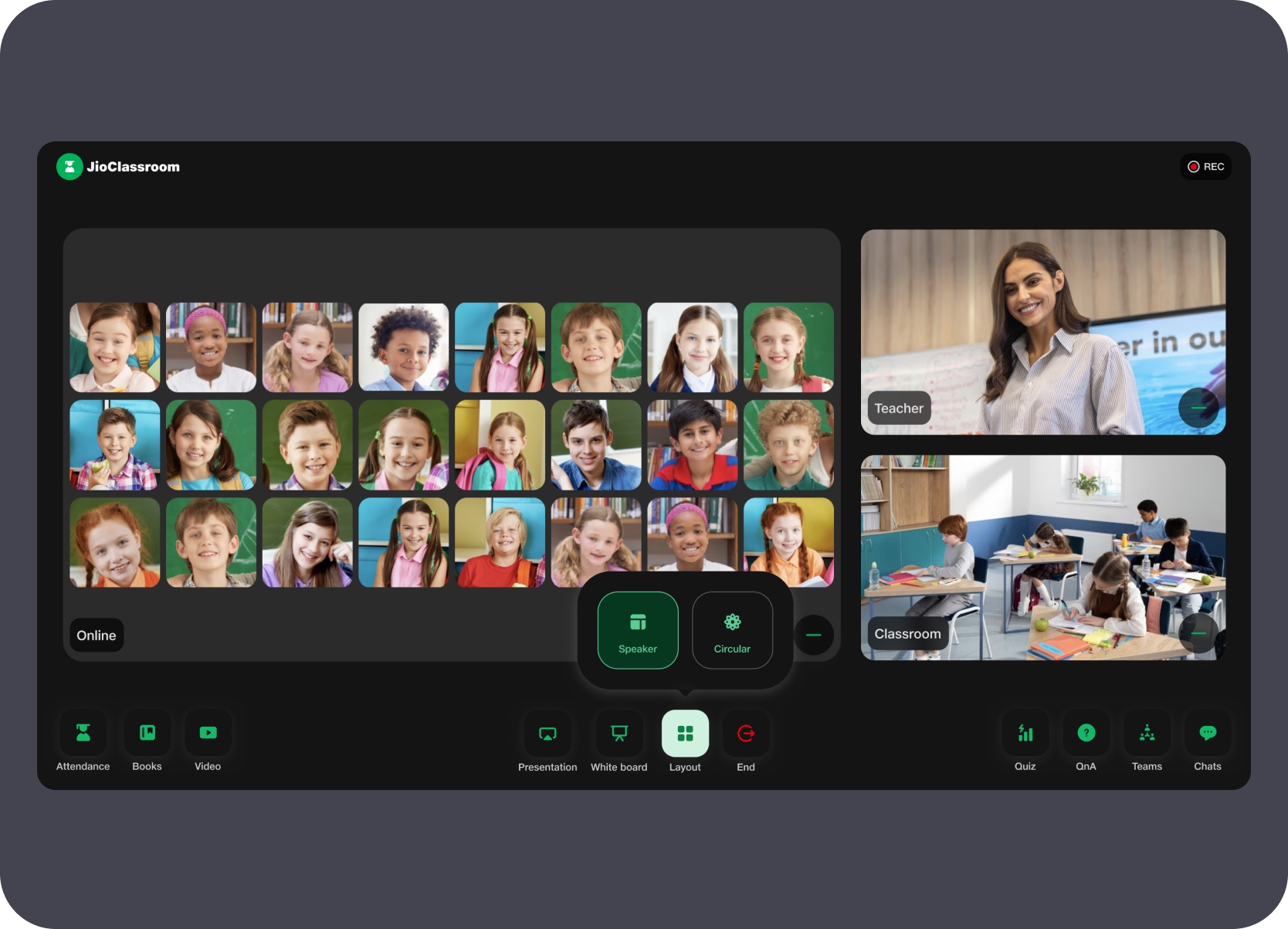
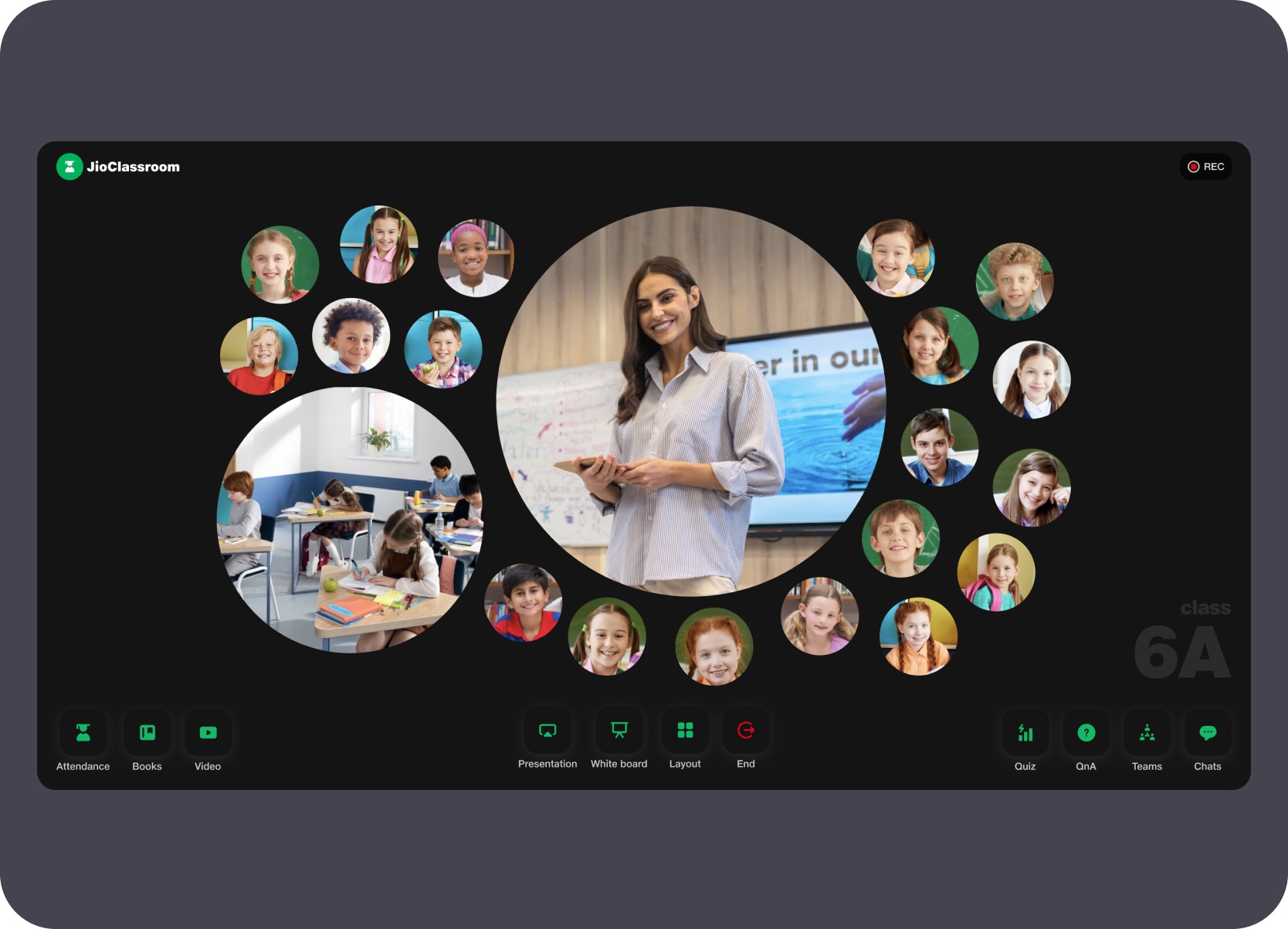
The active class view supported multiple layout modes. The default grid showed all online students as individual video feeds alongside teacher and classroom camera inputs. A layout switcher let the teacher cycle into a bubble arrangement that placed the teacher at the centre with students in an orbital ring — making the class feel more spatial and less like a standard video-call grid.
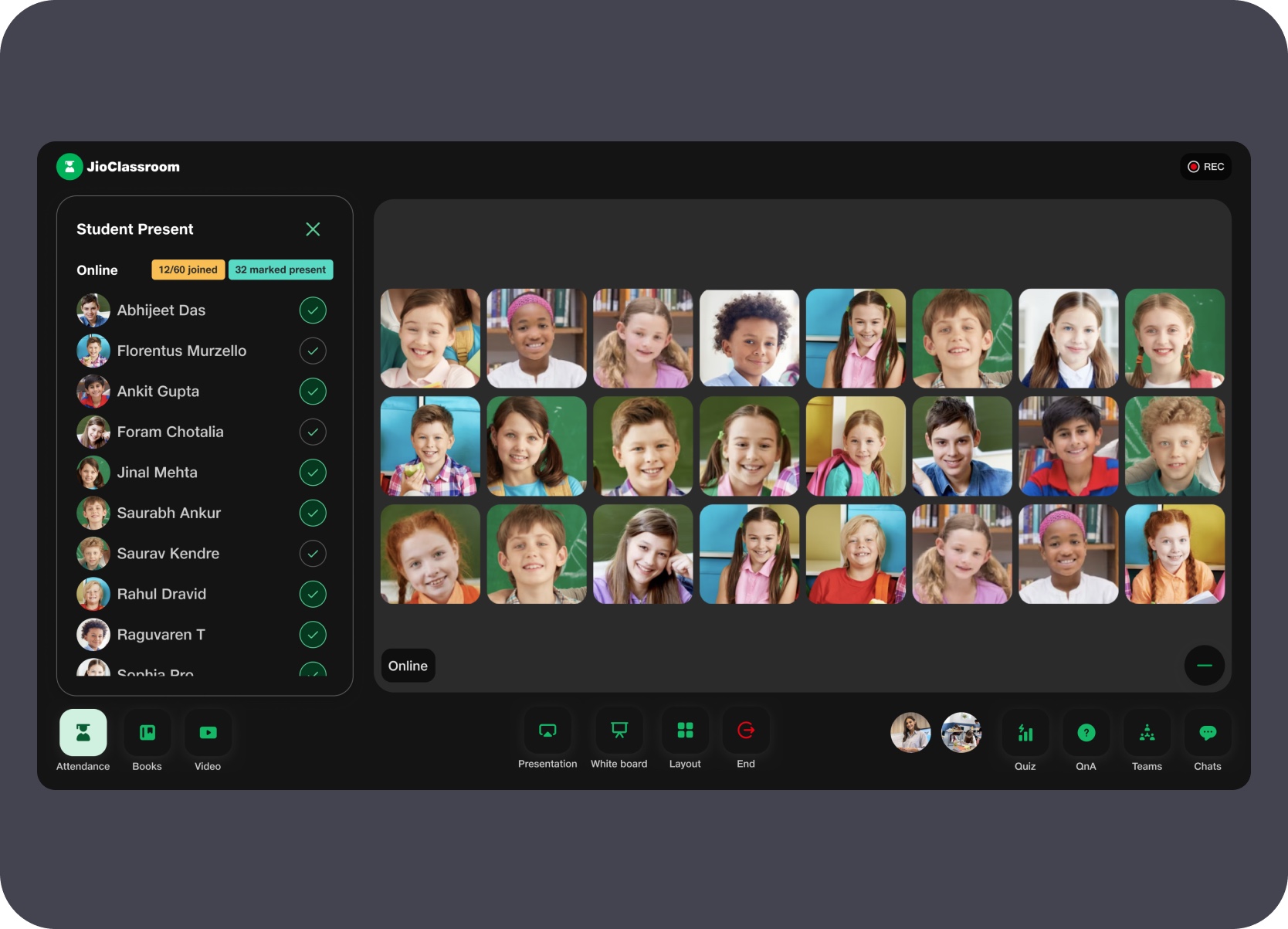
A dedicated panel surfaced student attendance status during the class — showing who was online and present against the full class list. The attendance view sat alongside the student video grid, giving the teacher a real-time count and per-student status without leaving the live session or navigating into a separate management screen.
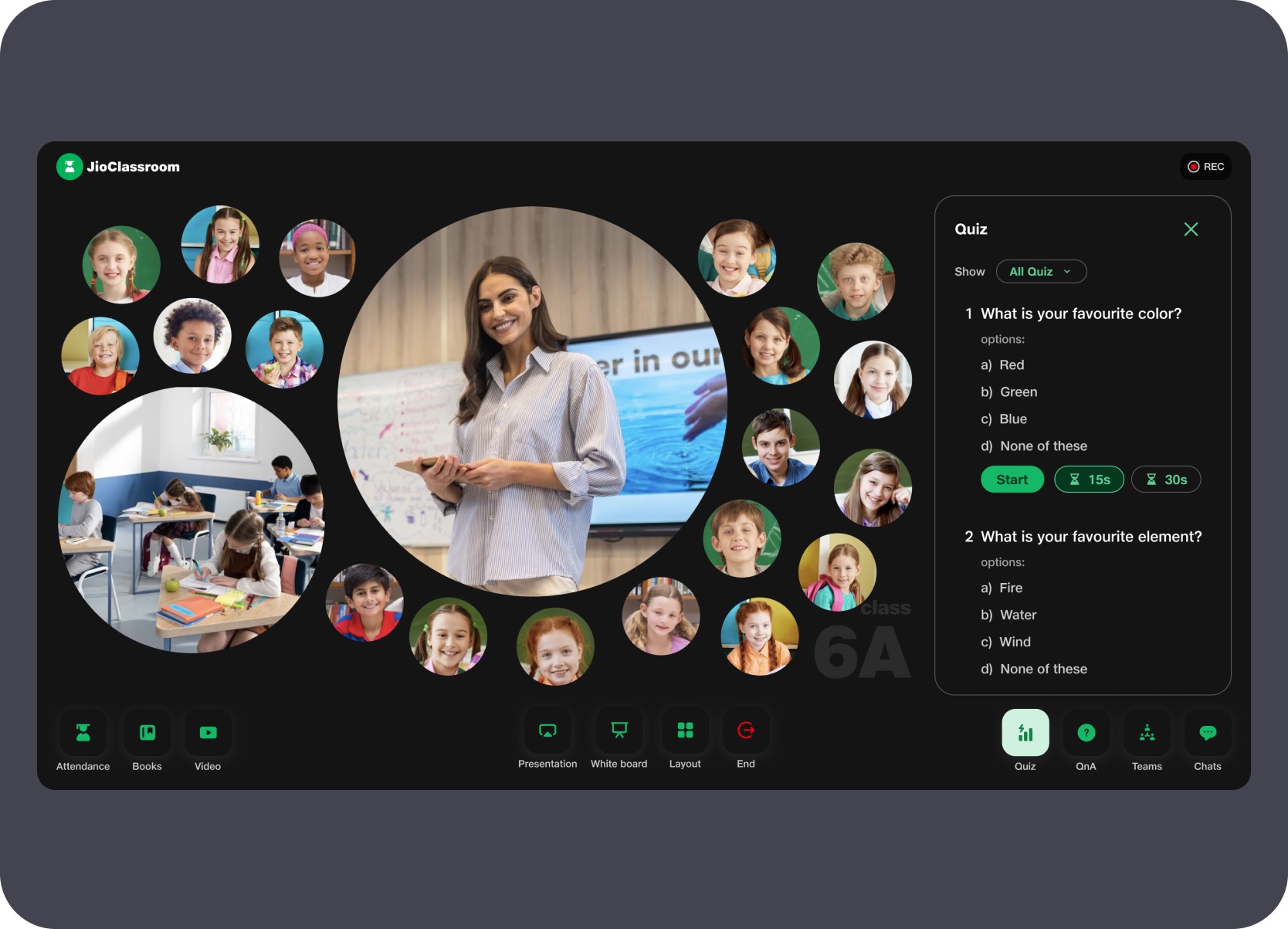
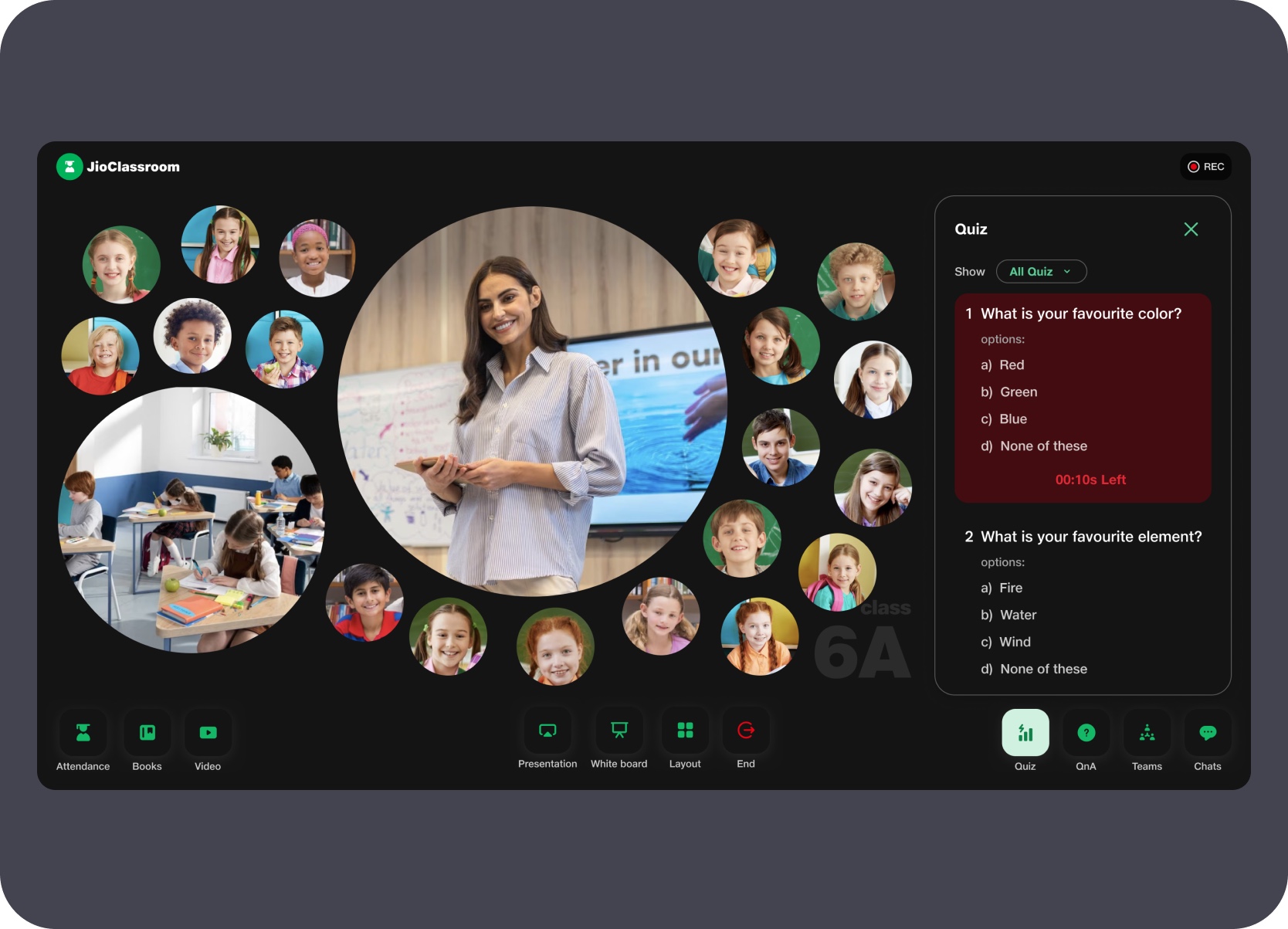
The quiz panel opened alongside the live view without ending the class. Teachers launched questions directly from the TV and the system tracked how many students had responded in real time. Once the timer ended, a bar chart rendered the answer distribution immediately — giving the teacher a visible, room-wide snapshot of student understanding without switching out of the teaching context.
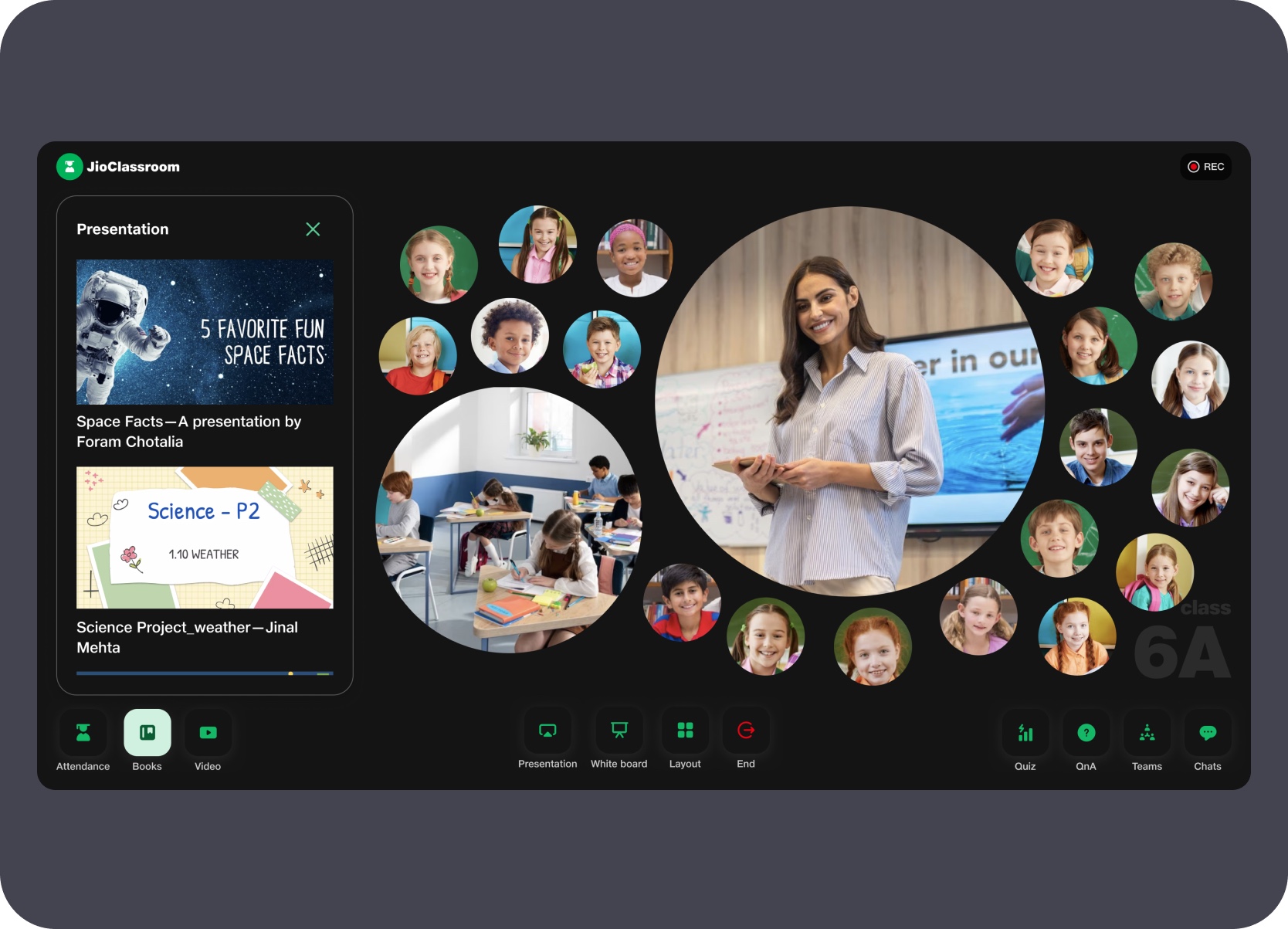
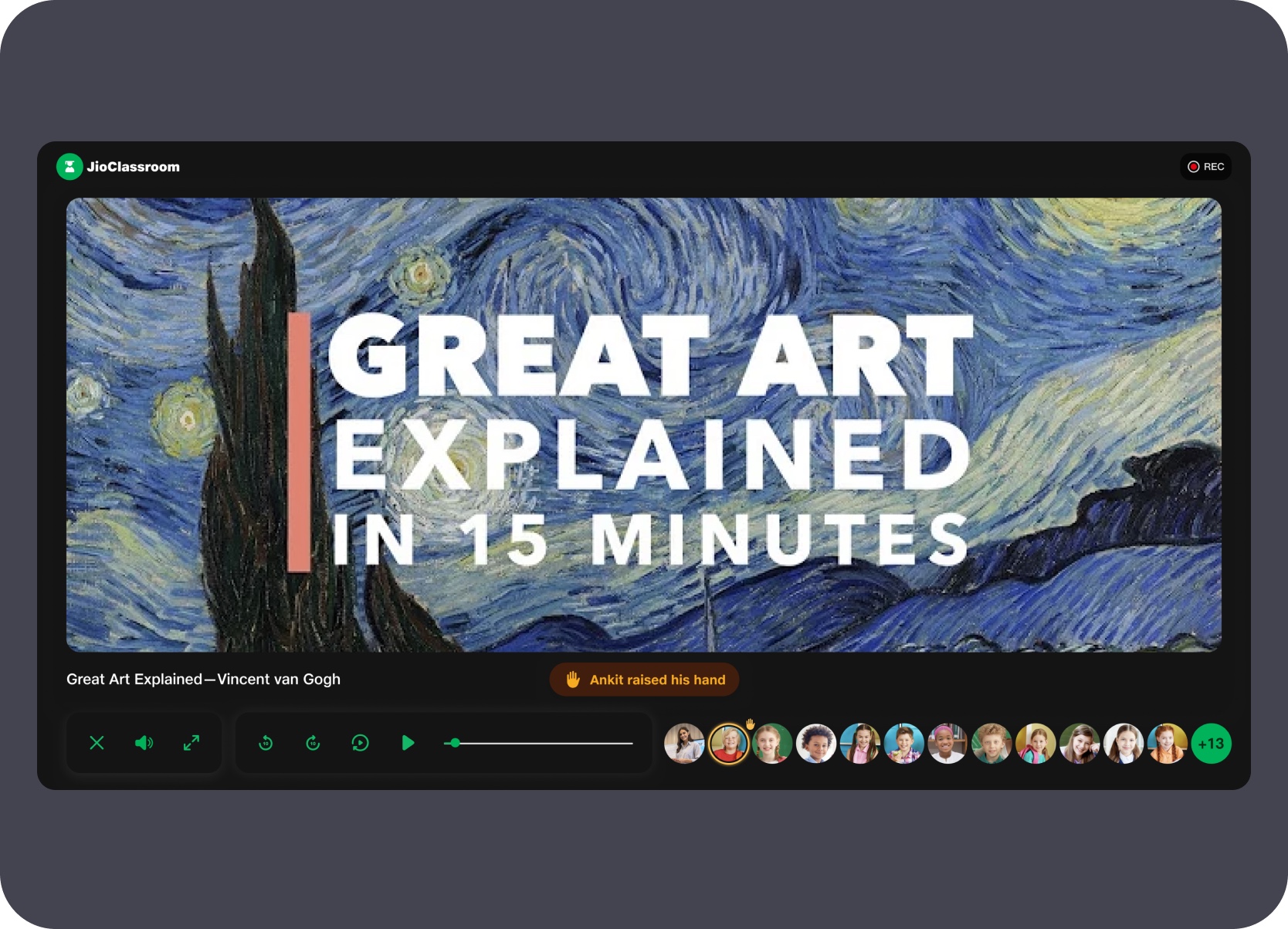
The presentation panel surfaced student-submitted slide decks directly inside the class view so teachers could pull up and share student work without leaving the session. Video playback moved to full-screen with the student grid condensed into avatar strips at the bottom and raise-hand notifications surfacing inline — keeping the teacher aware of participation even during media playback.
The whiteboard mode gave the teacher a clean canvas for live drawing and annotation. A radial tool picker surfaced drawing, editing, and resource actions in a circular menu directly on the canvas without requiring a persistent side panel — keeping most of the drawing surface visible while tools remained a single gesture away.
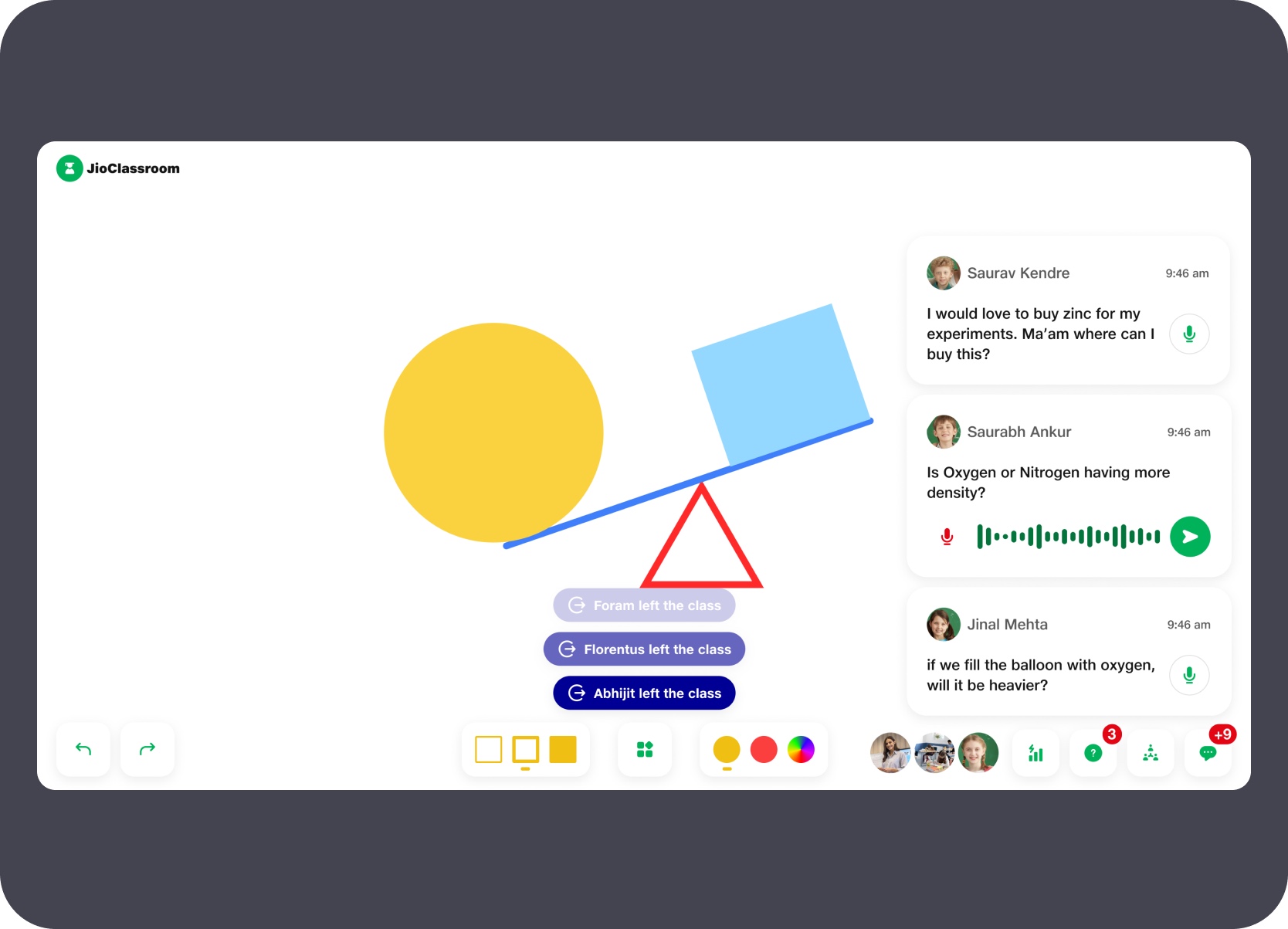
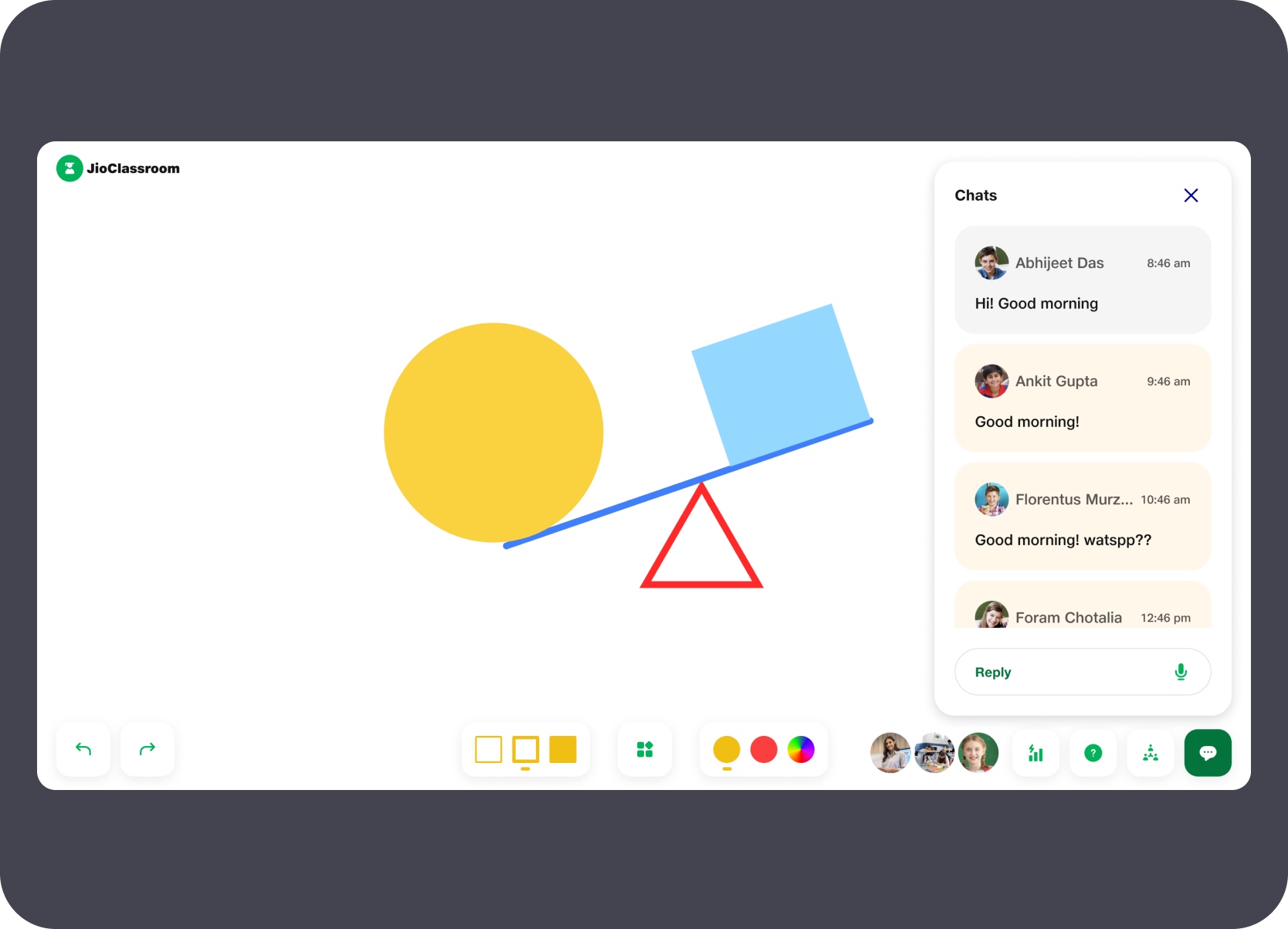
Chat messages and voice-captured student questions appeared in a side panel while the whiteboard remained active. The panel displayed text messages and transcribed voice questions together so the teacher could read and respond to participation without stopping the lesson or navigating away from the canvas.
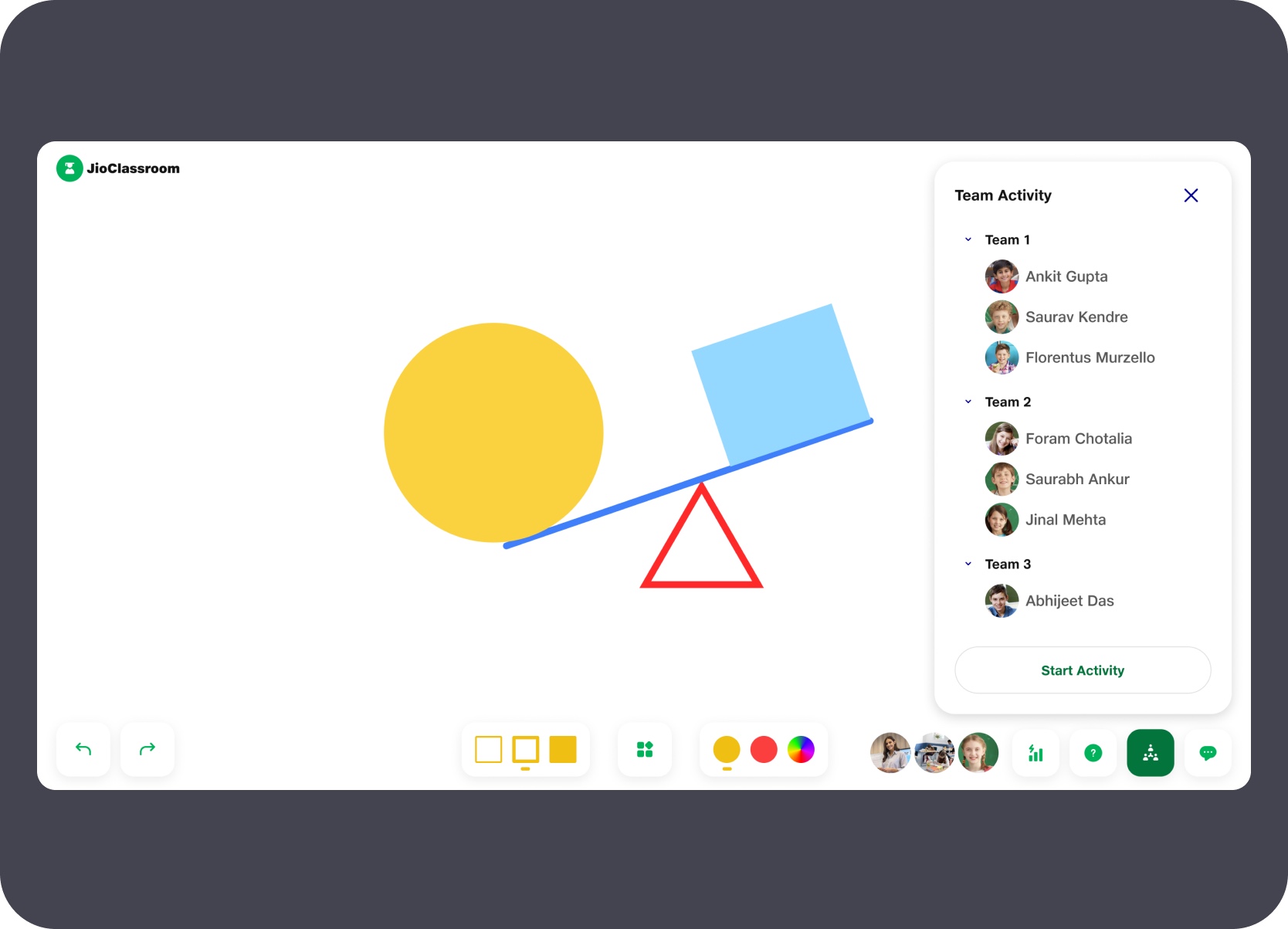
The team activity panel listed students in their assigned groups and provided a single action to start a group activity. The layout kept group membership visible on the TV surface so both teacher and in-room students could see who was in which team before the activity began.
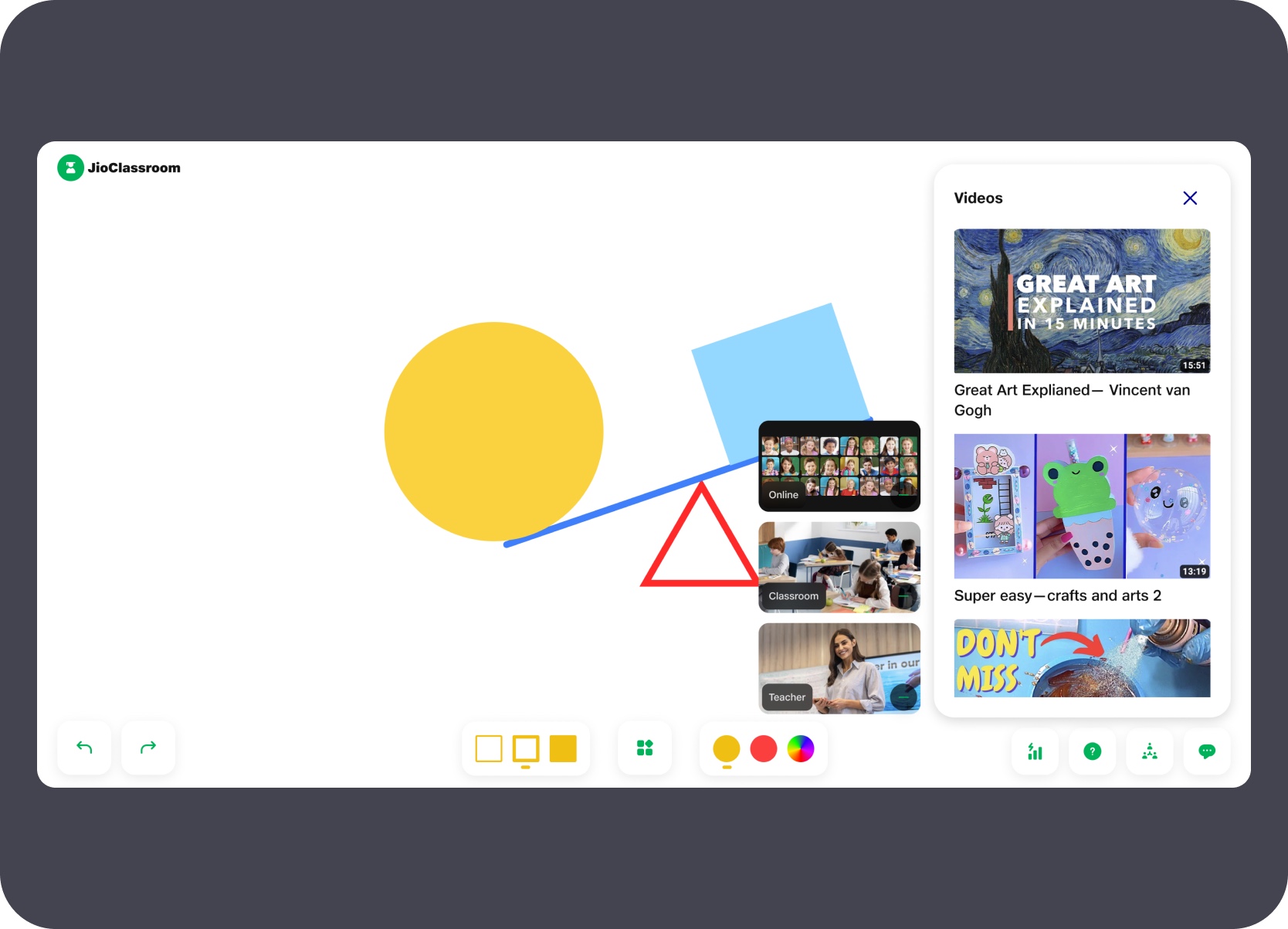
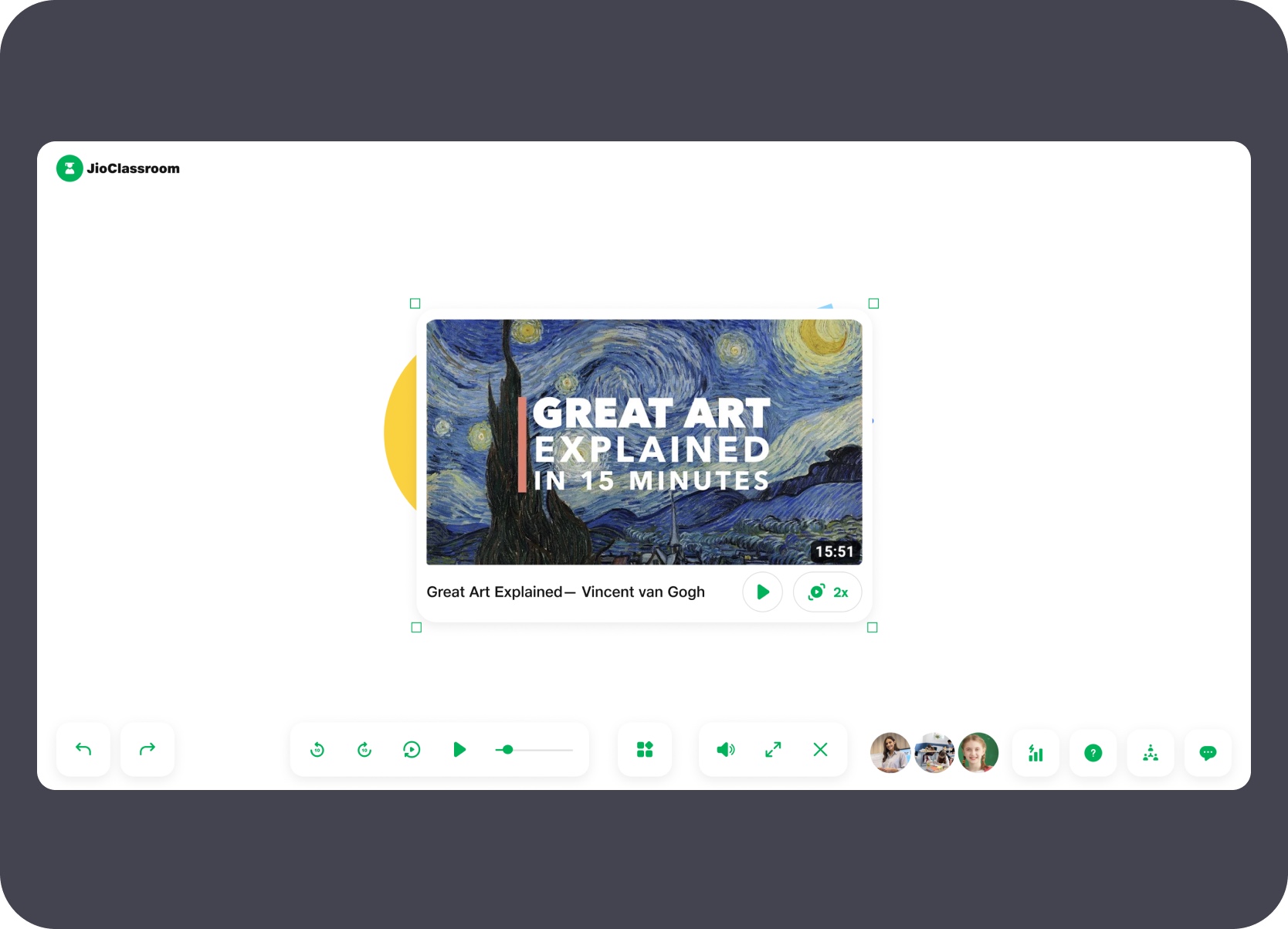
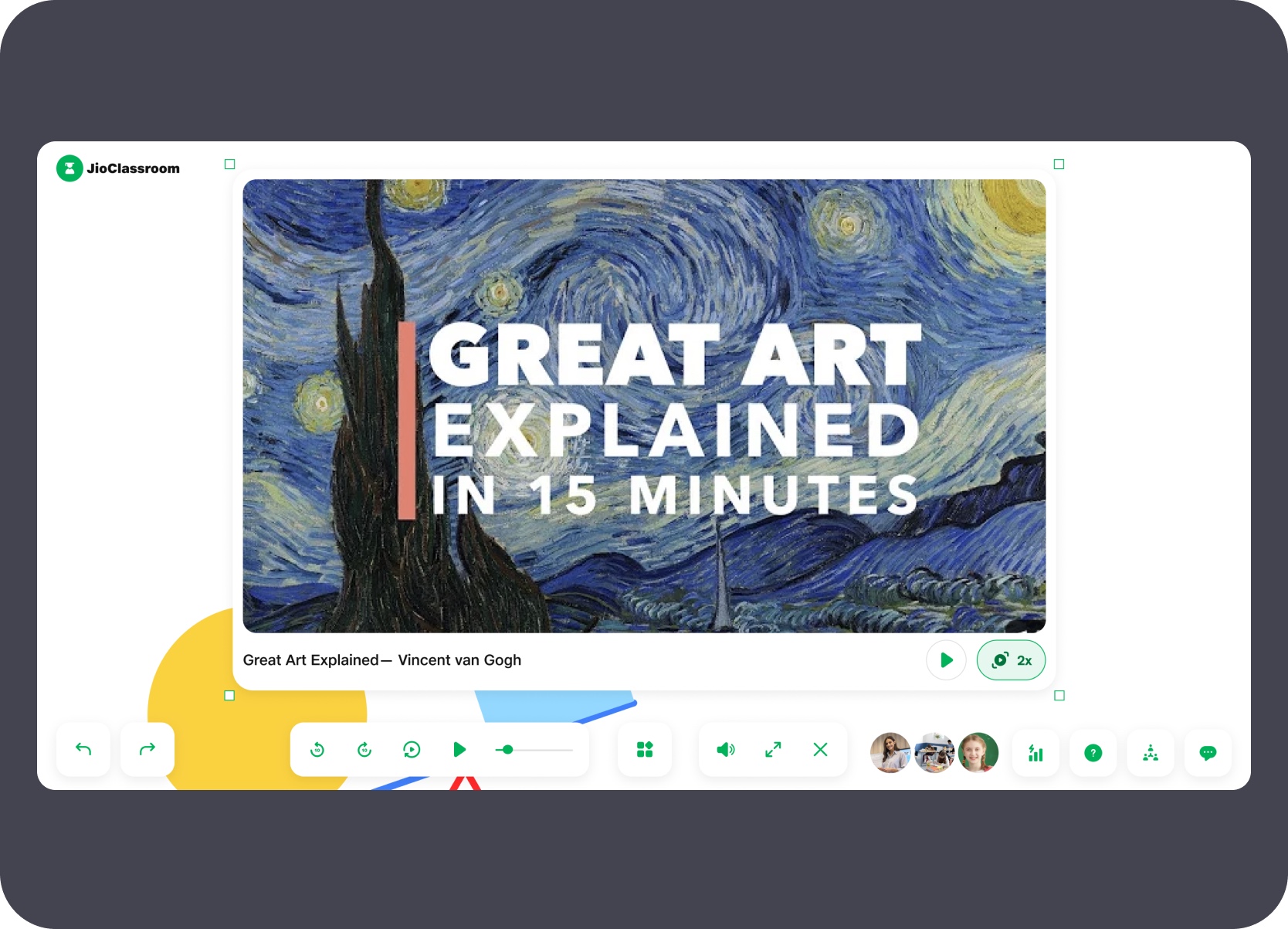
Teachers could open a video library panel, browse pre-loaded resources, and place a video directly onto the whiteboard canvas as a resizable embedded object — letting them annotate alongside it without leaving the whiteboard. A full-screen playback mode gave the teacher a second pathway to fill the TV entirely with the video, with its own playback controls and the whiteboard content still visible beneath.
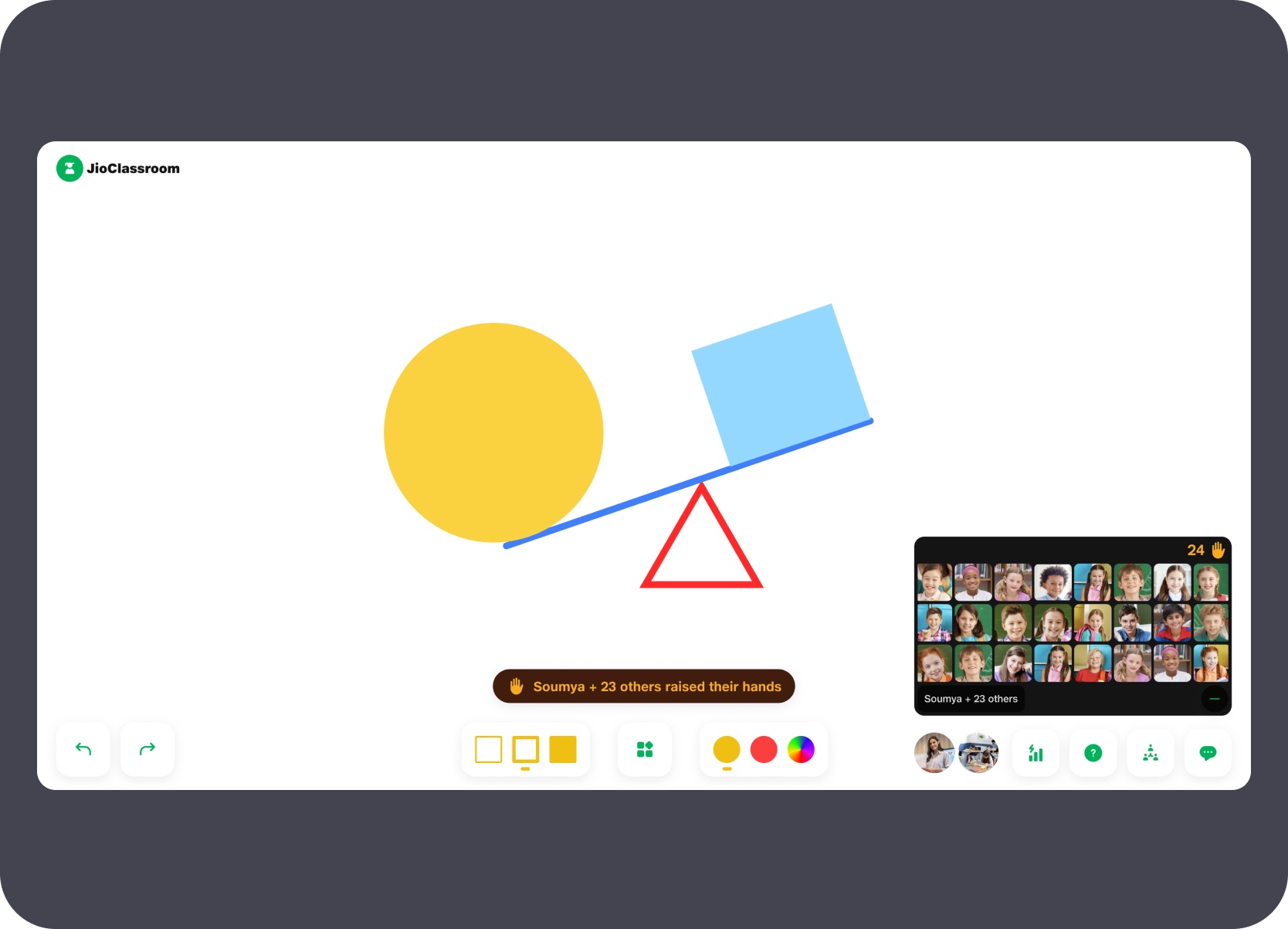
Raise-hand events surfaced as a persistent notification strip and a thumbnail grid showing every student with a raised hand alongside a live count — giving the teacher a clear, at-a-glance view of participation without interrupting the current activity.
Shared-screen / Multi-device
McJio was a shared-screen orchestration problem: the party began on the venue TV, remote participants joined the same event space, and host controls had to feel festive without losing clarity.
Status
Built by developers, not publicly shipped due to business contract issues
Ownership
Fully owned single-handedly
Platform
TV host surface + PC participant + mobile invite flow
Constraint
The host side had to feel celebratory, not like a standard call interface.
This was a strong proof point for cross-device coordination under a more playful brief. The live experience had to hold up as a TV-first celebration surface while still supporting remote presence, host actions, and clear large-screen communication in a busy venue context.
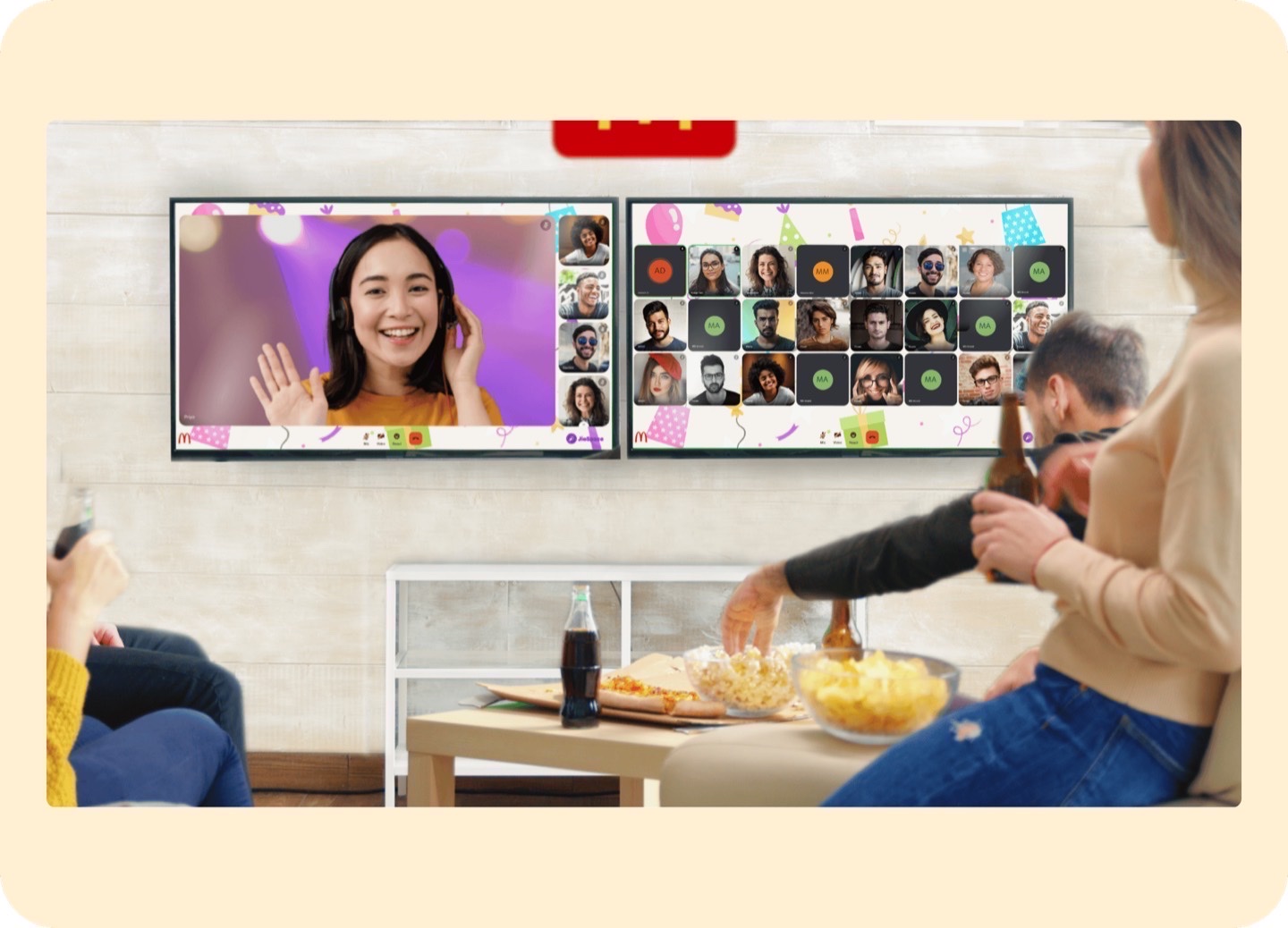
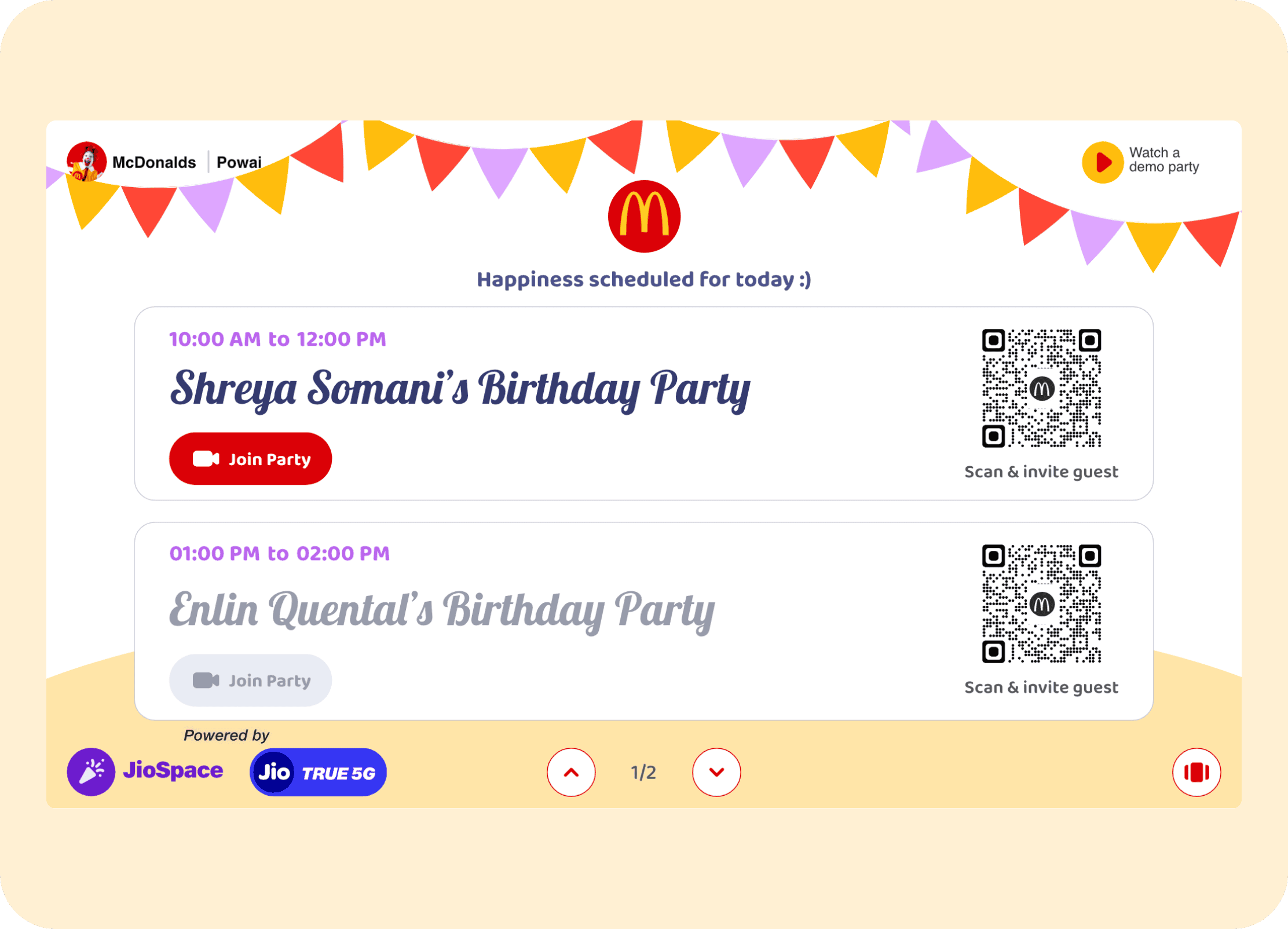
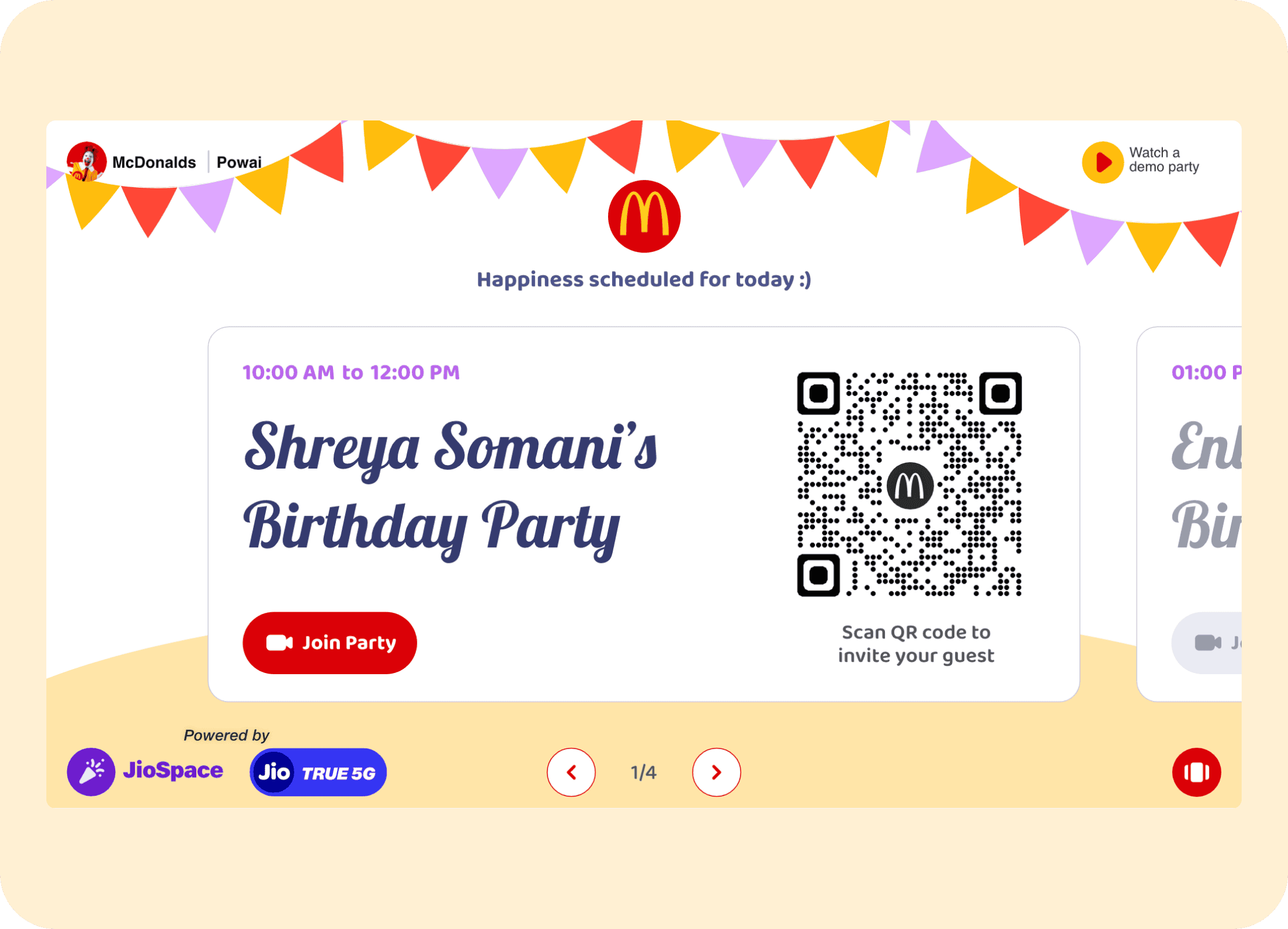
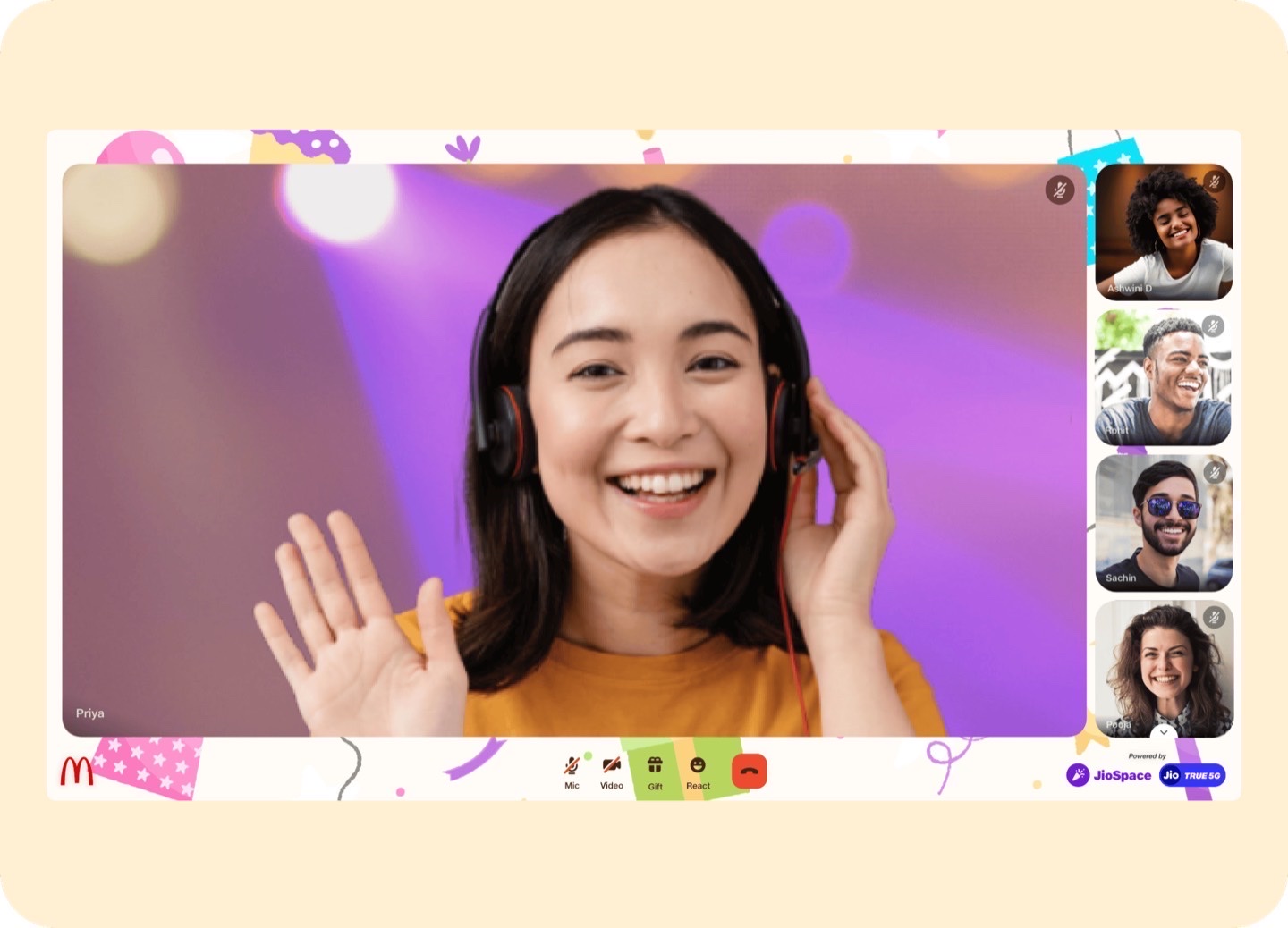
From the first in-store moment, the system had to establish the party as a shared event rather than a call. The opening venue view set the physical context, while the splash, schedule, QR-entry, and TV-attendee surfaces connected remote guests back into the room as part of the same celebration.

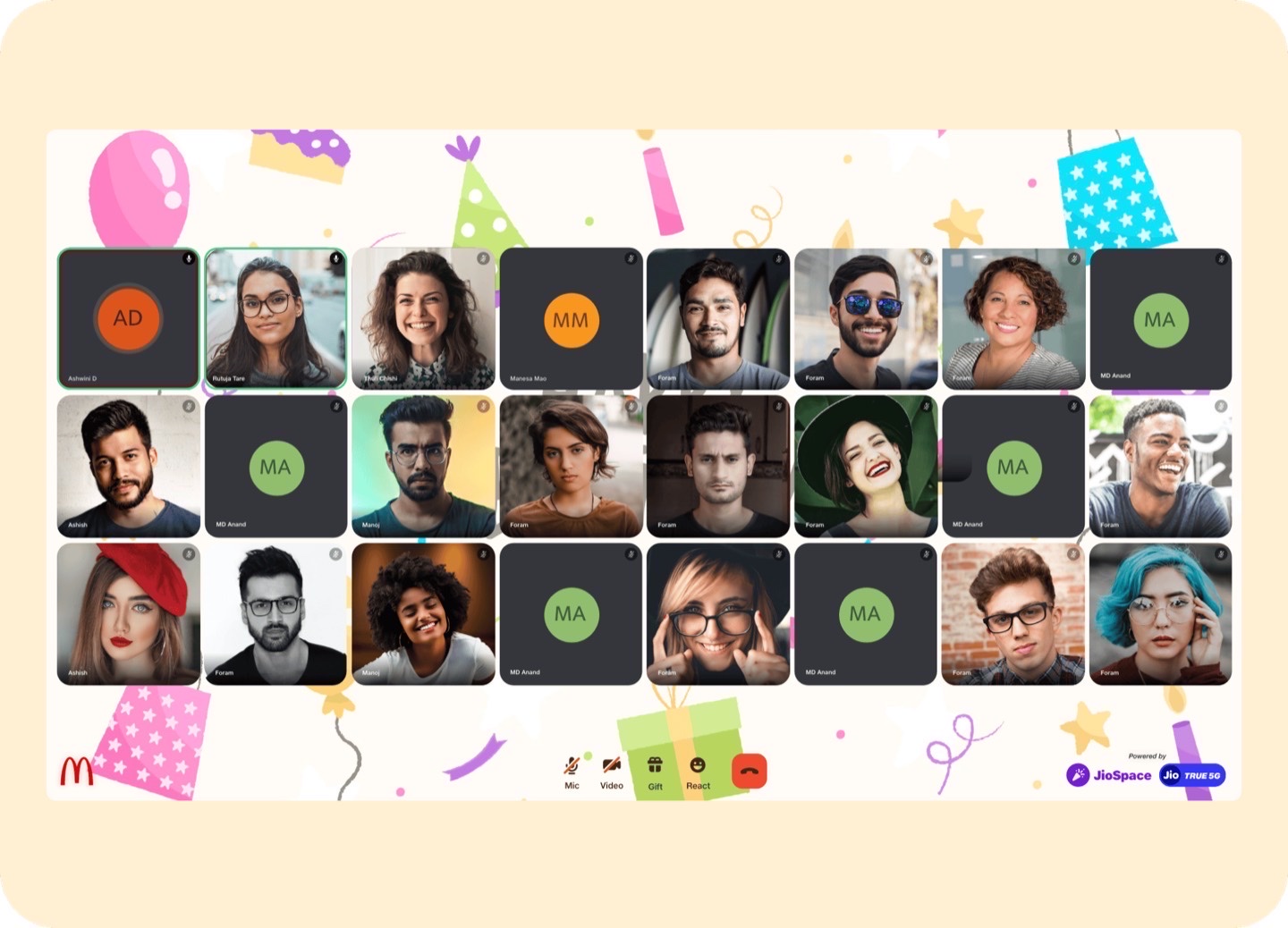
During the party, attendee layouts had to stay legible and celebratory at a distance. The interface supported different live-view modes while keeping the shared-screen environment readable for both in-store and remote participants.

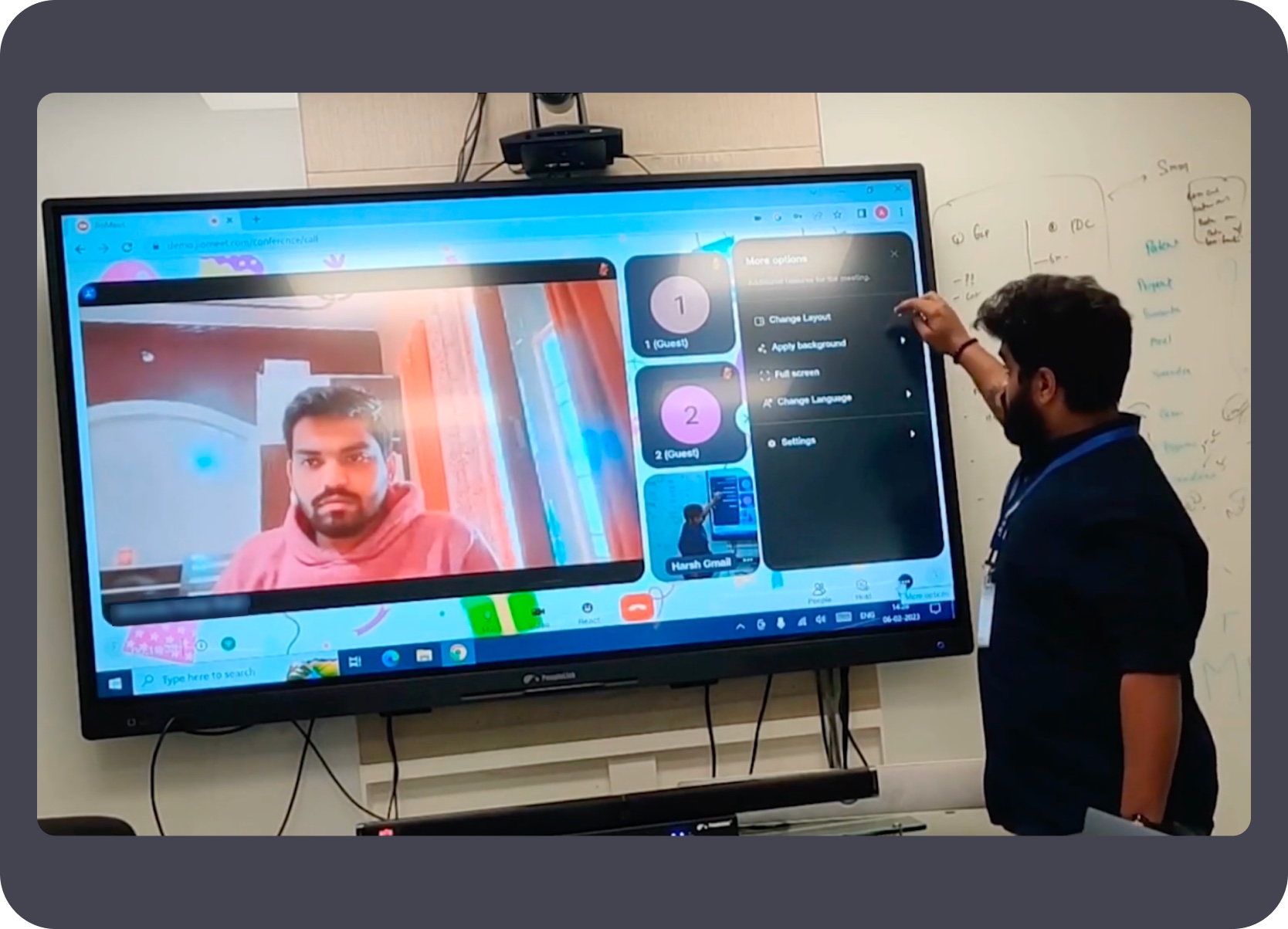
These proof shots matter because the experience was not designed for an abstract TV. They show the interface running on a large PeopleLink interactive panel during an office demonstration for senior management, so brightness, panel scale, touch hardware, and the bottom action rail could be reviewed on real display hardware rather than only in static mockups.
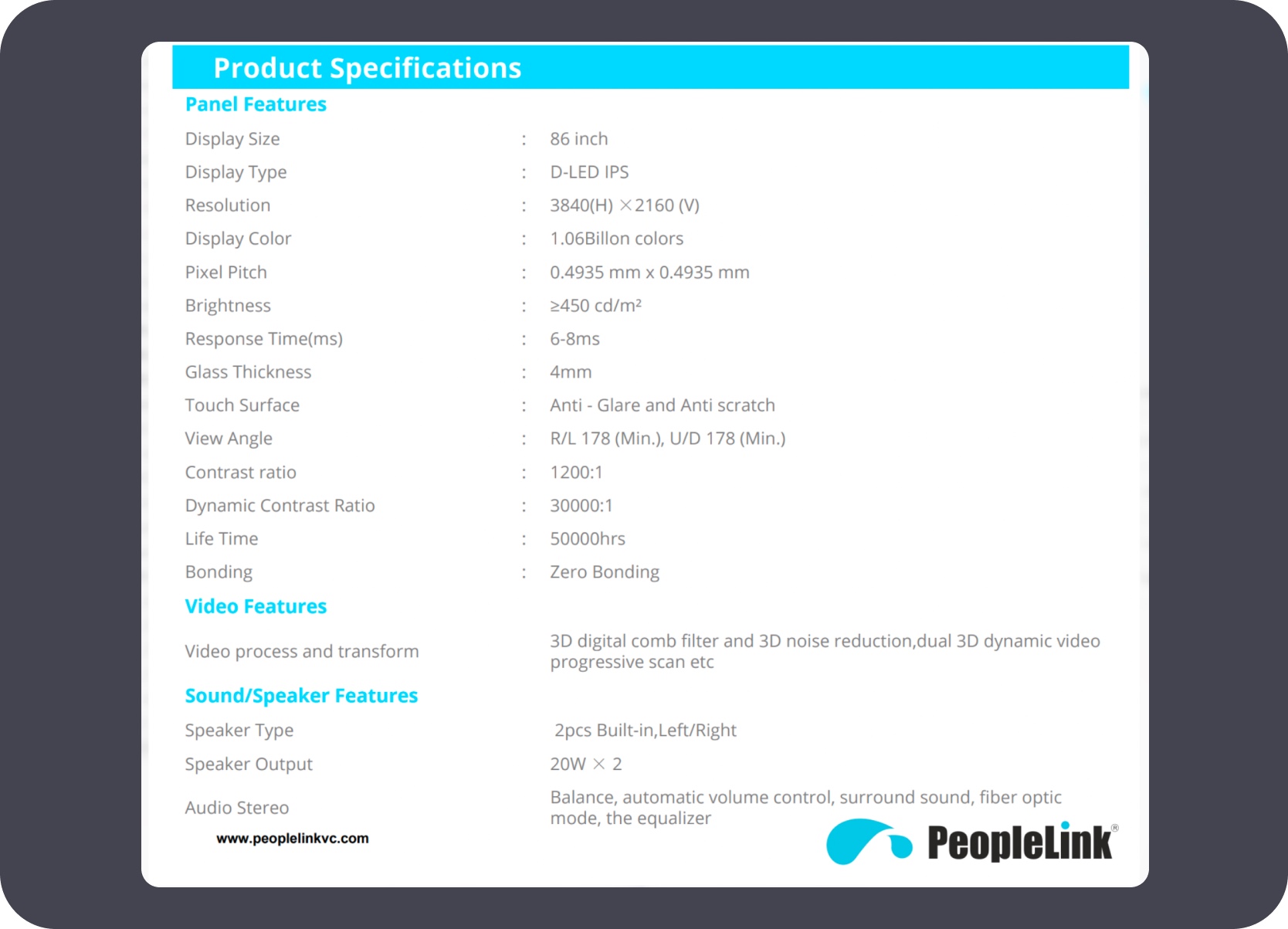
PeopleLink TV details: the demonstration hardware referenced a large 86-inch 4K interactive panel with an anti-glare touch surface and high-brightness display, which shaped the readability and scale decisions for the party screen.
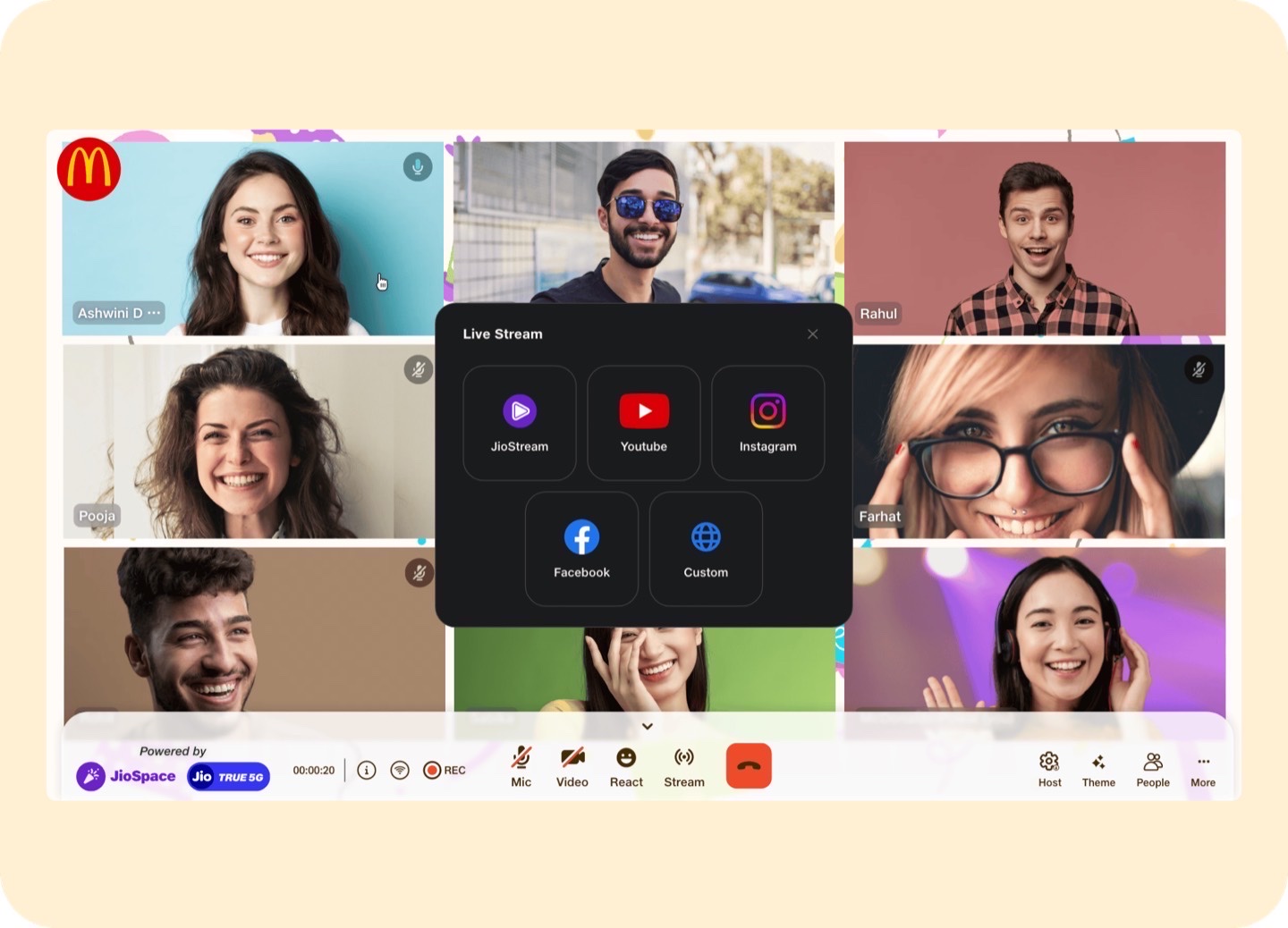
These overlays capture the operating layer of the experience: streaming, inviting more guests, applying themes, and moderation controls. Even where the host interacted through a PC panel, the product logic still served the TV event because those actions directly shaped what happened on the shared party screen.
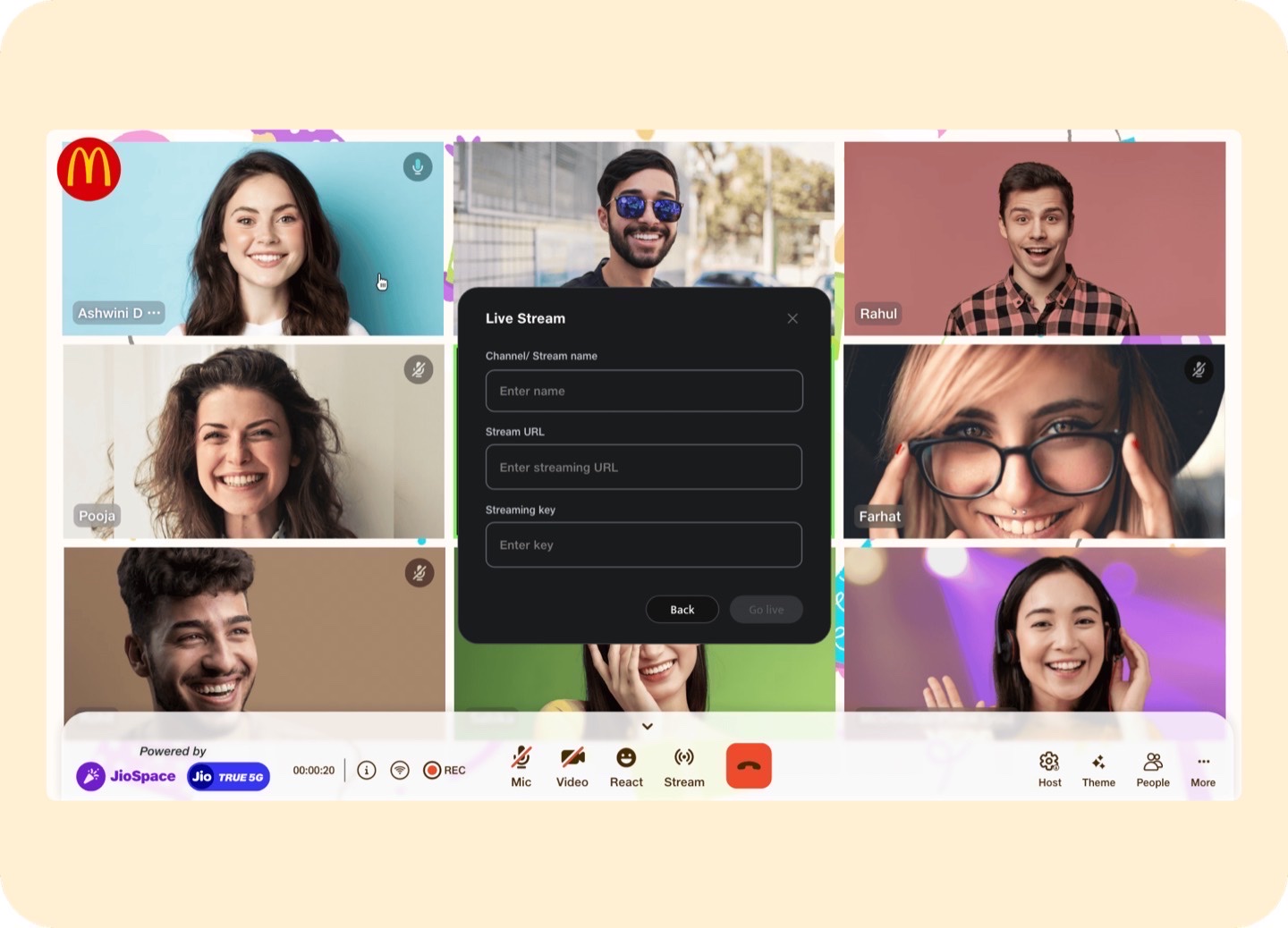
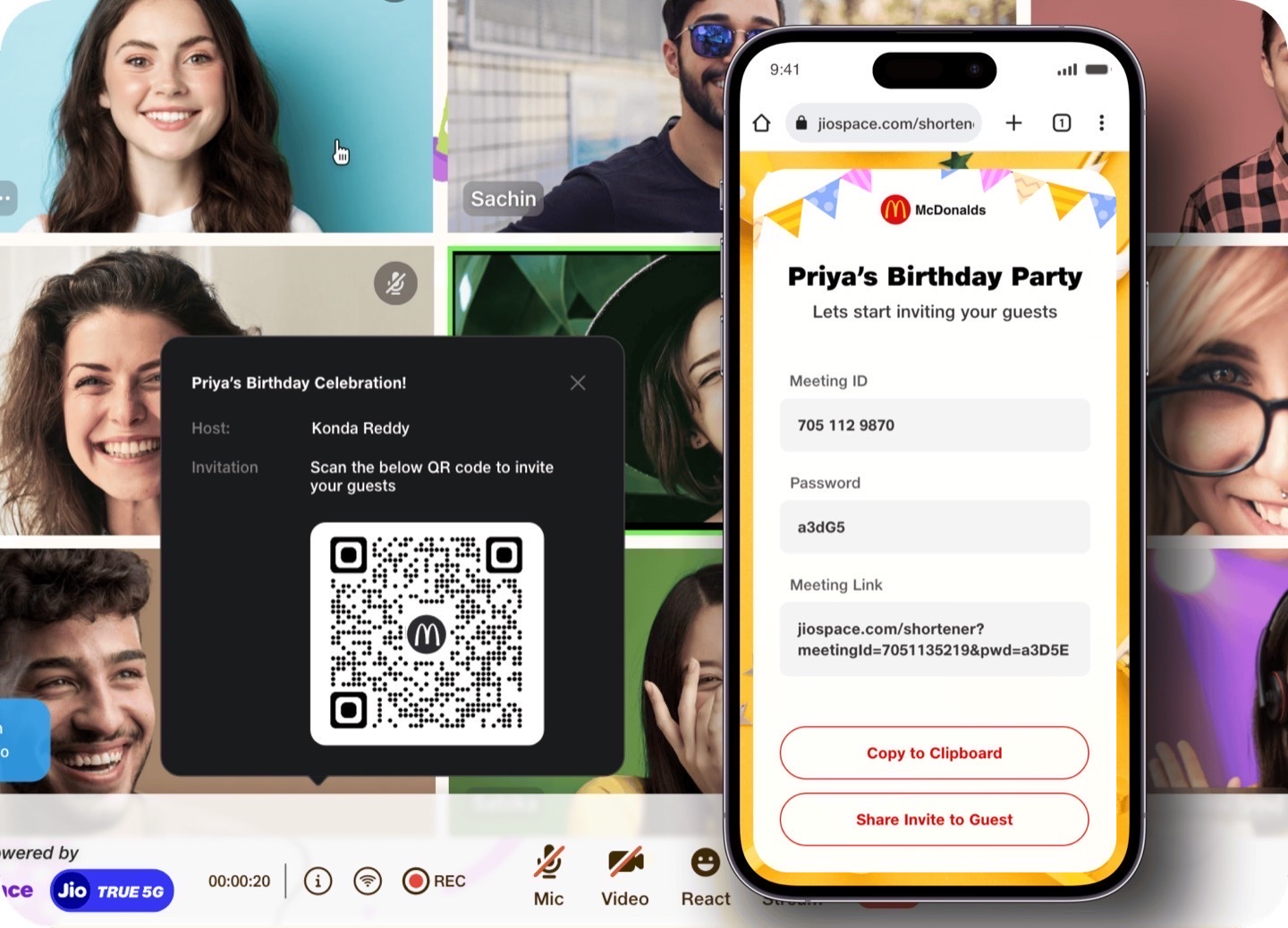
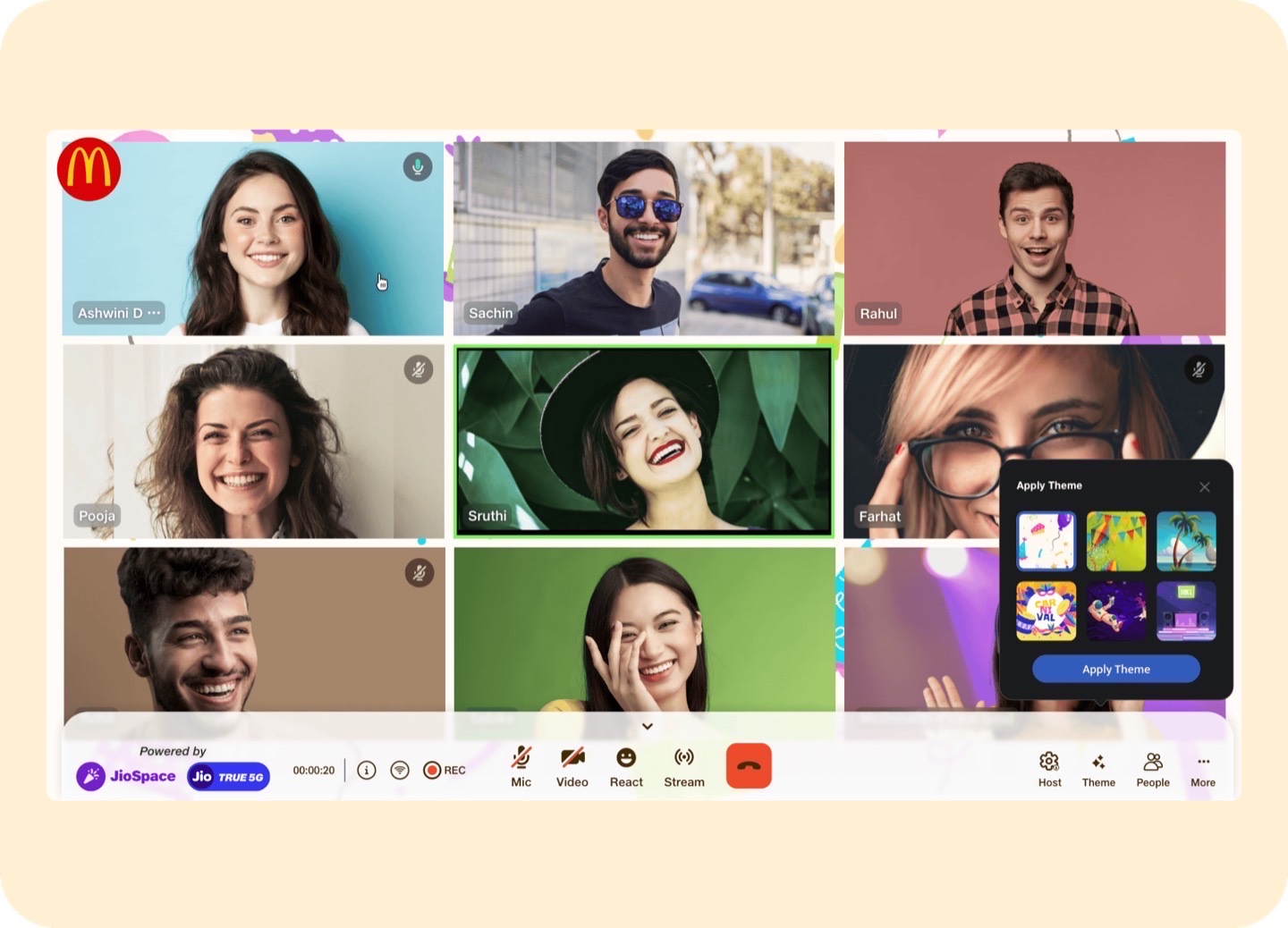
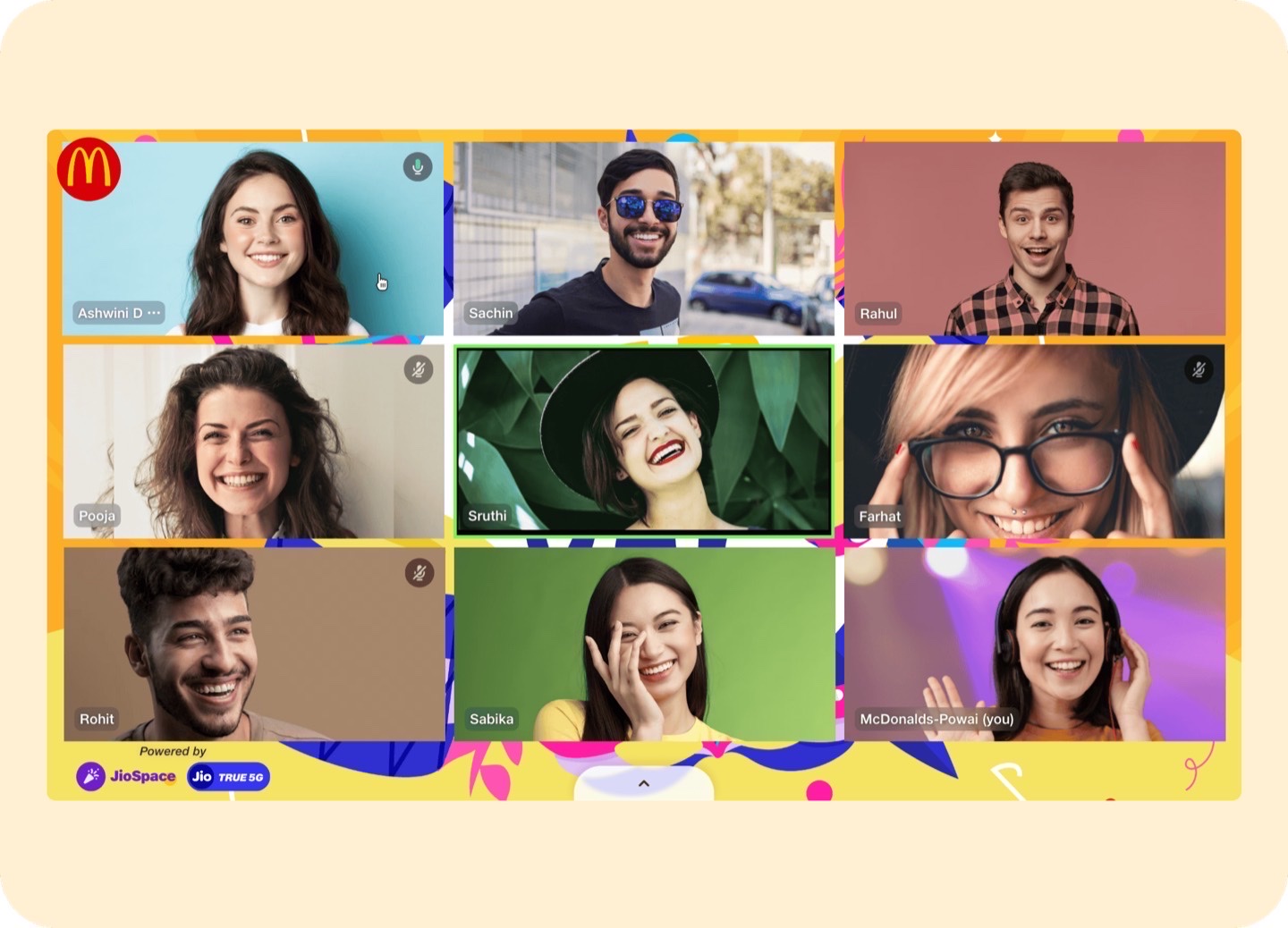
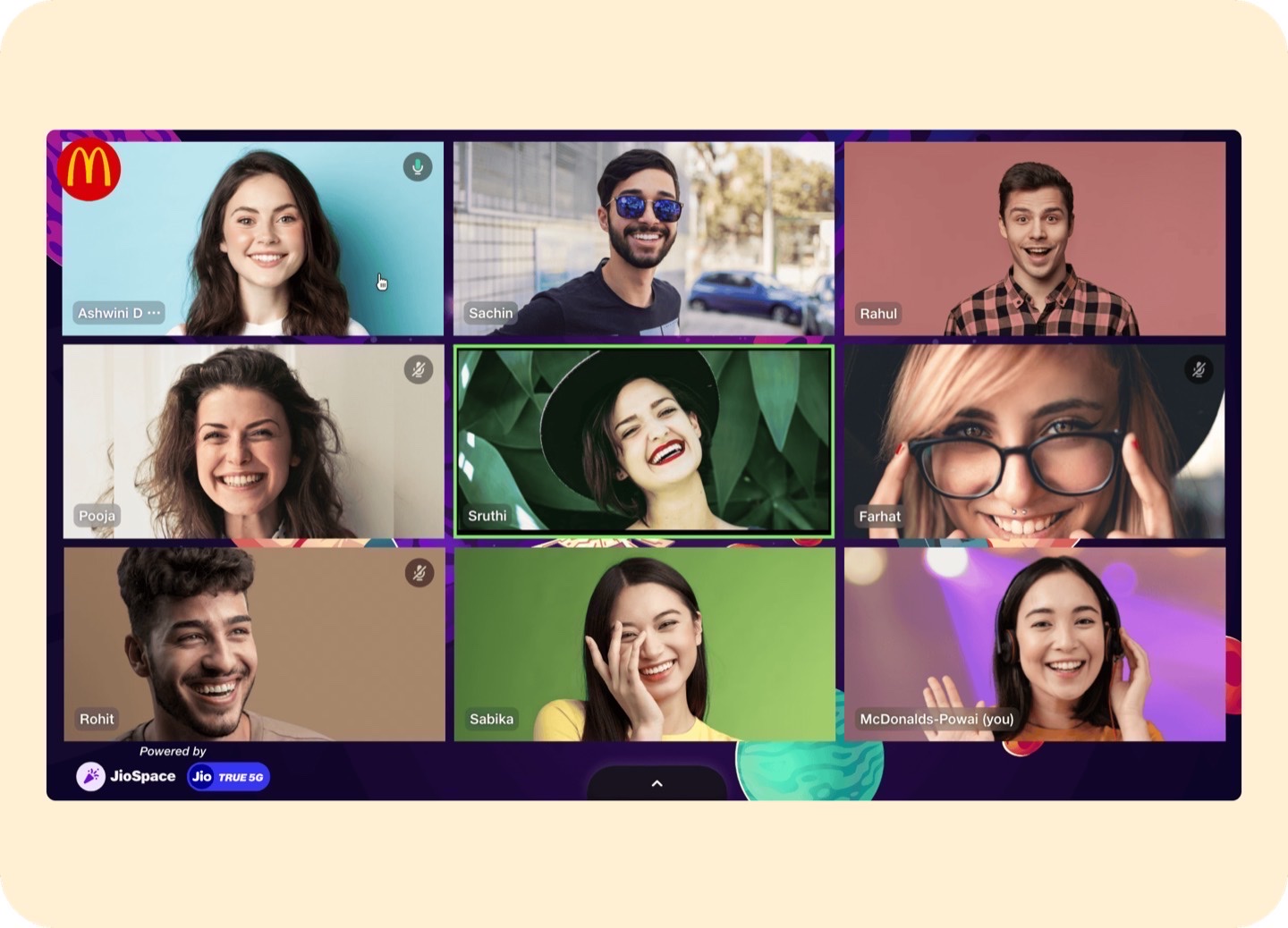
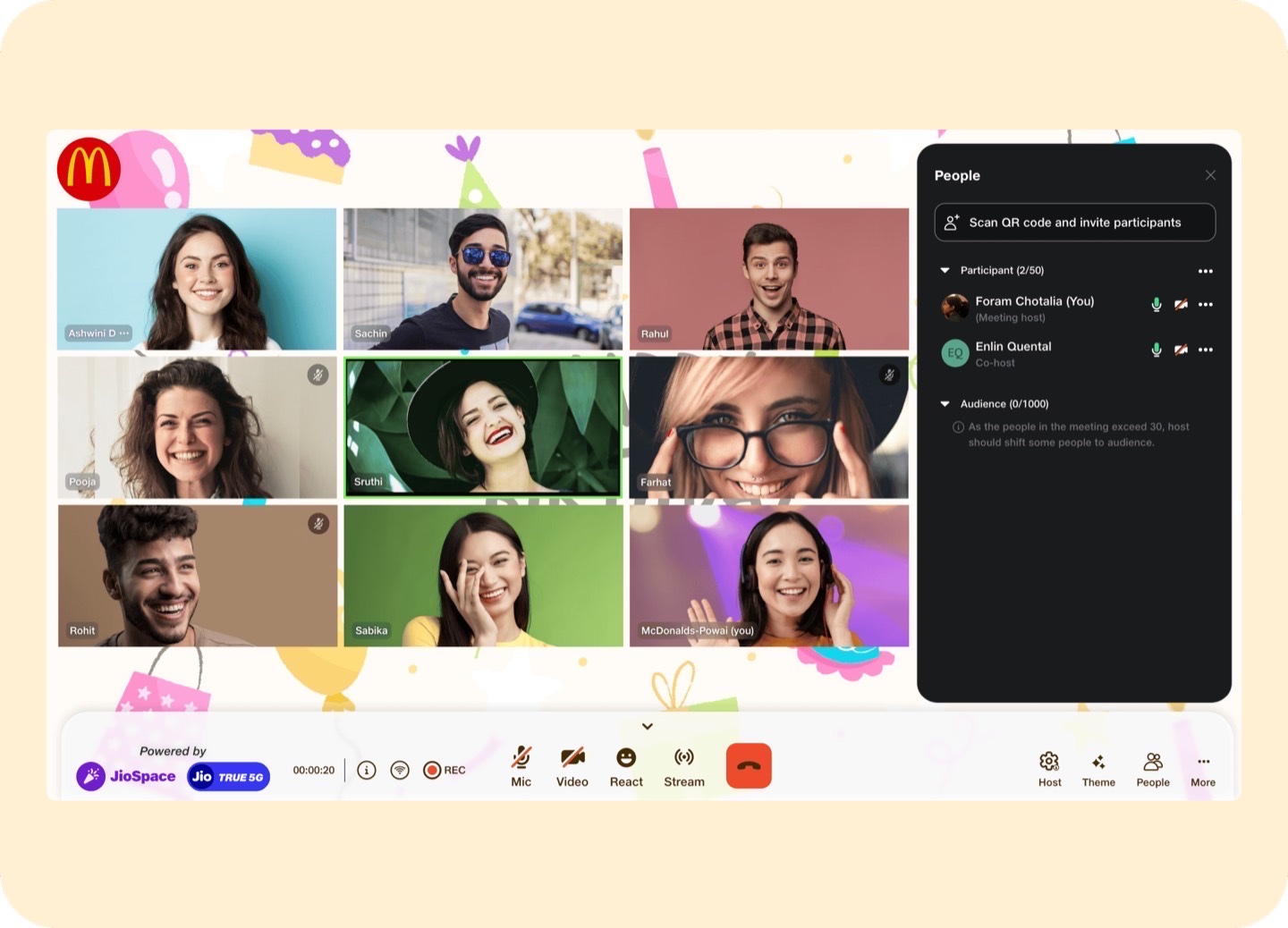
The McJio case study covers the full product story — the brief, the cross-device system, the entertainment-first design decisions, and the outcome. The screens here are the TV-facing slice of a larger experience.
Read more in the full McJio case study →Supporting TV Proof
A supporting entertainment exploration showing how participation mechanics could translate to a large-screen context that needed to remain direct, visual, and easy to understand at a distance.
Status
TV entertainment / engagement exploration
Ownership
Single-handed after manager guidance
Platform
TV
The value here was less about system depth and more about showing that participation-heavy entertainment patterns could be adapted to a TV context without losing readability or interaction clarity.
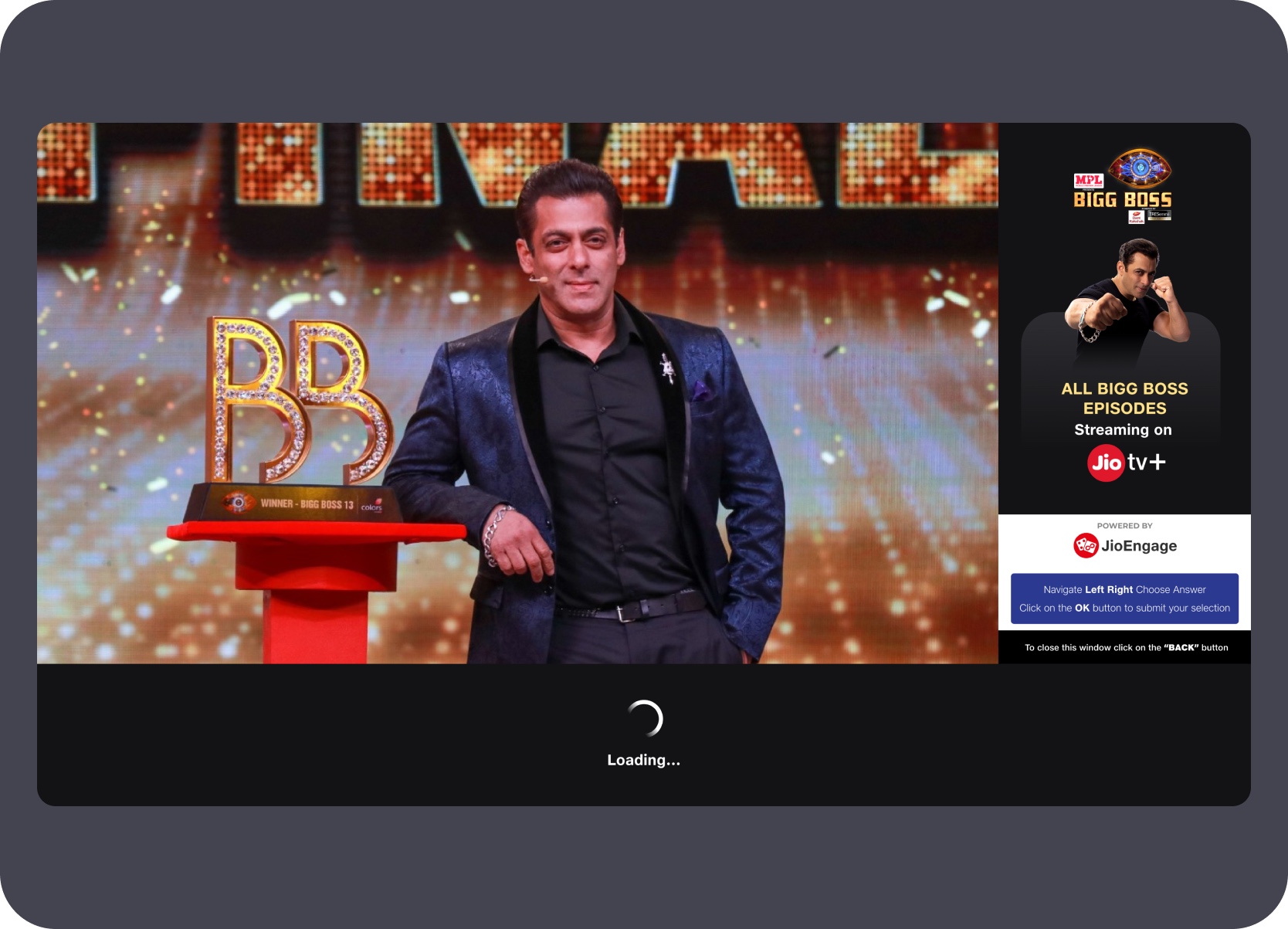
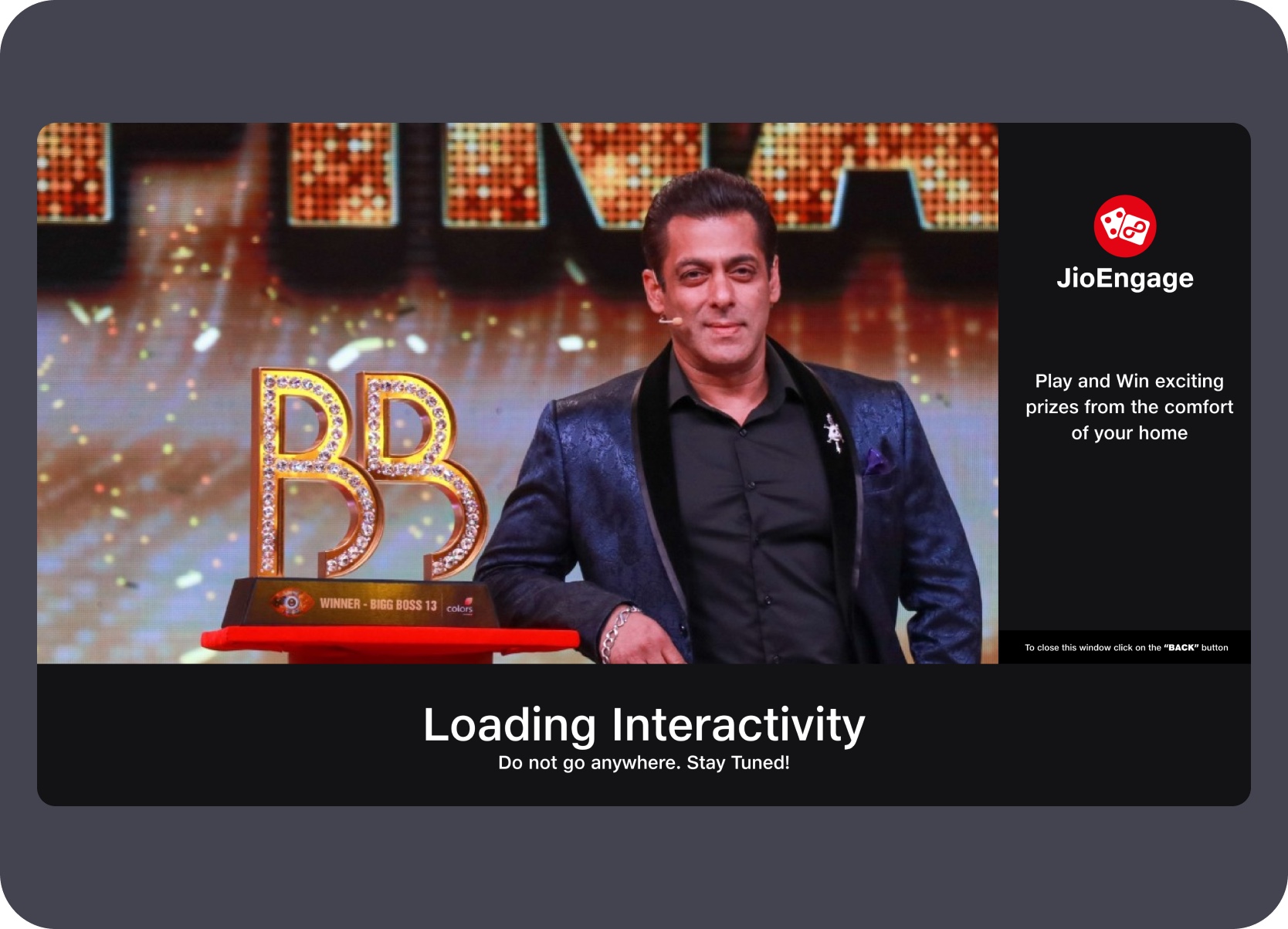
This sequence follows the numbered source order from the first quiz prompt through loading, answer interaction, result feedback, and completion. The design challenge was making the interaction understandable in seconds while live TV content remained visible.

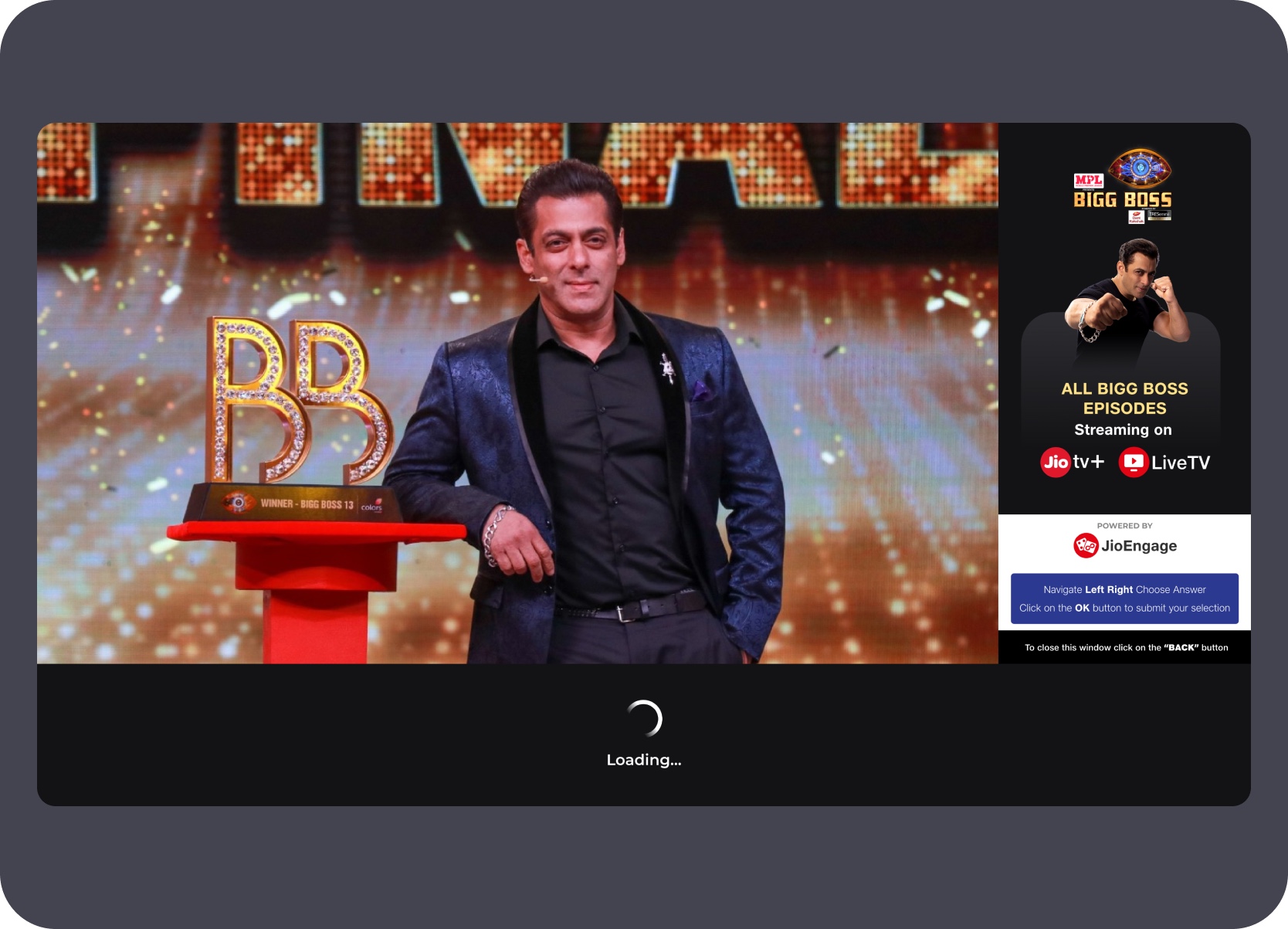
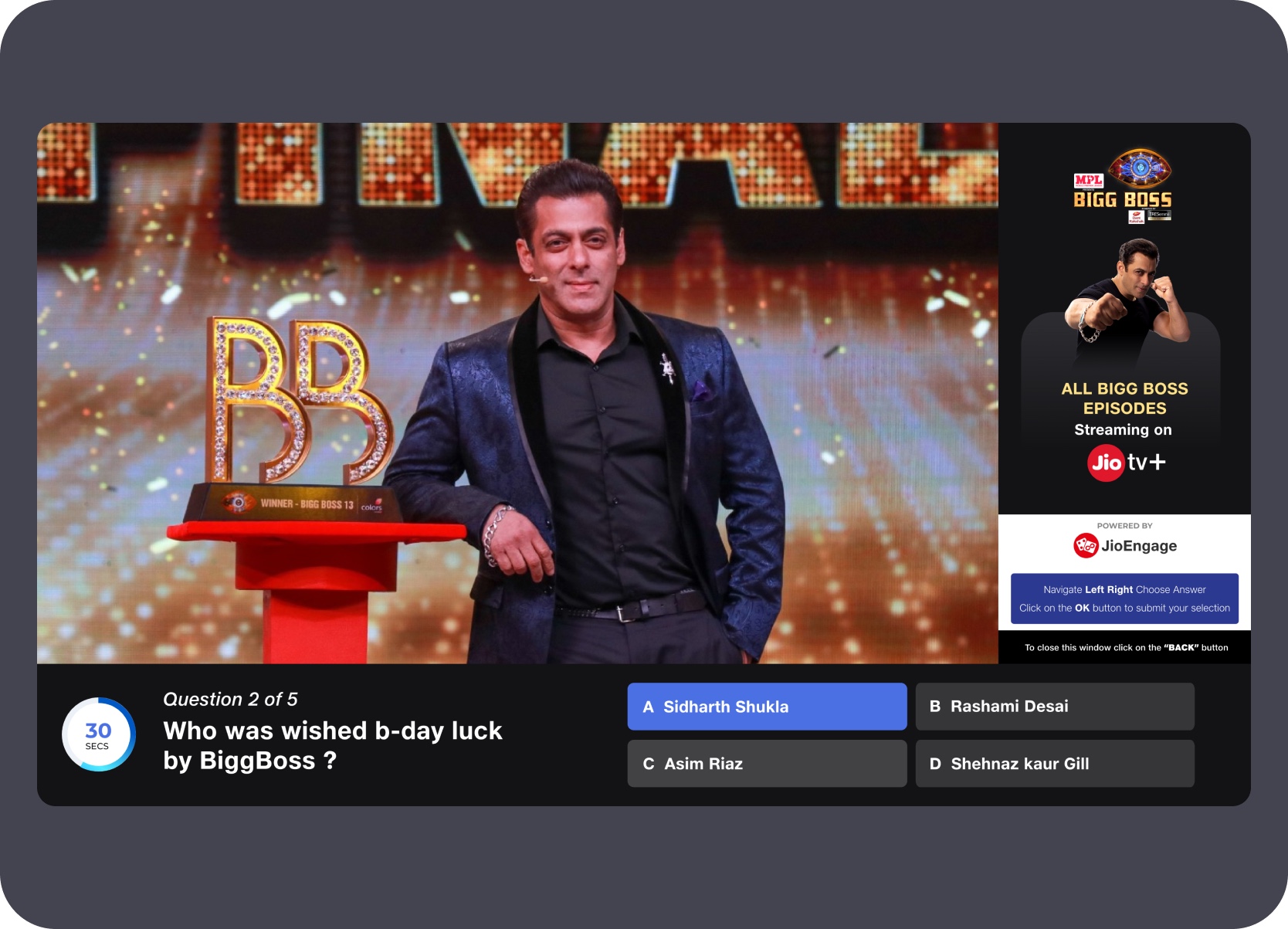
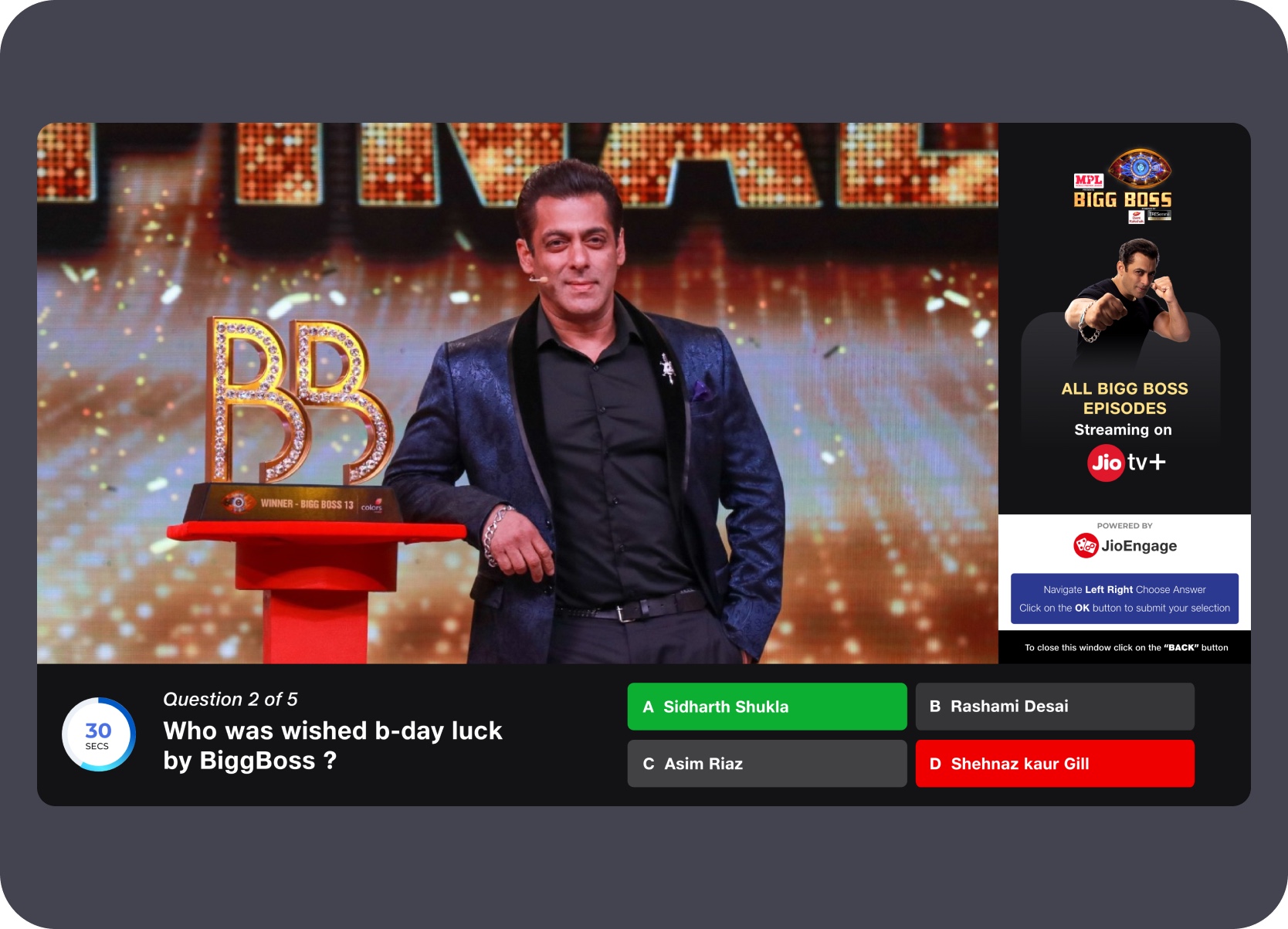
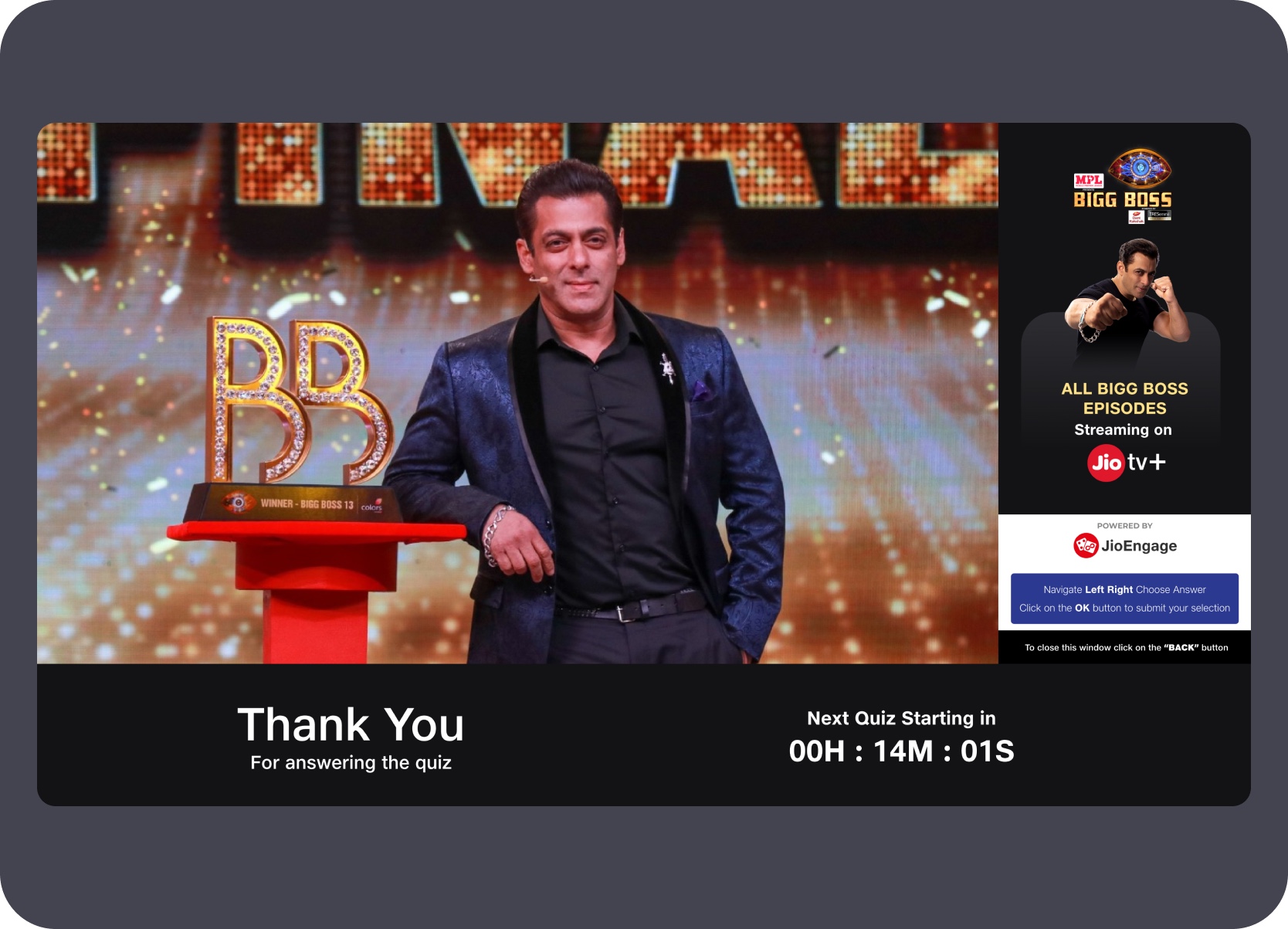
The next sequence moves in the same numbered order through poll invitation, shell entry, option focus, selected state, hold state, and visible results. Remote navigation and decision clarity had to remain obvious from a distance.

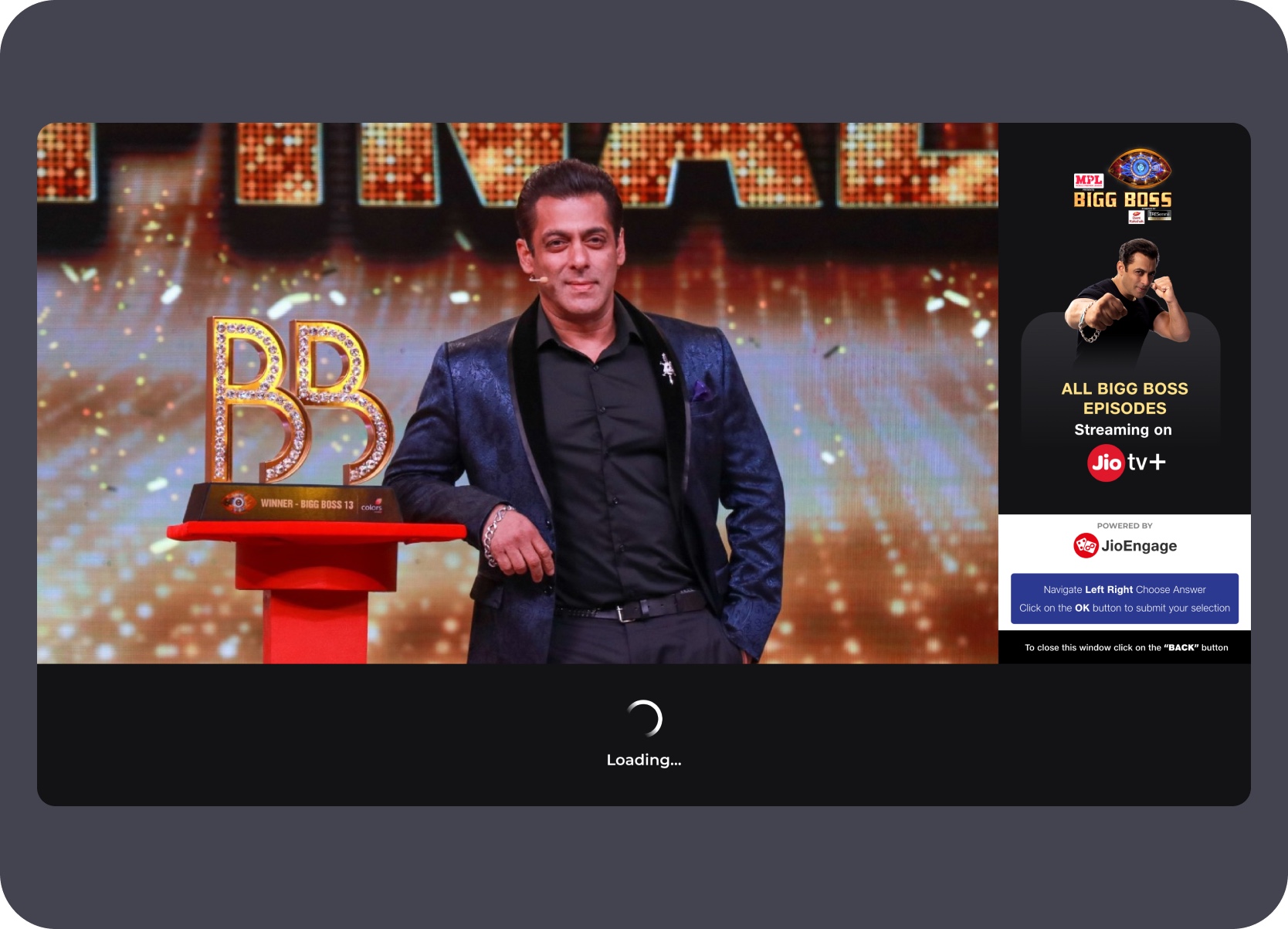
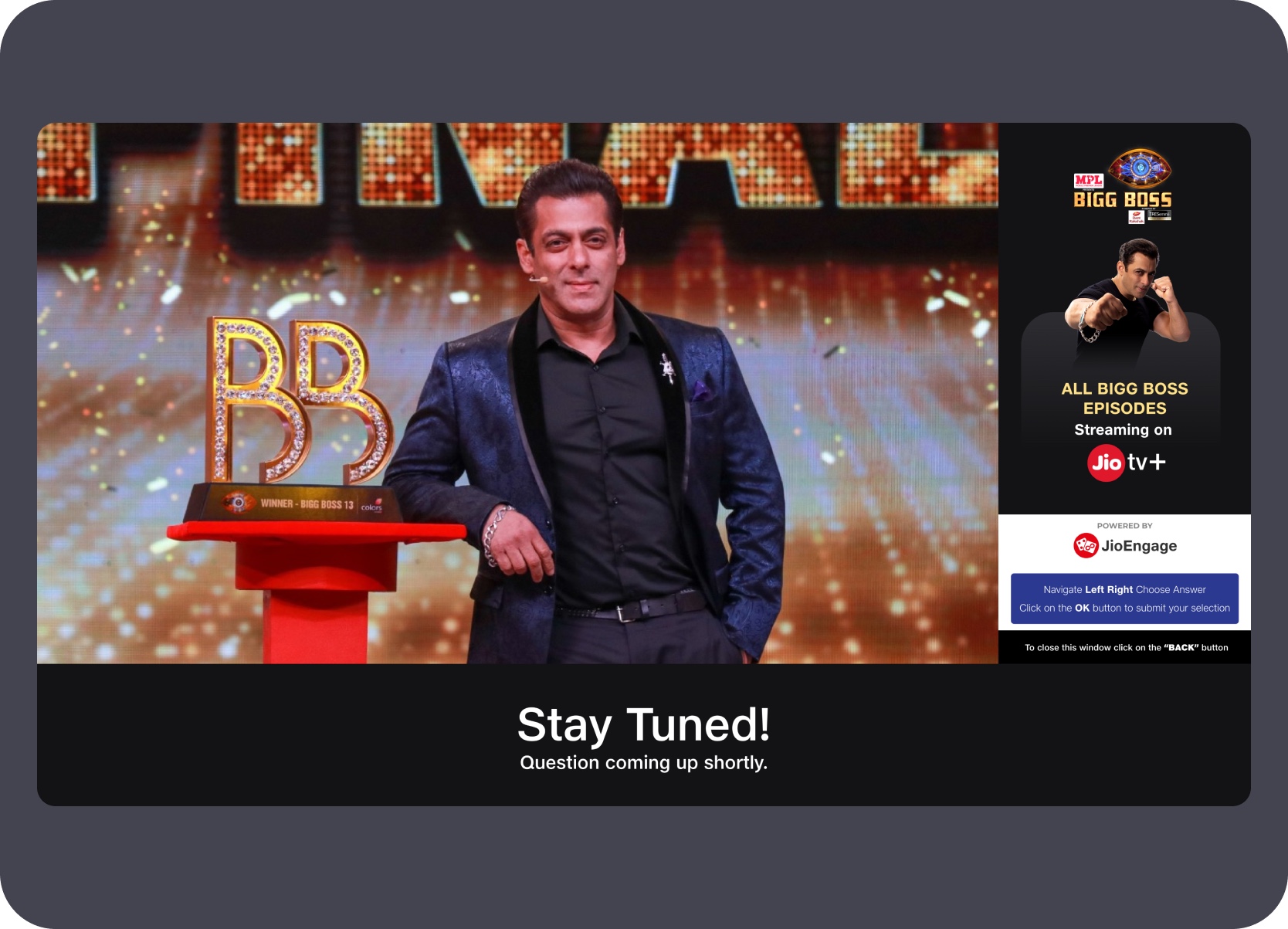
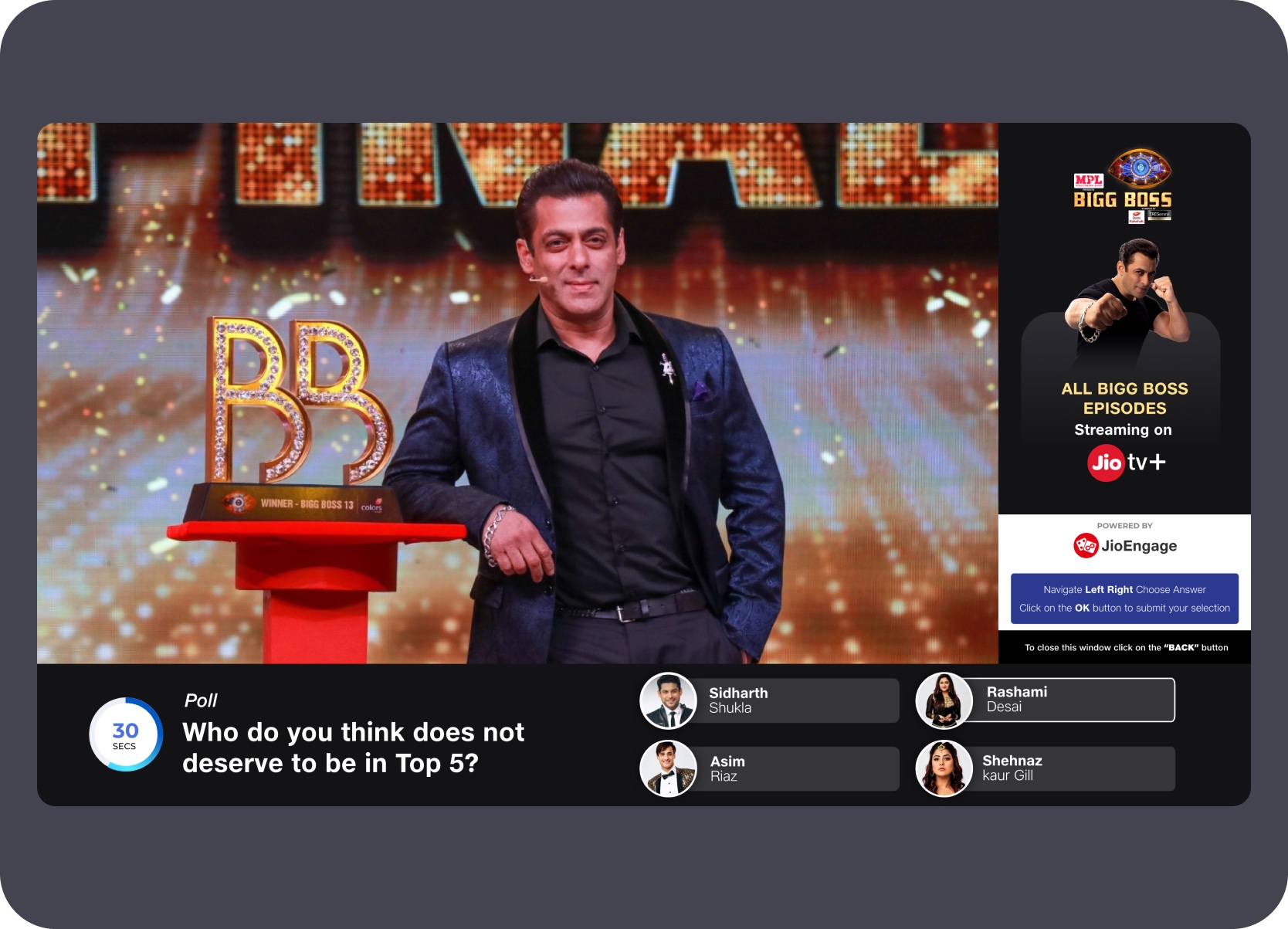
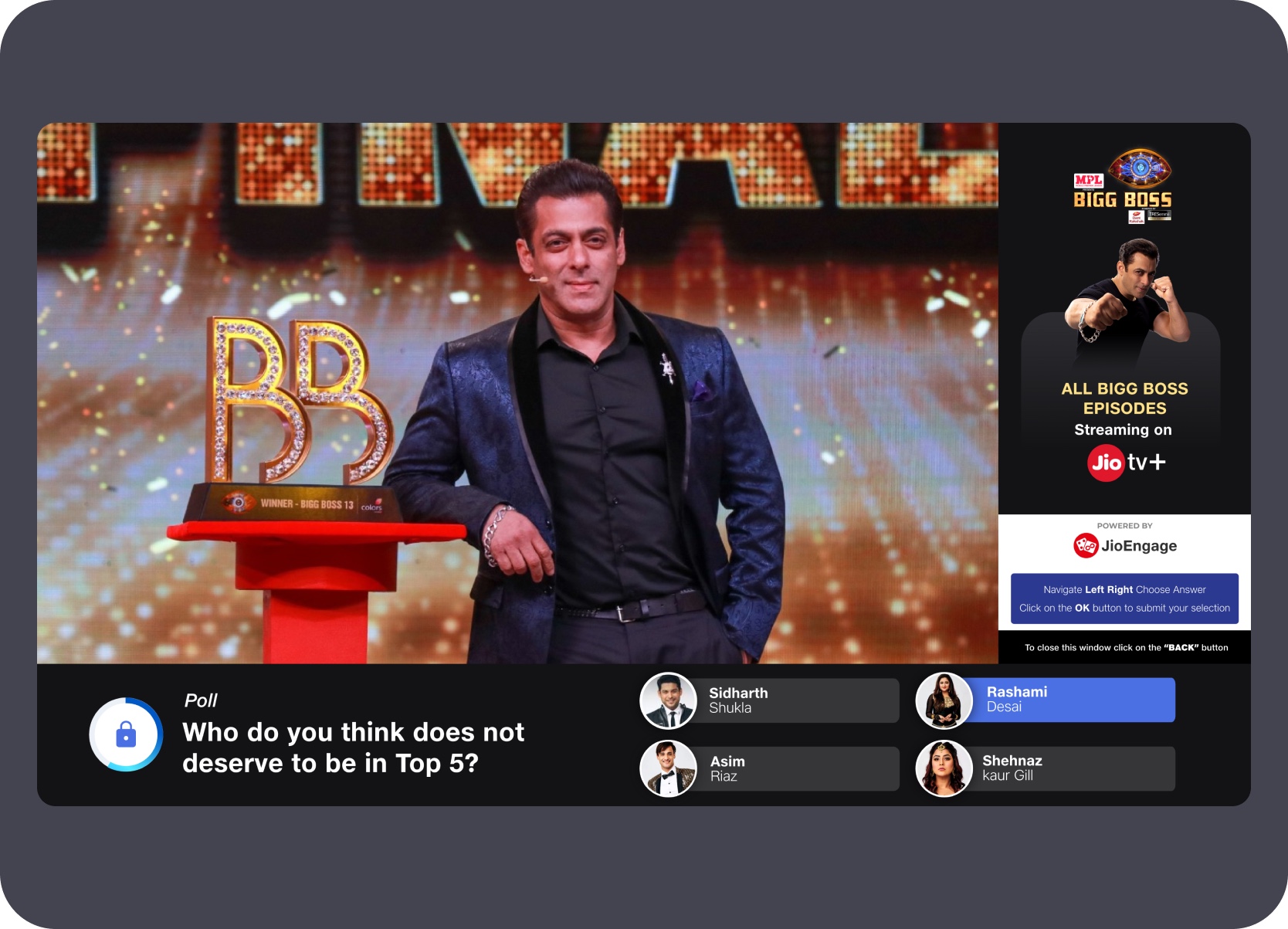
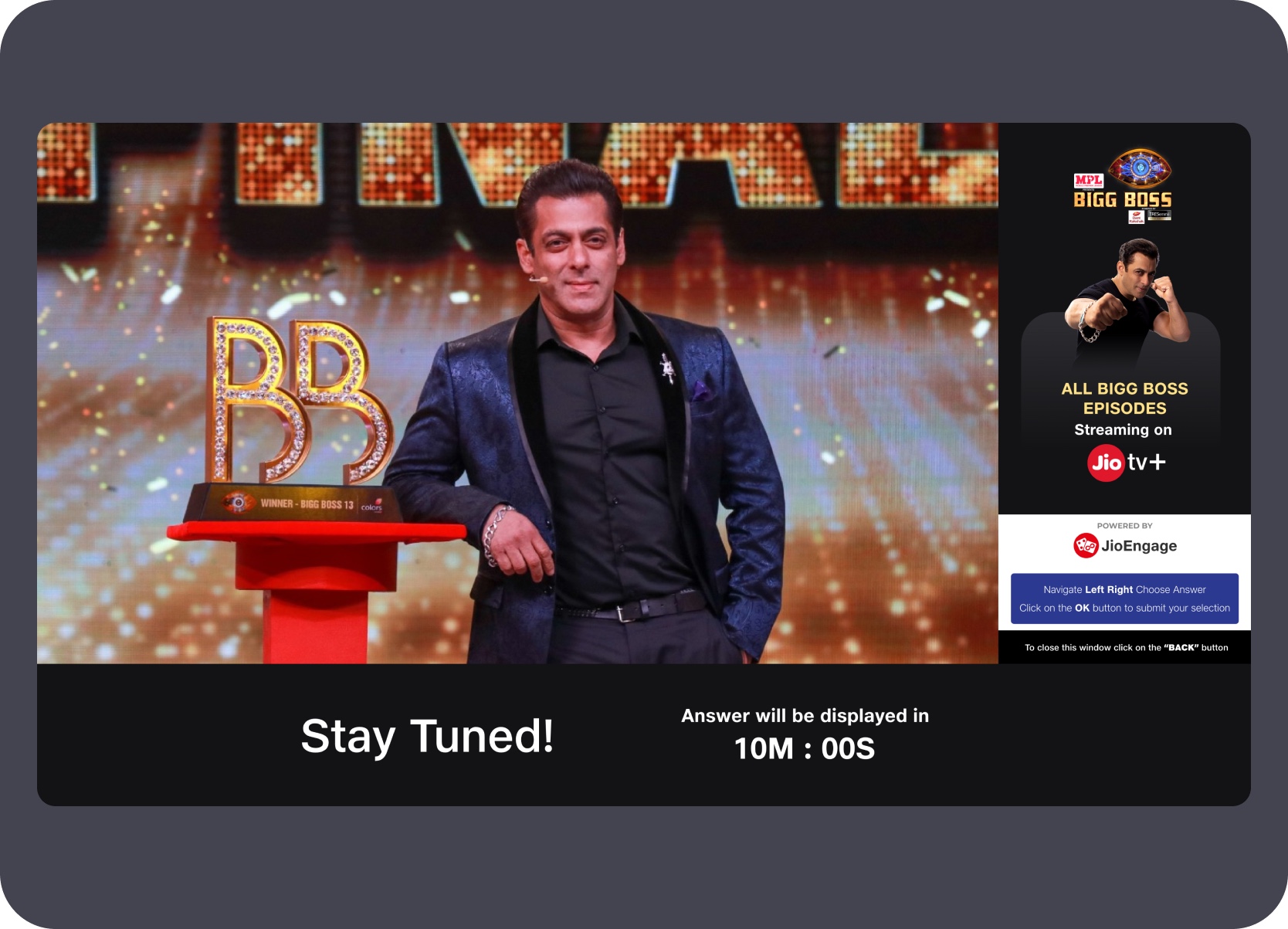
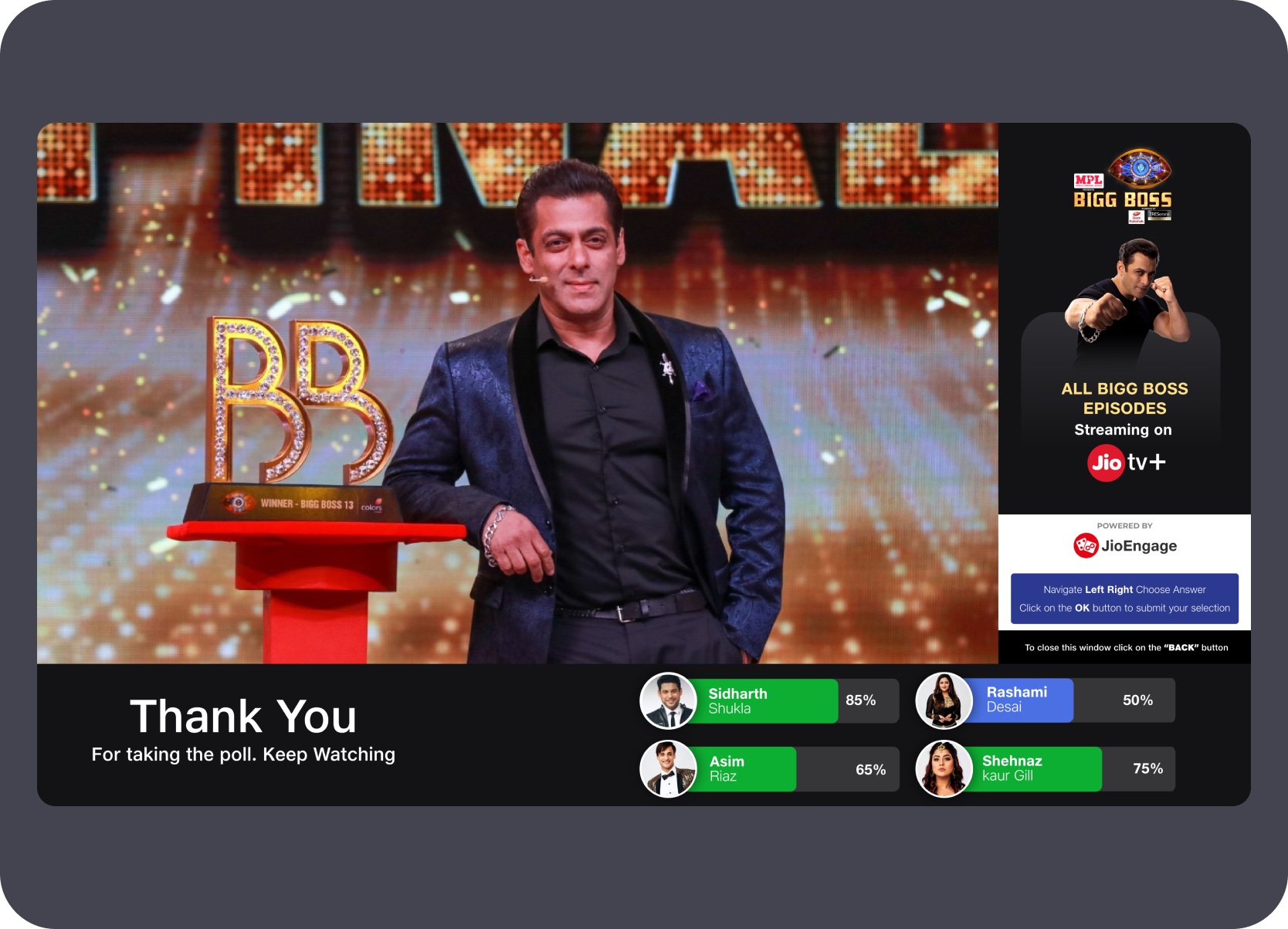
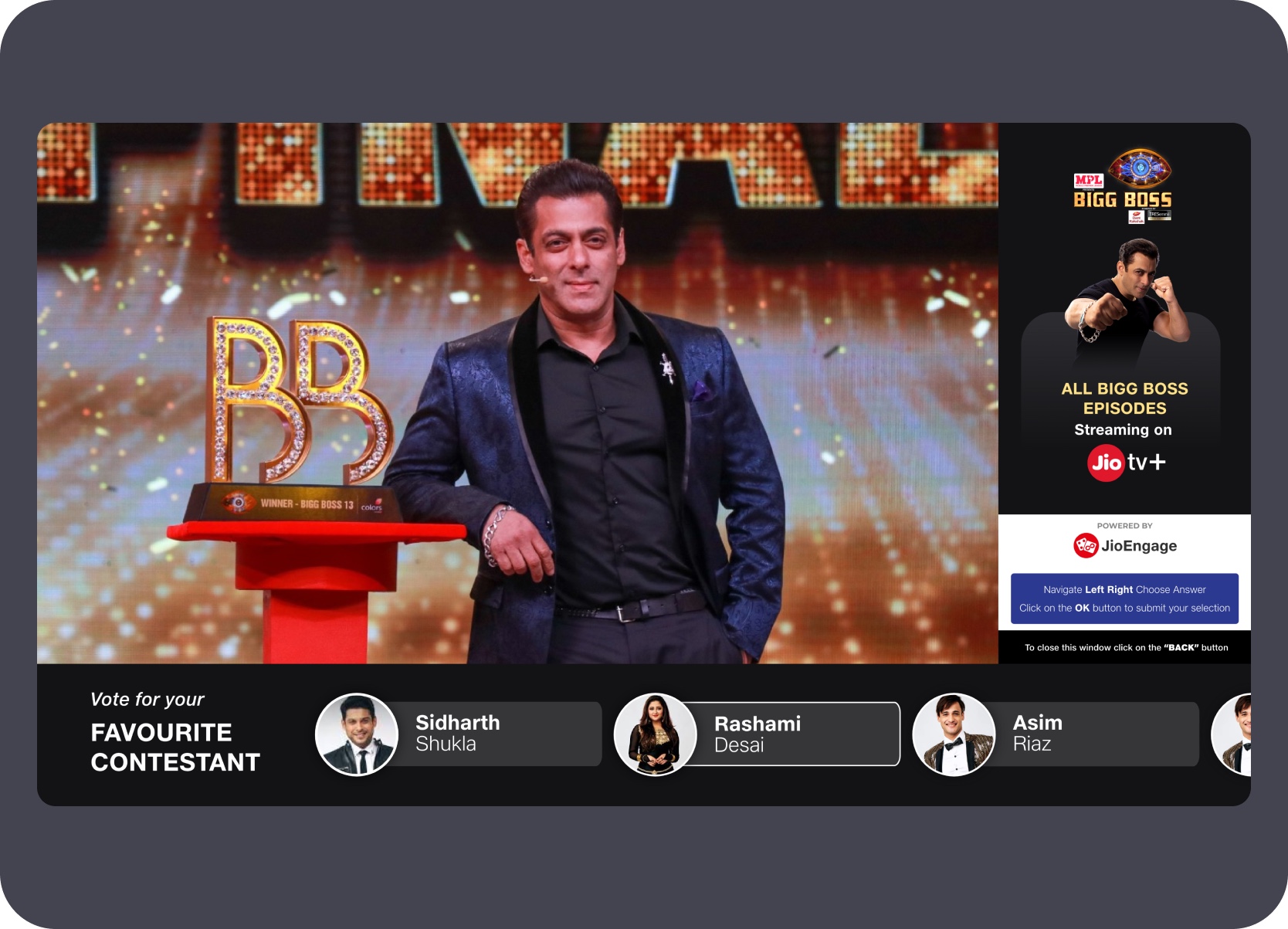
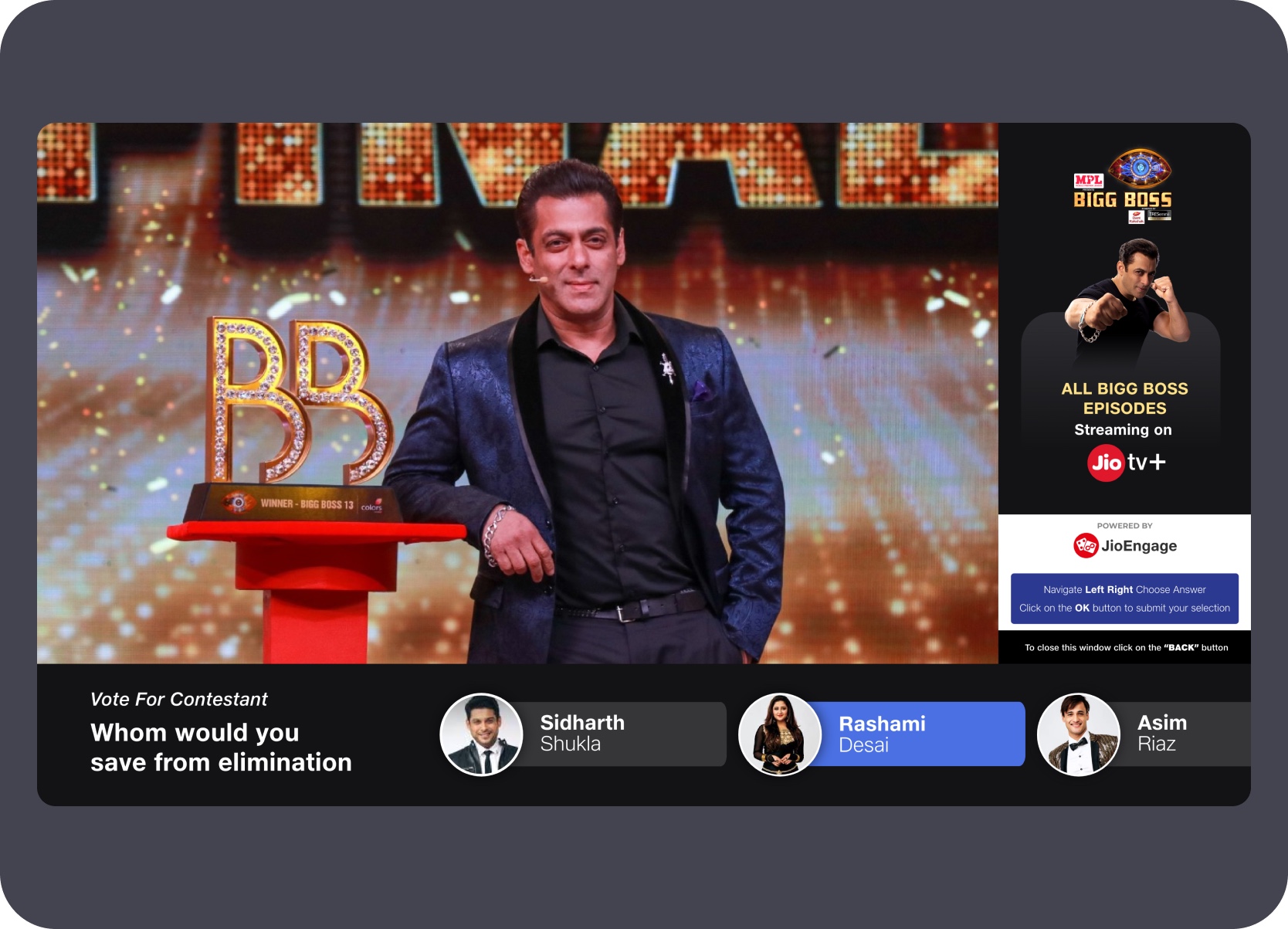
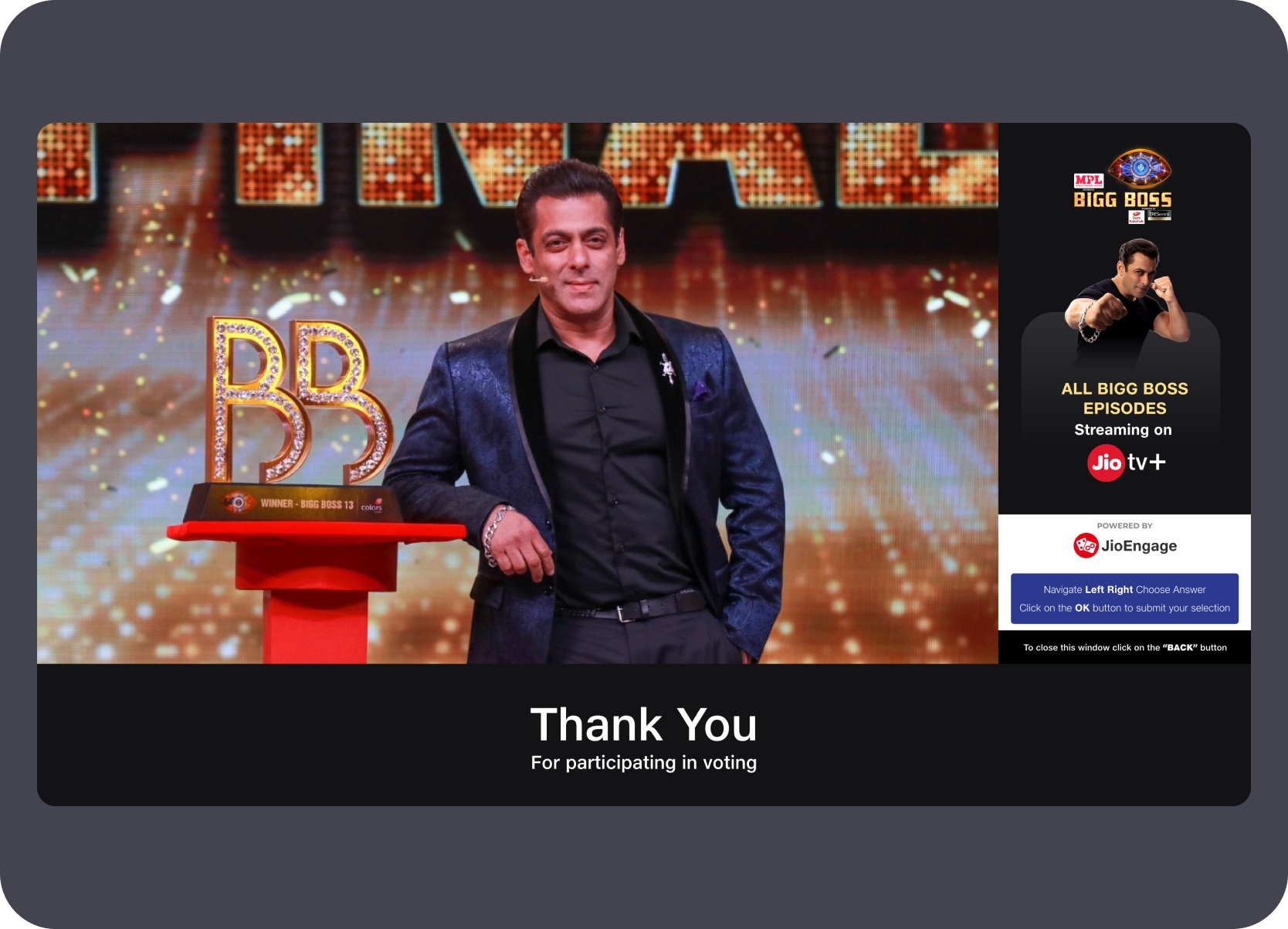
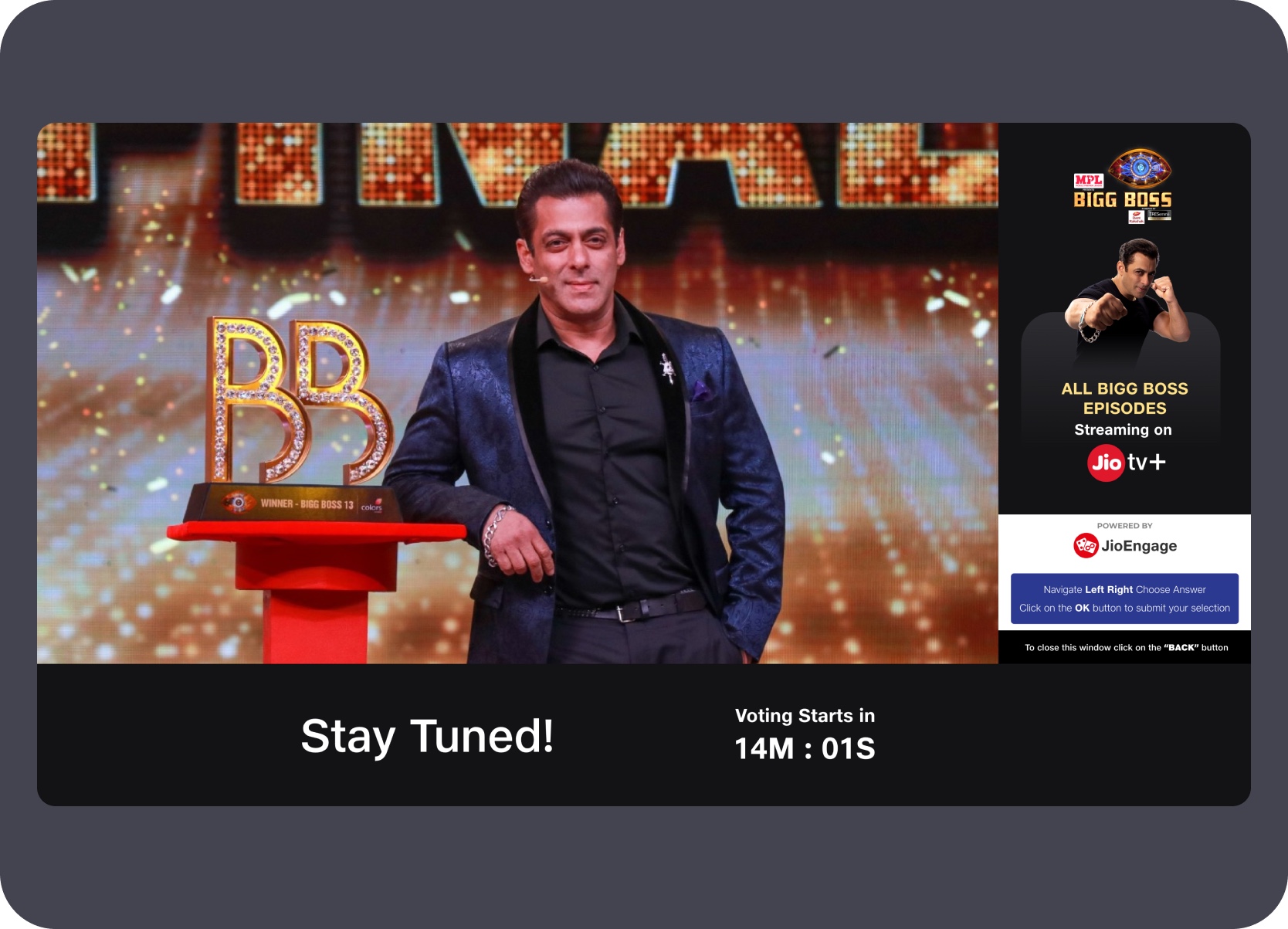
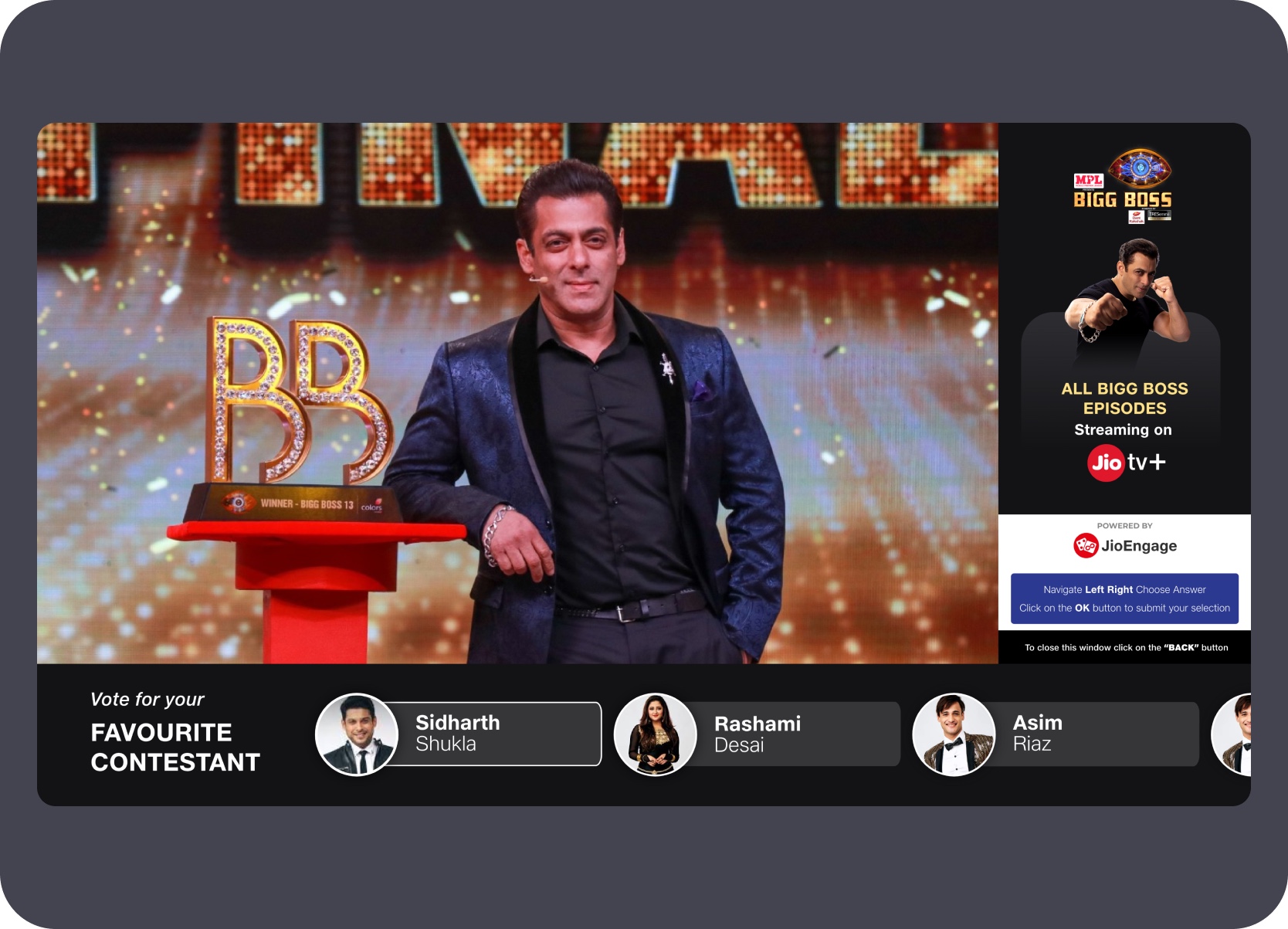
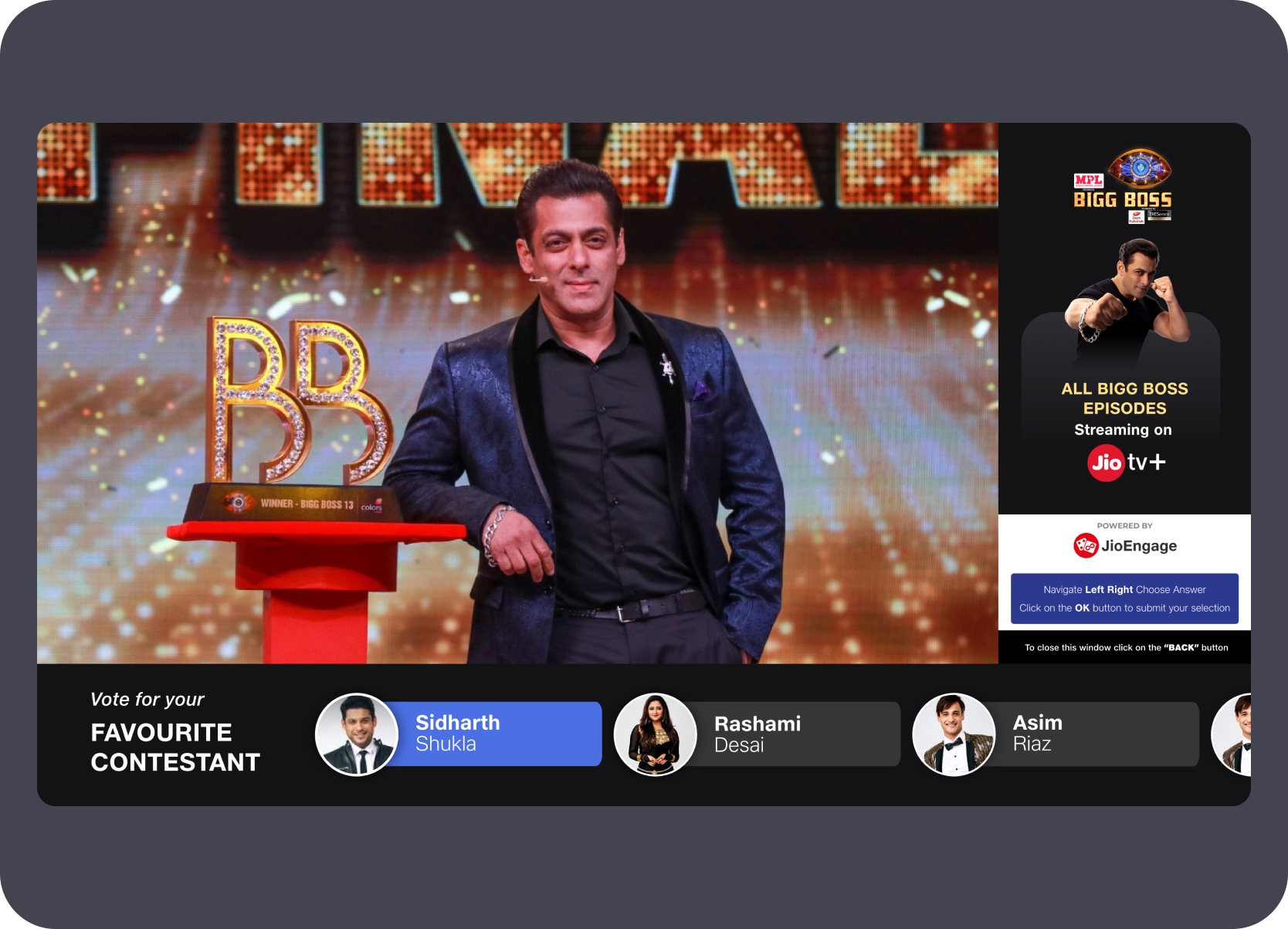
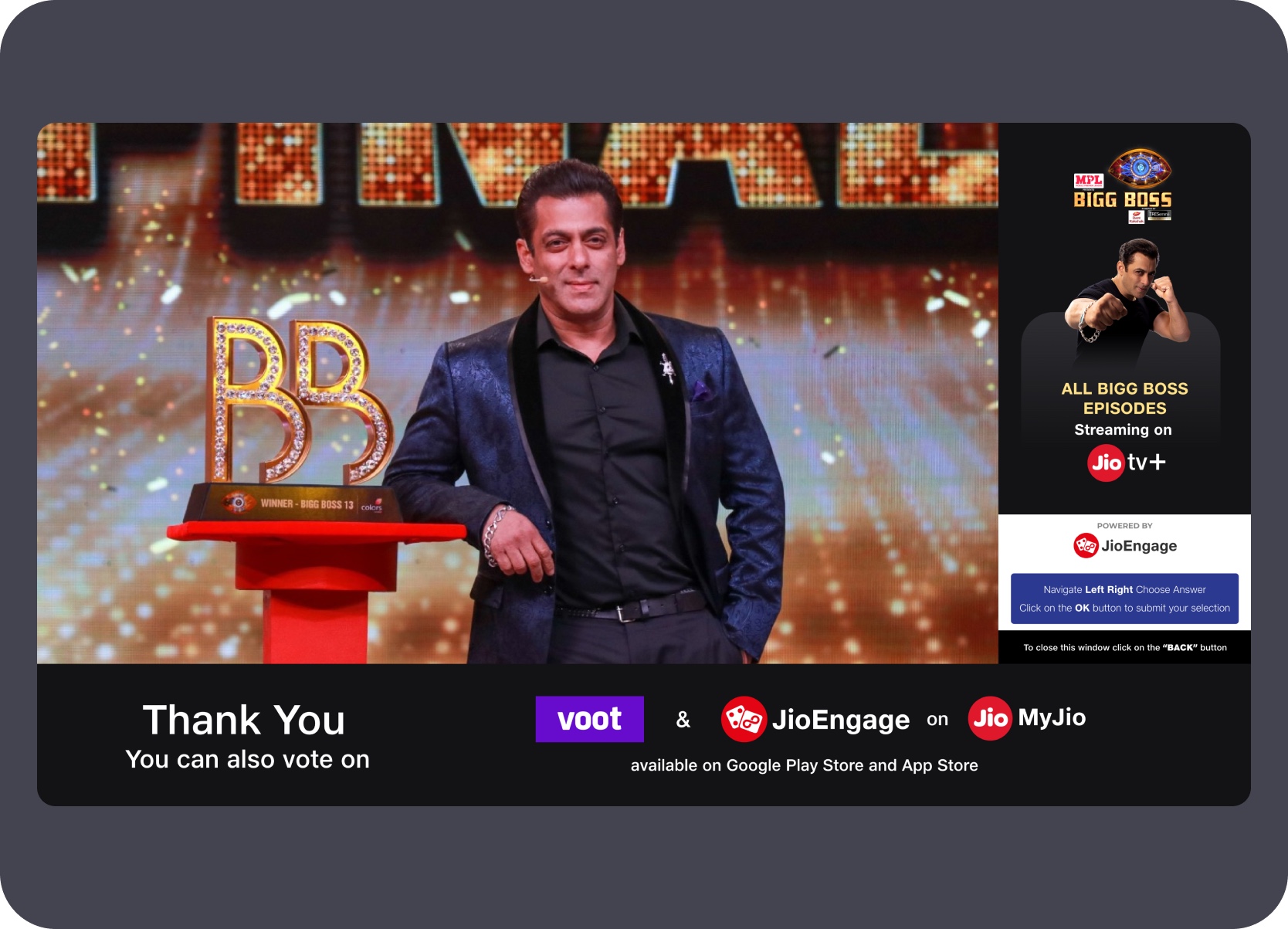
The final sequence continues in source-number order across vote prompts, loading, countdown states, contestant selection, confirmation, thank-you states, and later waiting or follow-up surfaces. It shows how the TV interaction stretched beyond a one-tap prompt into a fuller engagement loop.


Synthesis
Across these Jio projects, the repeated design task was adapting products to screen distance, input method, shared context, and the roles split across connected devices.
Each project returned to the same core design questions: how to make a TV interface readable at distance, how to keep remote-first navigation operable with minimal input, how to support shared-screen behavior across different use contexts, and how to connect PC, mobile, and TV roles as a coherent system rather than isolated experiences.
Designed for readability, focus behavior, and low-friction actions rather than carrying desktop interaction patterns onto a shared large screen.

Worked through how TV, classroom, PC, mobile, and host and participant roles stayed coherent as a single product system across surfaces.

Balanced ambitious product vision with feasible release paths — keeping the future-state visible to stakeholders while giving teams a buildable starting point.

Worked across problem framing, UX flow, visual direction, stakeholder alignment, and developer handoff — not just screen design.
Continue Browsing