Core loop: Senior Design Manager, Lead PM
Weekly reviews: Director of Design, Director PM
Monthly: Head of Design, CPO
MakeMyTrip Holidays
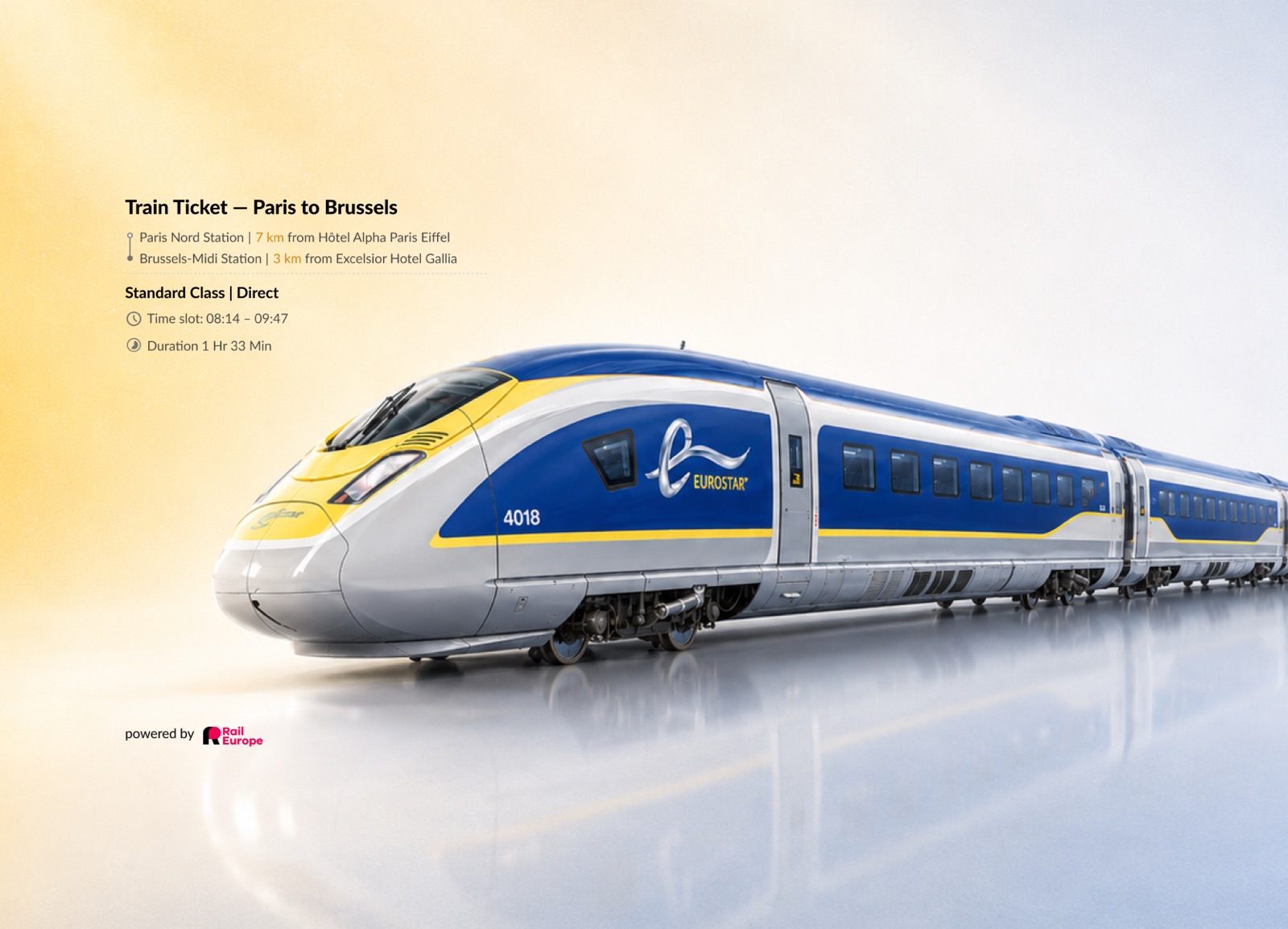
Rail stitched into holiday packages across CMS and booking flows. The challenge was to make dynamic train pricing, passes, stations, and multi-leg routes feel native inside MakeMyTrip's existing holiday package system.
1
Designer Lead Product Designer
2
Collaboration layers Core loop, periodic reviews
4
Core surfaces Desktop, mobile, CMS, Holiday Experts (HE) DIY
My Role
Lead Designer (IC) across CMS, desktop, mobile, and Holiday Expert DIY — translating Rail Europe's standalone booking logic into MMT Holidays' package model.
The Team
Core loop: Senior Design Manager, Lead PM
Weekly reviews: Director of Design, Director PM
Monthly: Head of Design, CPO
Platforms
Status
Design complete as of Feb 2026. In development.
Challenge
Rail had to work inside an existing package system where flights, hotels, transfers, activities, meals, pricing, and availability were already connected.
The challenge wasn't to add a train card. It was to make rail work natively across every surface where packages are created, browsed, customized, and booked.
City-to-city journeys with operator, class, and station variables on every leg.
Flexi and continuous passes as an alternative to single-trip tickets.
Youth, child, and senior fare categories that directly changed the package cost.
Class, operator, station, direct/non-direct, and duration filters on every train search.
Multi-leg journeys with interchanges and overnight timing needing pre-selection disclosure.
Station distance depended on which hotel and which train was selected — not a fixed value.
Trains could become unavailable after package creation or return no results at all.
Product Logic
Before designing the Holidays experience, I mapped how Rail Europe handled train discovery, passenger categories, route complexity, pricing, and booking confidence — then translated those behaviours into MMT’s package system.
Rail Europe behaviour
What Holidays needed
Train tickets vs rail passes
P2P transfer and Pass transfer setup in CMS
Adult / Youth / Senior fare categories
Contextual age capture in Holidays and HE DIY
Multiple departures and fare classes
Add/change train cards with time slots and class
Direct, non-direct, interchange routes
Route anatomy, overnight and interchange tags
Dynamic pricing and availability
Review fare updates and unavailable-train fallback
Station-based journeys
Hotel-to-station distance and dependency warnings
Rail Europe separated train tickets and rail passes upfront, with passenger-type inputs such as Adult, Senior, and Youth directly affecting fare discovery.
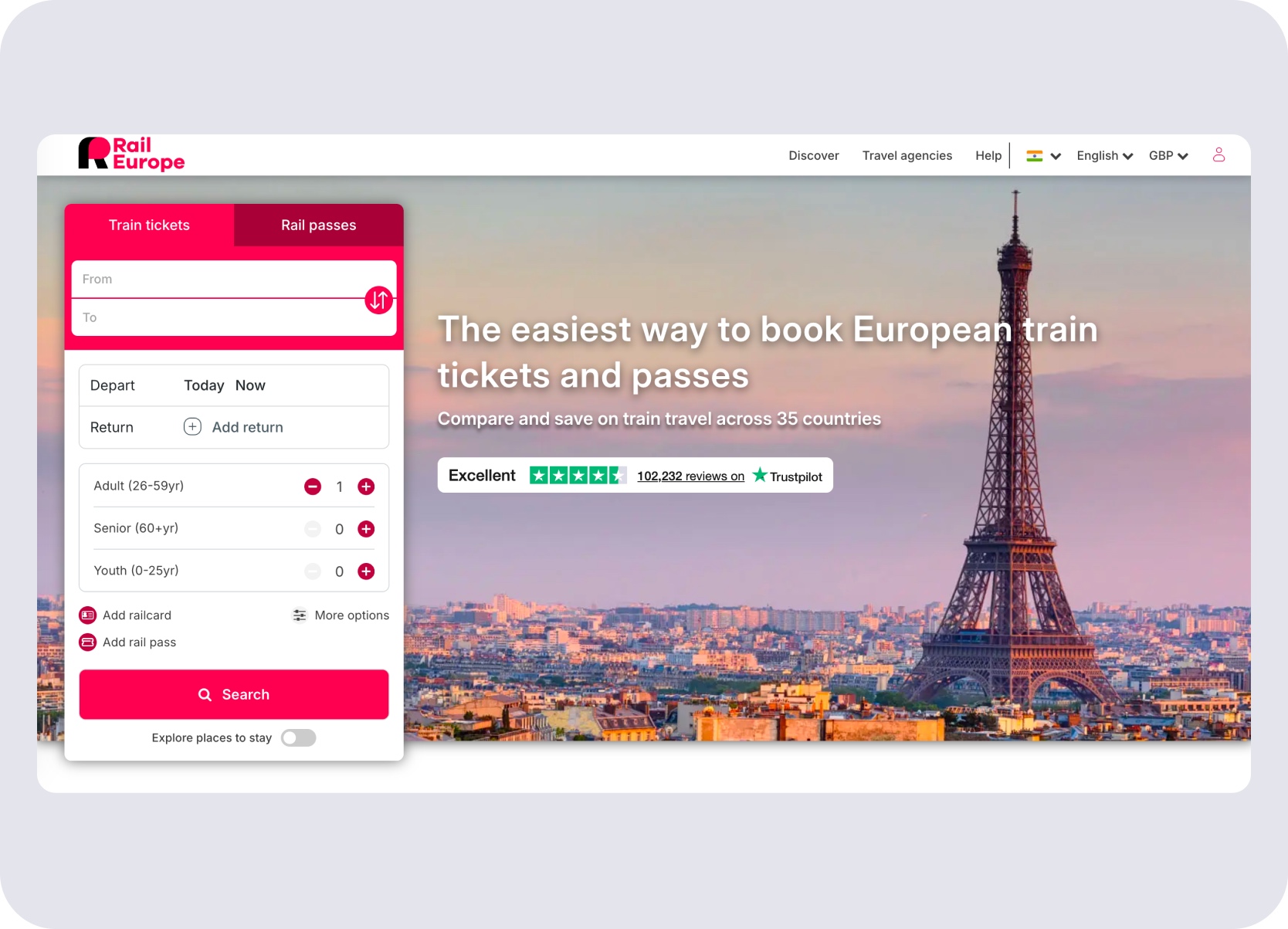
Train tickets and rail passes as separate entry points — passenger type sets the fare tier upfront.
The Rail Europe flow treated train selection as a dynamic shopping journey, with changing prices, multiple departures, route durations, and checkout state visible together.
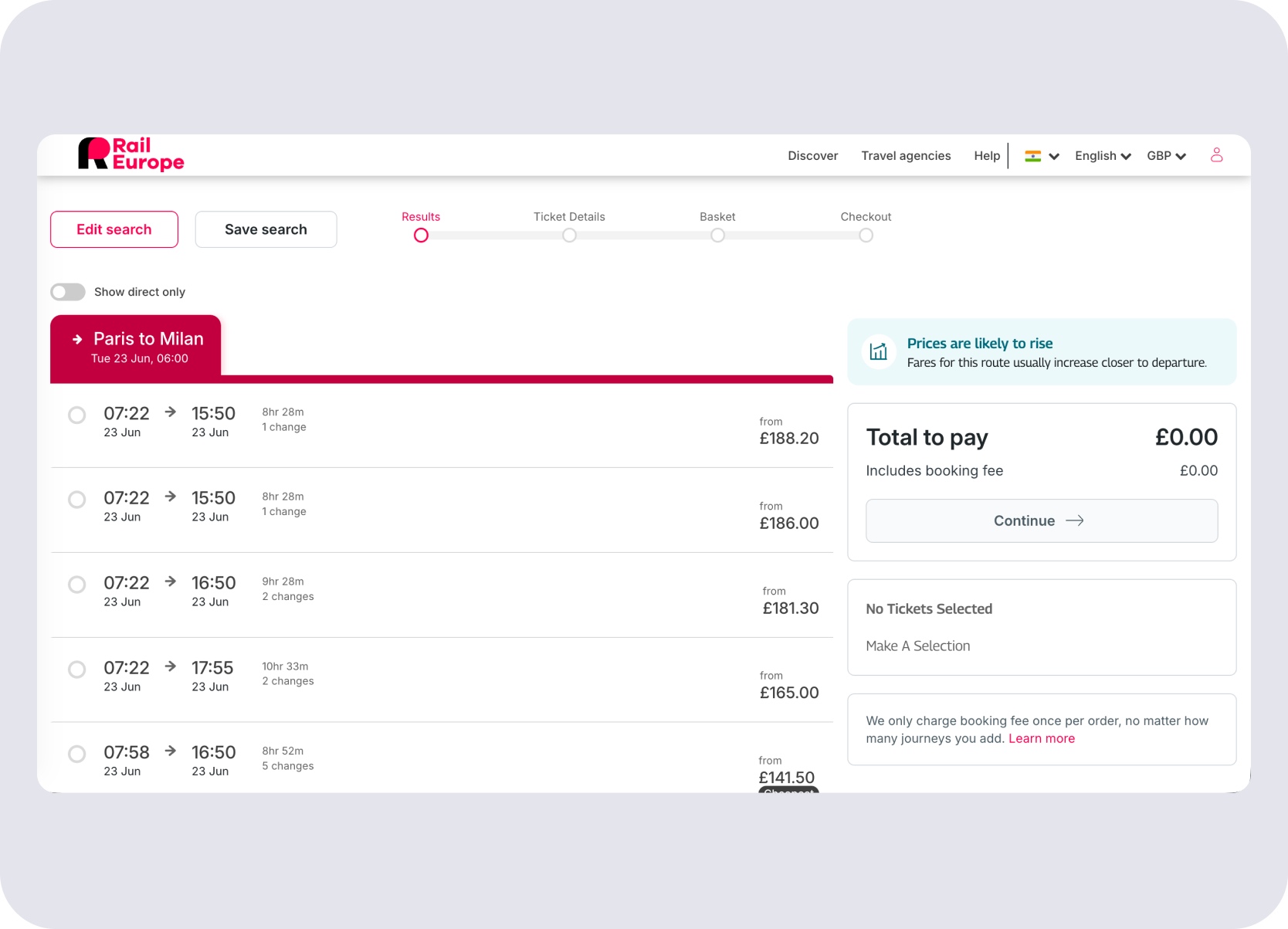
Dynamic pricing, multiple departures, and route detail all visible in one train selection view.
Complex journeys needed explicit warnings for short interchanges, bus segments, number of changes, and route legs before the user committed.
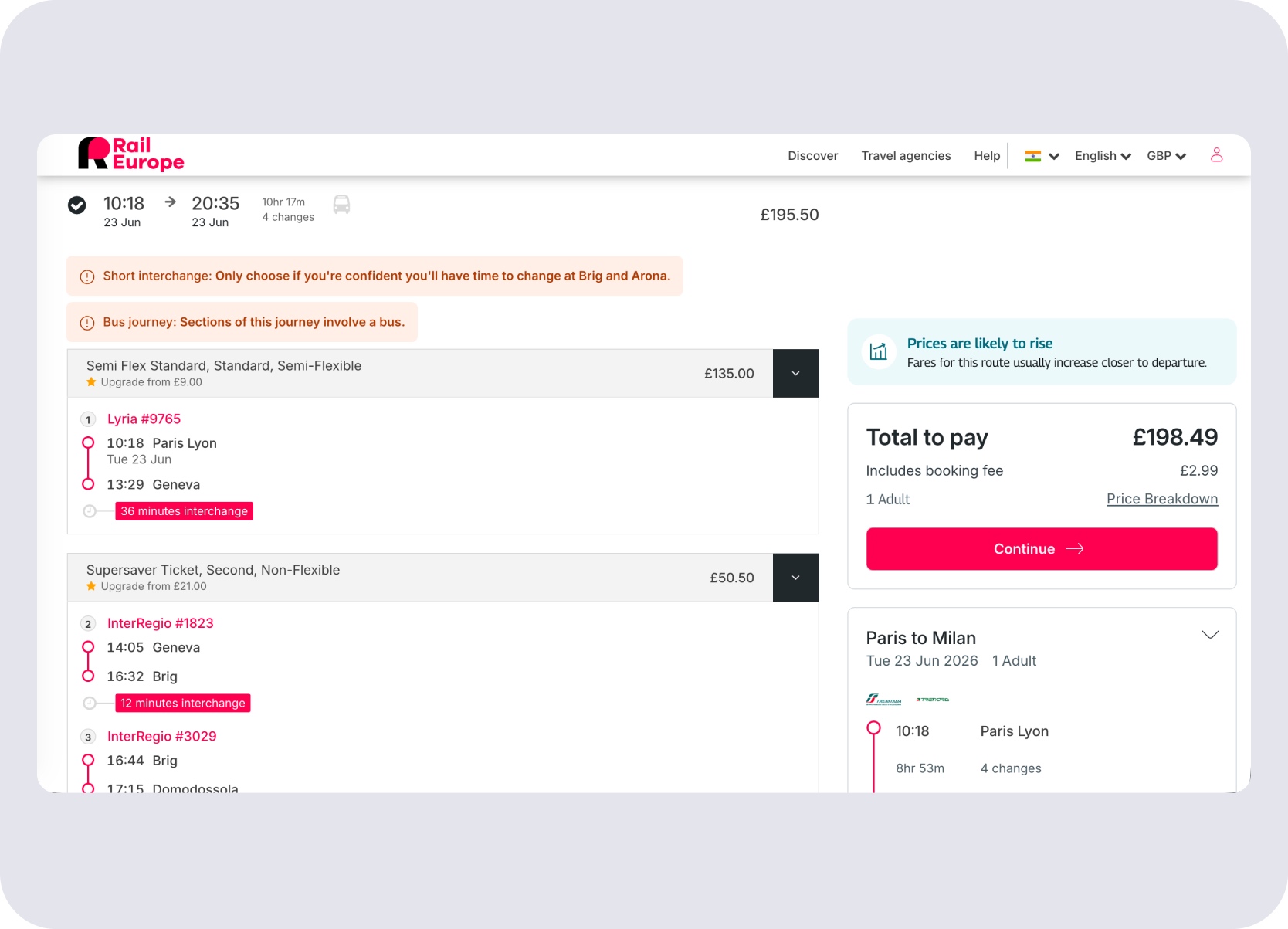
Short interchange time and route complexity flagged before the user commits to a multi-leg journey.
The existing Holidays flow already supported transfers and traveller inputs, but it did not yet support Rail Europe-specific logic like youth fares, passes, station proximity, interchange warnings, or dynamic rate plans.
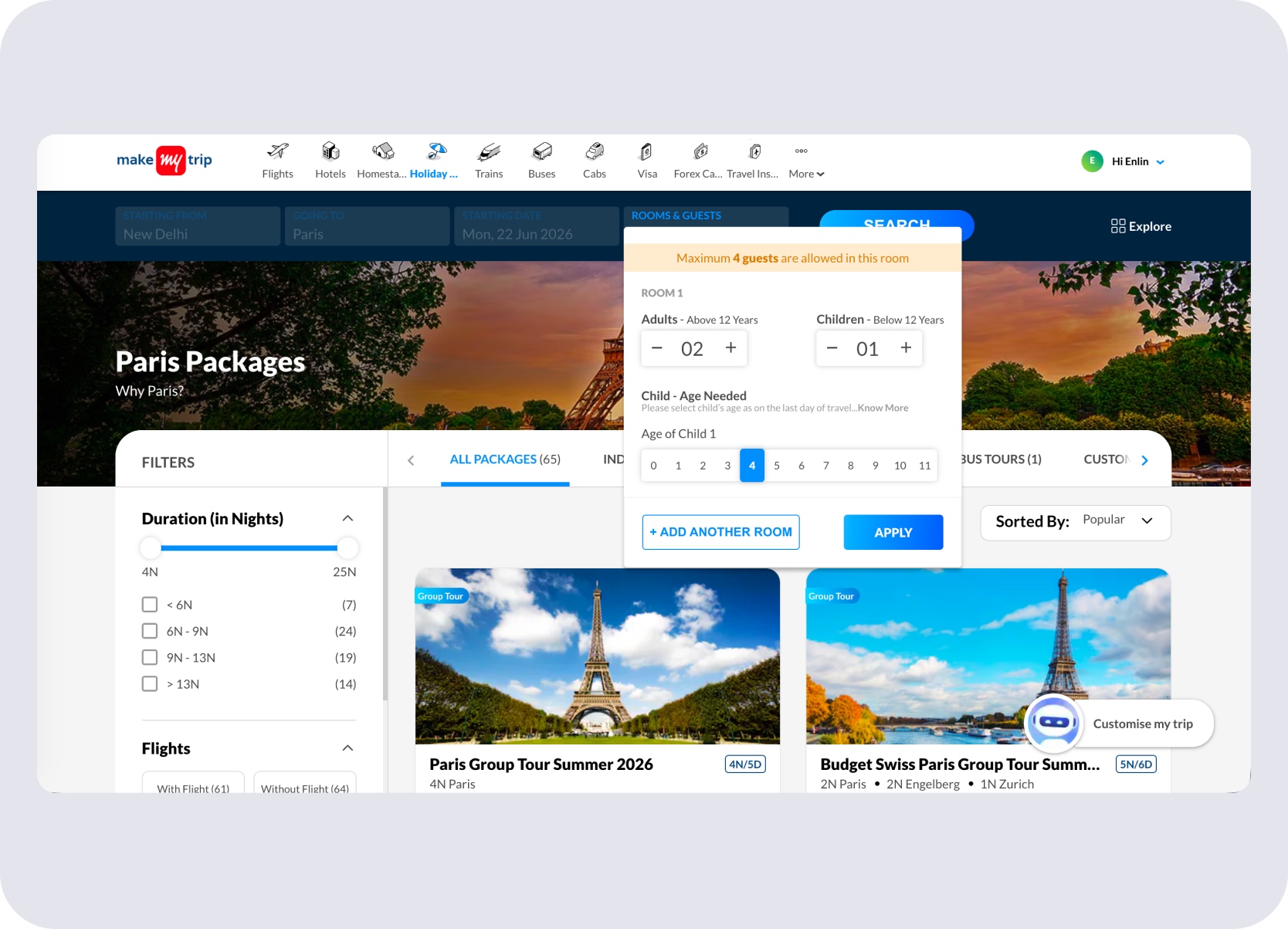
Rooms and guests — standard traveller input with no rail-specific age tier logic.
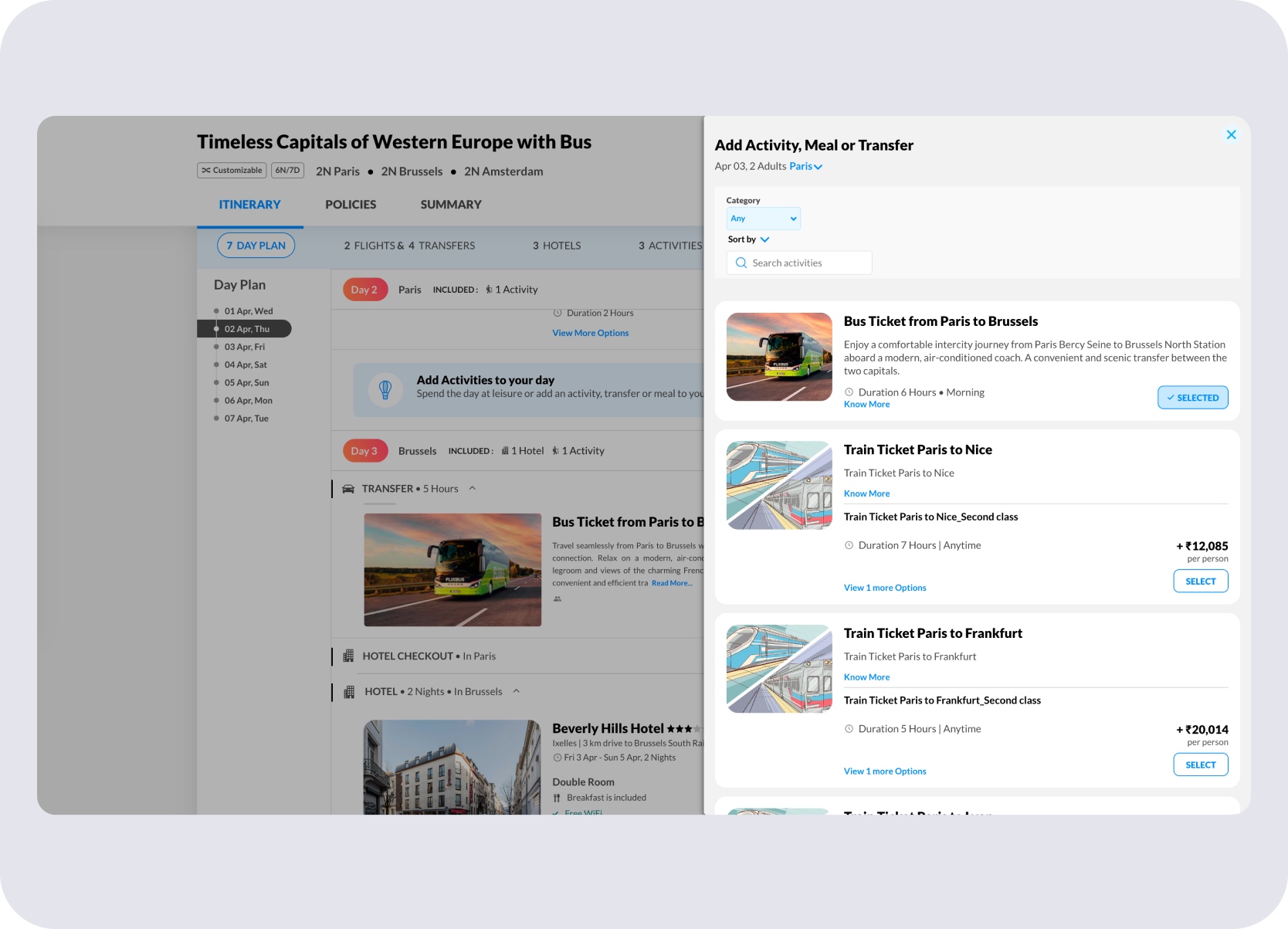
Transfer mode selection — no Rail Europe operator, class, or pass options.
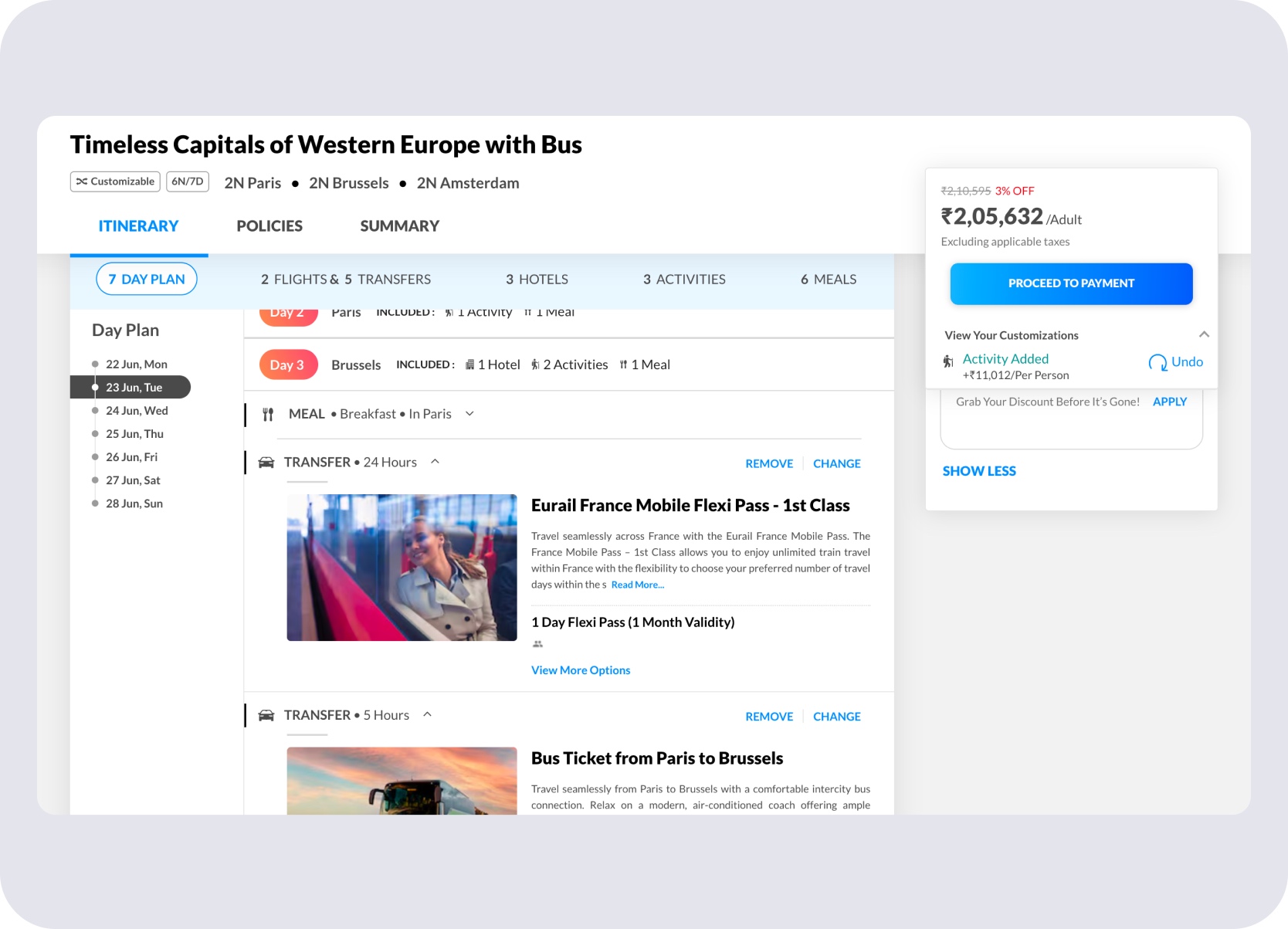
Itinerary view — rail pass entry point exists but without pricing depth or route anatomy.
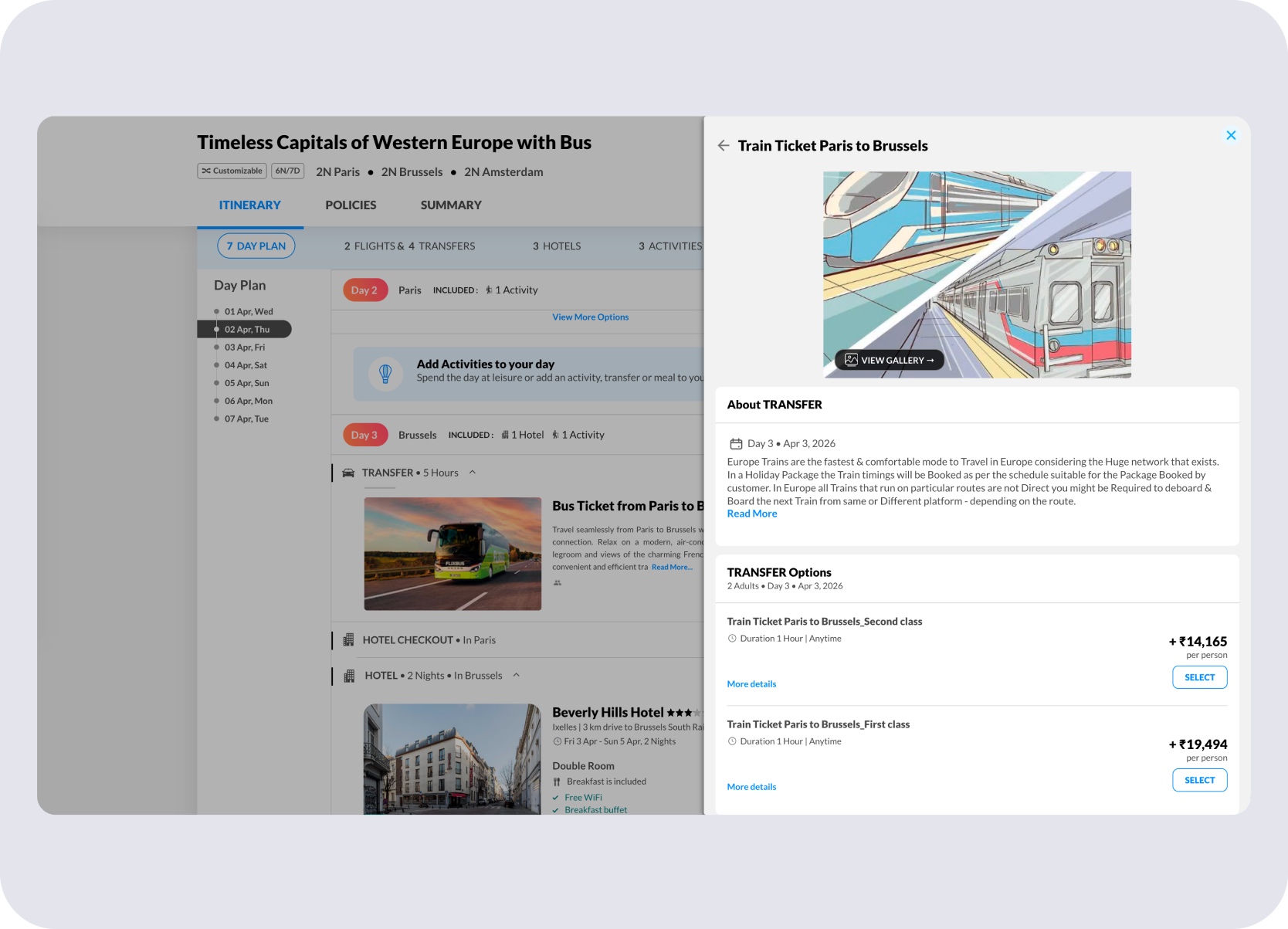
Transfer card without station proximity, interchange warnings, or dynamic fare display.
CMS Foundation
Before Rail Europe could appear in holiday packages, package creators needed a way to add, search, and configure rail inside the existing CMS transport module.
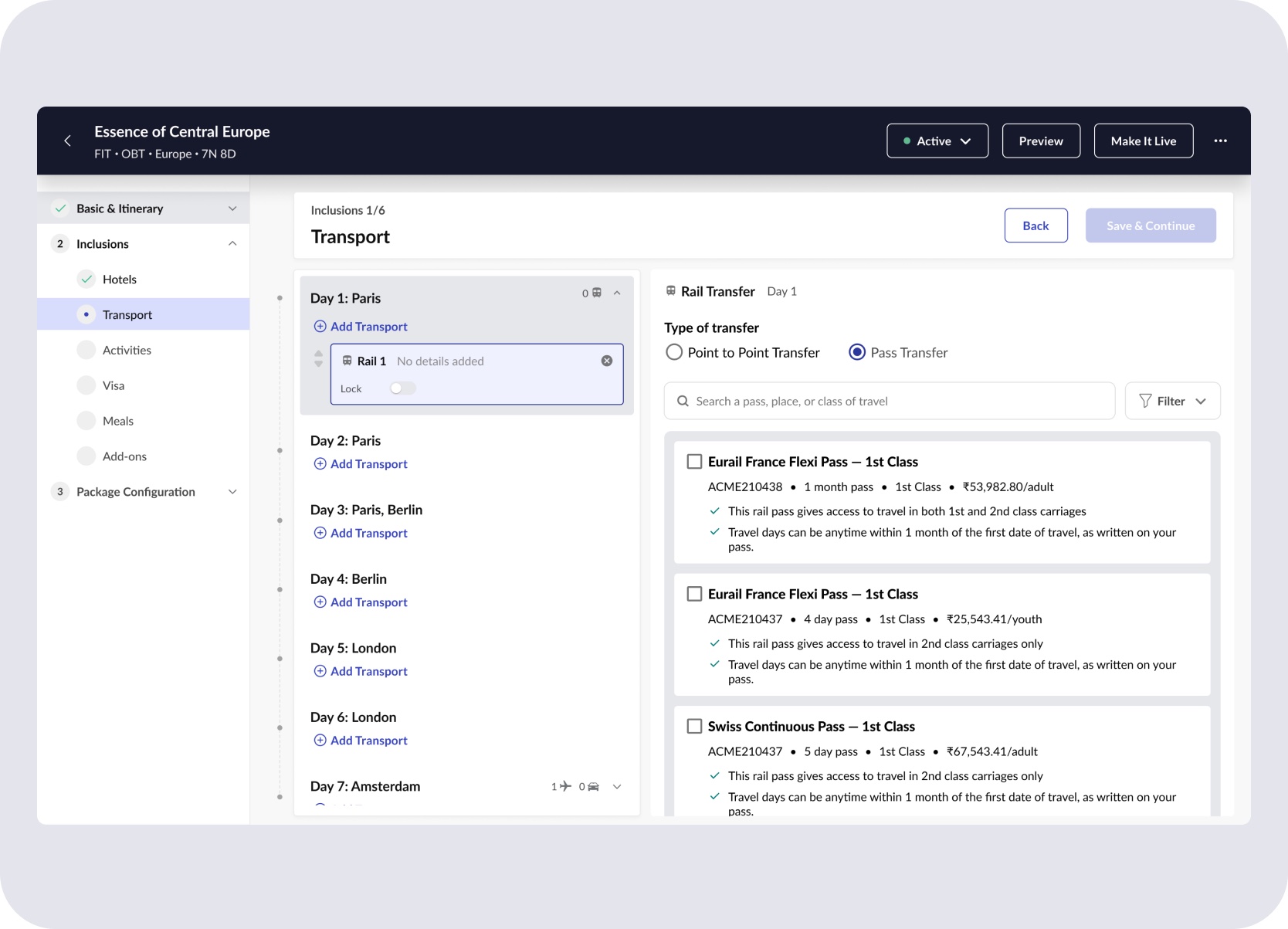
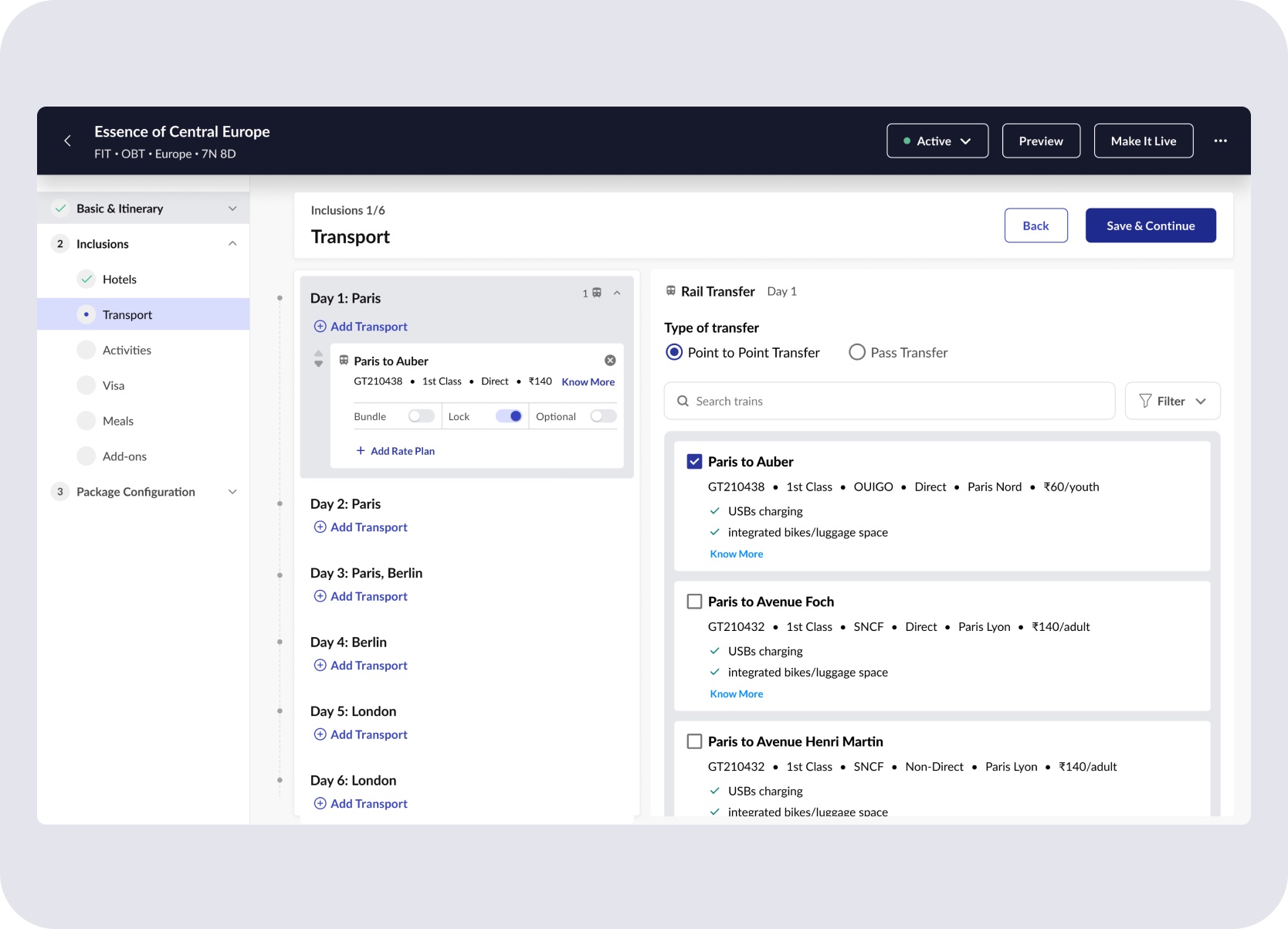
The Transport module was extended to support Rail as a new transport option. Package creators could add Rail under Transport, choose between Point to Point Transfer and Pass Transfer, search trains or passes, apply filters, and attach rate plans with lock or optional behavior.
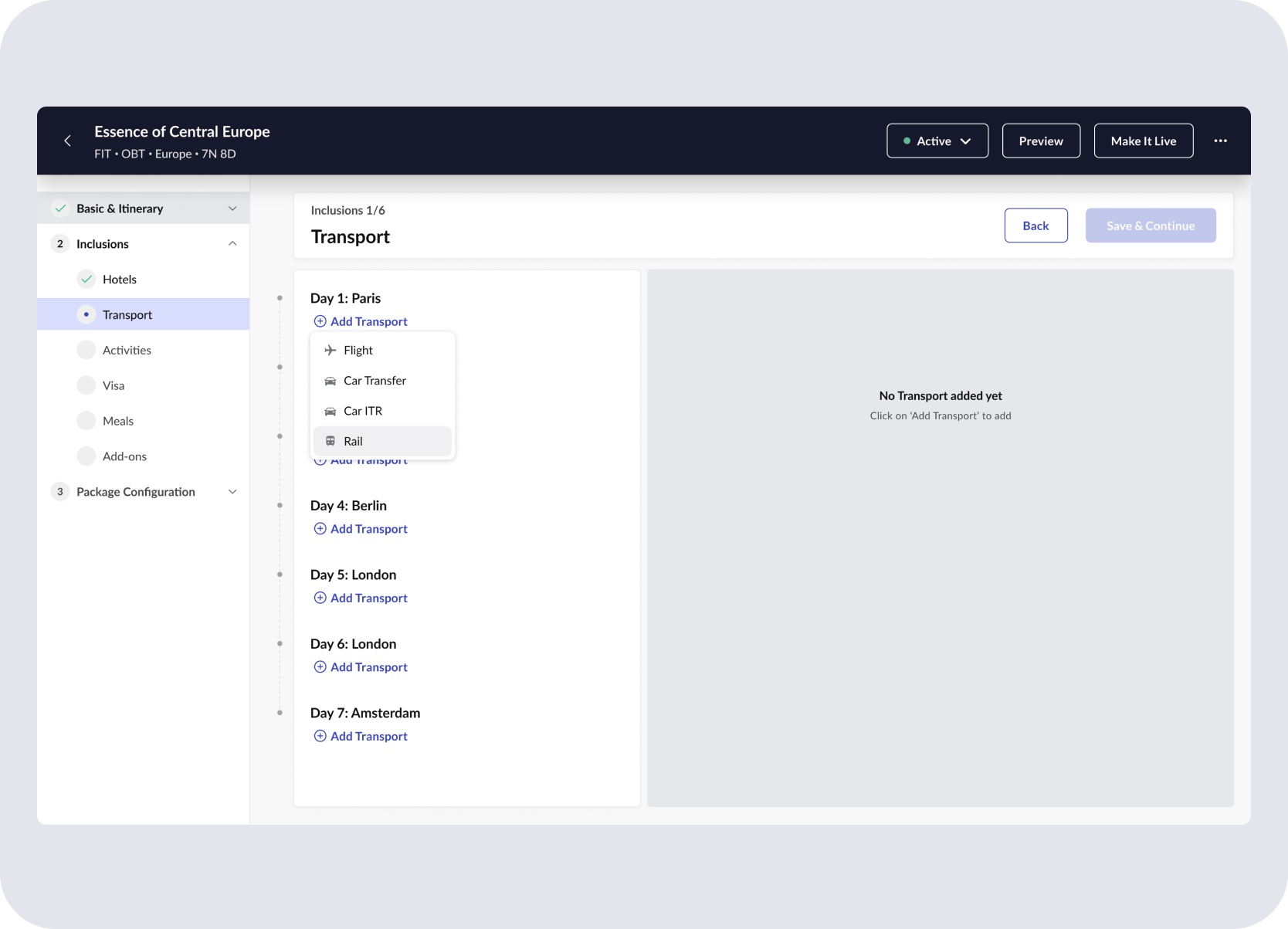
Rail added as a new transport type alongside flights and cabs in the CMS transport module.
Point to Point Transfer setup — train search, class, filters, and rate plan attachment.
Pass Transfer setup — pass search with lock or optional rate plan behaviour.
The package system had to understand rail as configurable, priceable, and editable before anything downstream could work. A train that doesn't exist in CMS can't meaningfully appear in an itinerary.
Design Decisions
The core design decision was to fit rail into MMT Holidays and the broader MakeMyTrip system without making it feel like a separate booking product.
Rail had to coexist with flights, hotels, transfers, activities, pricing, and review flows inside the existing Holidays package system.
Reuse first
Avoid new UI unless rail truly required new interaction logic inside Holidays.
Best-fit pattern over obvious pattern
Departure slots were adapted from activity-booking chip patterns because they worked better inside itineraries than flight-selection patterns did.
One genuinely new pattern
Station proximity was introduced because existing patterns did not cover the hotel-to-station dependency in rail selection.
Traveller Pricing
Rail pricing depends on passenger type — youth discounts, child fares, senior categories — but surfacing that upfront would have made the standard package search feel complicated.
The design introduced contextual age inputs around Europe rail packages — asking whether adults were aged 25 or younger and allowing child-age inputs where needed. Supporting guidance then clarified how Rail Europe age categories mapped to Youth, Adult, and Senior pricing once users needed more detail.
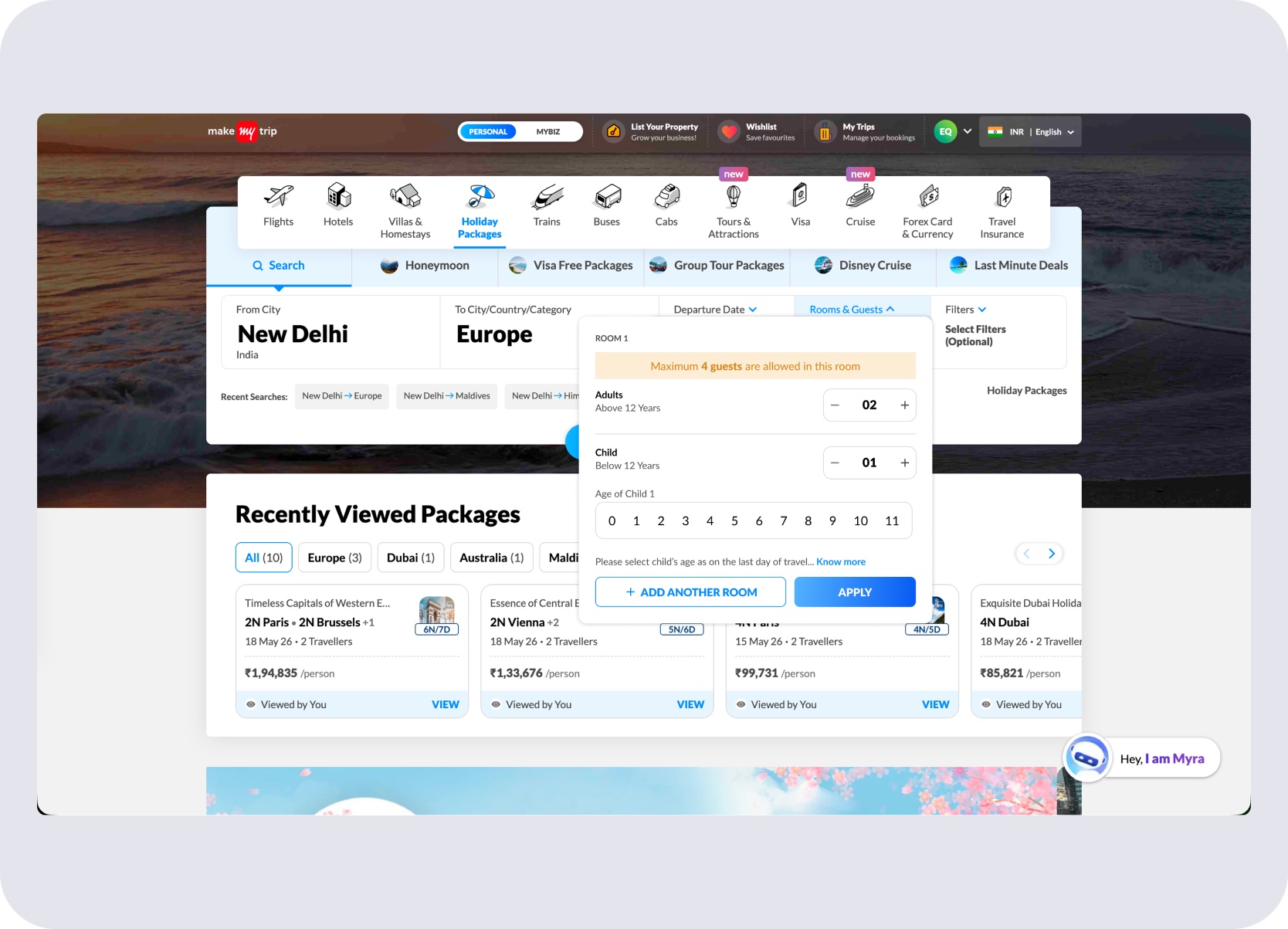
Standard Rooms & Guests — adult count and child ages, no rail-specific prompt for non-European searches.
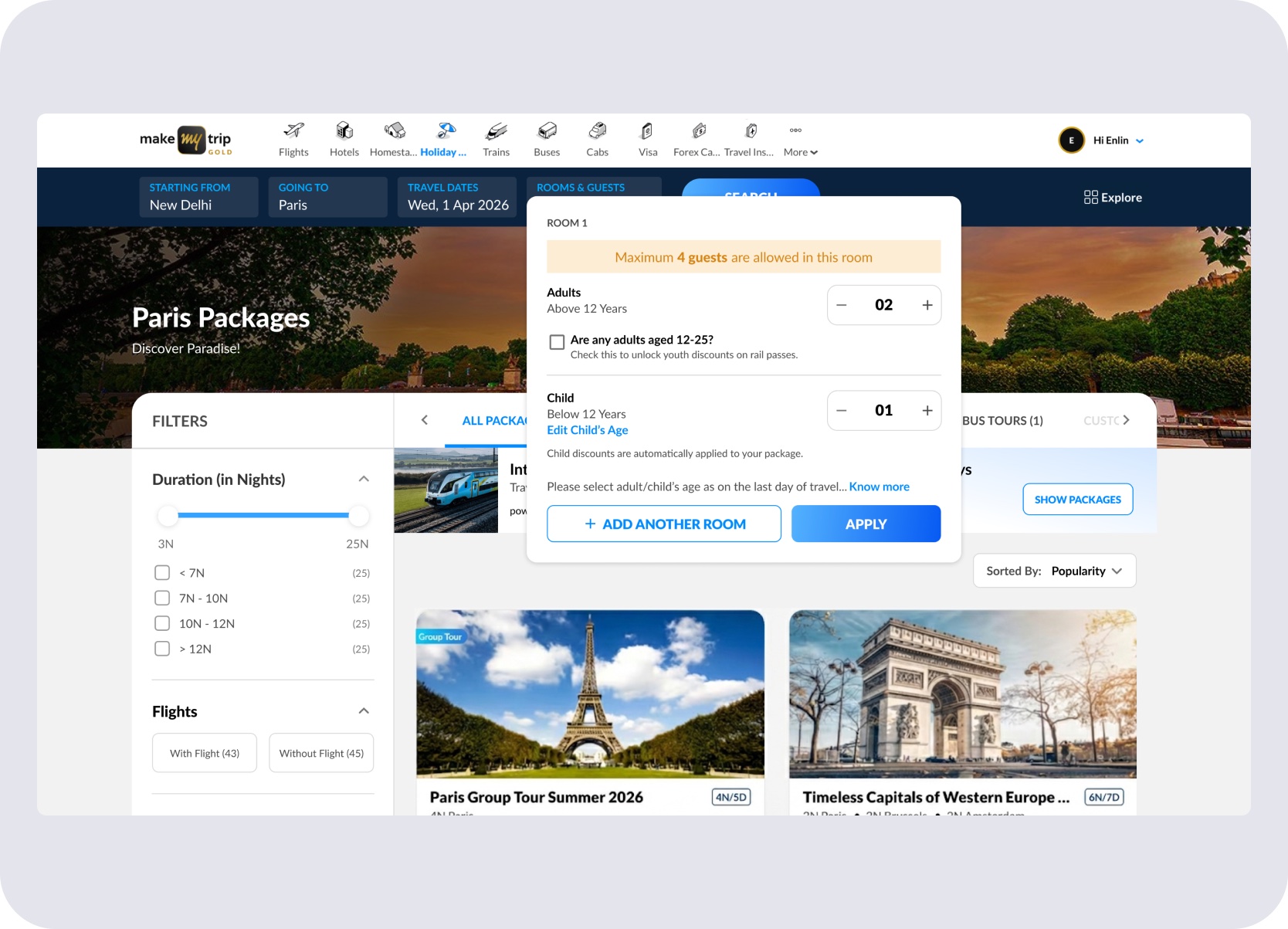
European rail search — 'Are any adults aged 12–25?' appears contextually to unlock youth discounts, without changing the standard search.
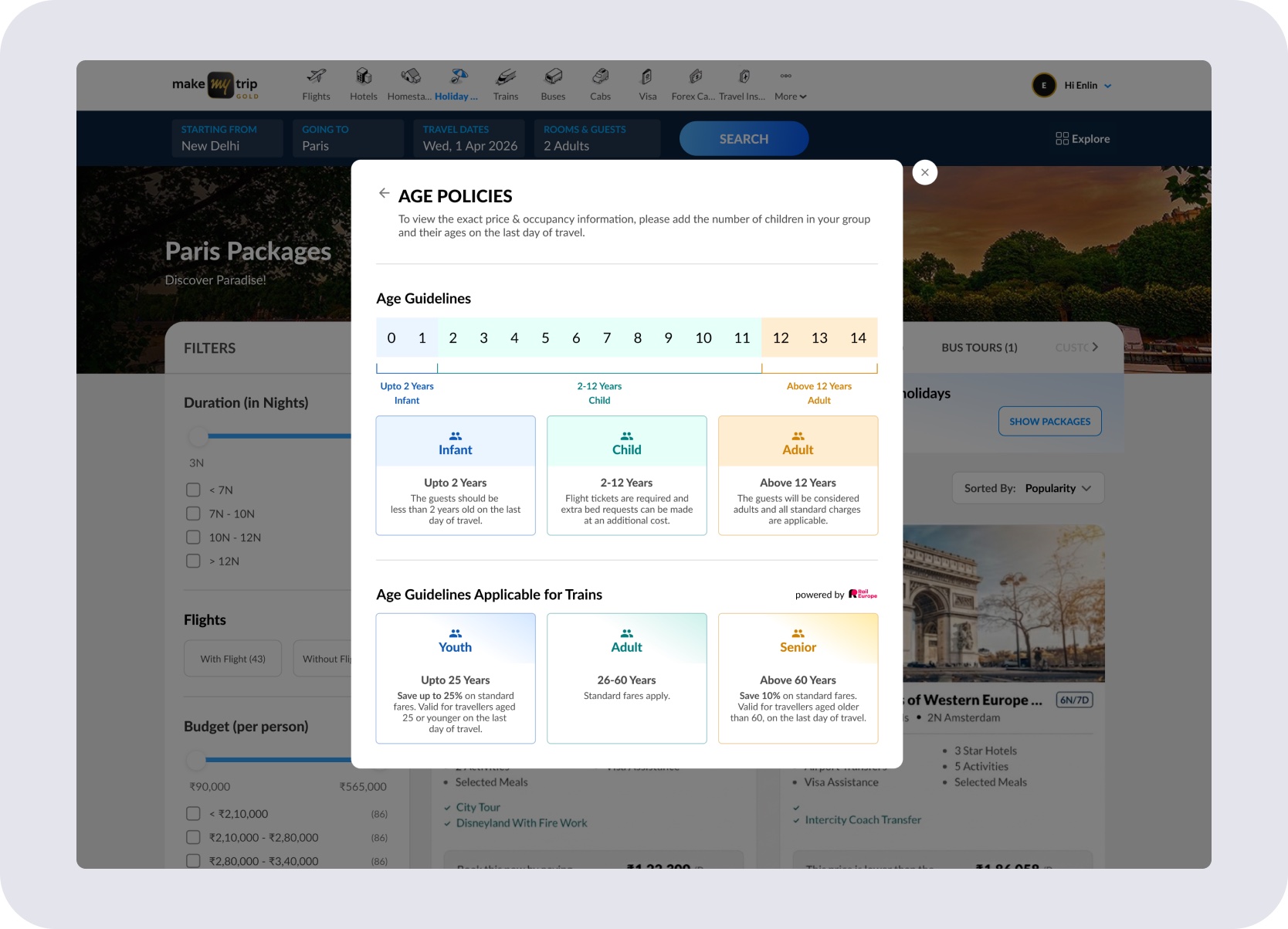
Age Policies modal — standard age bands alongside Rail Europe's tiers: Youth (upto 25), Adult (26–60), Senior (60+). Surfaced on demand via 'Know more.'
Rail pricing rules surfaced only where they changed the fare outcome — keeping the default search clean while unlocking youth and child discounts where they applied.
Package Itinerary
Rail had to live inside the day-wise itinerary alongside flights, hotels, and transfers — not as an external booking surface pasted on top.
Train cards had to stay compact inside the itinerary — scannable at a glance, but actionable when users needed to inspect or change what was already in the package.
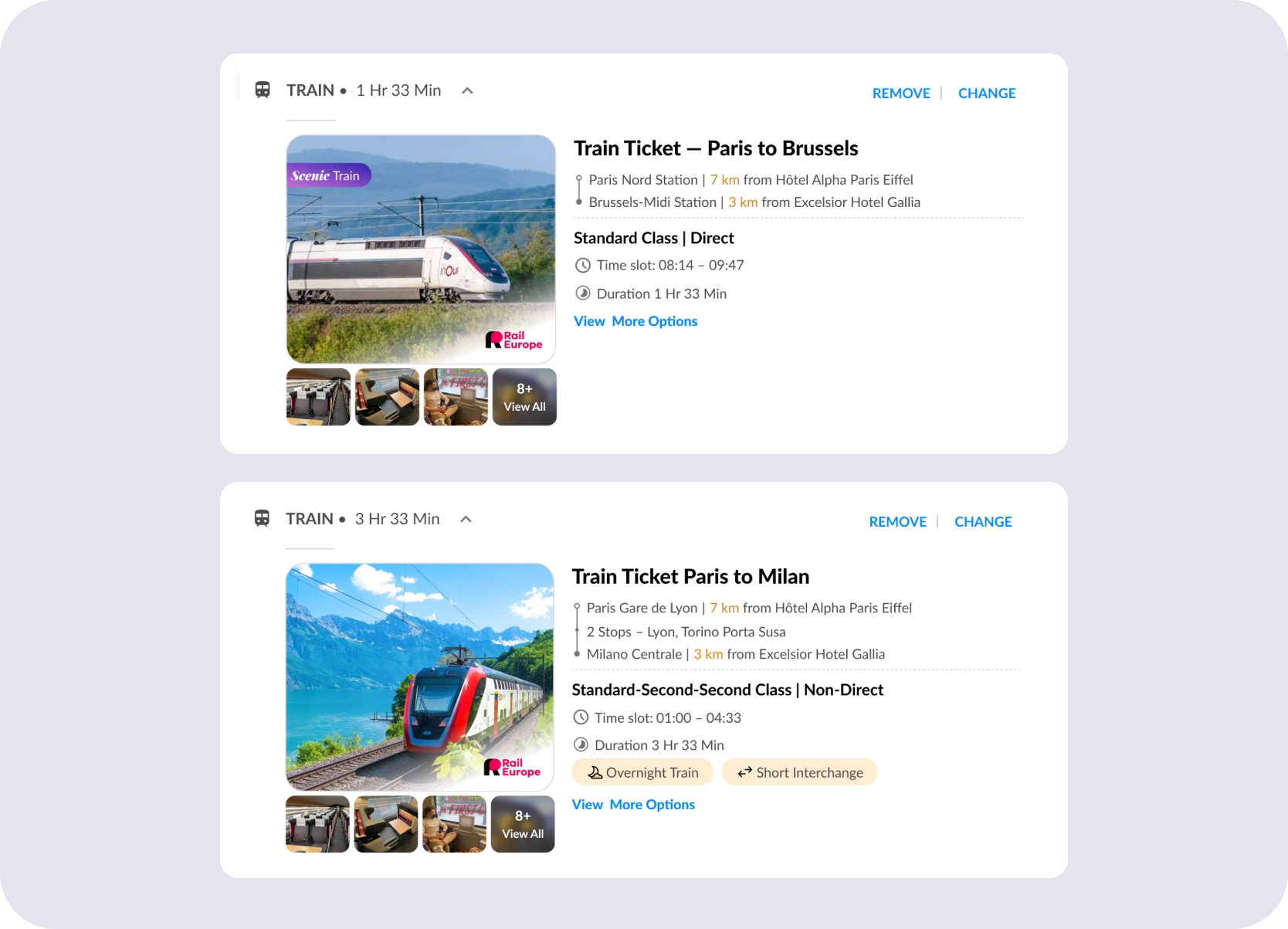
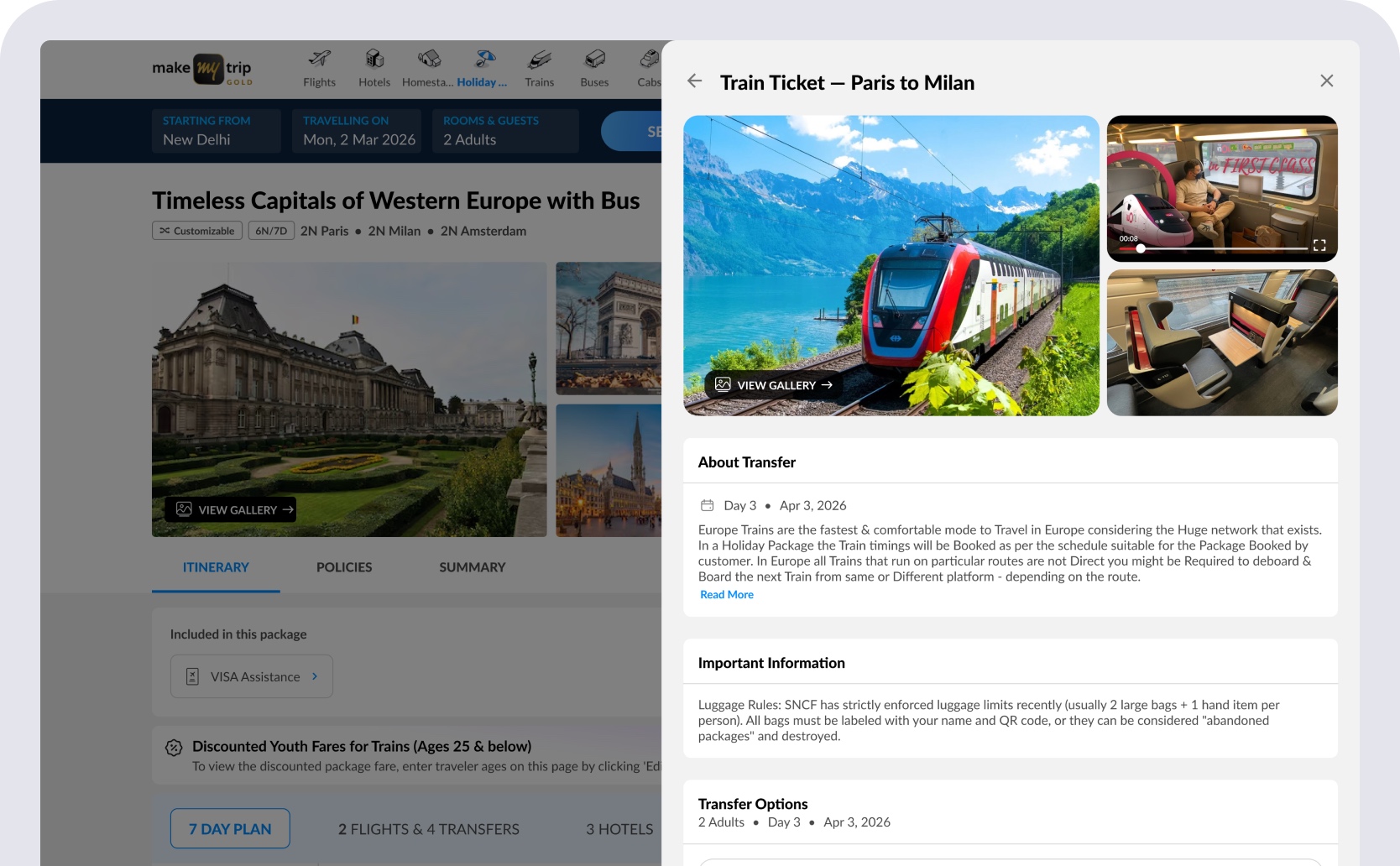
Compact train card inside the itinerary — route, hotel-to-station distance, class, slot, duration, and risk tags. Change and View More Options lead into comparison without leaving the package.
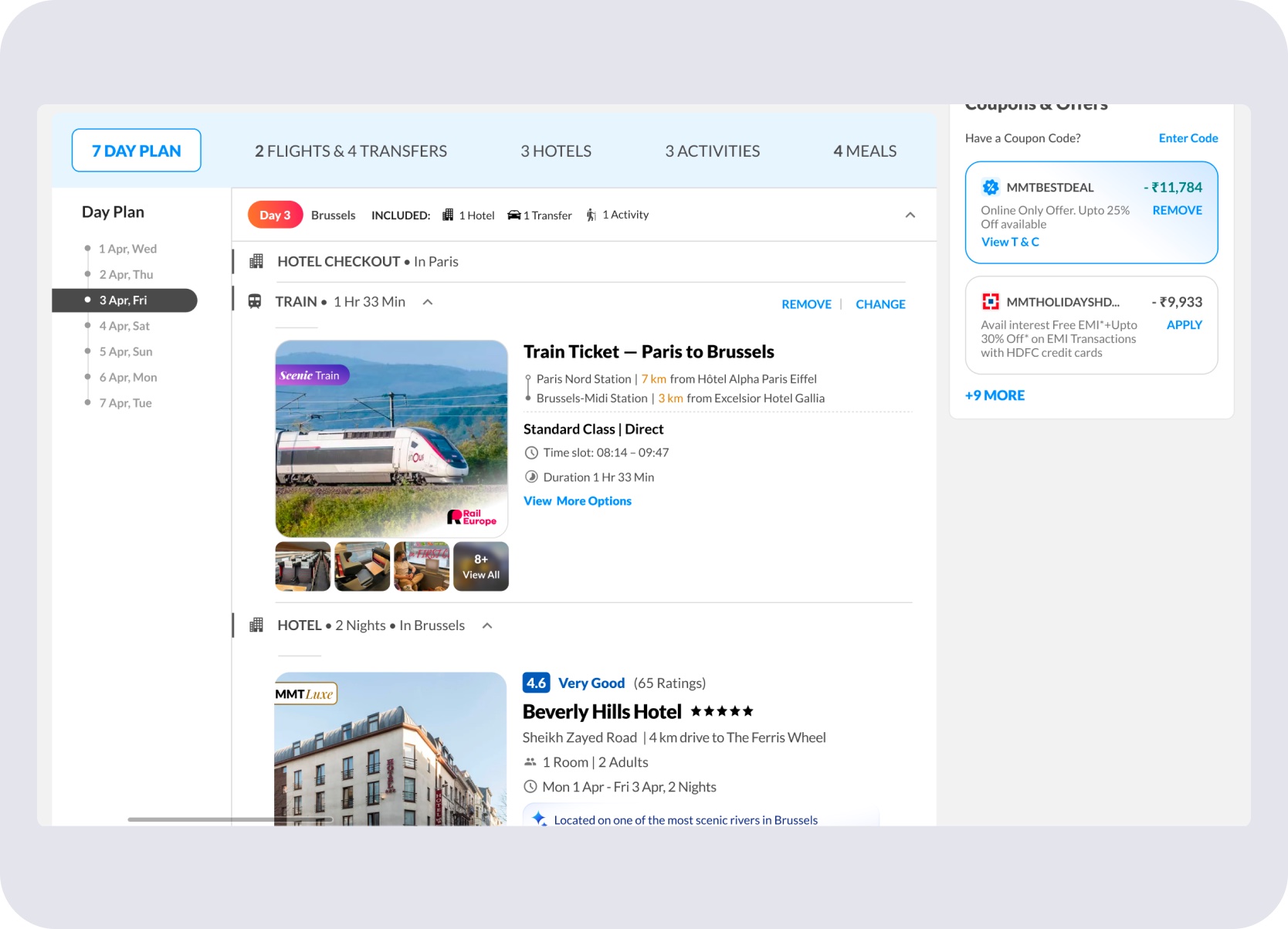
Rail sits in the same day-wise slot as flights and hotels — no separate booking mode or interaction layer.
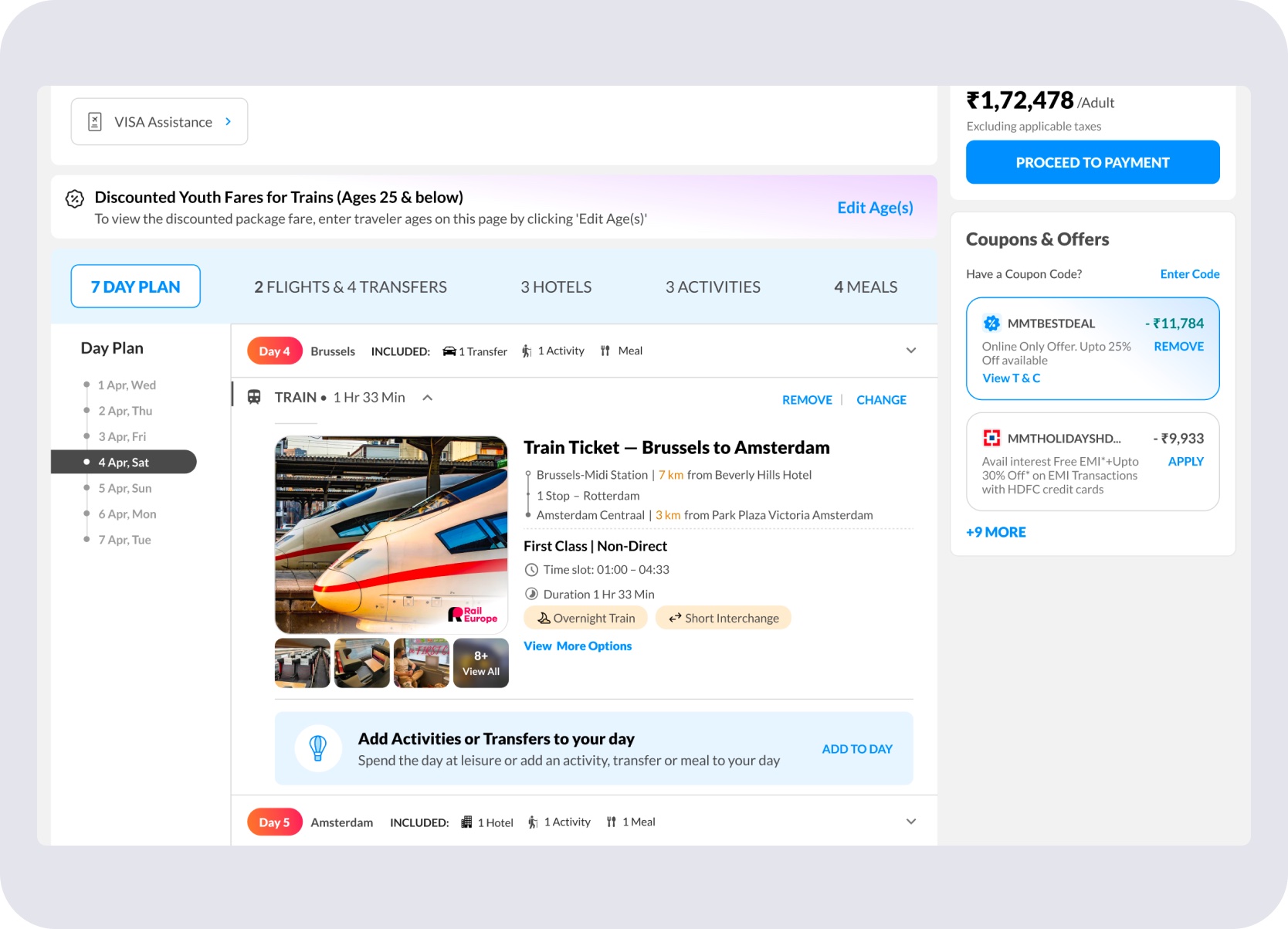
Deeper rail detail available inline — without leaving the package itinerary view.
Giving rail the same structural slot as airport buses and cabs made train journeys immediately legible — no new interaction layer, no separate booking mode.
Transfer Flows
Users and Holiday Experts needed to change transfer options mid-journey — comparing trains, buses, and cabs in one place — without the interaction feeling like a switch into a different product.
The Add/Change Transfer flow let users compare train options, bus and cab alternatives, time slots, rail passes, and filters within the same surface — no separate booking mode, no context switch, no loss of the package frame.
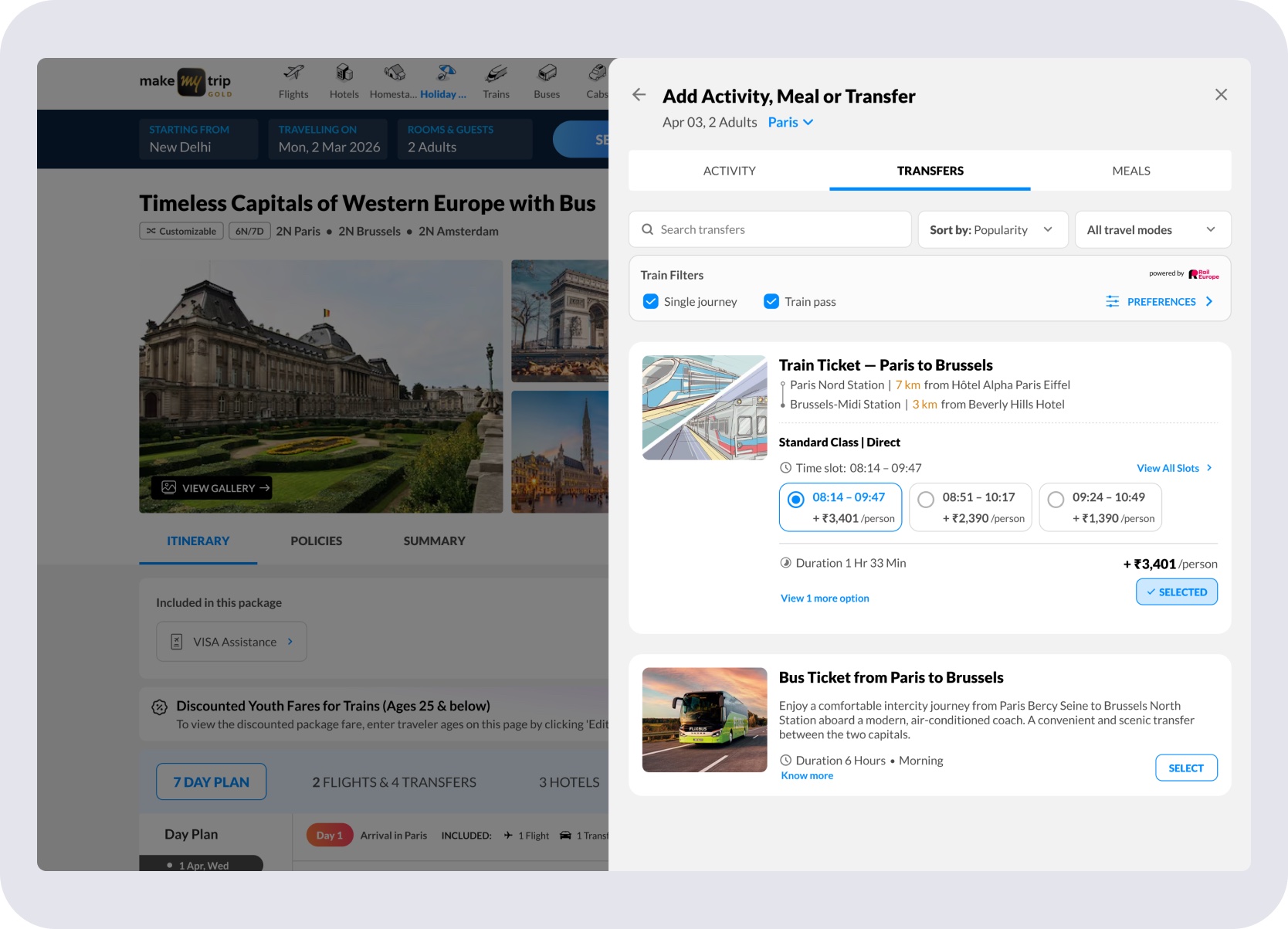
Time slot selection within the transfer panel — multiple departures, duration, and price difference visible together.
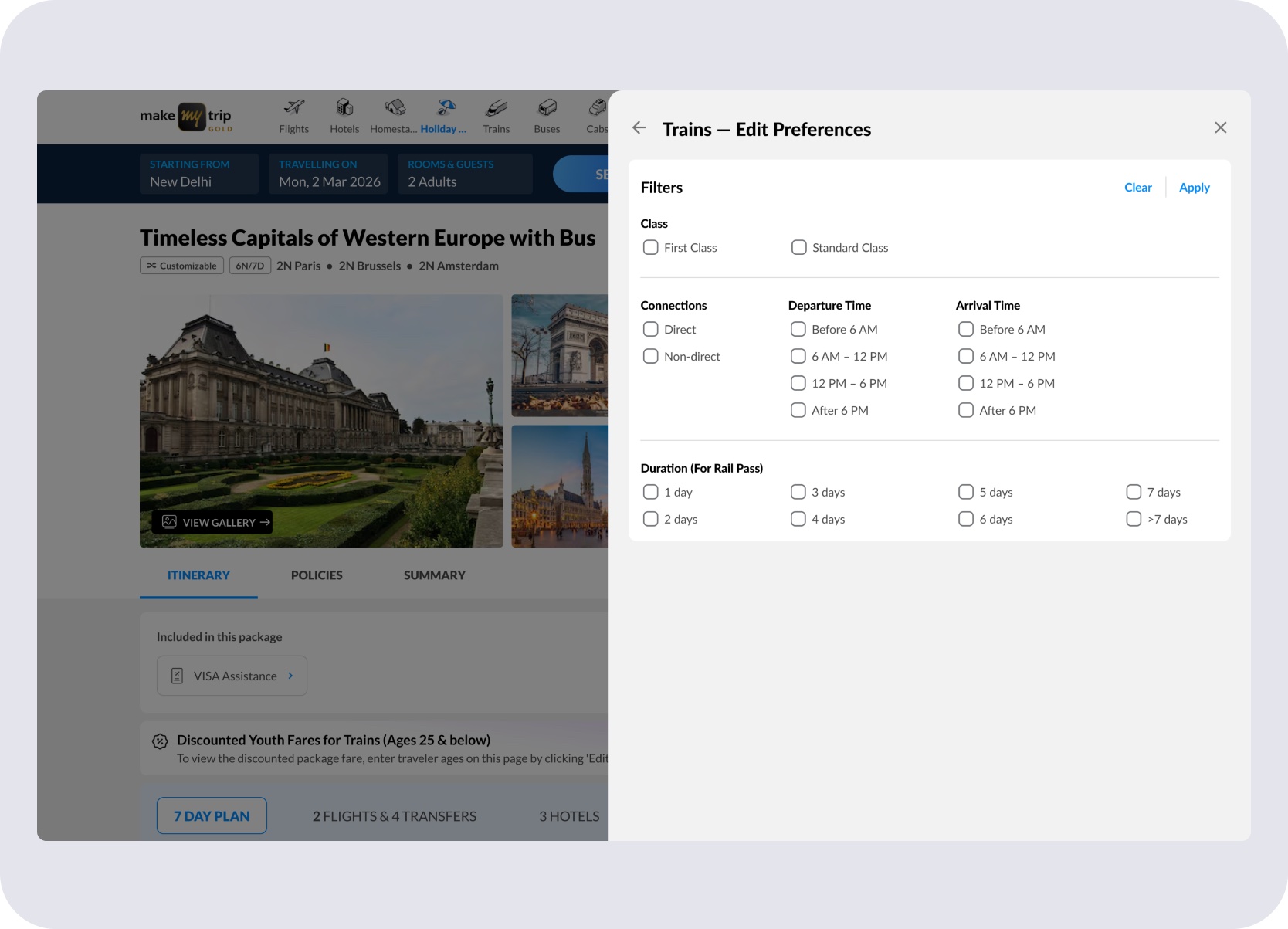
Train, bus, and cab options in one surface — filters applied without switching context or losing the package frame.
Train Card Anatomy
The larger Add/Change rail cards had to do more than confirm what was already in the itinerary. They needed to support comparison, slot selection, pricing tradeoffs, and route understanding without breaking the package frame.
Compact — time slots, price deltas, and key route details at a glance.
Expanded into route legs with operator, interchange duration, and risk tags.
Class labels per leg — not hidden under a generic non-direct label.
All three states live inside the same Add/Change panel, opened from the itinerary train card's "View More Options." The cards below are excerpted from it, and the expanded slot list further down opens from that same place.
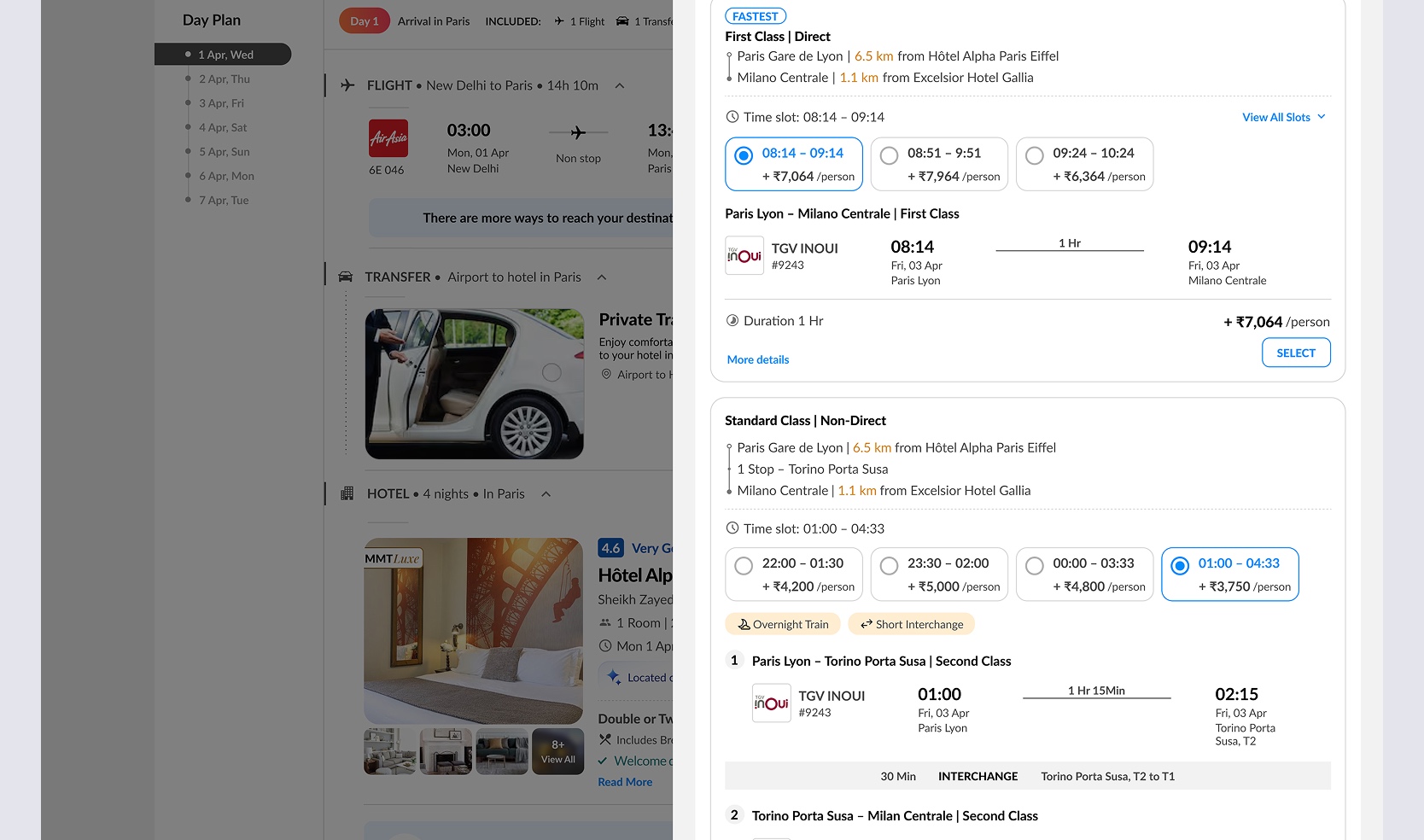
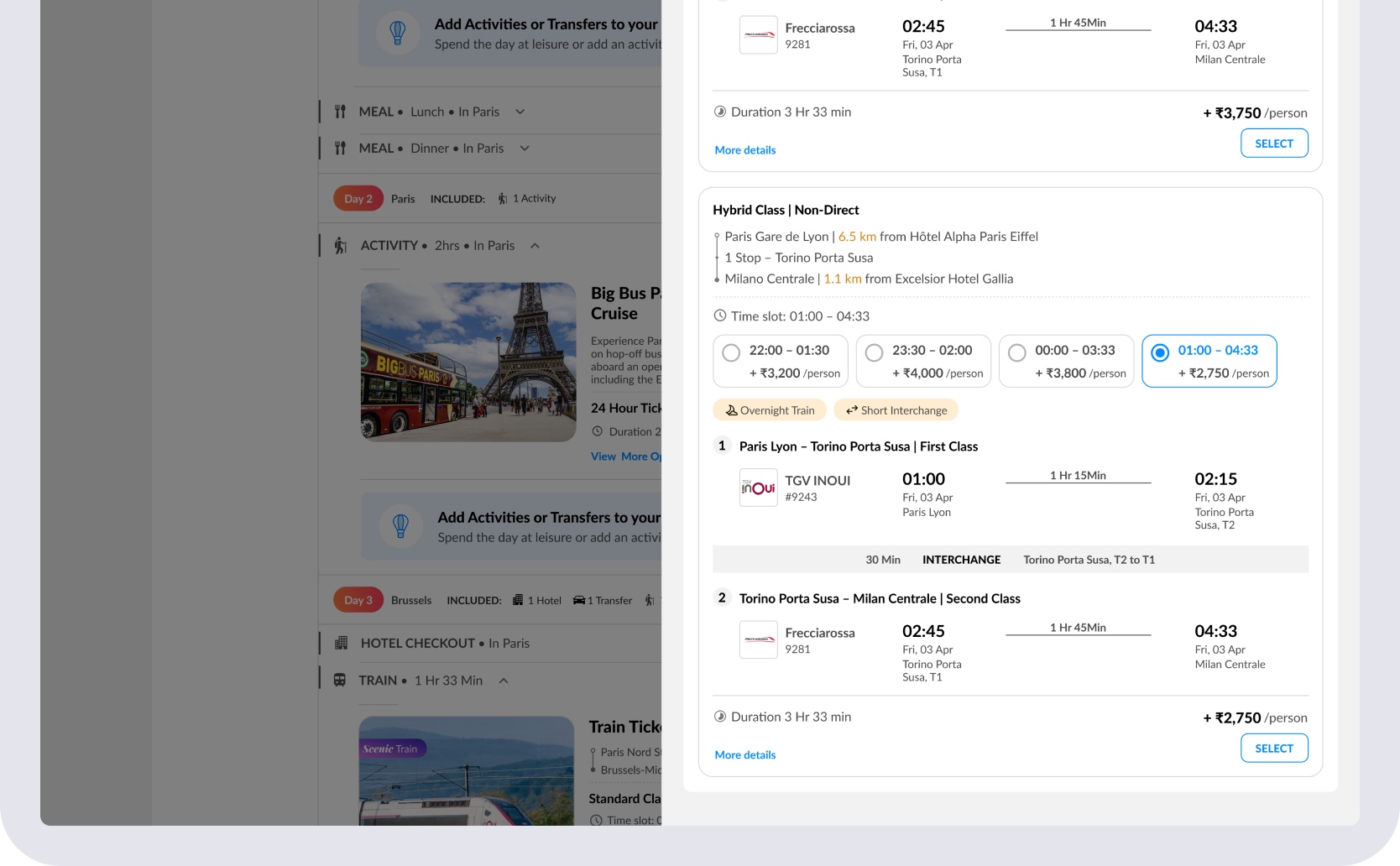
A single-leg journey showing time slots, price delta per person, class, directness, and station proximity — compact enough to scan, detailed enough to decide.
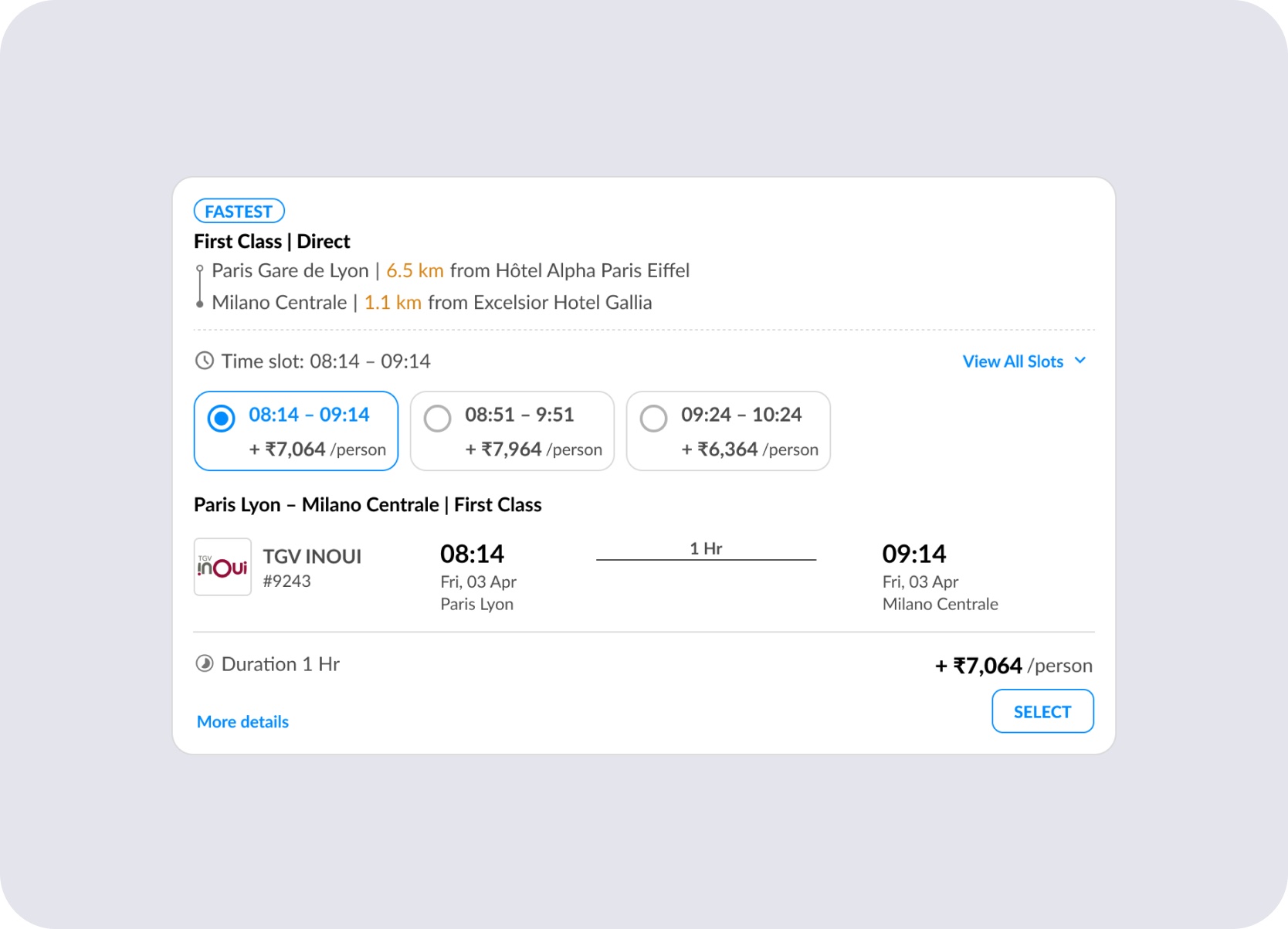
Direct journey — selectable slots, per-person price delta, station proximity, class, operator, and duration in one compact card.
Multi-leg routes expand into individual segments — each with its own operator, train number, station, and timing — so complexity is visible before the user commits.
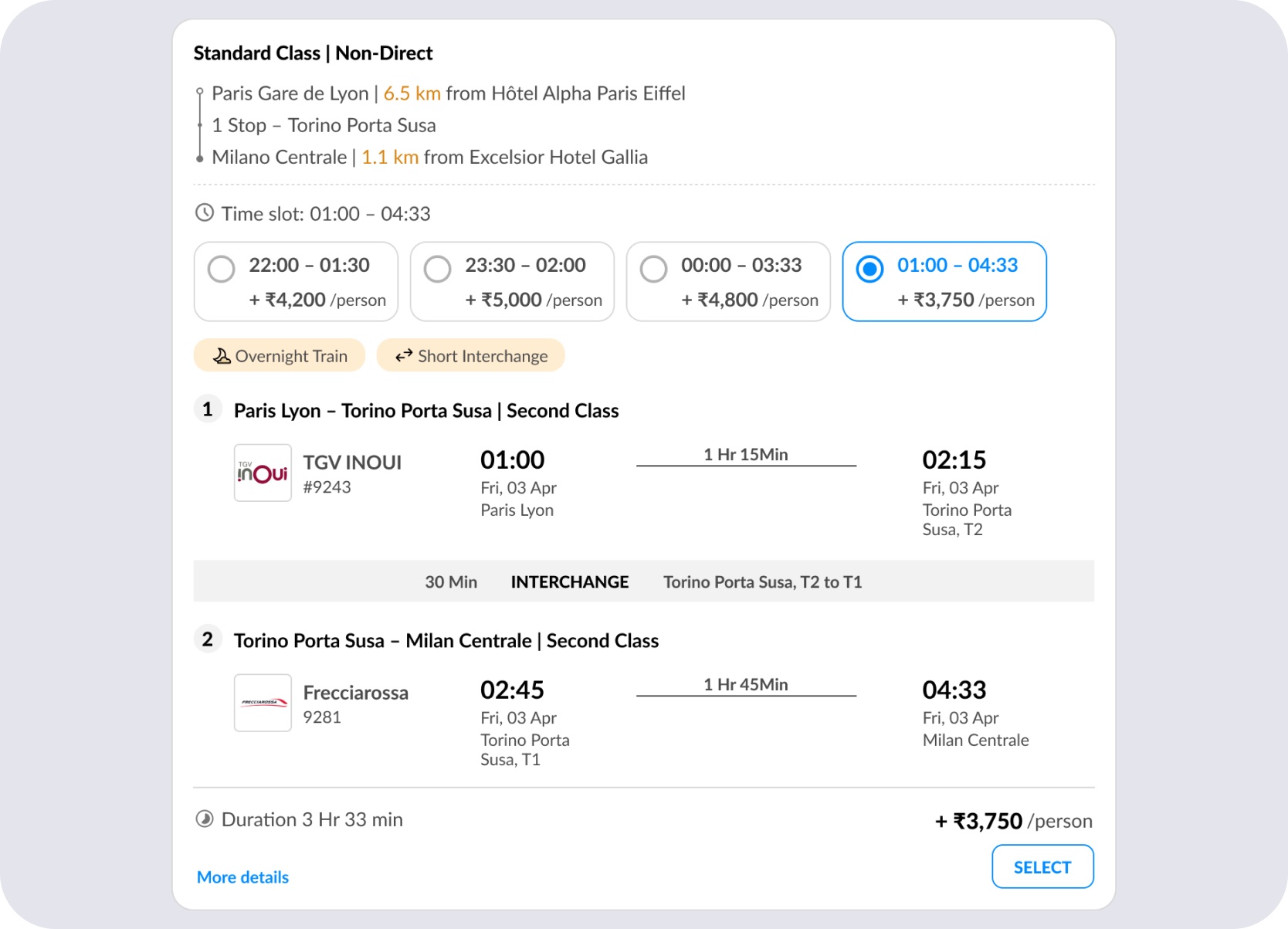
Non-direct journey — route legs expanded with operator, interchange duration, and overnight and short-interchange warnings surfaced before commitment.
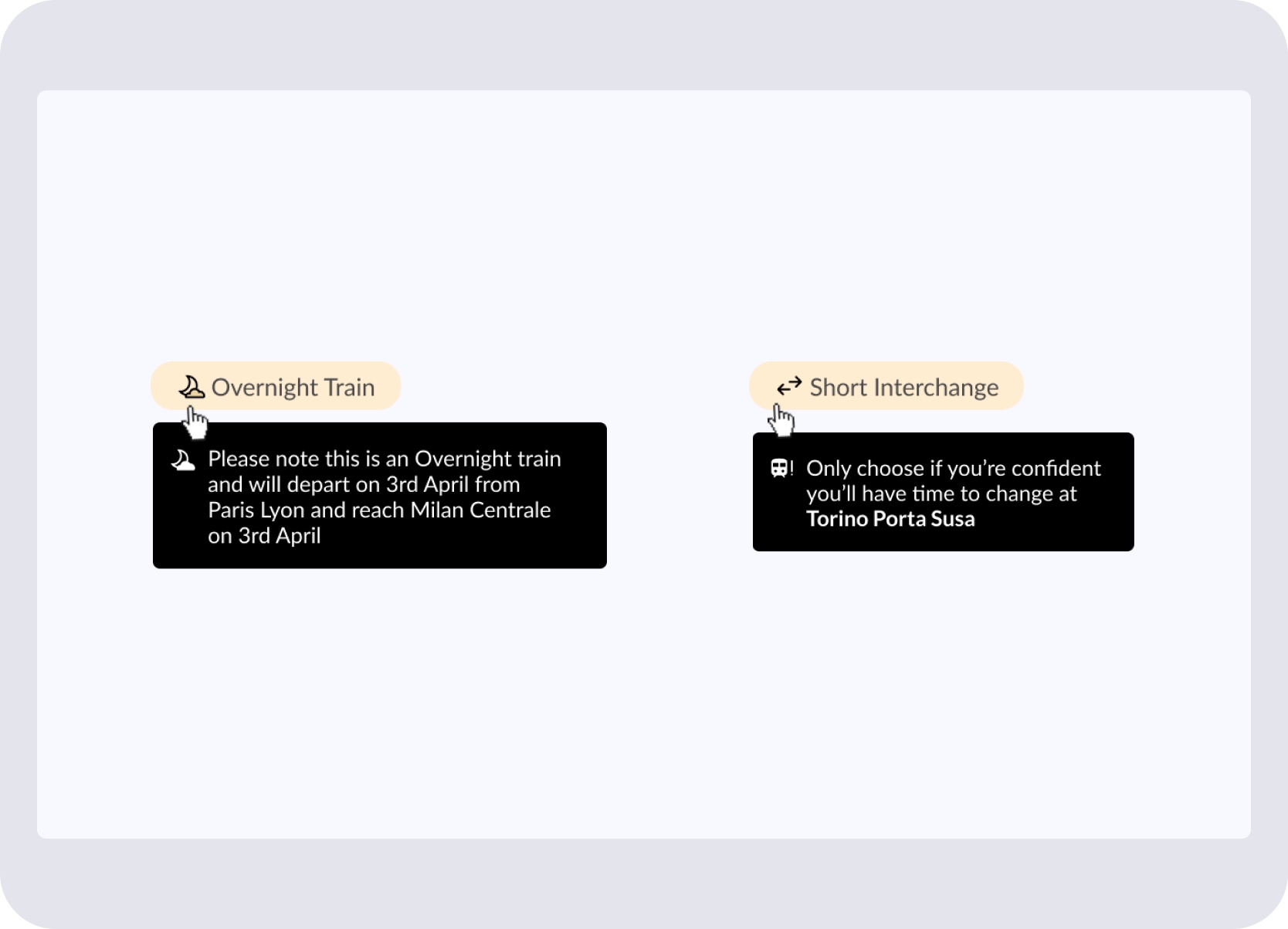
Overnight and short-interchange warnings
When inventory mixes first and second class across legs, each segment carries its own class label — no hiding it under a generic tag.
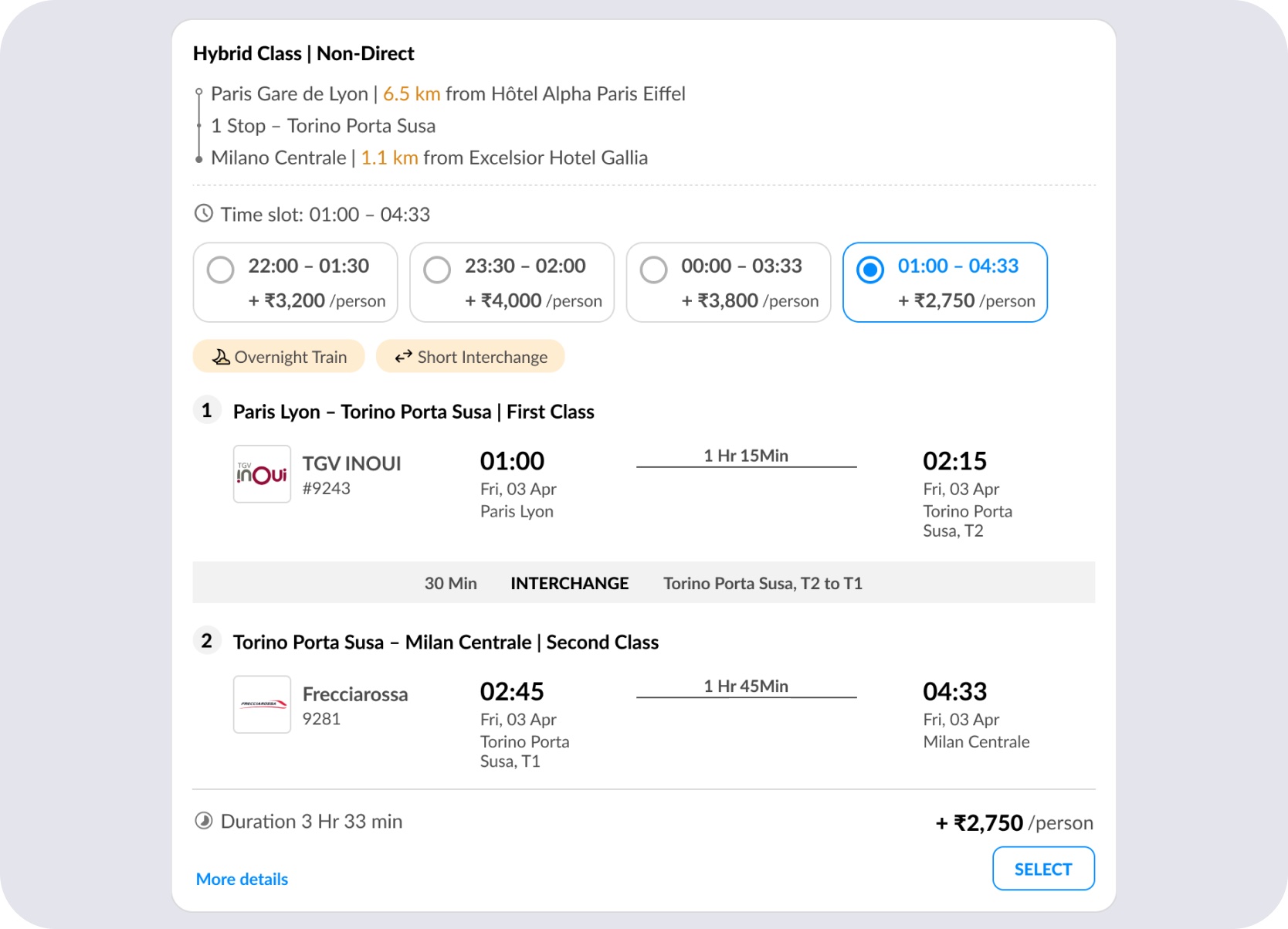
Hybrid-class card — header flags the mix, and each route leg carries its own class label so the split is unambiguous.
Any card could open into the full list of alternate departures for that leg — time, duration, and price delta together — so comparing options never meant leaving the card for a separate search.
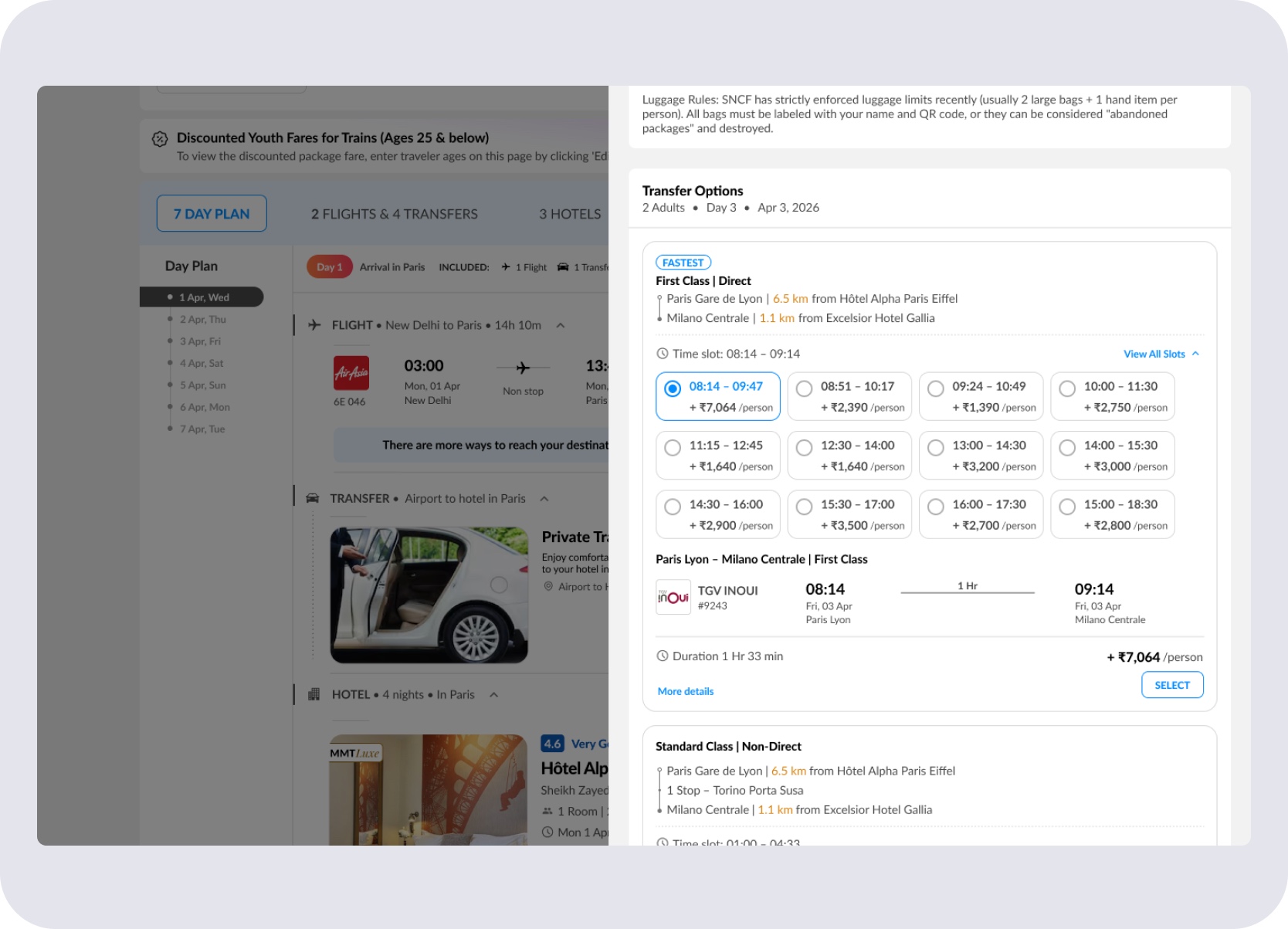
Expanded slot view — alternate departure times, duration, and price differences visible together.
Dependency Warnings
Hotel-to-station proximity wasn't a fixed property — it changed depending on which hotel and which train a user had selected.
The design surfaced contextual warnings when a hotel change or train/time-slot change would affect how far a user was from their station. That dependency appeared inside the package flow rather than staying hidden until later in the journey.
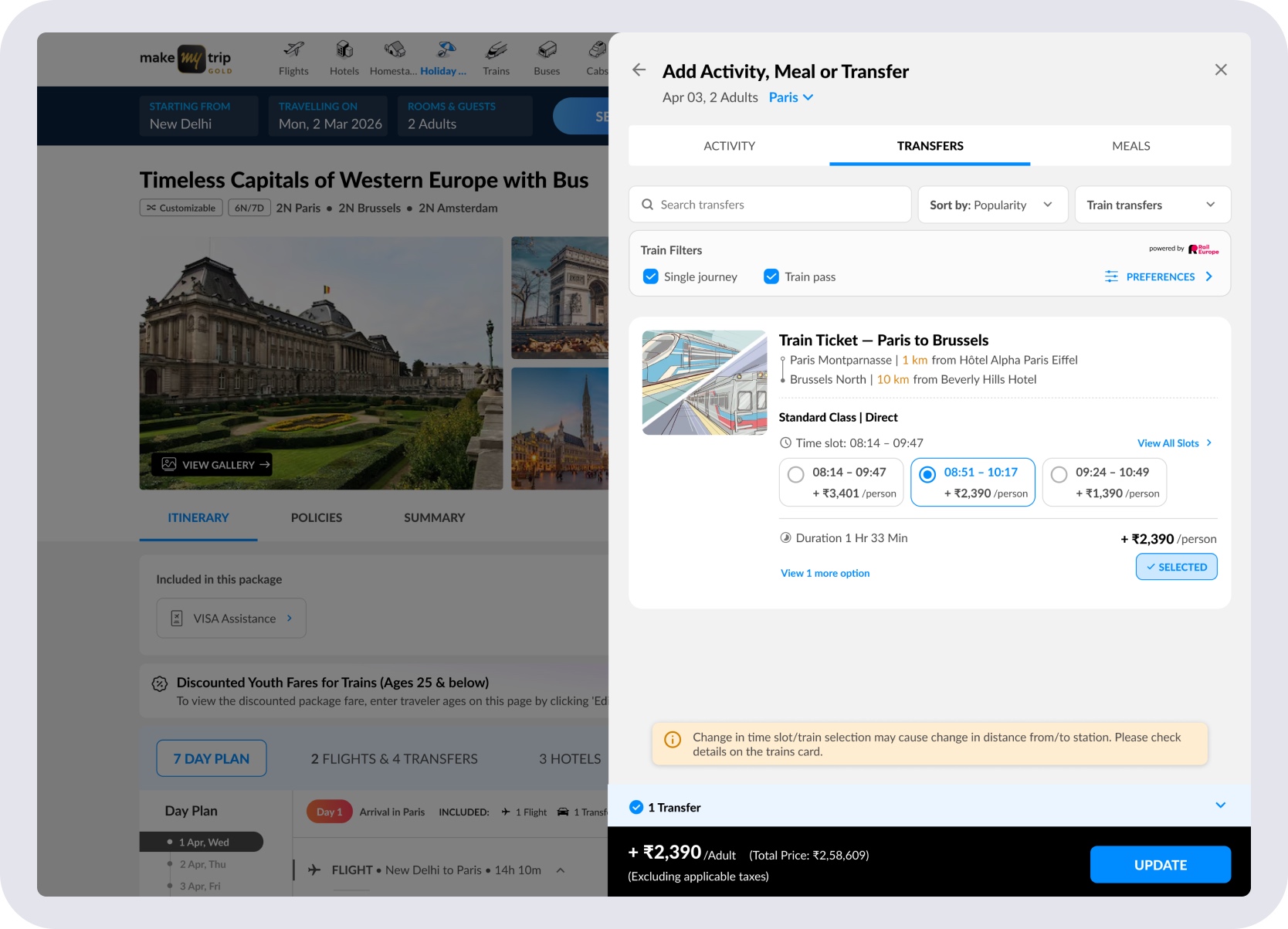
New train/time slot selected — station distance may change.
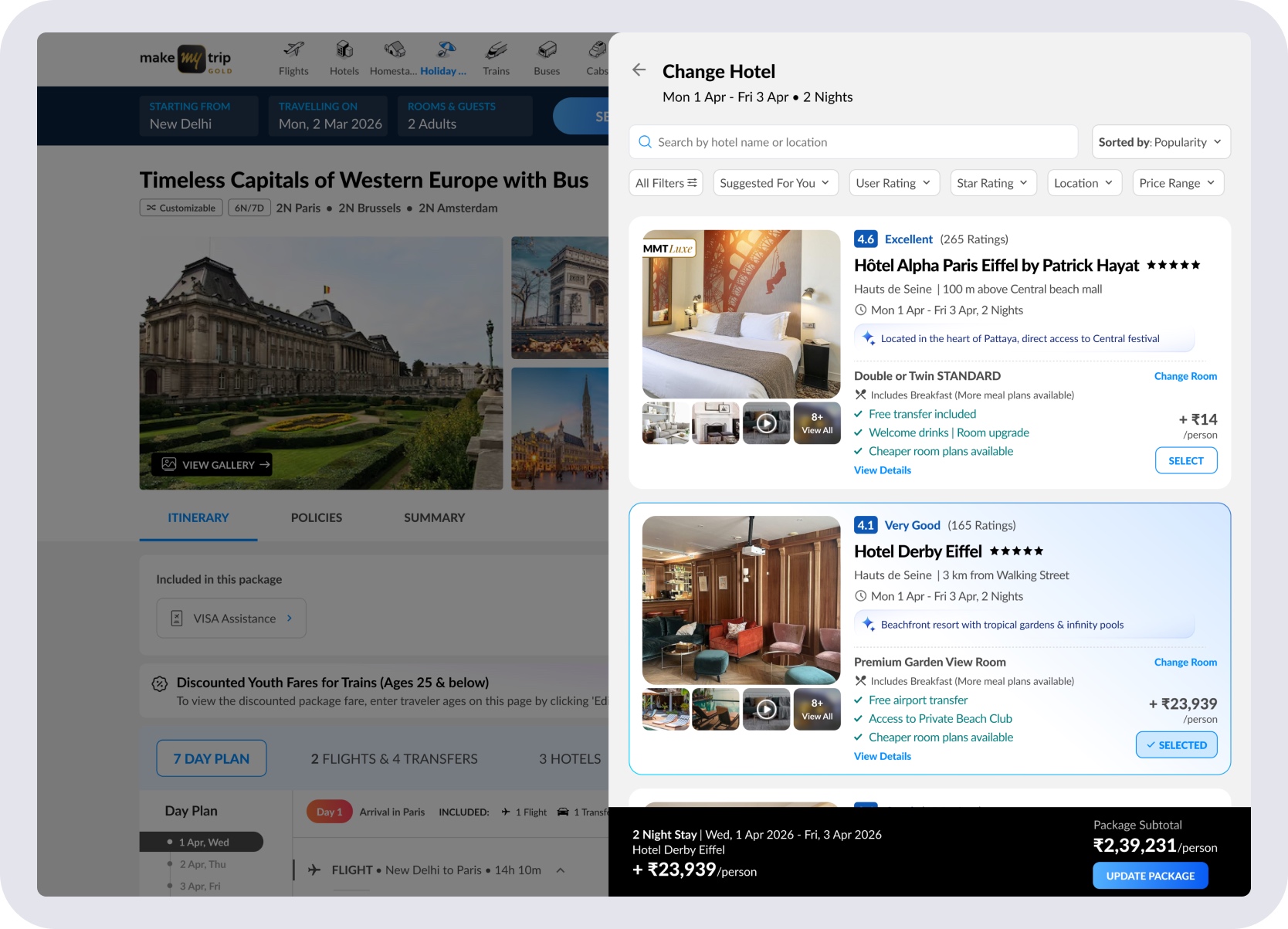
Hotel changed — rail station proximity needs re-checking.
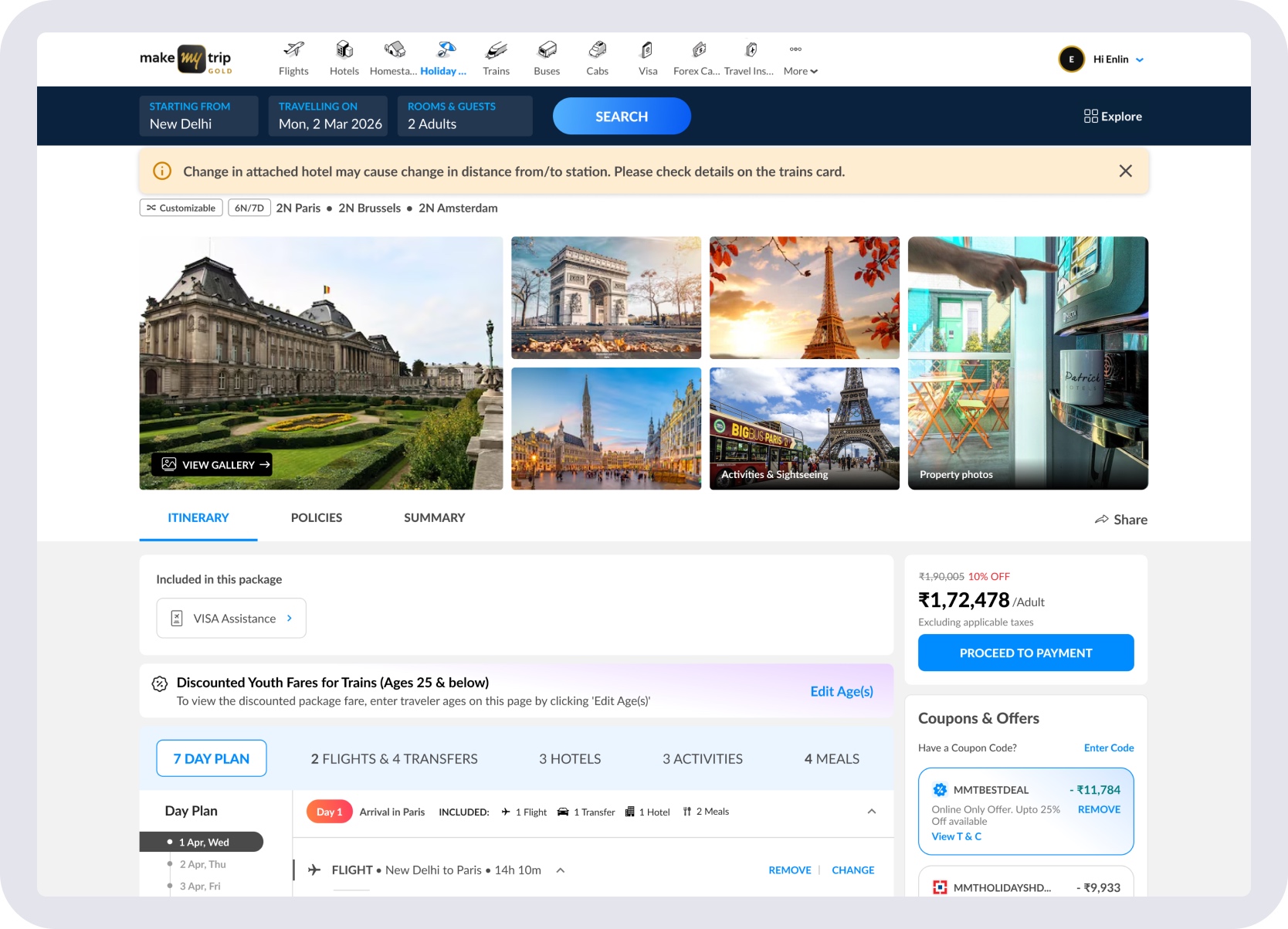
Updated hotel context changes how convenient the selected station is.
Availability & Recovery
Rail Europe availability was dynamic. Trains that existed at package-creation time could become unavailable later — and some searches returned no options at all.
The fallback state explained what happened and guided users back to the Add to Day → Transfers flow to choose an alternative. The package stayed editable; nothing required a restart.
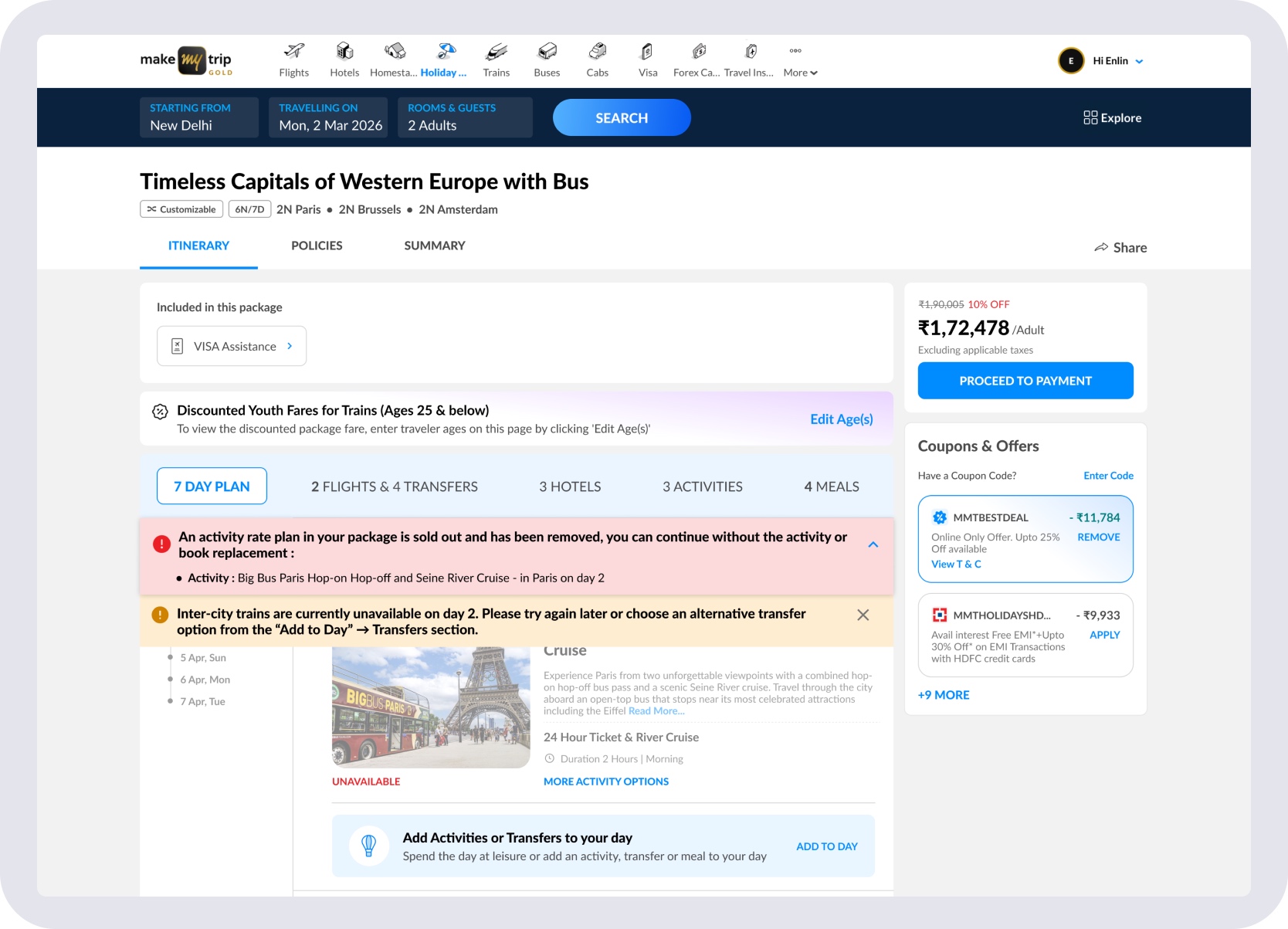
Unavailable train state — clear explanation with a recovery path back to transfer selection.
Beyond Selection
Selection was the midpoint, not the end. Rail components carried forward into quotation views, booking review, package summary, and post-sales — so both customers and Holiday Experts saw the same rail context throughout, not just during selection.
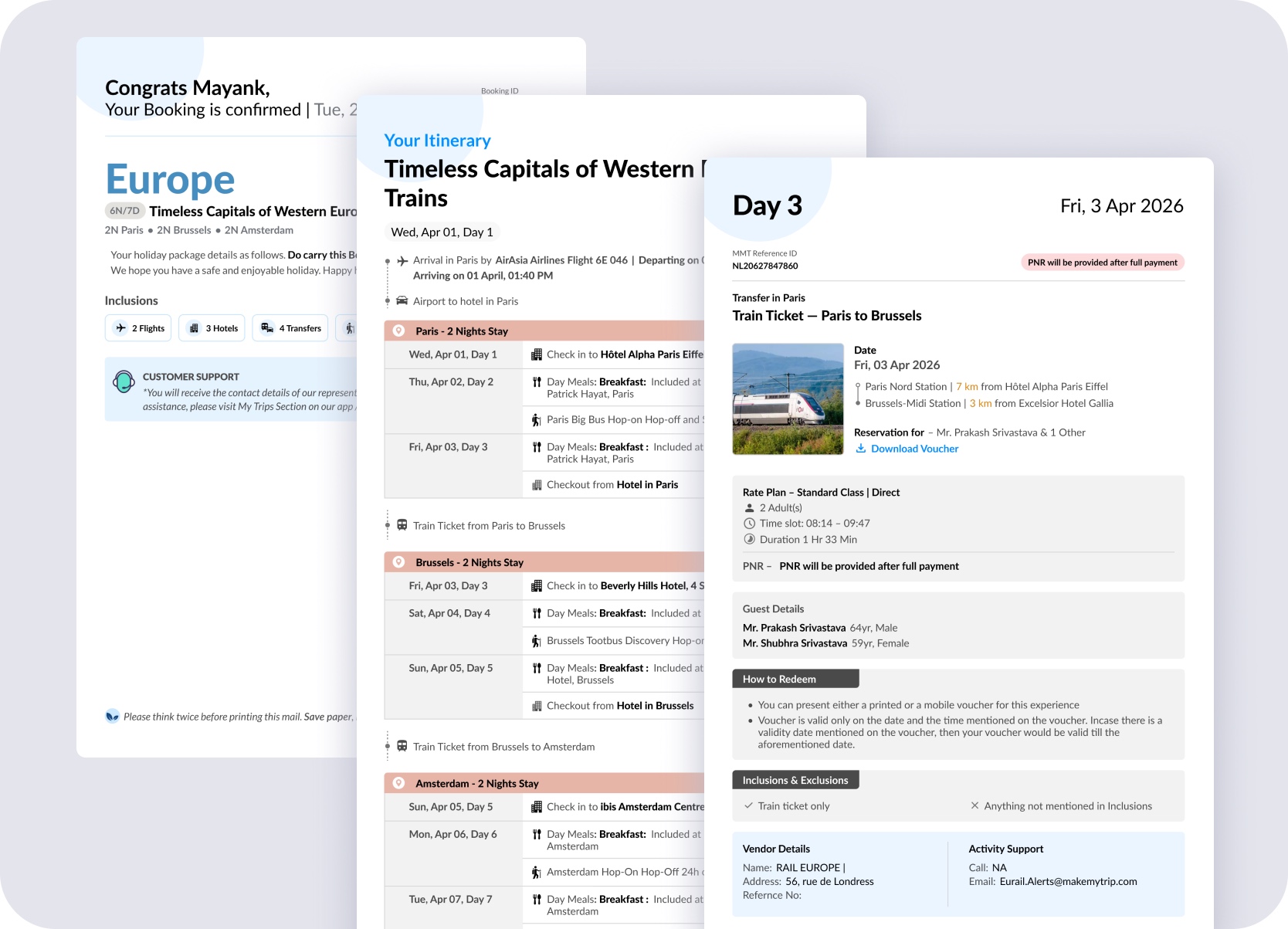
A sample of the downstream surfaces — booking confirmation, day-wise itinerary, and post-sales day detail. The same rail component ran across all of them.
Mobile & Holiday Expert
Rail Europe wasn't a desktop-only feature. The same system — itinerary placement, transfer flows, age-based pricing, and fallback states — had to hold across mobile and Holiday Expert DIY package creation.
On mobile: package discovery with rail callouts, itinerary view with train cards, transfer changes, filters, and fare-update review. On Holiday Expert DIY: route creation with internal trains, selected-route previews, traveller-age capture, and rail-specific age guidelines for Youth, Adult, and Senior categories.
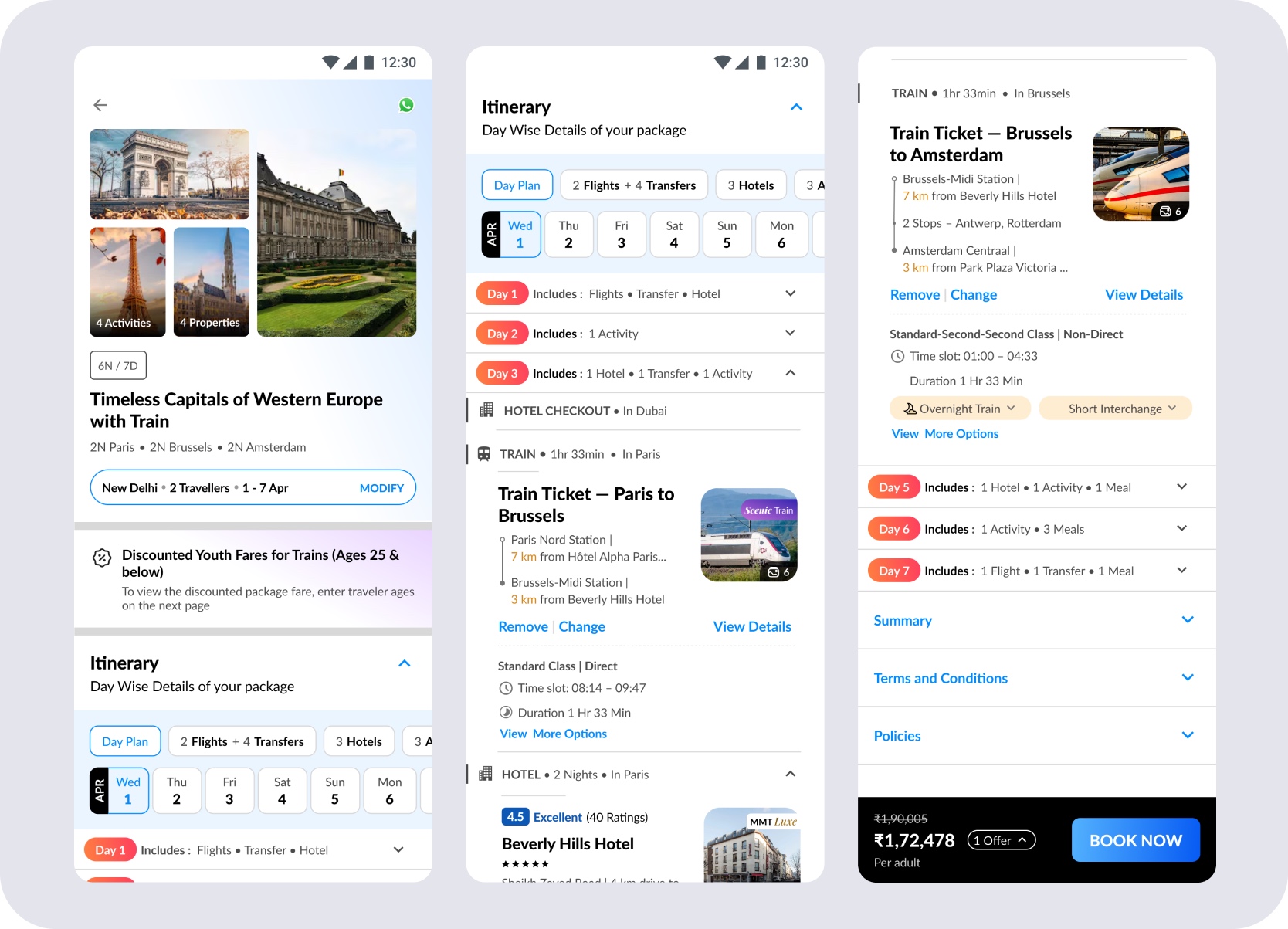
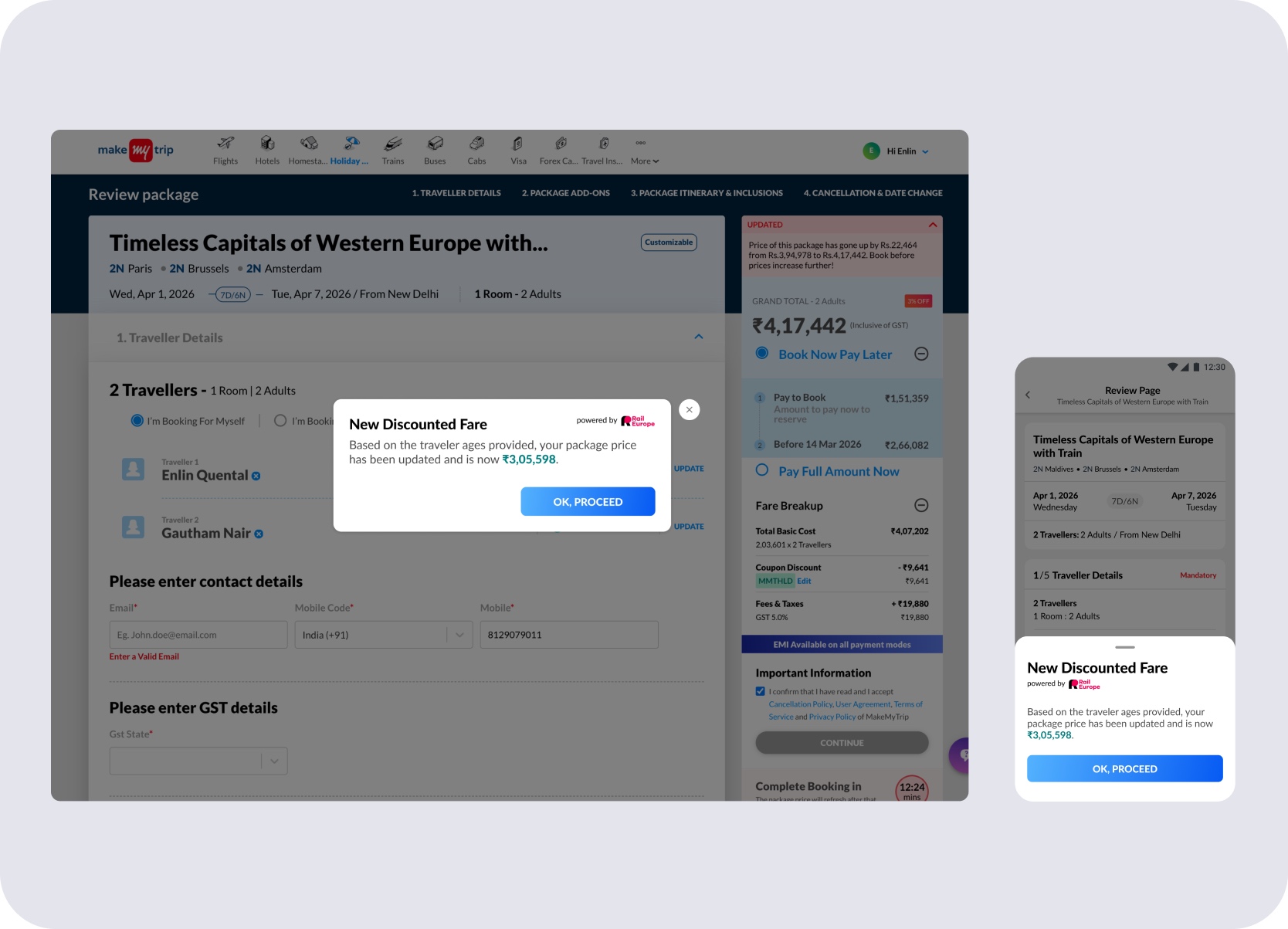
Age-based discounts are communicated at review in the current implementation, with earlier surfacing planned as the flow matures.
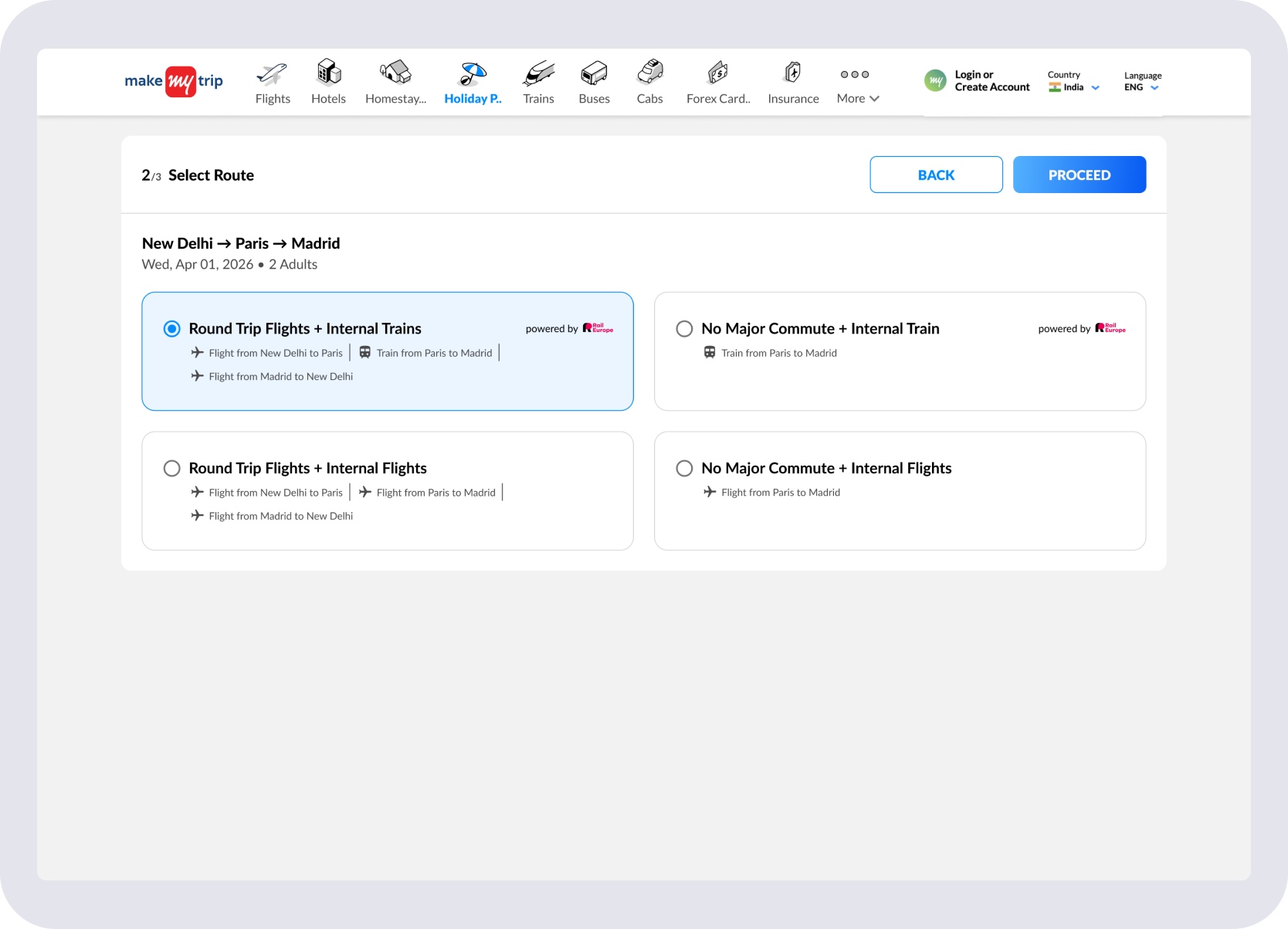
'Round Trip Flights + Internal Trains' selected — automatically includes a Paris–Madrid rail leg.
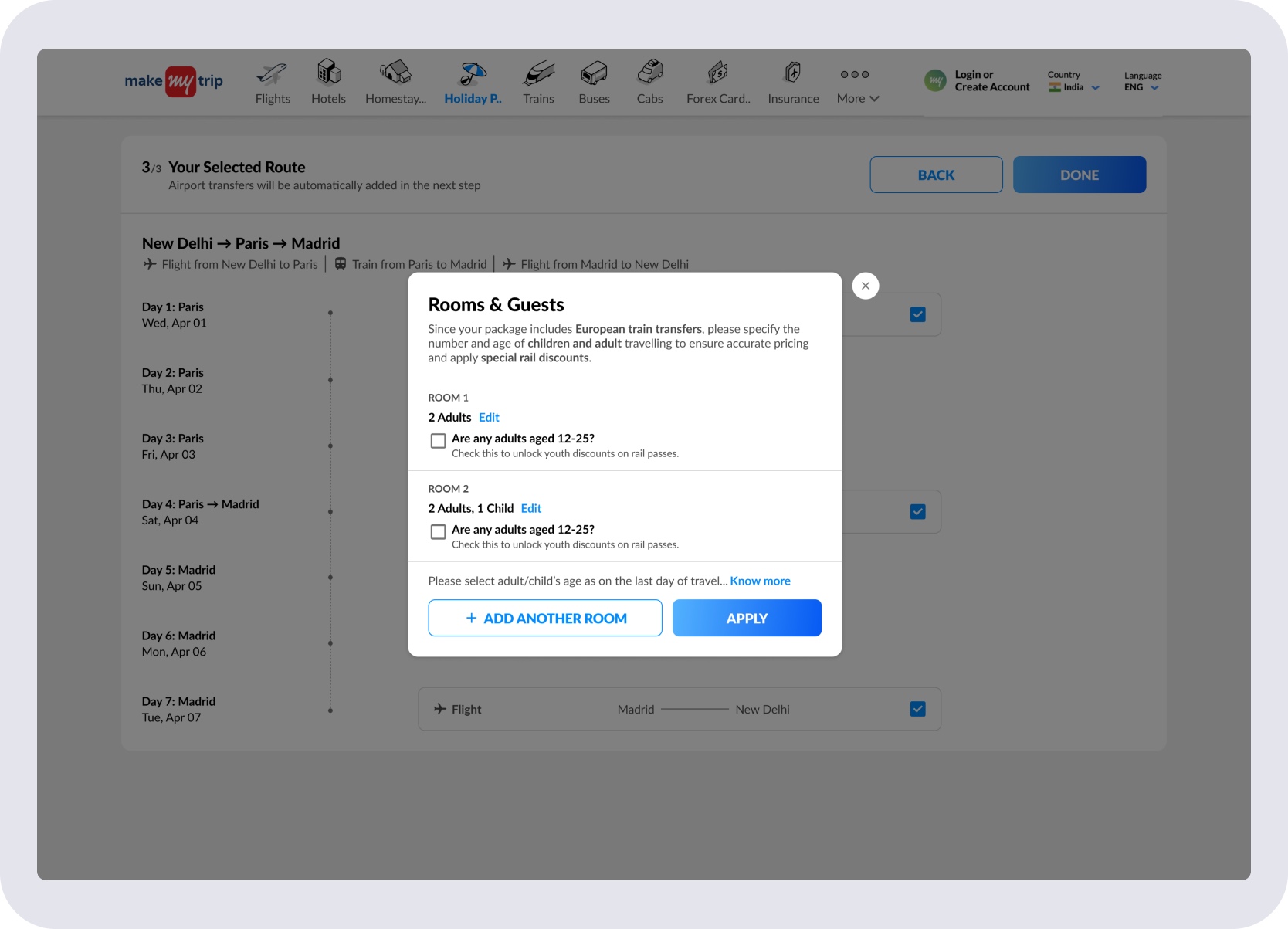
Age groups captured before the itinerary builds — European rail detected, discounts applied from the start.
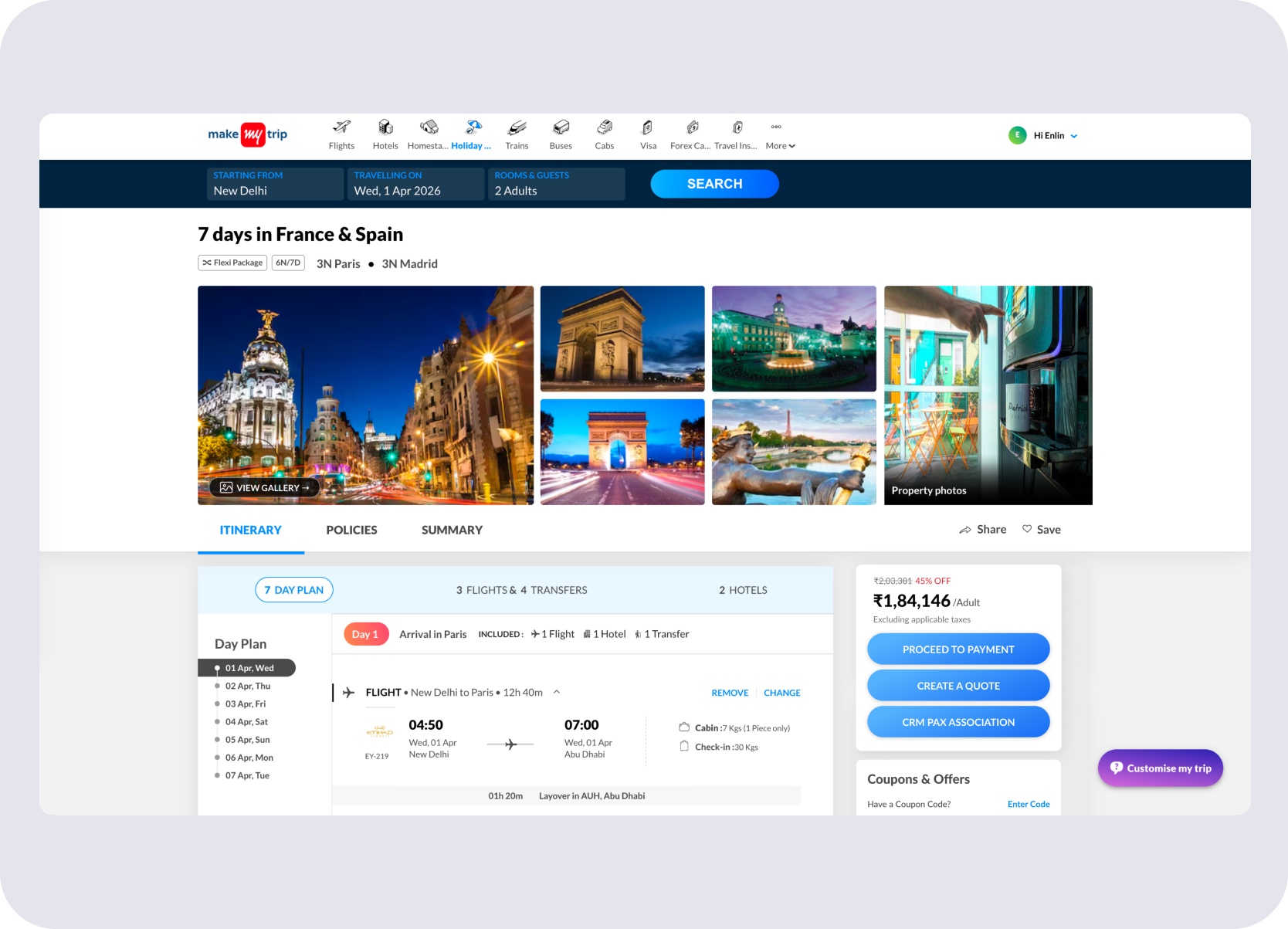
System-generated package — '7 days in France & Spain' assembled and ready for the Holiday Expert to share.
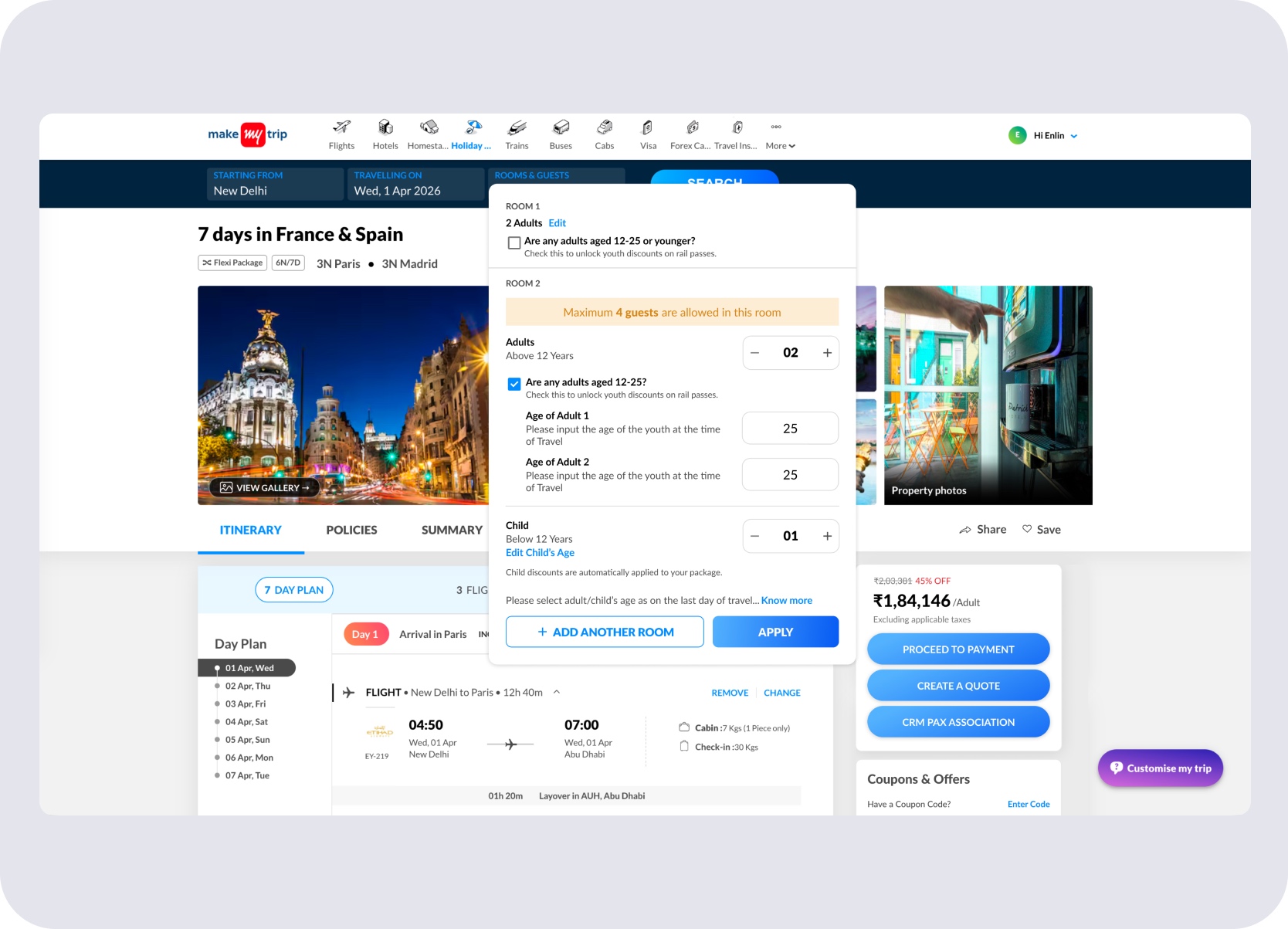
Rooms & Guests on the recommended package — system recognises European rail and surfaces youth age discounting inputs.
Outcome
Rail Europe became a package-ready travel component across CMS, customer-facing flows, and Holiday Expert workflows.
P2P and Pass Transfer setup with rate plan attachment and rail metadata.
Compact train cards inside itinerary packages with route, class, and timing.
Slot comparison, per-person pricing, and interchange logic in one view.
Youth, child, and senior fares surfaced contextually without disrupting search.
Unavailable-train fallback and fare-update review built into the booking flow.
Rail context carried forward into quotation, booking review, and post-sales.
The system's strength is in how it balances density and clarity. Compact itinerary cards let travellers understand included train journeys at a glance, while expanded rail views reveal route anatomy, station proximity, time slots, class, operator, interchanges, and risk tags only when needed.
Continue Browsing